
Aspire Mcp Sample1
What is Aspire Mcp Sample1
Aspire_MCP_Sample1 is a sample implementation of the Model Context Protocol (MCP) using .NET 10 and Visual Studio 2022. It includes both an MCP server and an MCP client, showcasing how to integrate with Azure OpenAI services.
Use cases
Use cases include developing applications that leverage AI models for natural language processing, creating interactive web applications that utilize AI capabilities, and deploying solutions in cloud environments like Azure.
How to use
To use Aspire_MCP_Sample1, install .NET 10 and Visual Studio 2022 v17.4 (Preview Edition), set up Docker Desktop, and create an Azure OpenAI resource with a gpt-4o deployment. Follow the provided instructions to create a blank solution, set up folder structures, and build both the MCP client (Blazor Web Application) and MCP server (ASP.NET Core Web API).
Key features
Key features include integration with Azure OpenAI, support for multiple AI providers, the ability to create Blazor Web Applications and ASP.NET Core Web APIs, and comprehensive documentation for setup and deployment.
Where to use
Aspire_MCP_Sample1 can be used in various fields such as software development, AI integration, and web application development, particularly where model context protocols are beneficial for managing AI interactions.
Clients Supporting MCP
The following are the main client software that supports the Model Context Protocol. Click the link to visit the official website for more information.





Overview
What is Aspire Mcp Sample1
Aspire_MCP_Sample1 is a sample implementation of the Model Context Protocol (MCP) using .NET 10 and Visual Studio 2022. It includes both an MCP server and an MCP client, showcasing how to integrate with Azure OpenAI services.
Use cases
Use cases include developing applications that leverage AI models for natural language processing, creating interactive web applications that utilize AI capabilities, and deploying solutions in cloud environments like Azure.
How to use
To use Aspire_MCP_Sample1, install .NET 10 and Visual Studio 2022 v17.4 (Preview Edition), set up Docker Desktop, and create an Azure OpenAI resource with a gpt-4o deployment. Follow the provided instructions to create a blank solution, set up folder structures, and build both the MCP client (Blazor Web Application) and MCP server (ASP.NET Core Web API).
Key features
Key features include integration with Azure OpenAI, support for multiple AI providers, the ability to create Blazor Web Applications and ASP.NET Core Web APIs, and comprehensive documentation for setup and deployment.
Where to use
Aspire_MCP_Sample1 can be used in various fields such as software development, AI integration, and web application development, particularly where model context protocols are beneficial for managing AI interactions.
Clients Supporting MCP
The following are the main client software that supports the Model Context Protocol. Click the link to visit the official website for more information.
Content
Aspire MCP (Model Context Protocol) Sample with .NET 10 and Visual Studio 2022 v17.4 (Preview Edition)
Sample MCP Server and MCP client using Aspire.
1. Prerrequisite
1.1. Install .NET 10 and Visual Studio 2022 v17.4(Preview Edition)
1.2. Install and Run Docker Desktop
1.3. Create Azure OpenAI resource and create a gpt-4o deployment
2. How to create a Blank solution
3. How to create the folders struture
4. How to create an Aspire Blank Application
We upgrade the Nuget packages
5. How to create a Blazor Web Application (MCP Client)
We Add Aspire support to the application
6. How to create a ASP.NET Core Web API (MCP Server)
We Add Aspire support to the application
7. Load Nuget Packages in Blazor Web Application (MCP Client)
8. Load Nuget Packages in ASP.NET Core Web API (MCP Server)
9. We configure AppHost project Middleware(Program.cs)
10. Run and Verify the Blazor Web Application
11. Run and Verify the ASP.NET Core Web API
How to configure OpenAPI documentation and Swagger
12. ASP.NET Core Web API (MCP Server) source code
13. Blazor Web Application (MCP Client) source code
Once we created the Azure OpenAI resource with the gpt-4o deployment you have to copy this values (endpoint,key,deployment name) in the appsettings.json file
It is also possible to configure four using other AI providers like: OpenAI, Github AI models, Ollama, etc.
13.1. Configure LLM with Azure OpenAI (gpt-4o)
13.2. Configure LLM with OpenAI (gpt-4o)
13.3. Configure LLM with Ollama ()
14. Run and Verify the Solution
15. How to deploy the Solution in Azure
Overview
This sample demonstrates a Model Context Protocol (MCP) Server and client setup using Aspire. It showcases how to establish and manage MCP communication, using C# in a structured Aspire environment.
Quick Demo

Check out this 5-minute video overview to see the project in action.
Features
- MCP Server: Implements an MCP server to manage client communication.
- MCP Client: Sample Blazor Chat client demonstrating how to connect and communicate with the MCP server.
- Aspire Integration: Uses Aspire for containerized orchestration and service management.
Getting Started
Prerequisites
- .NET SDK 9.0 or later
- Visual Studio 2022 or Visual Studio code
- LLM or SLM that supports function calling.
- Azure AI Foundry to run models in the cloud. IE: gpt-4o-mini
- Ollama for running local models. Suggested: phi4-mini, llama3.2 or Qwq
Run locally
-
Clone the repository:
-
Navigate to the Aspire project directory:
cd .\src\McpSample.AppHost\ -
Run the project:
dotnet run -
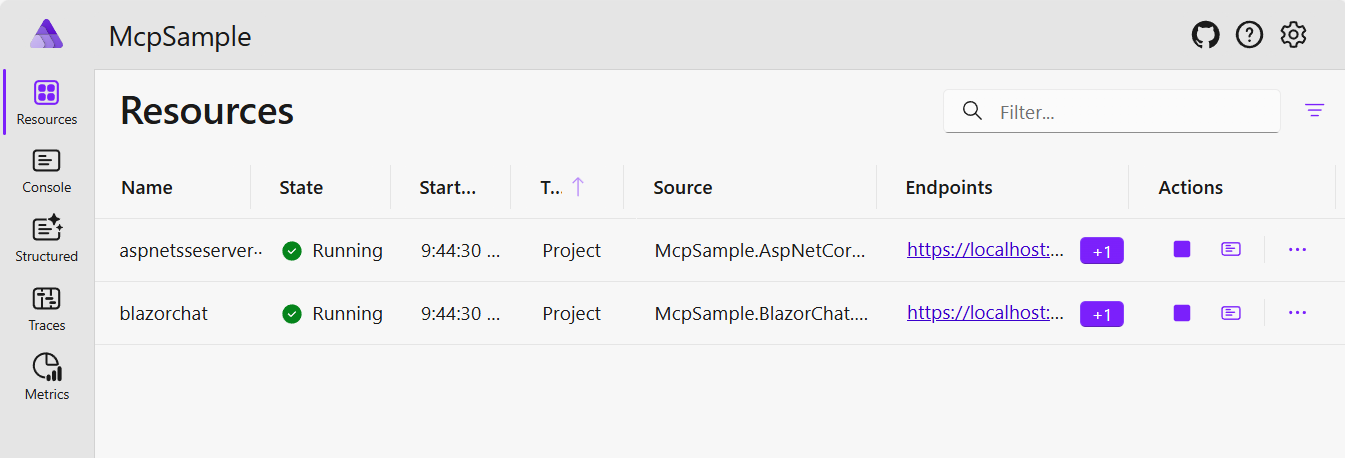
In the Aspire Dashboard, navigate to the Blazor Chat client project.
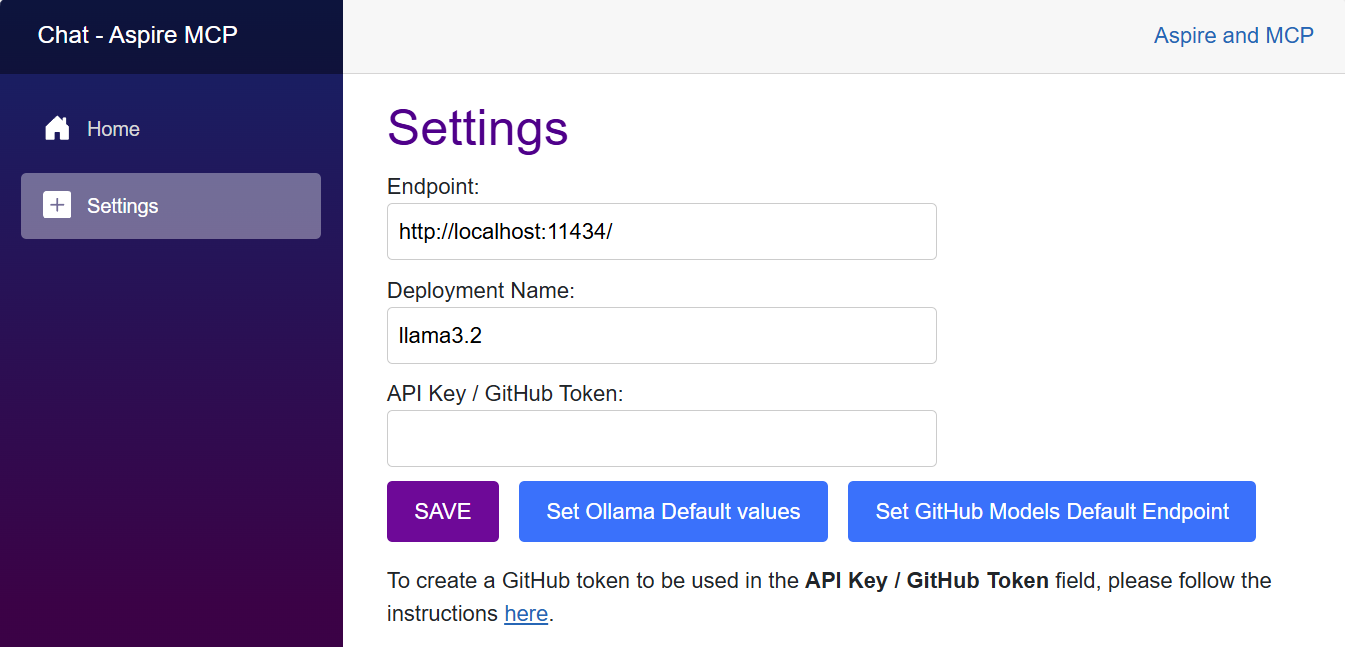
- In the Chat Settings page, define the model to be used. You choose to use models in Azure AI Foundry (suggested gpt-4o-mini), GitHub Models or locally with ollama (suggested llama3.2)
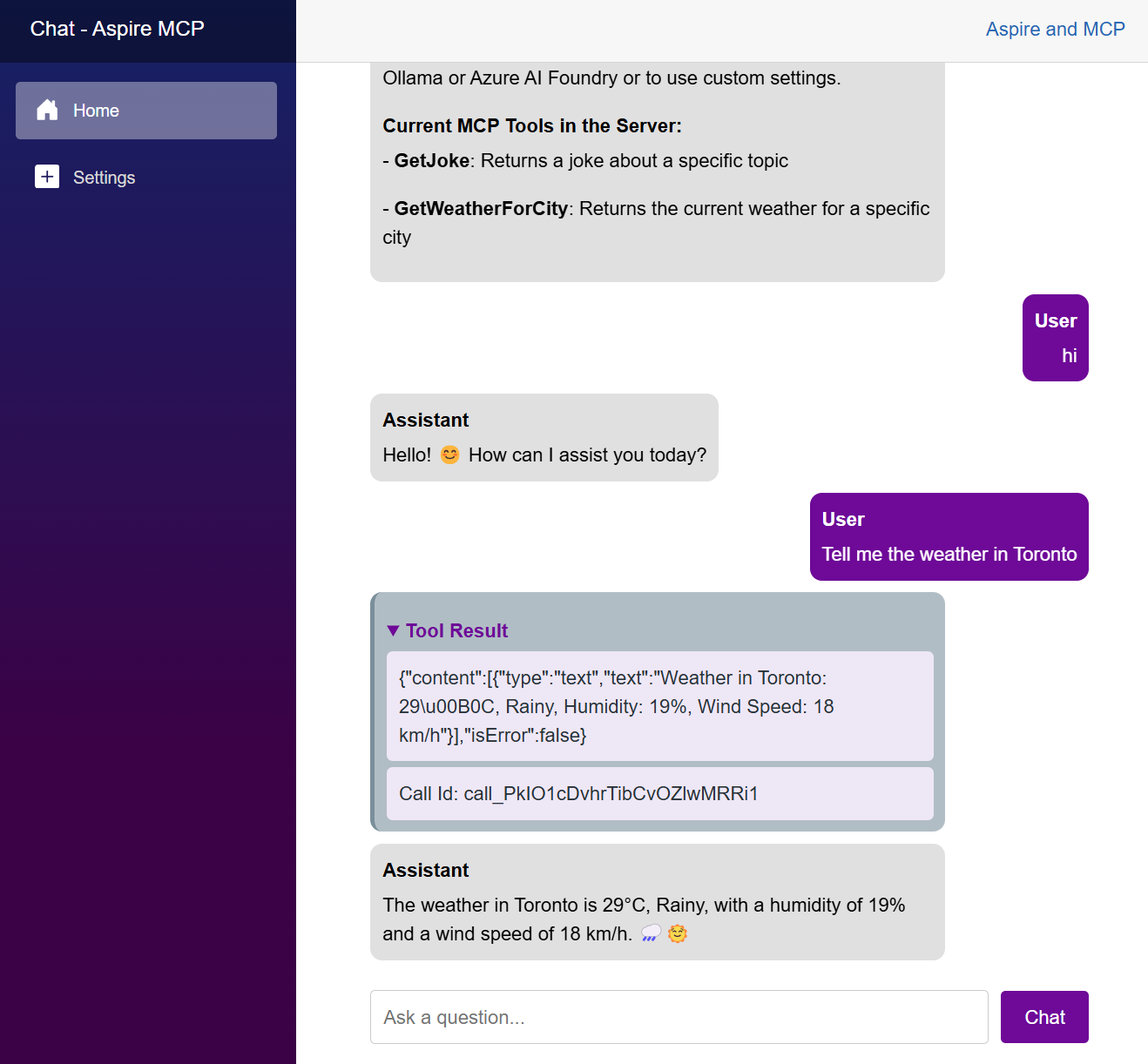
- Now you can chat with the model. Everytime that one of the functions of the MCP server is called, the
Tool Resultsection will be displayed in the chat.
Architecture Diagram
(WIP)
- High-level architecture diagram will be added soon.
GitHub Codespaces
(WIP)
- Codespaces configuration will be added soon.
Deployment
Local Deployment
Azure Deployment
Contributing
Contributions are welcome! Feel free to submit issues and pull requests.
License
This project is licensed under the MIT License.
Dev Tools Supporting MCP
The following are the main code editors that support the Model Context Protocol. Click the link to visit the official website for more information.







