
Carrotai
What is Carrotai
CarrotAI is a cutting-edge AI agent application that provides real-time streaming chat through Server-Sent Events (SSE) and integrates with Model Control Protocol (MCP). It allows multiple concurrent connections to various SSE MCP servers and offers user interfaces in English, Chinese, and Japanese.
Use cases
Use cases for CarrotAI include real-time customer service chatbots, educational tutoring systems, collaborative content generation, and enhanced user engagement in applications requiring intelligent dialogue.
How to use
Users can access CarrotAI through its online platform or download the SaaS client. After logging in securely using JWT tokens, users can initiate conversations, upload files, and interact with the AI agent in real-time.
Key features
Key features include real-time chat powered by SSE and MCP, multi-server support for concurrent connections, multi-language interfaces, deep thinking mode for complex queries, secure authentication, responsive UI, theme customization, and file upload capabilities.
Where to use
CarrotAI can be utilized in various fields such as customer support, educational platforms, content creation, and any domain requiring interactive AI-driven conversations.
Clients Supporting MCP
The following are the main client software that supports the Model Context Protocol. Click the link to visit the official website for more information.





Overview
What is Carrotai
CarrotAI is a cutting-edge AI agent application that provides real-time streaming chat through Server-Sent Events (SSE) and integrates with Model Control Protocol (MCP). It allows multiple concurrent connections to various SSE MCP servers and offers user interfaces in English, Chinese, and Japanese.
Use cases
Use cases for CarrotAI include real-time customer service chatbots, educational tutoring systems, collaborative content generation, and enhanced user engagement in applications requiring intelligent dialogue.
How to use
Users can access CarrotAI through its online platform or download the SaaS client. After logging in securely using JWT tokens, users can initiate conversations, upload files, and interact with the AI agent in real-time.
Key features
Key features include real-time chat powered by SSE and MCP, multi-server support for concurrent connections, multi-language interfaces, deep thinking mode for complex queries, secure authentication, responsive UI, theme customization, and file upload capabilities.
Where to use
CarrotAI can be utilized in various fields such as customer support, educational platforms, content creation, and any domain requiring interactive AI-driven conversations.
Clients Supporting MCP
The following are the main client software that supports the Model Context Protocol. Click the link to visit the official website for more information.
Content
CarrotAI

AI Agent with Multi-Server Streaming & Multi-Language Support
Flutter Frontend + FastAPI Backend
🚀 Experience online now | SaaS Client download
🇨🇳 阅读中文文档
🥕 Introduction
CarrotAI is a cutting-edge AI agent application that delivers real-time streaming chat via Server-Sent Events (SSE) and streamable HTTP with built-in Model Control Protocol (MCP) integration. It supports concurrent connections to multiple SSE MCP servers and provides user interfaces in English, Chinese, and Japanese.
🚀 Features
- AI Agent: Real-time chat powered by SSE and MCP adapters for a seamless conversational experience.
- Multi-Server Support: Connect to and call multiple SSE MCP servers simultaneously to aggregate intelligent responses.
- Multi-Language: Full localization in English, 中文 (Chinese), and 日本語 (Japanese).
- Deep Thinking Mode: Advanced analysis for complex or multi-step queries.
- Authentication: Secure login/register flow using JWT tokens.
- Responsive UI: Adaptive design for mobile, desktop, and web platforms.
- Theme Customization: Light/dark mode, custom seed colors, and dynamic Material 3 theming via
dynamic_color. - File Upload: Attach and parse files within conversations for richer context.
🤖 Supported Model APIs
- DeepSeek: Advanced language model with strong reasoning capabilities
🛠️ Tech Stack
Frontend
- Framework: Flutter
- State Management: Provider
- UI: Material Design 3
- Localization: flutter gen-l10n
- Theming: dynamic_color
Backend
- Framework: FastAPI
- Streaming: Server-Sent Events (SSE)
- AI Integration: DeepSeek LLM, MCP (Model Control Protocol)
- Database: PostgreSQL + SQLAlchemy
- Authentication: JSON Web Tokens
- Migrations: Alembic
- Deployment: Uvicorn & Gunicorn
📋 Prerequisites
- Flutter SDK ^3.7.2
- Python >=3.12
- PostgreSQL
⚡ Quick Start
Please make sure that it has been installed. uv
# Clone repository
git clone https://github.com/Xingsandesu/CarrotAI.git && cd CarrotAI

# Deal with environment variables
mv backend/.env.example backend/.env && mv .env.example .env

# Edit environment variables
vim .env
vim backend/.env

# Temporarily start PostgreSQL
docker-compose -f docker-compose.yml -f docker-compose.override.yml up -d postgres

# Backend setup
uv run backend/scripts/startup.py --user --email <email> --username <name> --password <password>

# Stop PostgreSQL
docker-compose -f docker-compose.yml -f docker-compose.override.yml down

# Deal with Config
vim config/

# Run Backend
docker compose up -d
🔧 Installation
Backend Setup
- Navigate to the backend directory:
cd backend - Create and activate a virtual environment:
uv sync - Copy the example environment file:
cp .env.example .env - Apply database migrations:
uv run scripts/init_db.py && uv run scripts/init_config.py - Run the server:
python main.py       # Development mode
python main.py prod  # Production mode with Gunicorn
Frontend Setup
- Return to the project root:
cd .. - Fetch Flutter dependencies:
flutter pub get - Generate localization files:
flutter gen-l10n - Launch the app:
flutter run - Build for web:
flutter build web --wasm
🌐 Configuration
- Frontend: Edit
lib/core/config/app_config.dartfor API endpoints and theming defaults. - Backend: Configure
.envandbackend/app/core/config.pyfor database, and MCP servers.
Backend Configuration Files
The backend uses JSON files located in backend/config/ to define models, MCP servers, and custom adapters. Below is the default folder structure:
backend/config/
├── model_configs.json       # LLM model definitions and metadata
├── mcp_servers.json         # SSE MCP server endpoints and env settings
└── app/                     # Custom adapter definitions
    └── duckduckgo-search.json
model_configs.json
Defines available LLM models for CarrotAI. Each entry includes:
id(string): Unique model identifier.icon(string): Icon name for display.translations(object): Localized names and descriptions (zh,en,ja).exclusiveRules(object): Toggles and exclusion rules for features.
Example:
[
  {
    "id": "deepseek",
    "icon": "smart_toy_outlined",
    "translations": {
      "zh": {
        "name": "DeepSeek",
        "description": "专注于深度思考和复杂推理的满血模型"
      },
      "en": {
        "name": "DeepSeek",
        "description": "Powerful Chinese large model focused on deep thinking and complex reasoning"
      },
      "ja": {
        "name": "DeepSeek",
        "description": "深い思考と複雑な推論に特化した強力な中国語大規模モデル"
      }
    },
    "exclusiveRules": {
      "deepThinking": {
        "enabled": true,
        "excludes": [
          "mcpServices"
        ]
      },
      "mcpServices": {
        "enabled": true,
        "excludes": [
          "deepThinking"
        ]
      }
    }
  }
]
mcp_servers.json
Specifies SSE Model Control Protocol (MCP) endpoints. Format:
- Keys: service names.
url(string): SSE endpoint URL.env(object): Environment variables for the adapter.
Example:
{
  "serviceA": {
    "url": "http://localhost:10000/sse",
    "env": {
      "API_KEY": "your_api_key"
    }
  }
}
Custom Adapters (app/*.json)
Place custom MCP adapters in backend/config/app/. Each file defines:
id(string): Adapter identifier.icon(string): Emoji or icon name.mcpServer(object): Same structure as entries inmcp_servers.json.translations(object): Localized UI metadata.
Example (duckduckgo-search.json):
{
  "id": "duckduckgo-search",
  "icon": "🔍",
  "mcpServer": {
    "url": "http://localhost:10000/duckduckgo-search",
    "env": {}
  },
  "transportType": "sse",
  "translations": {
    "en": {
      "name": "DuckDuckGo Search",
      "type": "Search Tool",
      "description": "Use DuckDuckGo search engine for secure and private web searches"
    },
    "zh": {
      "name": "DuckDuckGo搜索",
      "type": "搜索工具",
      "description": "使用DuckDuckGo搜索引擎进行安全、私密的网络搜索"
    },
    "ja": {
      "name": "DuckDuckGo検索",
      "type": "検索ツール",
      "description": "DuckDuckGo検索エンジンを使用して安全でプライベートなウェブ検索を行います"
    }
  }
}
Usage
- Initialize default configurations:
uv run scripts/init_config.py - Modify JSON files under
backend/config/to add or update models and endpoints. - Restart the backend server to apply changes.
🔧 Environment Variables
Backend (.env)
| Key | Description | Default |
|---|---|---|
| DATABASE_URL | PostgreSQL connection URL | required |
| BACKEND_CORS_ORIGINS | Allowed CORS origins (comma-separated) | [] |
| MCP_SERVERS | JSON list of SSE MCP server endpoints | required |
| SECRET_KEY | JWT secret key | required |
Frontend (lib/core/config/app_config.dart)
static String get baseUrl => "http://127.0.0.1:8000";
💡 Usage
- Launch backend and frontend as shown in Quick Start.
- Open the app in your browser or mobile emulator.
- Register or login to obtain a JWT token.
- Use deep thinking mode or default chat mode to interact with the AI agent.
- Switch between MCP servers or add new endpoints under Settings.
🔗 API Reference
Access the interactive Swagger UI at:
http://127.0.0.1:8000/docs
🛣️ Roadmap
- [x] SSE multi-server support
- [x] Multi-language (EN, 中文, 日本語)
- [x] Docker Compose setup
- [x] streamable HTTP support
- [ ] Local Stdio multi-server support
- [ ] Local OCR support
- [ ] Support for more formats of the upload interface
- [ ] Frontend custom prompts
- [ ] More model support
- [ ] More language support
🛡️ Security
- Authentication: All backend endpoints secured with JWT; tokens stored securely in encrypted storage.
- Data Protection: Use HTTPS in production; configure allowed CORS origins via
BACKEND_CORS_ORIGINSin.env. - Secret Management: Define
SECRET_KEYin.env; ensure no secrets are committed to source control.
🔍 Monitoring & Logging
- Server Logs: Configured in
gunicorn.conf.py; access and error logs inlogs/. - Application Logs: Uses Loguru for structured logging; frontend disables
debugPrintin release mode.
🚀 Performance & Optimization
- Caching: Frontend caches static assets; backend uses async connection pooling for PostgreSQL.
- Bundle Size: Web artifact built with
--wasmfor optimized delivery.
🗂️ Changelog
All notable changes are documented in CHANGELOG.md.
📱 Screenshots
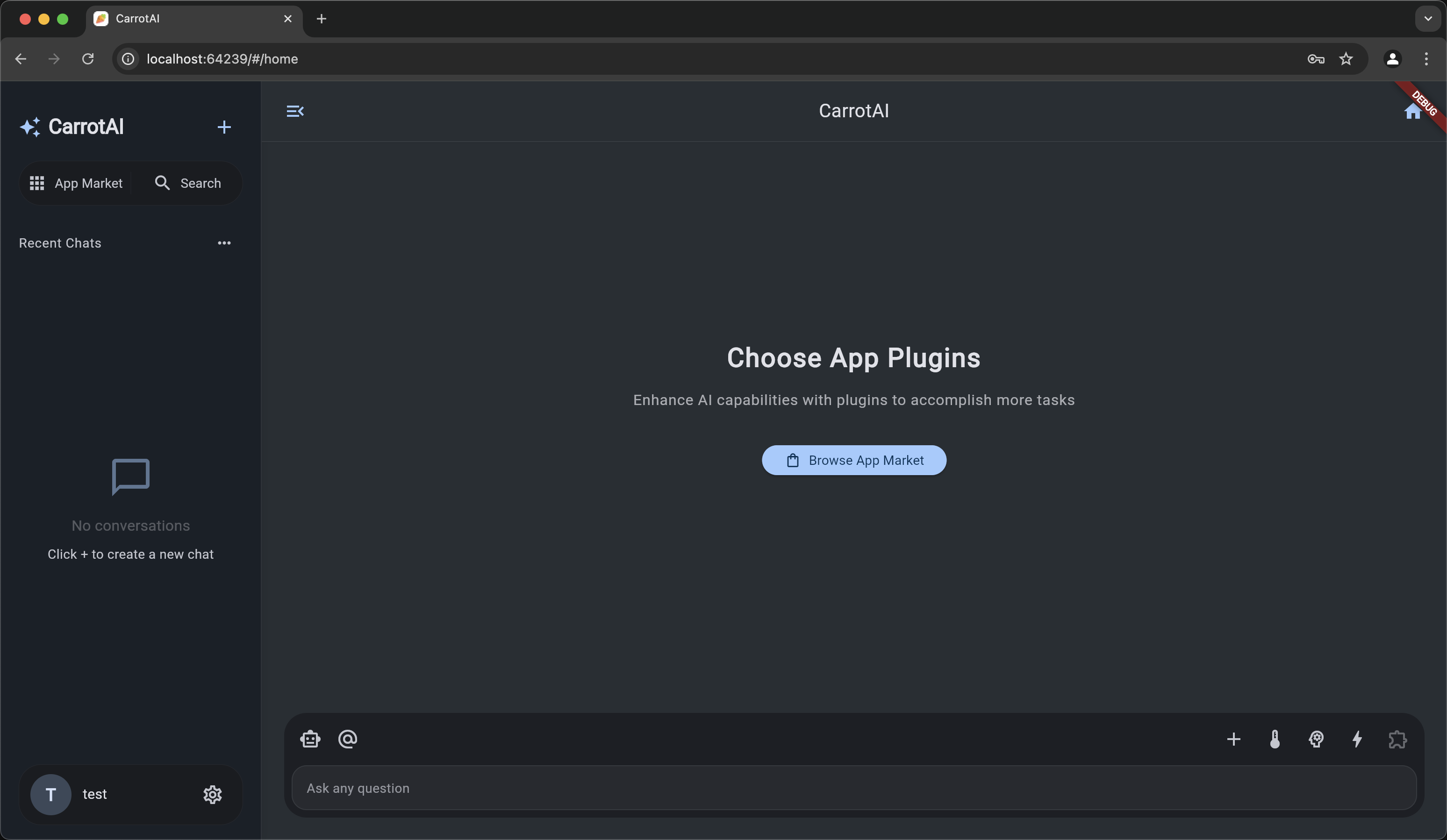
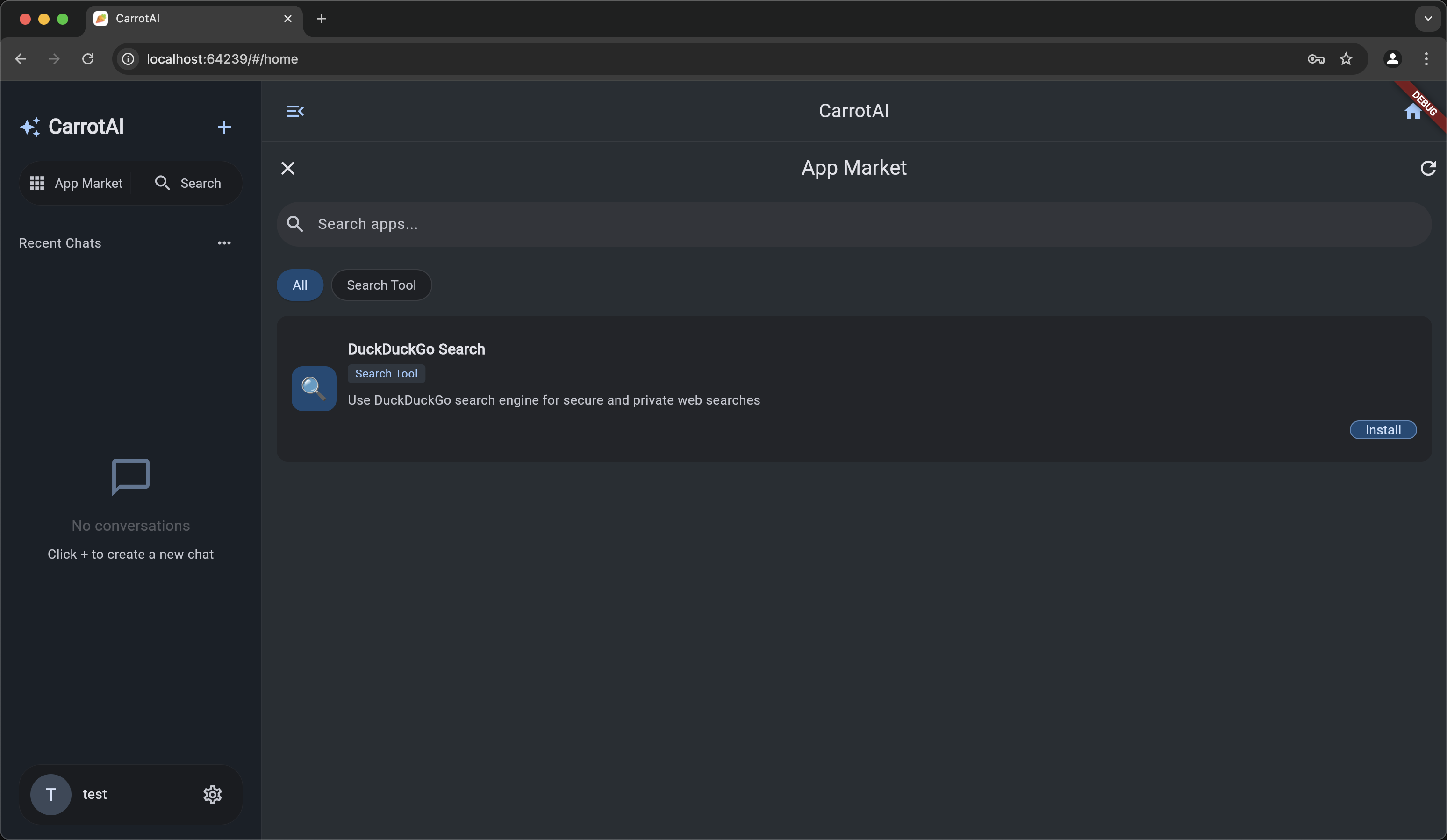
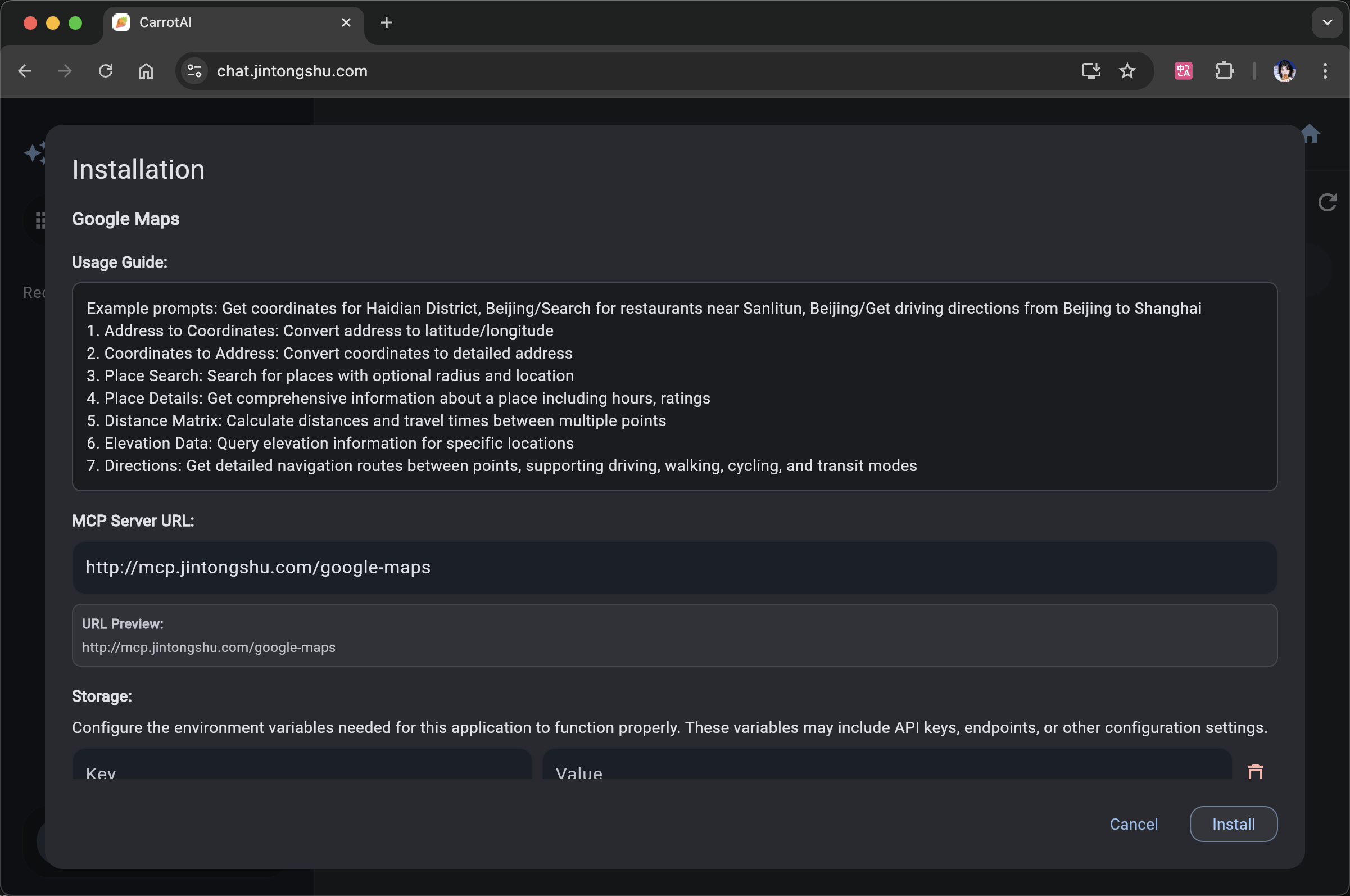
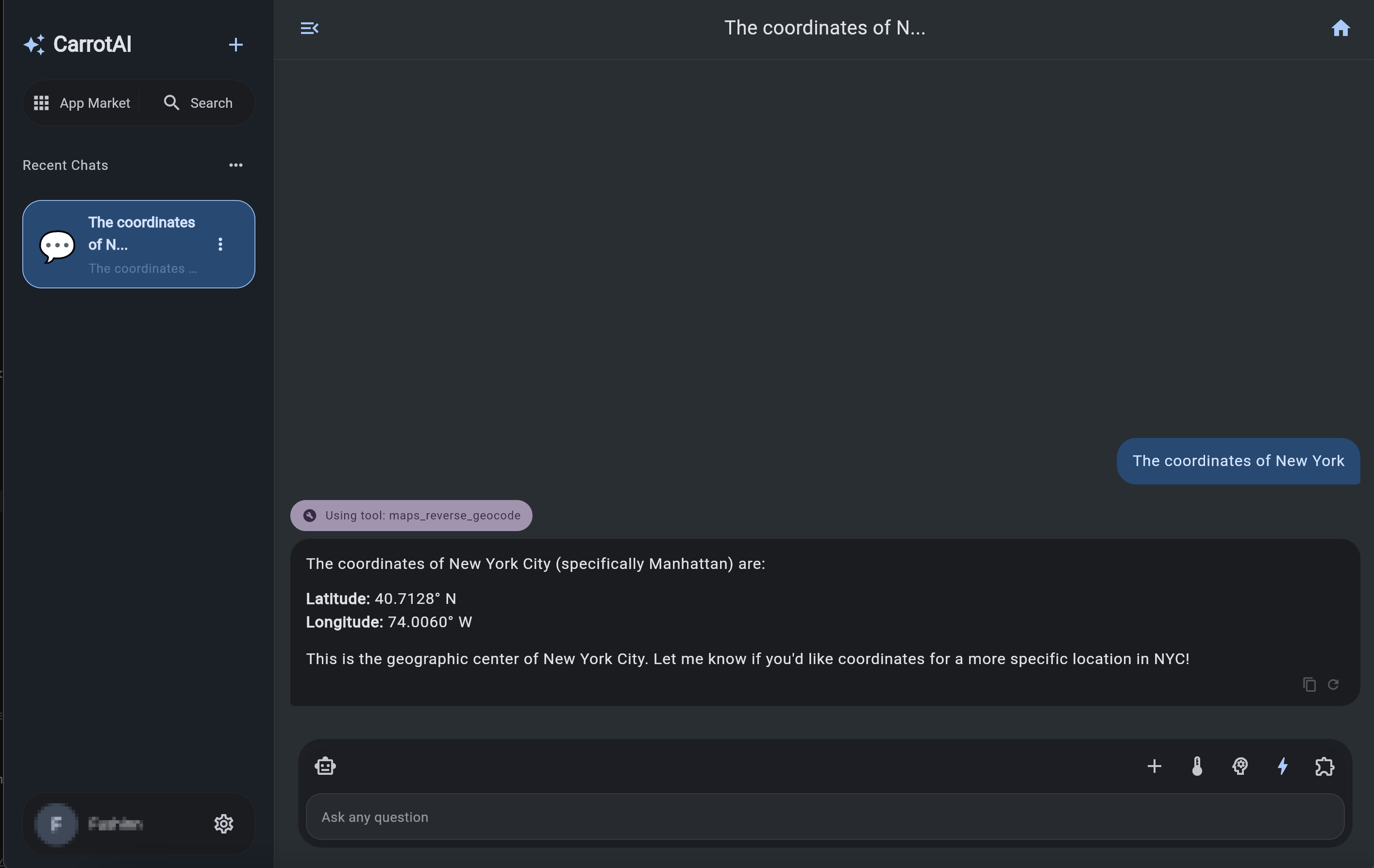
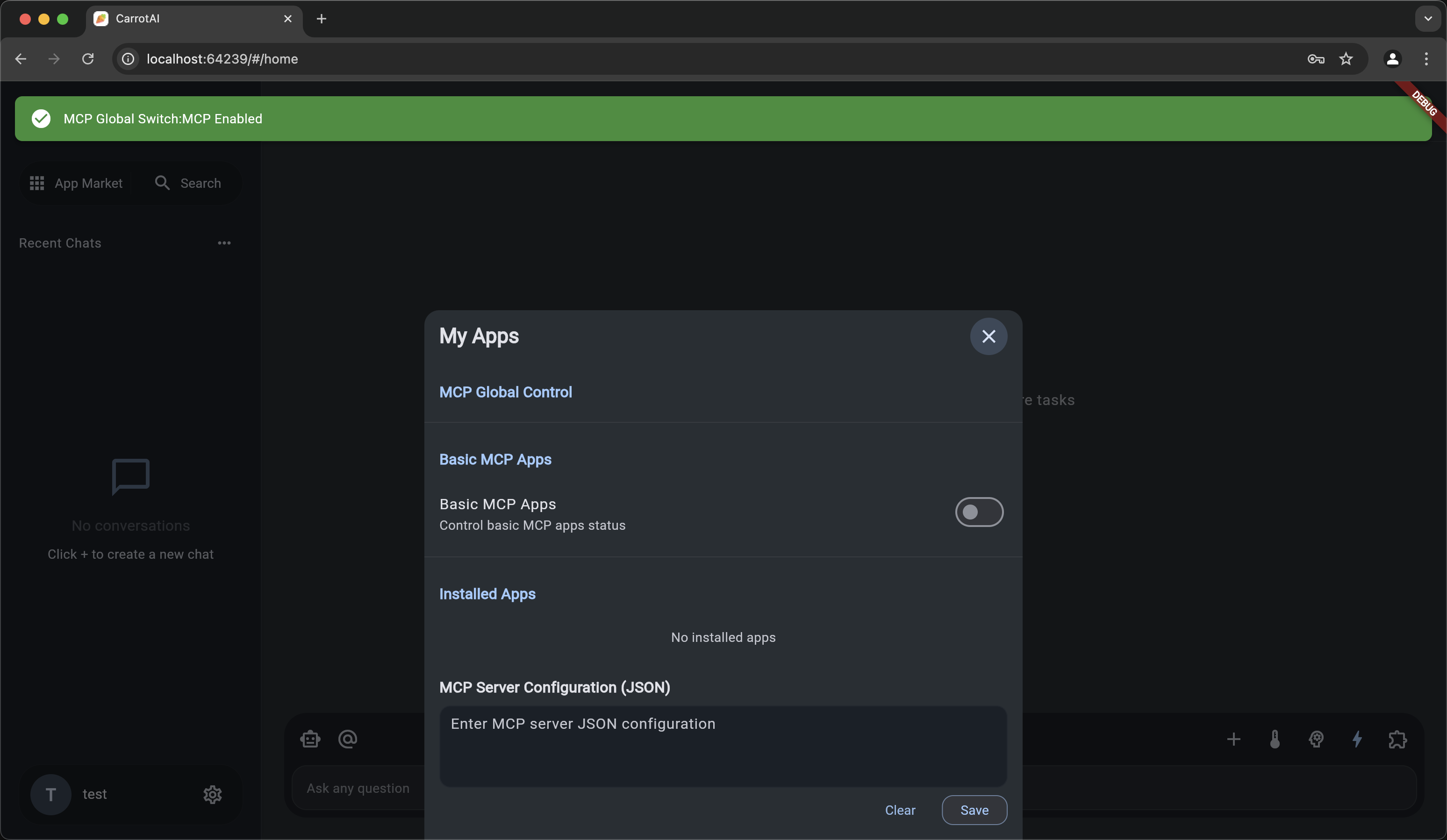
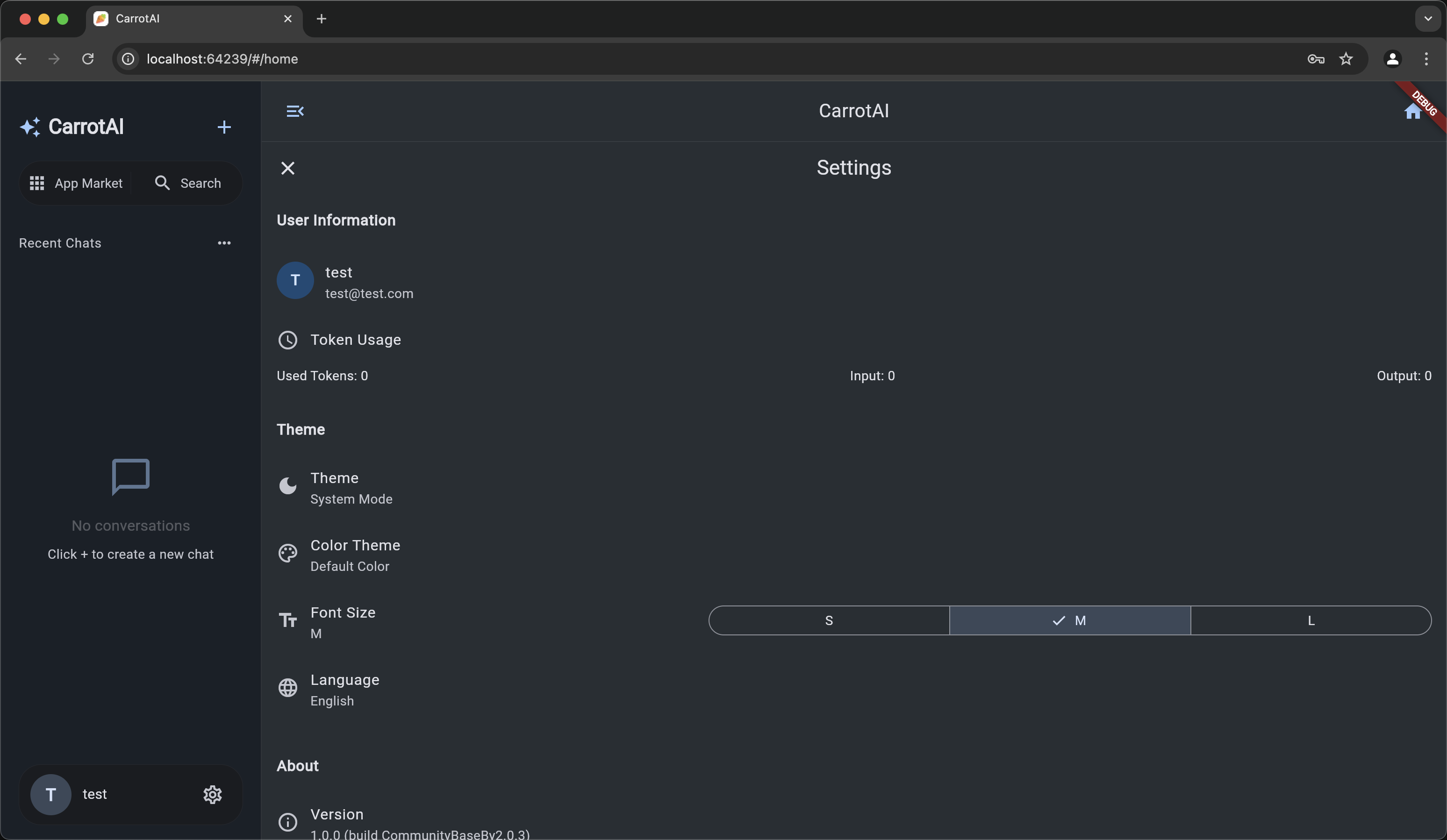
🤝 Contributing
Contributions are welcome! Please open a Pull Request with your suggestions.
📄 License
This project is licensed under the CarrotAI Open Source License. See the LICENSE file for details.
Dev Tools Supporting MCP
The following are the main code editors that support the Model Context Protocol. Click the link to visit the official website for more information.







