
Colorsmcp
What is Colorsmcp
ColorsMCP is a Model Context Protocol (MCP) server implementation designed to facilitate interactions related to colors. It is built using .NET 9.0 and supports both STDIO and SSE versions.
Use cases
Use cases for ColorsMCP include integrating color-related functionalities in applications, developing educational tools for teaching color theory, and creating design software that requires color manipulation and analysis.
How to use
To use ColorsMCP, configure it in your development environment by setting up the appropriate VSCode configuration for STDIO or SSE. For STDIO, run the command with the specified project path. For SSE, build and run the Docker container, then configure the VSCode to connect to the server URL.
Key features
ColorsMCP features include support for both STDIO and SSE communication, easy configuration through VSCode, and the ability to ask questions about colors, making it versatile for various applications.
Where to use
ColorsMCP can be used in various fields such as software development, color analysis, design applications, and educational tools where color-related queries are relevant.
Clients Supporting MCP
The following are the main client software that supports the Model Context Protocol. Click the link to visit the official website for more information.





Overview
What is Colorsmcp
ColorsMCP is a Model Context Protocol (MCP) server implementation designed to facilitate interactions related to colors. It is built using .NET 9.0 and supports both STDIO and SSE versions.
Use cases
Use cases for ColorsMCP include integrating color-related functionalities in applications, developing educational tools for teaching color theory, and creating design software that requires color manipulation and analysis.
How to use
To use ColorsMCP, configure it in your development environment by setting up the appropriate VSCode configuration for STDIO or SSE. For STDIO, run the command with the specified project path. For SSE, build and run the Docker container, then configure the VSCode to connect to the server URL.
Key features
ColorsMCP features include support for both STDIO and SSE communication, easy configuration through VSCode, and the ability to ask questions about colors, making it versatile for various applications.
Where to use
ColorsMCP can be used in various fields such as software development, color analysis, design applications, and educational tools where color-related queries are relevant.
Clients Supporting MCP
The following are the main client software that supports the Model Context Protocol. Click the link to visit the official website for more information.
Content
ColorsMCP - Model Context Protocol (MCP) Server
Overview
This is a Model Context Protocol (MCP) server implementation built with .NET 9.0.
Projects are provided to build:
- STDIO
- Http Streamable - Docker Image
- SSE - Azure Function App
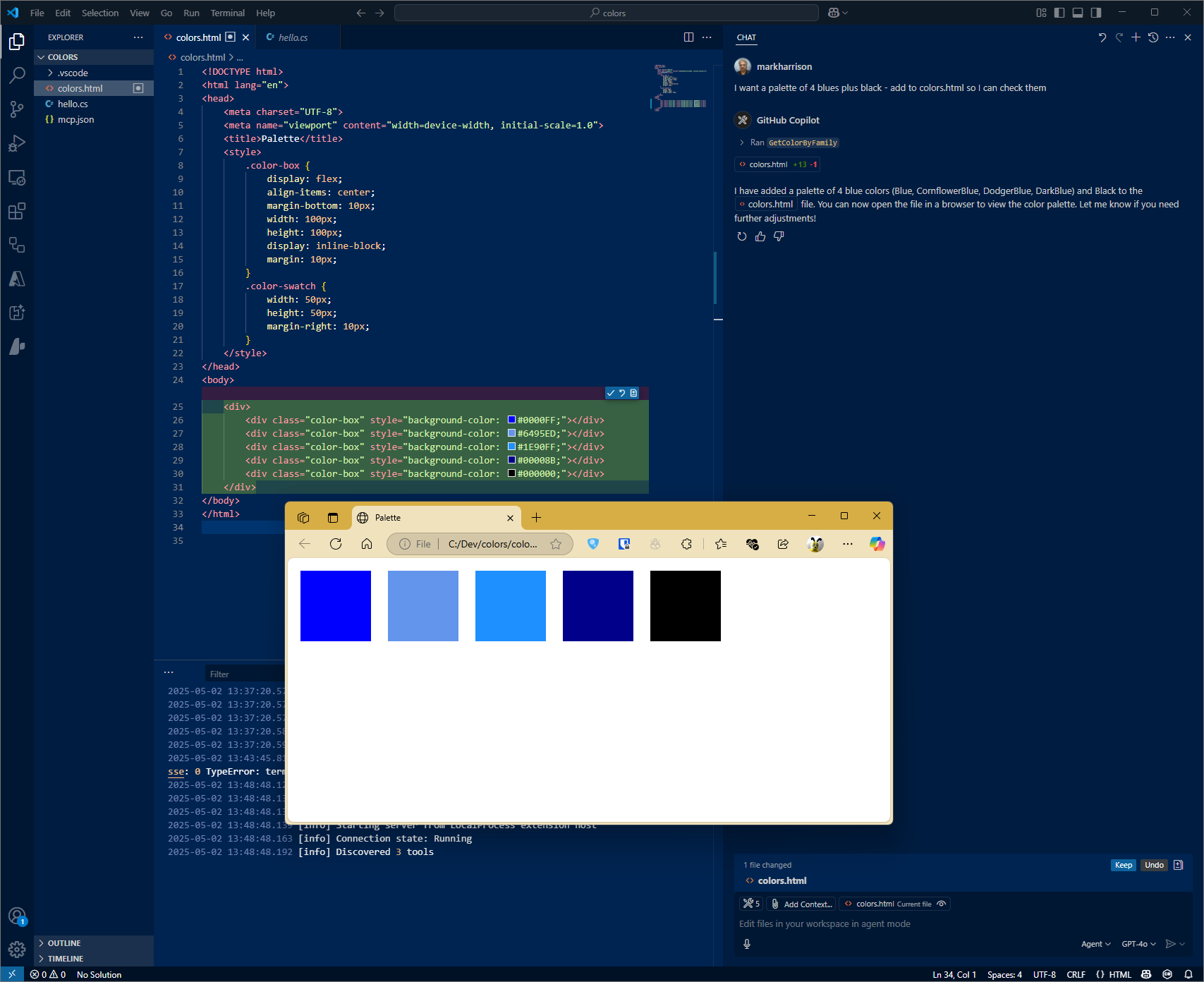
Able to ask questions about Colors.
Configuration STDIO
VSCode config
Filename: .vscode\mcp.json
{
    "servers": {
        "colorsserver": {
            "type": "stdio",
            "command": "dotnet",
            "args": [
                "run",
                "--project",
                "c:/dev/ColorsMCP/ColorsMCP/ColorsMCP.csproj"
            ]
        }
    }
}
Configuration HTTP - Docker
Build Docker file
cd <projectroot>
docker build -f colorsmcp-http/Dockerfile -t colorsmcp-http:latest .
docker images
Run Docker file
docker run -p 3000:8080 -p 3001:8081 -d colorsmcp-http:latest
VSCode config
Filename: .vscode\mcp.json
{
   "servers": {
       "colorsserver": {
           "type": "http",
           "url": "http://localhost:3000"
       }
   }
}
Configuration SSE - Azure Function App
Azure Functions
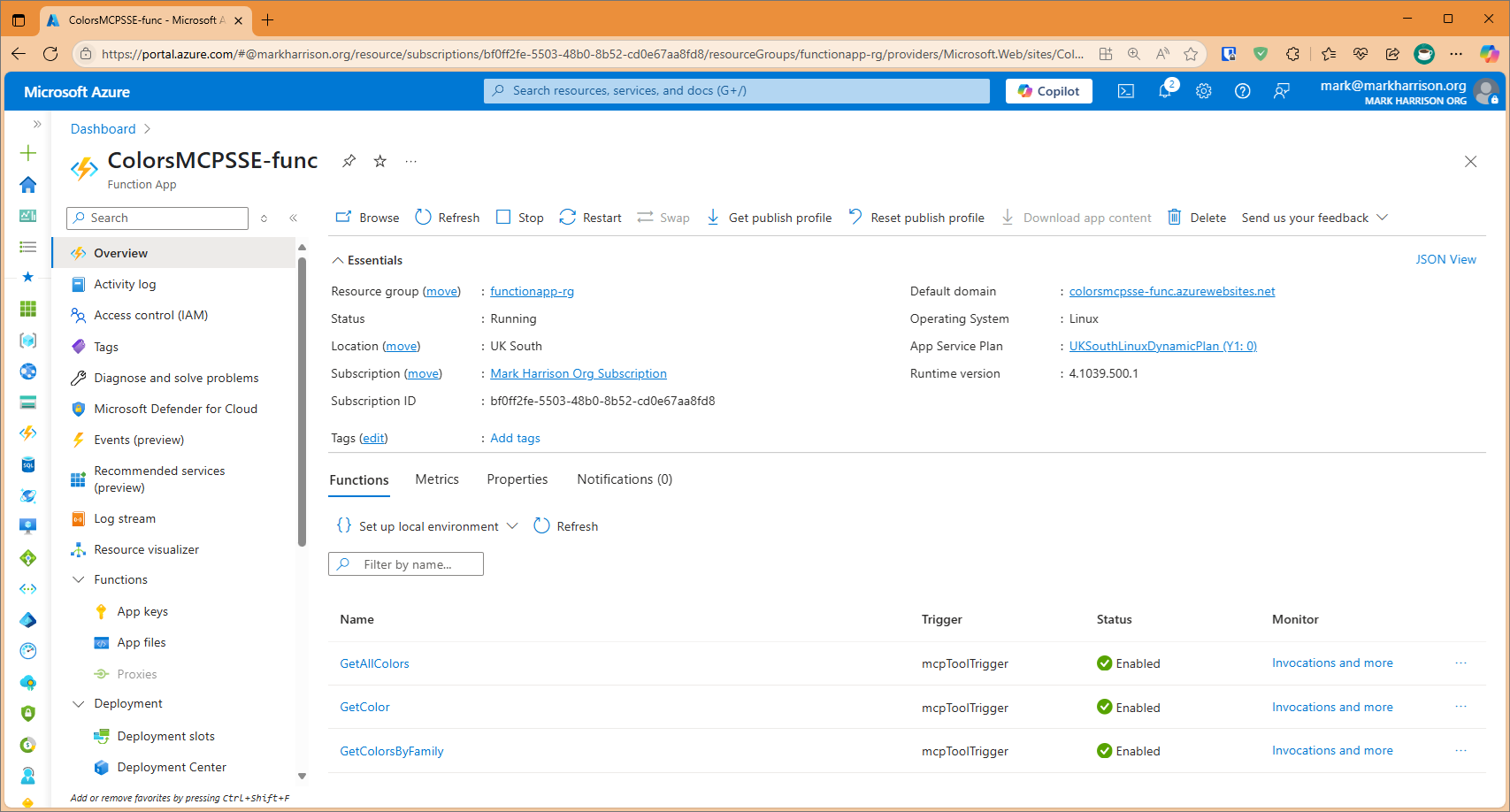
There is a project to build an Azure Function App.
Note that the Url of the MCP Server will be http://xxxxx.azurewebsites.net/runtime/webhooks/mcp/sse.
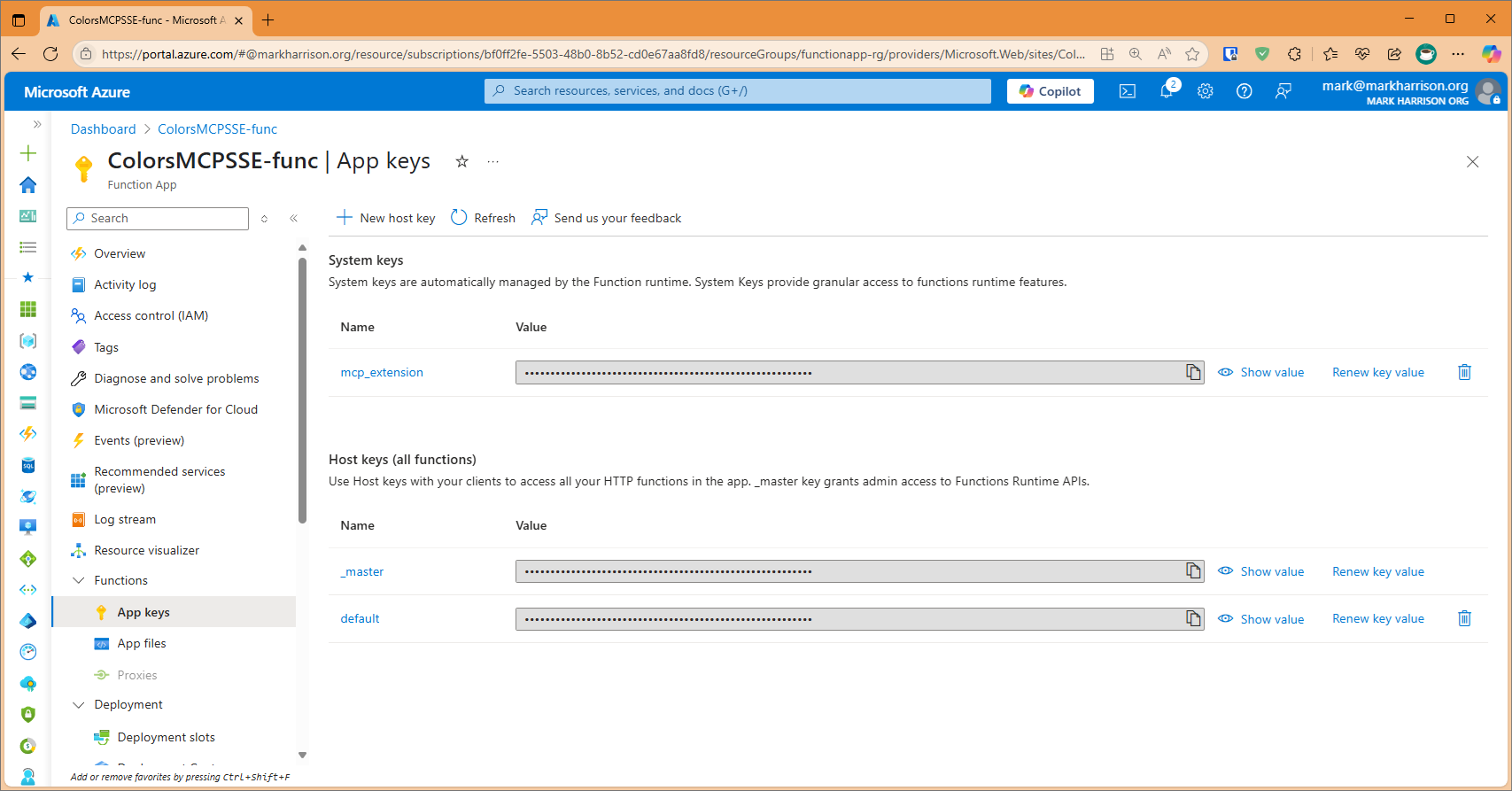
In addition a key is needed. This is located on Function App | Keys blade and is callled mcp_extension.
The header for this key is called x-functions-key.
VSCode config
The VS Code config would look like:
{
    "servers": {
        "colorsserver": {
            "type": "sse",
            "url": "https://xxxxx.azurewebsites.net//runtime/webhooks/mcp/sse",
            "headers": {
                "x-functions-key": "key"
            }
        }
    }
}
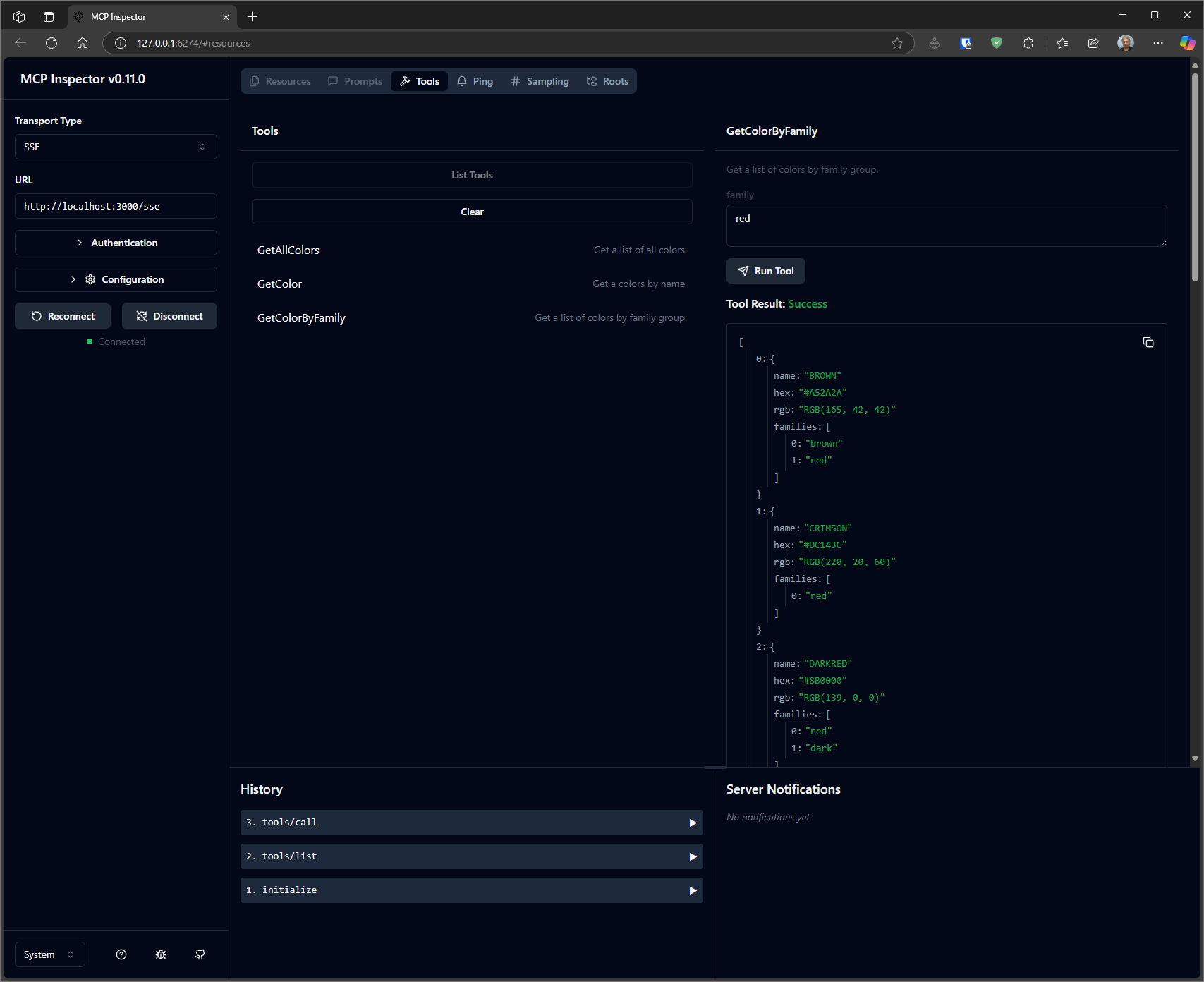
Test
$env:DANGEROUSLY_OMIT_AUTH = 'true'
npx @modelcontextprotocol/inspector
Dev Tools Supporting MCP
The following are the main code editors that support the Model Context Protocol. Click the link to visit the official website for more information.







