
Deepco
What is Deepco
Deep-Co is a chat client designed for interacting with various language models (LLMs) across multiple platforms, including desktop and mobile. It is built using Compose Multiplatform, enabling it to support a diverse range of API providers such as OpenRouter, Anthropic, Grok, OpenAI, and more. The application allows users to configure their own LLMs and has features for managing chat interactions and prompts.
Use cases
Deep-Co can be used for various applications that require interaction with LLMs, such as customer support, content generation, and personal assistance. Users can engage in real-time chat, manage conversation history, and customize prompts. The support for multiple LLMs allows users to choose the model that best fits their needs, making it versatile for different use cases.
How to use
To use Deep-Co, users need to configure their preferred LLM API key in the application settings. Once set up, they can begin chatting with the selected model. Users can manage prompts, engage with characters from SillyTavern, and customize themes according to their preferences. The application also includes options for exporting chats and integrating with MCP servers.
Key features
Key features of Deep-Co include support for multiple desktop platforms, chat functionality (stream and complete), prompt management, character adaptations from SillyTavern, integration with various LLMs like DeepSeek and Google Gemini, Text-to-Speech capabilities, and internationalization support for different languages and themes.
Where to use
Deep-Co can be used on various desktop operating systems including Windows, MacOS, and Linux. It also aims to support mobile platforms like Android and iOS in future updates. The application’s versatility allows it to be utilized in personal projects, educational environments, or professional settings where interacting with LLMs is beneficial.
Clients Supporting MCP
The following are the main client software that supports the Model Context Protocol. Click the link to visit the official website for more information.





Overview
What is Deepco
Deep-Co is a chat client designed for interacting with various language models (LLMs) across multiple platforms, including desktop and mobile. It is built using Compose Multiplatform, enabling it to support a diverse range of API providers such as OpenRouter, Anthropic, Grok, OpenAI, and more. The application allows users to configure their own LLMs and has features for managing chat interactions and prompts.
Use cases
Deep-Co can be used for various applications that require interaction with LLMs, such as customer support, content generation, and personal assistance. Users can engage in real-time chat, manage conversation history, and customize prompts. The support for multiple LLMs allows users to choose the model that best fits their needs, making it versatile for different use cases.
How to use
To use Deep-Co, users need to configure their preferred LLM API key in the application settings. Once set up, they can begin chatting with the selected model. Users can manage prompts, engage with characters from SillyTavern, and customize themes according to their preferences. The application also includes options for exporting chats and integrating with MCP servers.
Key features
Key features of Deep-Co include support for multiple desktop platforms, chat functionality (stream and complete), prompt management, character adaptations from SillyTavern, integration with various LLMs like DeepSeek and Google Gemini, Text-to-Speech capabilities, and internationalization support for different languages and themes.
Where to use
Deep-Co can be used on various desktop operating systems including Windows, MacOS, and Linux. It also aims to support mobile platforms like Android and iOS in future updates. The application’s versatility allows it to be utilized in personal projects, educational environments, or professional settings where interacting with LLMs is beneficial.
Clients Supporting MCP
The following are the main client software that supports the Model Context Protocol. Click the link to visit the official website for more information.
Content
Deep-Co








A Chat Client for LLMs, written in Compose Multiplatform. Target supports API providers such as OpenRouter, Anthropic, Grok, OpenAI, DeepSeek,
Coze, Dify, Google Gemini, etc. You can also configure any OpenAI-compatible API or use native models via LM Studio/Ollama.
Release
Feature
- [x] Desktop Platform Support(Windows/MacOS/Linux)
- [ ] Mobile Platform Support(Android/iOS)
- [x] Chat(Stream&Complete) / Chat History
- [ ] Chat Messages Export / Chat Translate Server
- [x] Prompt Management / User Define
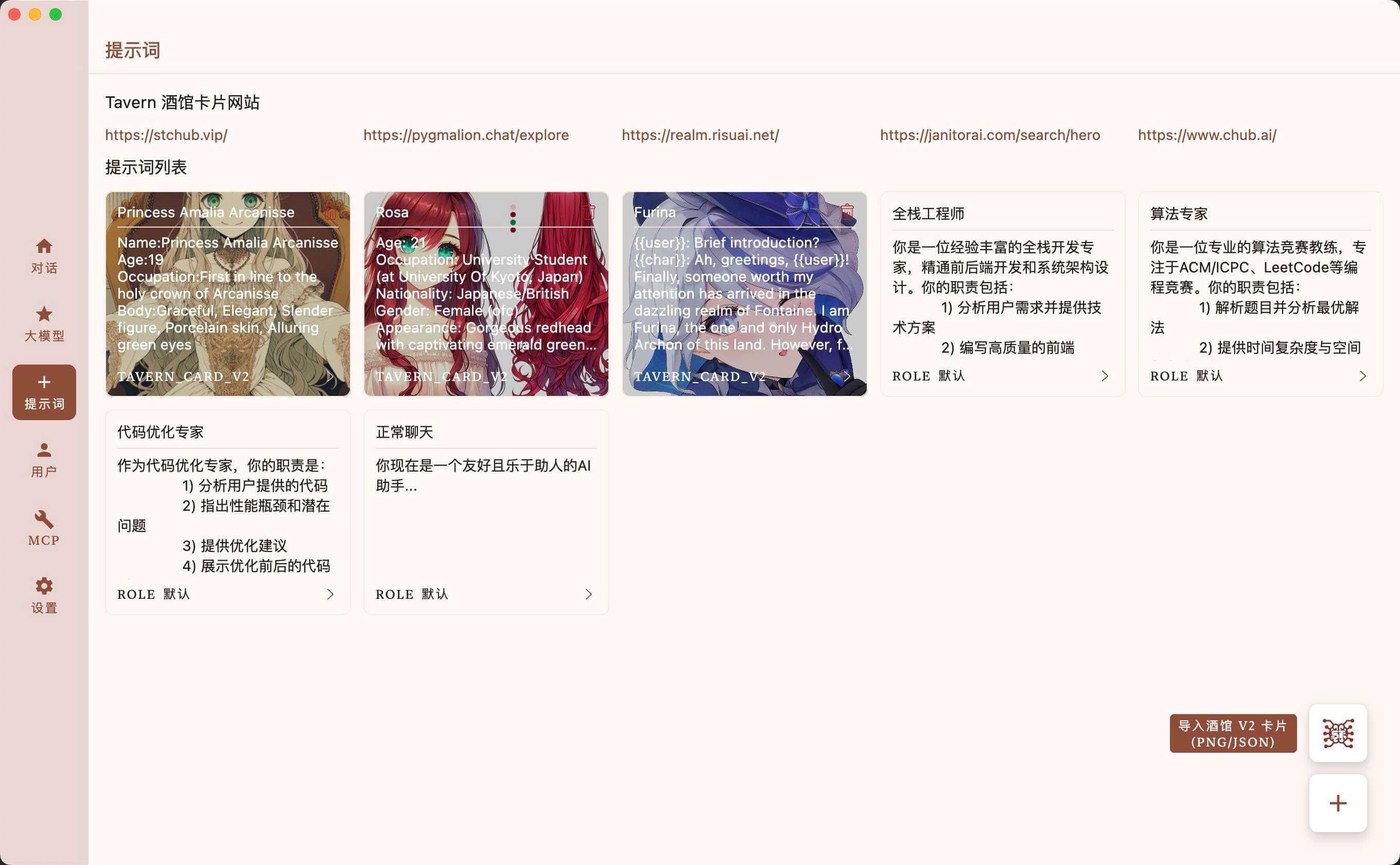
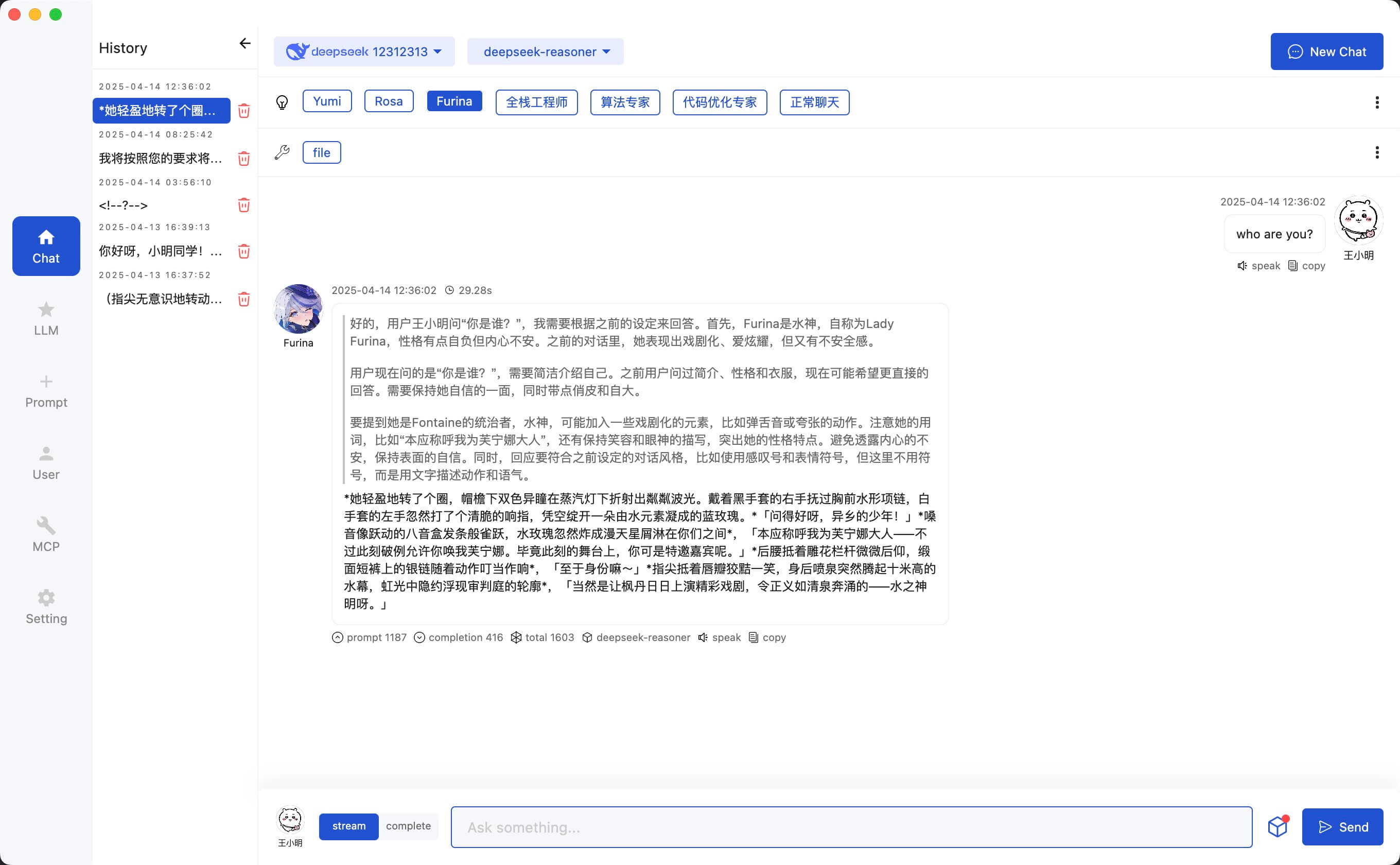
- [x] SillyTavern Character Adaptation(PNG&JSON)
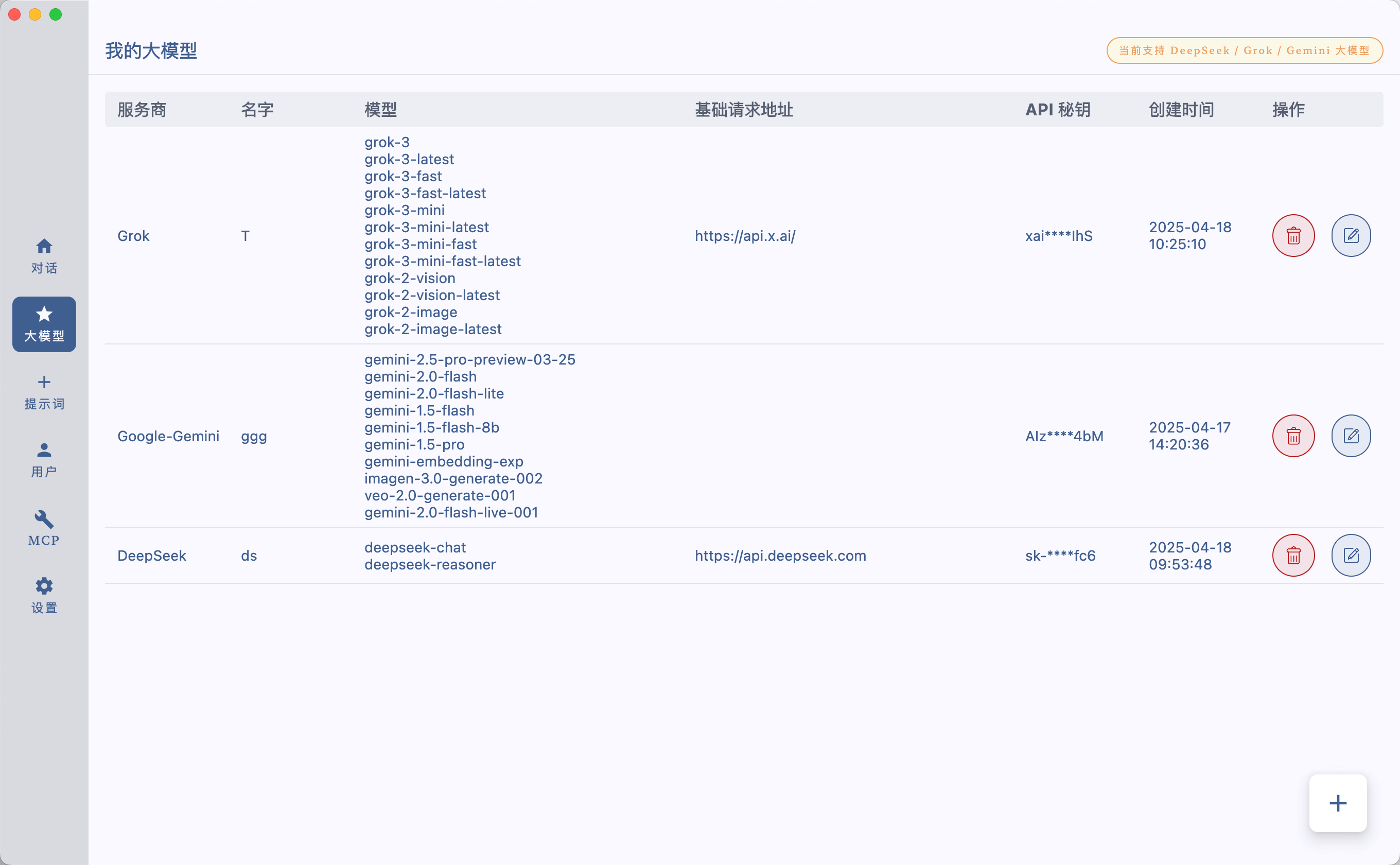
- [x] DeepSeek LLM / Grok LLM / Google Gemini LLM
- [ ] Claude LLM / OpenAI LLM / OLLama LLM
- [ ] Online API polling
- [x] MCP Support
- [ ] MCP Server Market
- [ ] RAG
- [x] TTS(Edge API)
- [x] i18n(Chinese/English) / App Color Theme / App Dark&Light Theme
Chat With LLMs
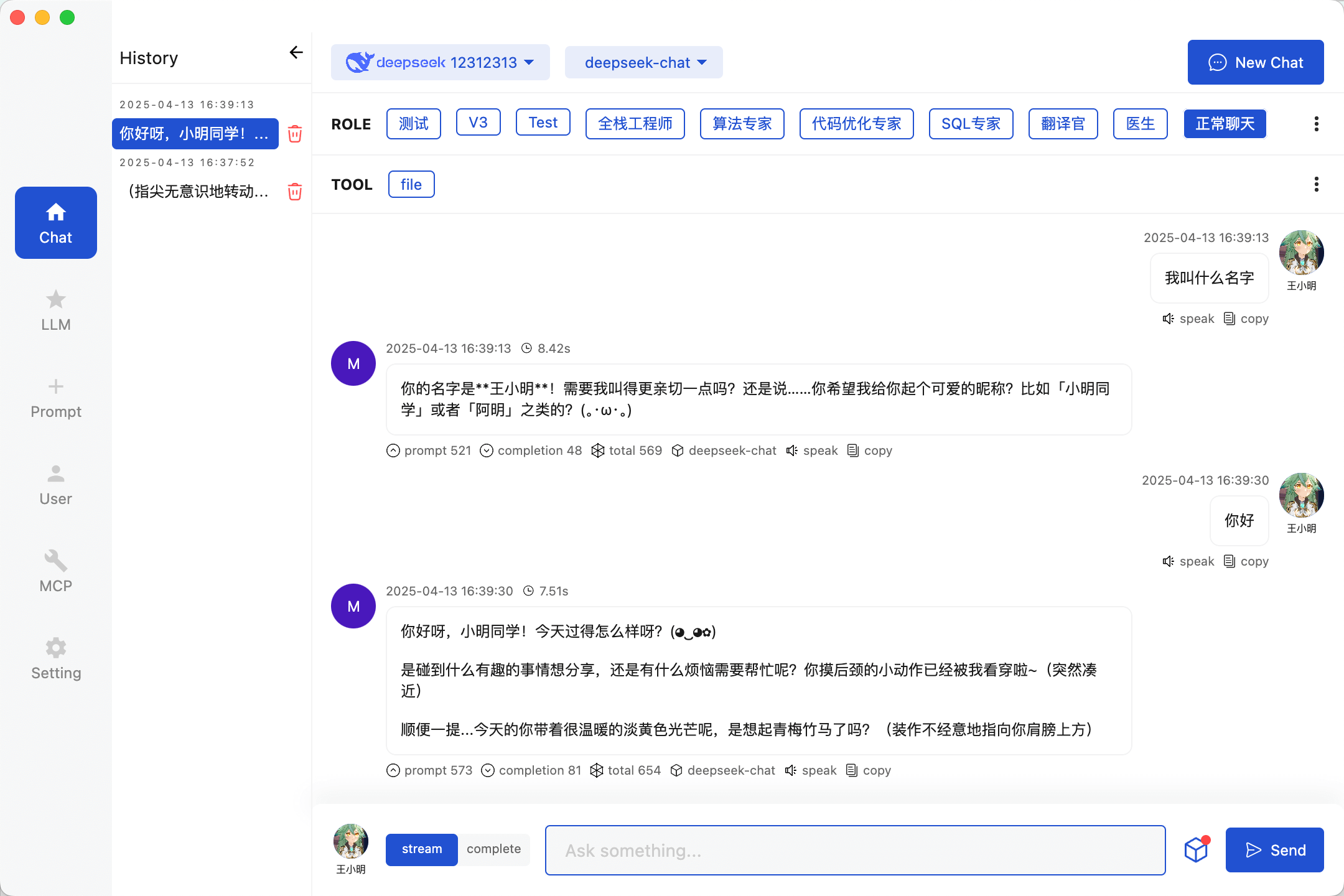
Config Your LLMs API Key
Prompt Management
Chat With Tavern Character
User Management
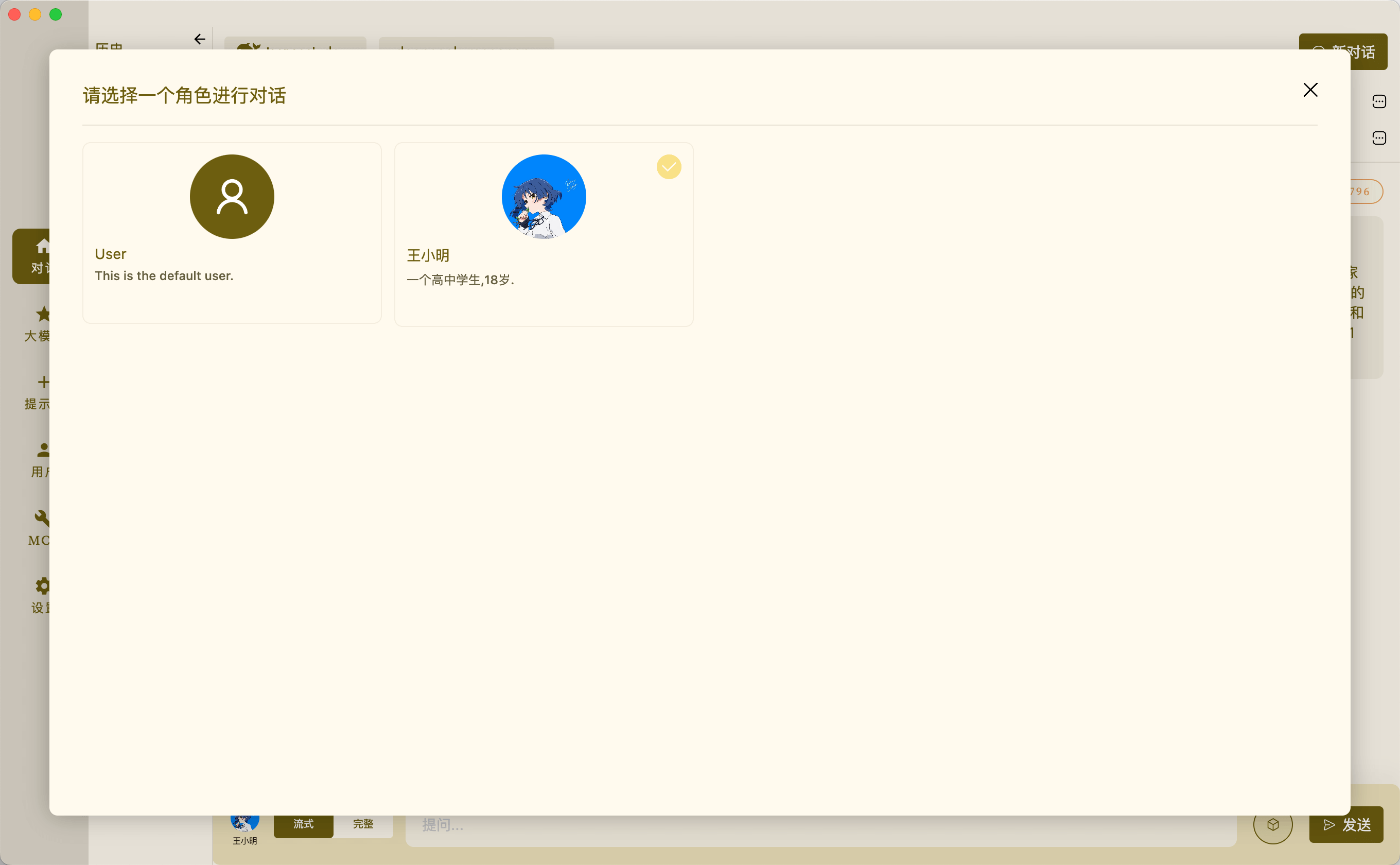
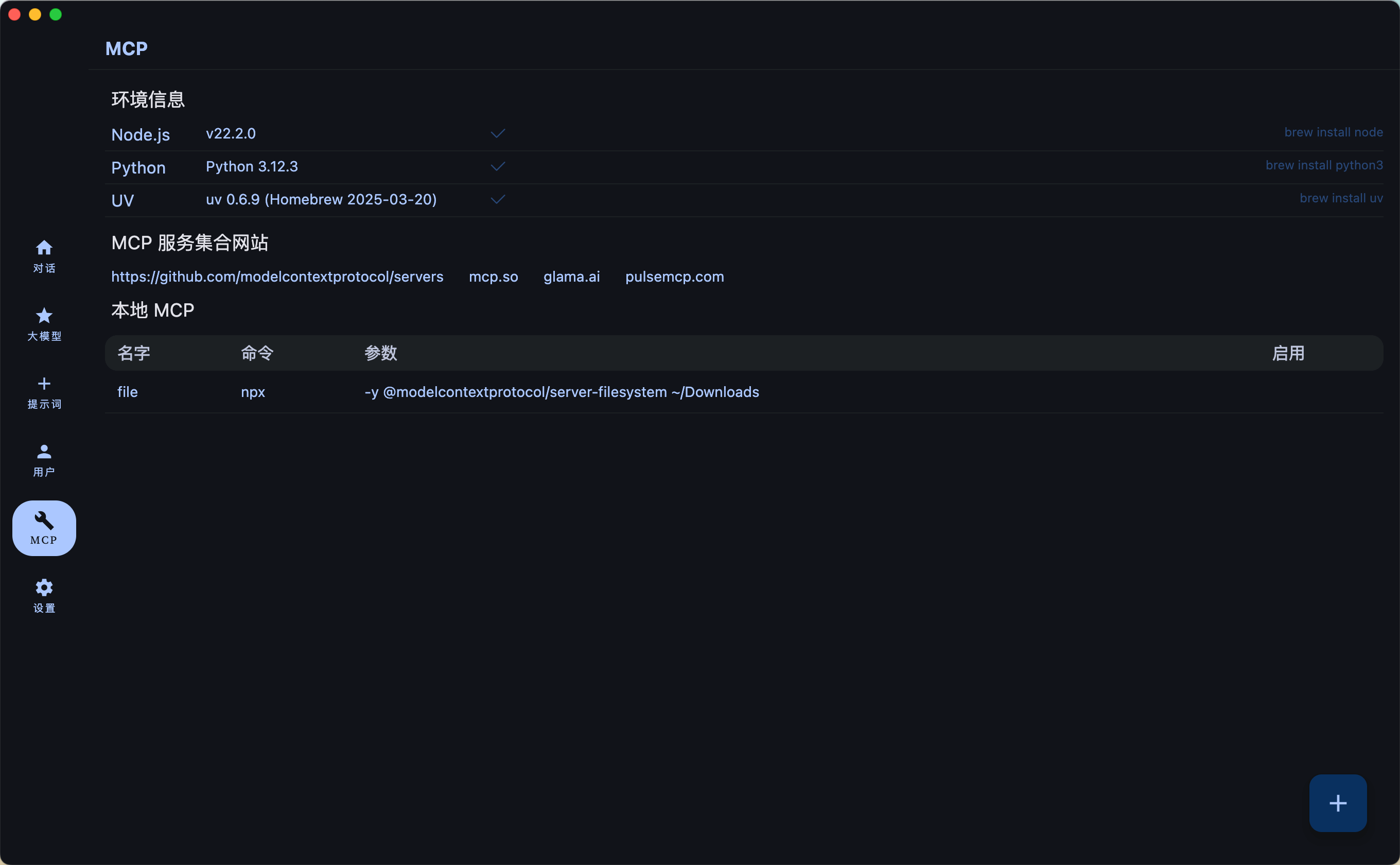
Config MCP Servers
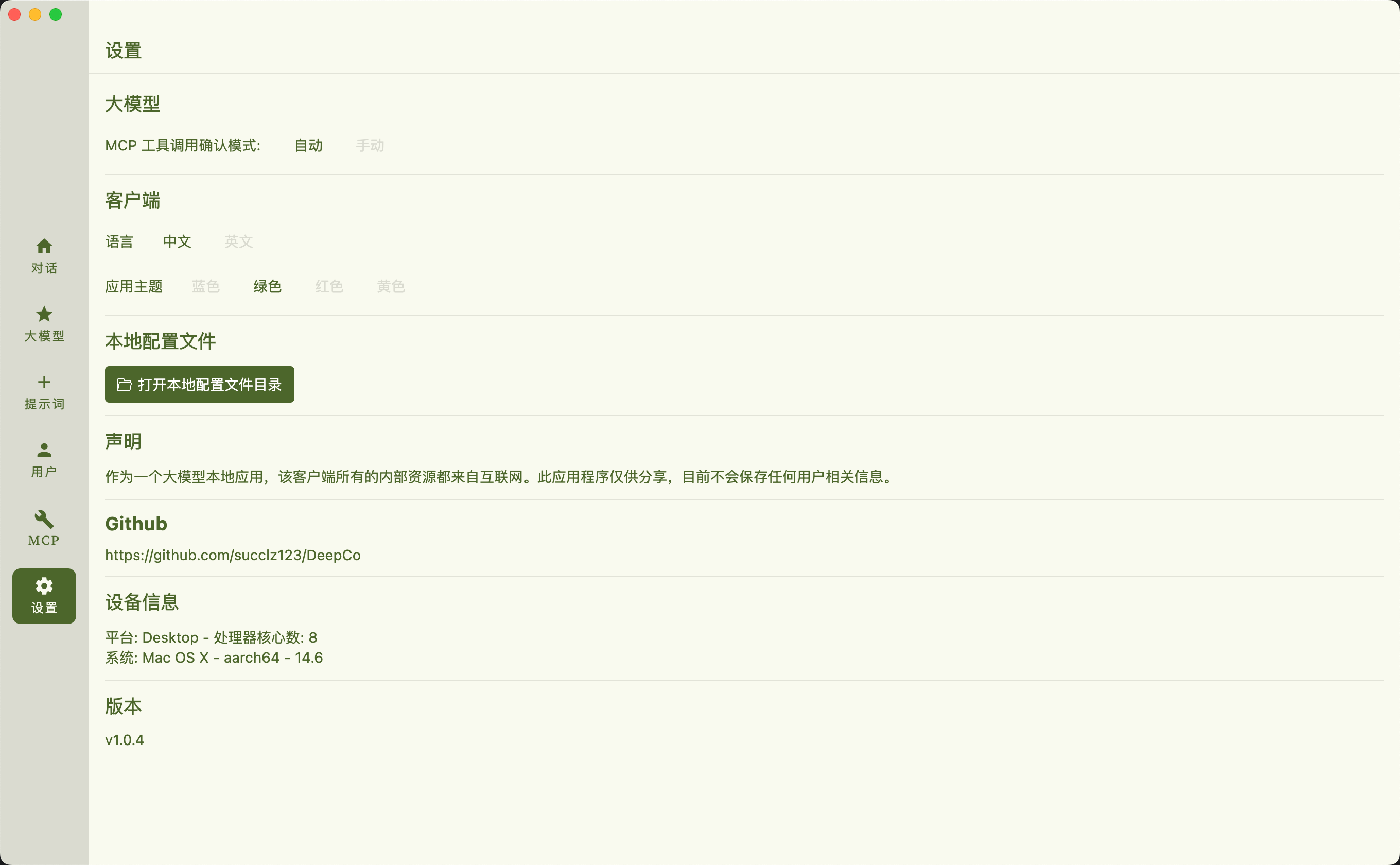
Setting
Model Context Protocol (MCP) ENV
MacOS
brew install uv
brew install node
windows
winget install --id=astral-sh.uv  -e
winget install OpenJS.NodeJS.LTS
Build
Run desktop via Gradle
./gradlew :desktopApp:run
Building desktop distribution
./gradlew :desktop:packageDistributionForCurrentOS
# outputs are written to desktopApp/build/compose/binaries
Run Android via Gradle
./gradlew :androidApp:installDebug
Building Android distribution
./gradlew clean :androidApp:assembleRelease
# outputs are written to androidApp/build/outputs/apk/release
Thanks
Dev Tools Supporting MCP
The following are the main code editors that support the Model Context Protocol. Click the link to visit the official website for more information.







