
Drssionpagemcp
What is Drssionpagemcp
DrssionPageMCP is a browser automation MCP server based on DrissionPage and FastMCP, providing a rich set of browser operation APIs for AI calls.
Use cases
Use cases include automating repetitive web tasks, testing web applications, scraping data from websites, and performing automated interactions with web pages.
How to use
To use DrssionPageMCP, clone the repository to your local machine and configure the main.py file path in your editor’s mcpServers settings. Ensure that Python and the required packages are installed, and run the server using the specified command.
Key features
Key features include browser management (open, close, connect), rich page element manipulation methods, JavaScript execution support, CDP protocol operations, convenient file download functionality, keyboard simulation, and page screenshot capabilities.
Where to use
DrssionPageMCP can be used in various fields such as web scraping, automated testing, data collection, and any application requiring browser automation.
Clients Supporting MCP
The following are the main client software that supports the Model Context Protocol. Click the link to visit the official website for more information.





Overview
What is Drssionpagemcp
DrssionPageMCP is a browser automation MCP server based on DrissionPage and FastMCP, providing a rich set of browser operation APIs for AI calls.
Use cases
Use cases include automating repetitive web tasks, testing web applications, scraping data from websites, and performing automated interactions with web pages.
How to use
To use DrssionPageMCP, clone the repository to your local machine and configure the main.py file path in your editor’s mcpServers settings. Ensure that Python and the required packages are installed, and run the server using the specified command.
Key features
Key features include browser management (open, close, connect), rich page element manipulation methods, JavaScript execution support, CDP protocol operations, convenient file download functionality, keyboard simulation, and page screenshot capabilities.
Where to use
DrssionPageMCP can be used in various fields such as web scraping, automated testing, data collection, and any application requiring browser automation.
Clients Supporting MCP
The following are the main client software that supports the Model Context Protocol. Click the link to visit the official website for more information.
Content
DrissionPage MCP Server – 骚神出品
基于DrissionPage和FastMCP的浏览器自动化MCP服务器,提供丰富的浏览器操作API供AI调用。
项目简介

DrissionPage MCP 是一个基于 DrissionPage 和 FastMCP 的浏览器自动化MCP server服务器,它提供了一系列强大的浏览器操作 API,让您能够轻松通过AI实现网页自动化操作。
主要特性
- 支持浏览器的打开、关闭和连接管理
- 提供丰富的页面元素操作方法
- 支持 JavaScript 代码执行
- 支持 CDP 协议操作
- 提供便捷的文件下载功能
- 支持键盘按键模拟
- 支持页面截图功能
- 增加 网页后台监听数据包的功能
- 增加自动上传下载文件功能
Python要求
- Python >= 3.9
- pip(最新版本)
- uv (最新版本)
浏览器要求
- Chrome 浏览器(推荐 90 及以上版本)
必需的Python包
- drissionpage >= 4.1.0.18
- fastmcp >= 2.4.0
- uv
安装说明
把本仓库git clone到本地,核心文件是main.py:
安装到Cursor编辑器
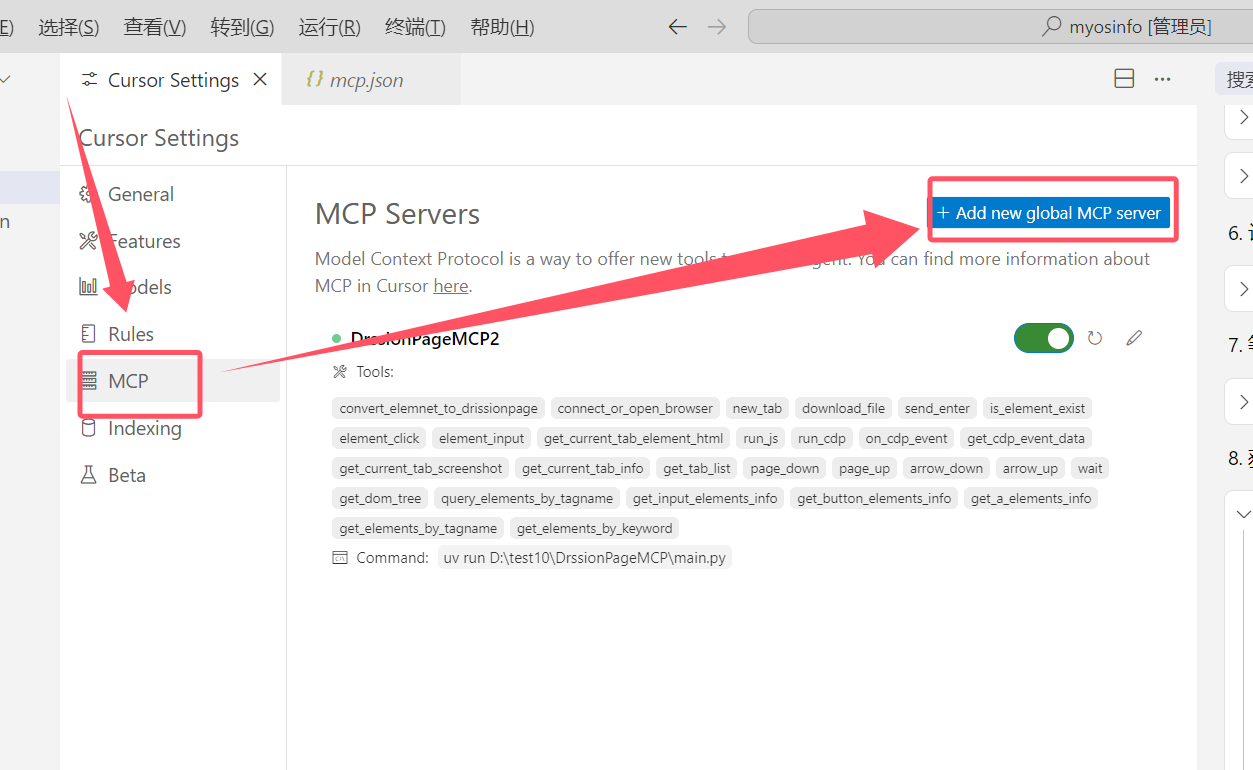
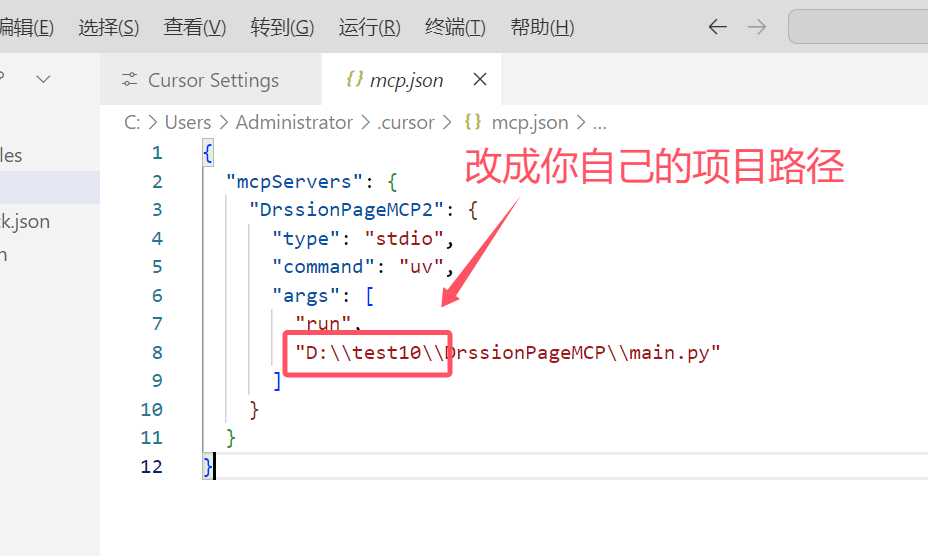
安装到vscode编辑器
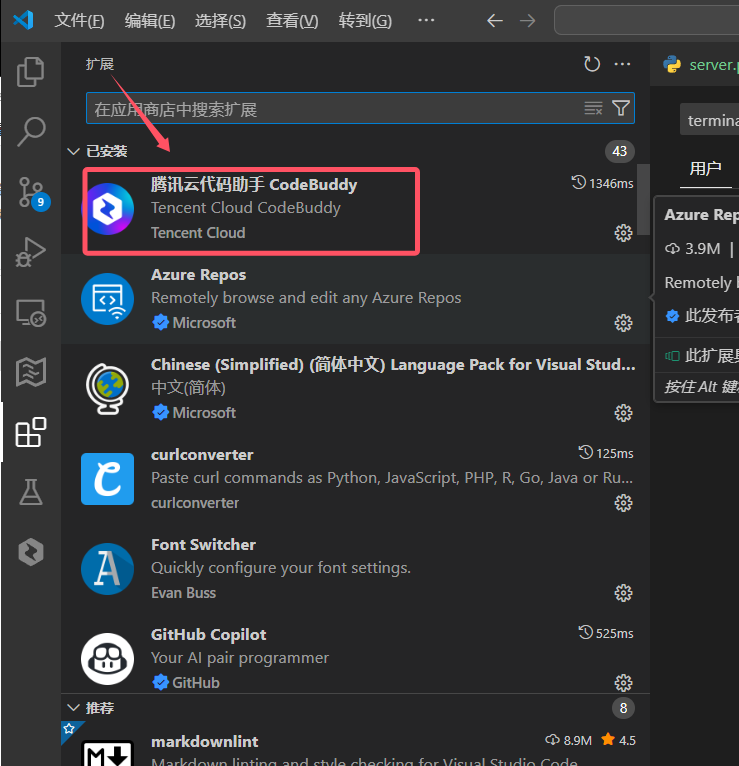
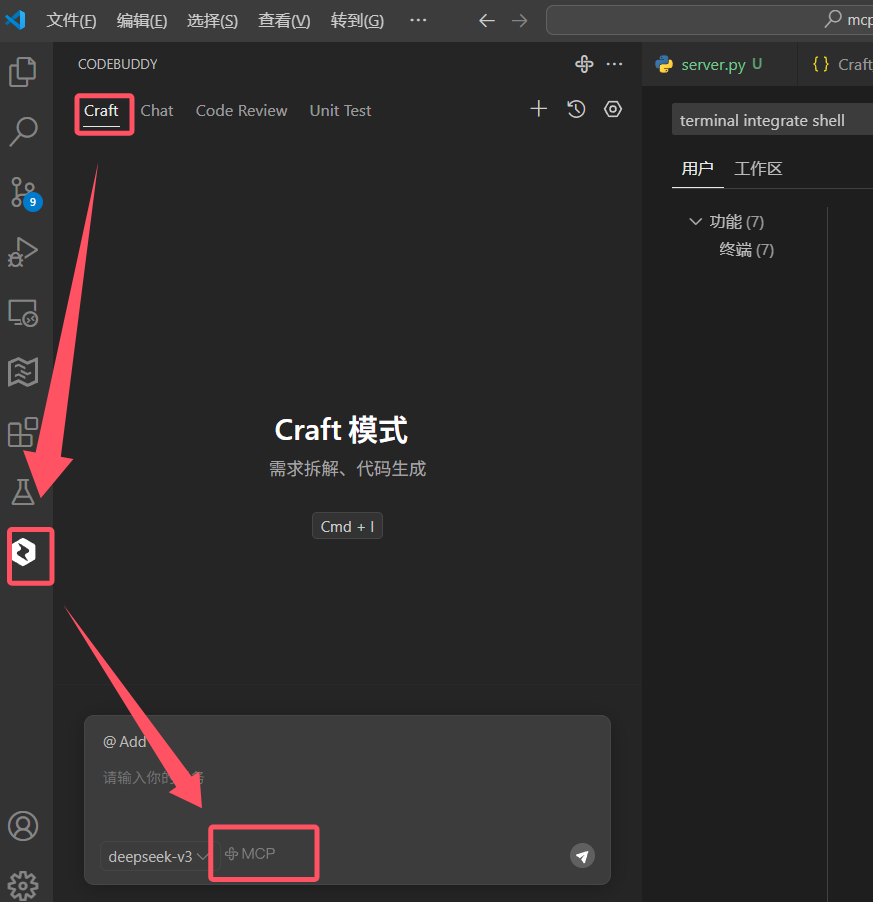
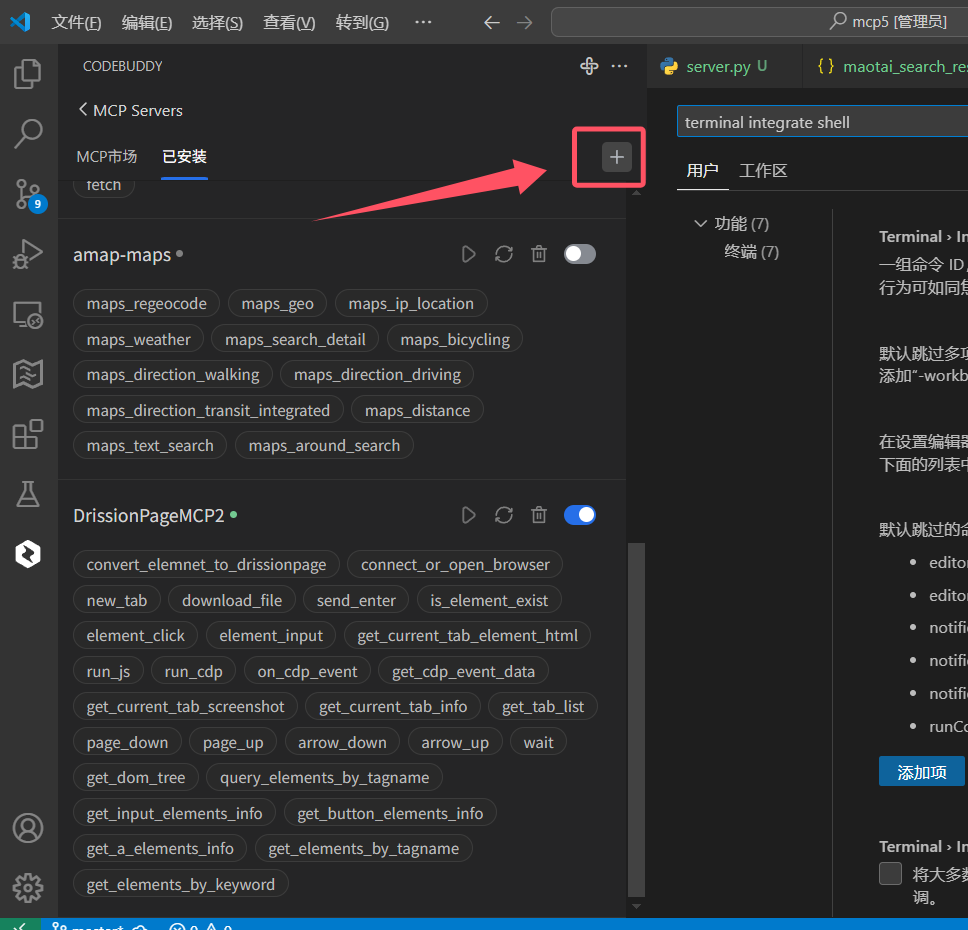
请将以下配置代码粘贴到编辑器的mcpServers设置中(请填写你自己电脑上 main.py 文件的绝对路径):
{
  "mcpServers": {
    "DrssionPageMCP": {
      "type": "stdio",
      "command": "uv",
      "args": [
        "run",
        "D:\\test10\\DrssionPageMCP\\main.py"
      ]
    }
  }
}
新增mcp配置 ,填写下面的配置:
注意事项:
- 请根据实际路径修改
args中的路径 - Windows中路径中的反斜杠需要转义(使用
\\) - 确保
uv命令在系统PATH中可用 - 《MCP安装参考教程》
调试命令
调试
npx -y @modelcontextprotocol/inspector uv run D:\\test10\\DrssionPageMCP\\main.py
或者
mcp dev D:\\test10\\DrssionPageMCP\\main.py
更新日志
v0.1.3
增加 自动上传下载文件功能
v0.1.2
增加 网页后台监听数据包的功能
v0.1.0
- 初始版本发布
- 实现基本的浏览器控制功能
- 提供元素操作 API
Dev Tools Supporting MCP
The following are the main code editors that support the Model Context Protocol. Click the link to visit the official website for more information.







