
Finmcp
What is Finmcp
FinMCP is a comprehensive financial data API service that provides access to a wide range of financial market data, including stocks, indices, and more.
Use cases
Use cases for FinMCP include retrieving real-time stock prices, accessing company financial reports, analyzing market trends, and integrating financial data into applications.
How to use
To use FinMCP, start the server with the command ‘uv run server.py --transport fastapi --host 0.0.0.0 --port 8000’. You can then access various endpoints to retrieve financial data.
Key features
Key features of FinMCP include real-time stock data, historical K-line charts, financial statements, dividend information, index data, market data, and company information.
Where to use
FinMCP can be used in various fields such as finance, investment analysis, stock trading platforms, and financial research.
Clients Supporting MCP
The following are the main client software that supports the Model Context Protocol. Click the link to visit the official website for more information.





Overview
What is Finmcp
FinMCP is a comprehensive financial data API service that provides access to a wide range of financial market data, including stocks, indices, and more.
Use cases
Use cases for FinMCP include retrieving real-time stock prices, accessing company financial reports, analyzing market trends, and integrating financial data into applications.
How to use
To use FinMCP, start the server with the command ‘uv run server.py --transport fastapi --host 0.0.0.0 --port 8000’. You can then access various endpoints to retrieve financial data.
Key features
Key features of FinMCP include real-time stock data, historical K-line charts, financial statements, dividend information, index data, market data, and company information.
Where to use
FinMCP can be used in various fields such as finance, investment analysis, stock trading platforms, and financial research.
Clients Supporting MCP
The following are the main client software that supports the Model Context Protocol. Click the link to visit the official website for more information.
Content
📈 FinMCP - 金融多维度分析 LLM 系统
🧭 项目简介
FinMCP 是一个为金融领域设计的多维度分析 LLM 系统,适合作为 Agent 项目练习和扩展。
它基于 沧海数据 提供的高质量金融市场 API,包括股票、指数、债券等数据,支持按量付费,非常灵活方便。
⚠️ 本项目仅包含 MCP 相关服务,LLM 需自行集成。
✨ 效果展示
| 问答示例 | 工具面板 |
|---|---|
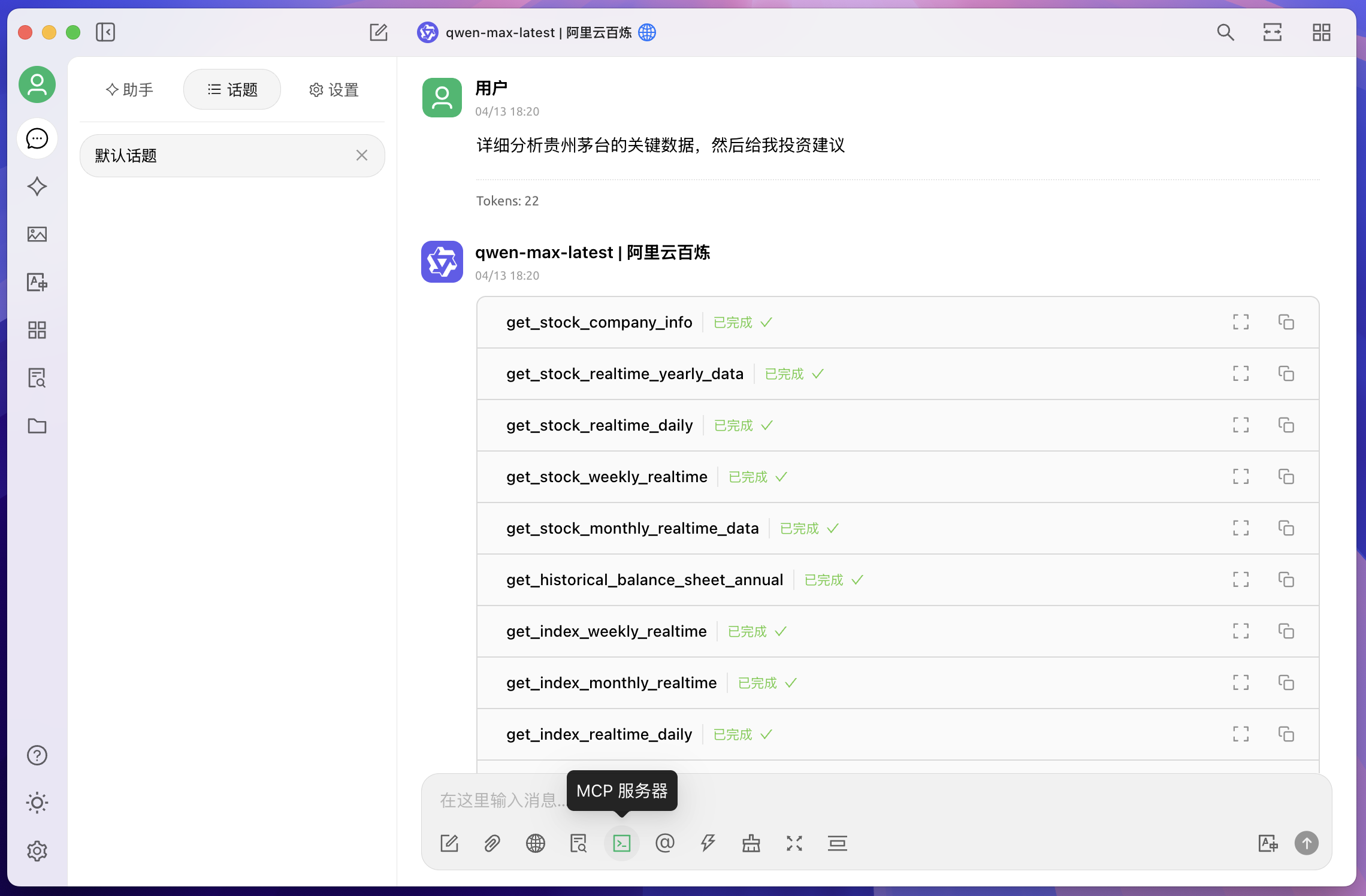 |
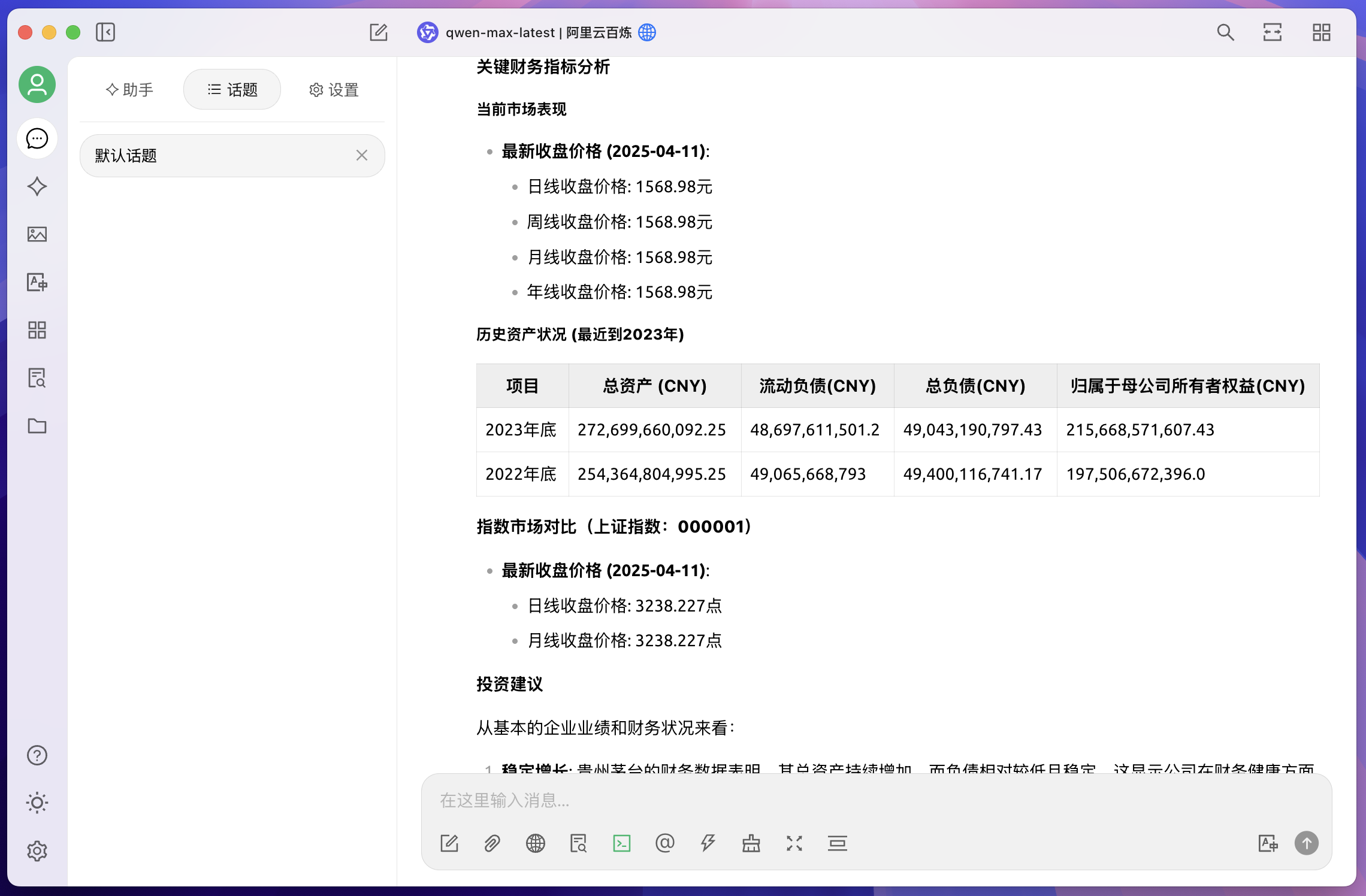 |
🧩 核心功能
- 📊 股票数据查询:实时行情、历史K线、财务报表、分红配股等
- 📈 指数数据查询:成分股、实时指数、历史走势等
- 💹 市场信息:交易所、股票列表、公司基础资料等
- 💰 财务分析:资产负债表、现金流量表、利润表
- 🏢 企业信息:公司概况、管理层、股东结构等
⚡ 快速开始
1. 环境搭建
conda create -n finMCP python=3.11
conda activate finMCP
pip install uv
2. 克隆项目
git clone https://github.com/Ryenlvy/FinMCP.git
cd FinMCP
3. 启动服务
export FIN_API_TOKEN=your_api_token  # 替换为你在沧海数据获取的 token
bash start_server.sh
启动参数说明(可在 start_server.sh 中修改):
--transport:通信方式,支持stdio/sse/fastapi--host:绑定地址(如0.0.0.0)--port:监听端口(默认 8000)
🖥️ 前端配置(使用 Cherry Studio)
项目推荐搭配 Cherry Studio 使用:
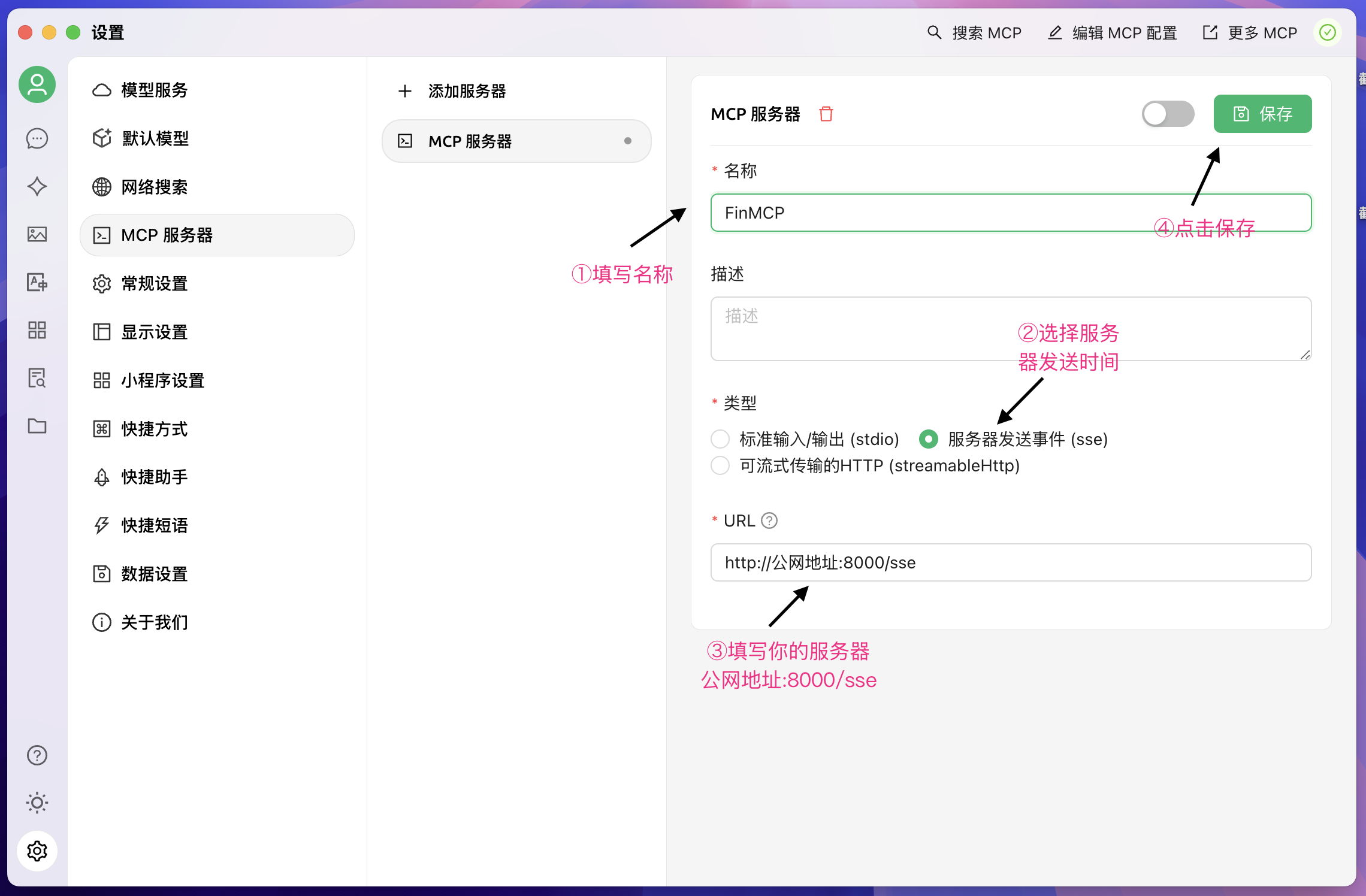
- 进入 Cherry Studio,点击
设置 - MCP服务器 - 参考 MCP 安装教程 添加服务
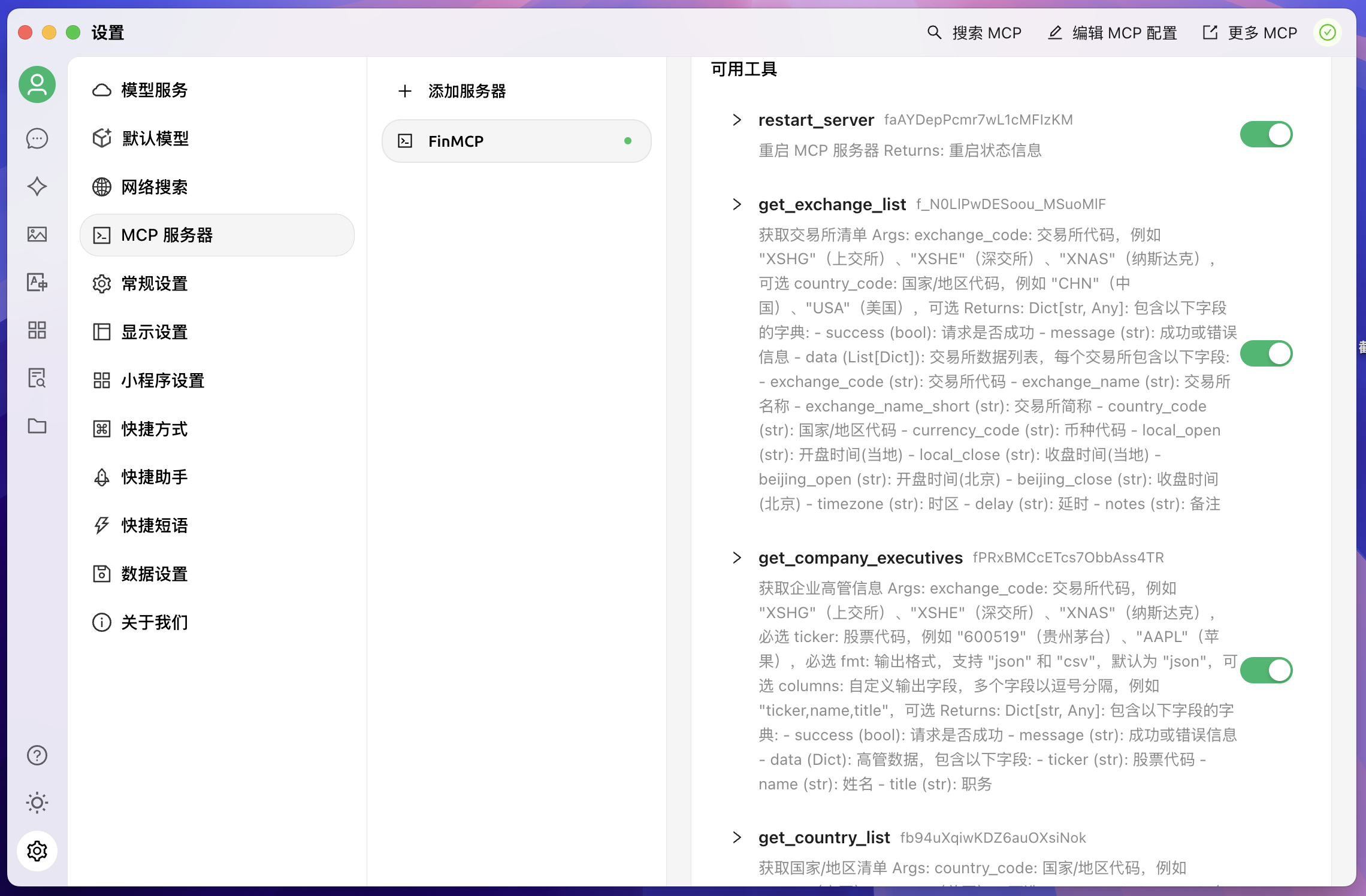
- 成功连接后界面如下:
配置界面示意:
-
添加服务器:
-
工具展示页面:
🔧 API 示例代码
获取股票实时行情
async def get_stock_realtime_daily(exchange_code: str, ticker: str):
    url = f"https://tsanghi.com/api/fin/stock/{exchange_code}/daily/realtime"
    params = {"token": FIN_API_TOKEN, "ticker": ticker, "fmt": "json"}

    async with httpx.AsyncClient() as client:
        response = await client.get(url, params=params)
        return response.json()
获取公司信息
async def get_stock_company_info(exchange_code: str, ticker: str):
    url = f"https://tsanghi.com/api/fin/stock/{exchange_code}/company/info"
    params = {"token": FIN_API_TOKEN, "exchange_code": exchange_code, "ticker": ticker}

    async with httpx.AsyncClient() as client:
        response = await client.get(url, params=params)
        return response.json()
🛠️ 自定义工具函数开发指南
如果你只想搭建本项目,那么以上的内容就足够了,以下内容给出一个流程化tools生成的参考思路:
crawl_tsanghi_docs.py:爬取沧海 API 文档code_creater.py:基于文档调用qwen-max自动生成工具函数代码
工具生成步骤:
- 运行
crawl_tsanghi_docs.py爬取所有接口说明,每个功能保存为一个json - 使用
code_creater.py将json和server.py,tools.py一起丢给qwen-max,生成 Python 函数,一个json生成一个函数 - 最后将生成的函数统一放入
tools.py而server.py 只要 from tools import * 即可,非常的方便快捷、自动化程度很高
📁 项目结构一览
FinMCP/
├── server.py                 # 主服务入口
├── tools.py                  # 所有工具函数汇总
├── crawl_tsanghi_docs.py     # 爬虫脚本(抓取 API 文档)
├── code_creater.py           # 代码生成器(自动创建工具函数)
├── tsanghi_docs/             # 存放爬取的文档
└── tools_code/               # 生成的工具函数代码临时目录
🩺 健康检查与调试接口
GET /health:服务健康状态检查GET /tools/list:列出所有已注册的工具函数
Dev Tools Supporting MCP
The following are the main code editors that support the Model Context Protocol. Click the link to visit the official website for more information.







