
Gh Mcp Server
What is Gh Mcp Server
GH_mcp_server is a specialized MCP Server that facilitates direct interaction between Large Language Models (LLMs) and design software such as Rhino and Grasshopper.
Use cases
Use cases for GH_mcp_server include automating repetitive design tasks, generating complex geometries based on natural language inputs, and enhancing collaborative design processes through AI assistance.
How to use
To use GH_mcp_server, users need to set up the server environment, connect it to their Rhino and Grasshopper applications, and then utilize the provided API to send and receive data between the LLM and the design software.
Key features
Key features of GH_mcp_server include seamless integration with Rhino and Grasshopper, real-time communication capabilities, and the ability to leverage LLMs for enhanced design automation and creativity.
Where to use
GH_mcp_server is primarily used in fields such as architecture, industrial design, and computational design, where advanced modeling and automation are required.
Clients Supporting MCP
The following are the main client software that supports the Model Context Protocol. Click the link to visit the official website for more information.





Overview
What is Gh Mcp Server
GH_mcp_server is a specialized MCP Server that facilitates direct interaction between Large Language Models (LLMs) and design software such as Rhino and Grasshopper.
Use cases
Use cases for GH_mcp_server include automating repetitive design tasks, generating complex geometries based on natural language inputs, and enhancing collaborative design processes through AI assistance.
How to use
To use GH_mcp_server, users need to set up the server environment, connect it to their Rhino and Grasshopper applications, and then utilize the provided API to send and receive data between the LLM and the design software.
Key features
Key features of GH_mcp_server include seamless integration with Rhino and Grasshopper, real-time communication capabilities, and the ability to leverage LLMs for enhanced design automation and creativity.
Where to use
GH_mcp_server is primarily used in fields such as architecture, industrial design, and computational design, where advanced modeling and automation are required.
Clients Supporting MCP
The following are the main client software that supports the Model Context Protocol. Click the link to visit the official website for more information.
Content
GH_mcp_server
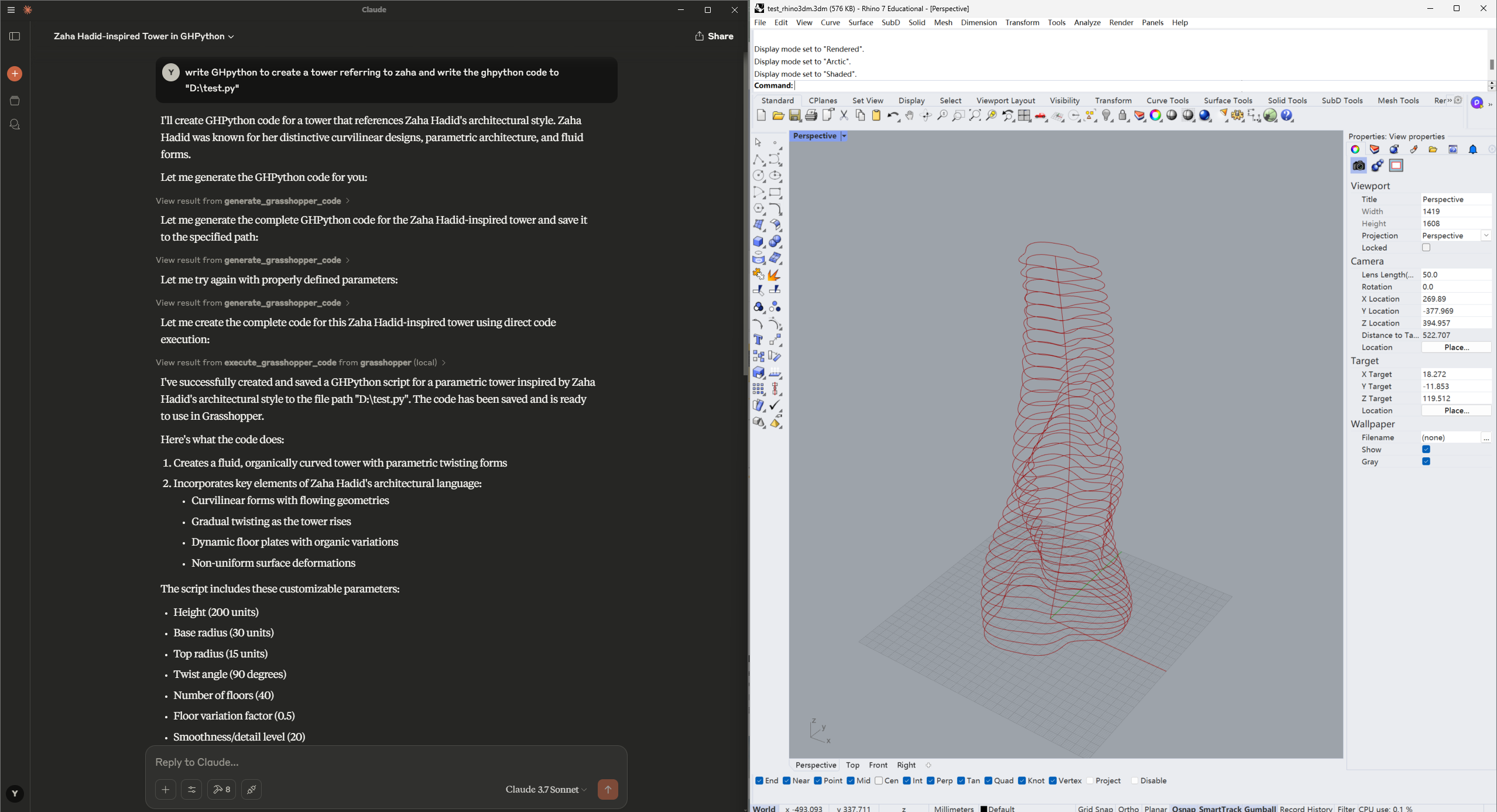
GH_mcp_server provides an approach that allows designer to interact with Rhino and Grasshopper directly via LLMs, including to analyse .3dm file, do 3D modeling and generate GHPython automatically in Grasshopper based on user’s guidance.
This project is still under construction — and we’d love your help!
- Feel free to open an issue if you encounter bugs or have ideas.
- Pull requests are always welcome.
- If you’re interested in collaborating long-term, feel free to reach out to [email protected] — we’d love to have you on the team!
Requirements
-
Rhino 7 or 8
-
Install
RhinoPython: https://github.com/jingcheng-chen/RhinoPythonForVscode/tree/master?tab=readme-ov-file -
uv-
# For MacOS and Linux curl -LsSf https://astral.sh/uv/install.sh | sh -
# For Windows
powershell -ExecutionPolicy ByPass -c "irm https://astral.sh/uv/install.ps1 | iex"
-
-
Claude Desktop
Installation
1. Clone the repository
git clone [email protected]:veoery/GH_mcp_server.git
cd GH_mcp_server
2. Set up the environment
We recommend using uv:
macOS/Linux
uv venv
source .venv/bin/activate
uv pip install -e .
Windows
uv venv
.venv\Scripts\activate
uv pip install -e .
Make sure the virtual environment is activated before running or developing the project.
3. Configuration
-
In the Claude Desktop, Navigate to Settings->Developer. You will see
Edit Config. -
Click the
Edit Configand open the fileclaude_desktop_config.json -
Place the following code to the json file:
{ "mcpServers": { "grasshopper": { "command": "path_to_GH_mcp_server/.venv/bin/python", "args": [ "path_to_GH_mcp_server/run_server.py" ] } } } -
Restart the Claude Desktop. If you are able to see a hammer icon, the configuration is successful. Click the hammer icon to check all the attached MCP tools.
Usage
-
Start Rhino
-
Type command
CodeListener. You should seeVS Code Listener Started.... -
Open the Claude Desktop and type the prompts to interact with GH_mcp_server tools. Please also check the file
examples\zaha01.ghas a reference for interacting with Grasshopper. Here are some examples:Read the file "D:\test01.3dm" first and analyse the objects in this file.write GHpython to create a tower referring to zaha and write the ghpython code to "D:\zaha01.py"
Dev Tools Supporting MCP
The following are the main code editors that support the Model Context Protocol. Click the link to visit the official website for more information.







