
Grapheteria
What is Grapheteria
Grapheteria is a structured workflow framework designed to bring uniformity to agent orchestration, allowing users to build complex agentic systems with visual building blocks and a consistent API.
Use cases
Use cases for Grapheteria include building multi-agent systems, integrating with MCP tool interfaces, and developing complex workflows that require both visual and code-based elements.
How to use
Users can utilize Grapheteria by creating workflows that blend visual design and code customization, enabling seamless integration with various tools and frameworks while maintaining reliable state tracking.
Key features
Key features include a clean framework for workflow creation, visual debugging capabilities, seamless integration with ecosystem innovations, and a balance between code and UI for enhanced user experience.
Where to use
Grapheteria can be used in fields such as software development, AI agent orchestration, and any domain requiring complex workflow management and integration of multiple agents.
Clients Supporting MCP
The following are the main client software that supports the Model Context Protocol. Click the link to visit the official website for more information.





Overview
What is Grapheteria
Grapheteria is a structured workflow framework designed to bring uniformity to agent orchestration, allowing users to build complex agentic systems with visual building blocks and a consistent API.
Use cases
Use cases for Grapheteria include building multi-agent systems, integrating with MCP tool interfaces, and developing complex workflows that require both visual and code-based elements.
How to use
Users can utilize Grapheteria by creating workflows that blend visual design and code customization, enabling seamless integration with various tools and frameworks while maintaining reliable state tracking.
Key features
Key features include a clean framework for workflow creation, visual debugging capabilities, seamless integration with ecosystem innovations, and a balance between code and UI for enhanced user experience.
Where to use
Grapheteria can be used in fields such as software development, AI agent orchestration, and any domain requiring complex workflow management and integration of multiple agents.
Clients Supporting MCP
The following are the main client software that supports the Model Context Protocol. Click the link to visit the official website for more information.
Content


What is Grapheteria?
A structured workflow framework bringing uniformity to agent orchestration:
- 🎨 Build complex agentic systems with visual building blocks and a consistent API
- ⏰ Debug and deploy with reliable state tracking and minimal abstractions
- 🔌 Seamlessly integrate with ecosystem innovations like MCP tool interfaces, Agent2Agent communication, and any foundation model
"Oh no 😵💫, not ANOTHER workflow library! " - I hear you. But being fashionably late means we’ve learned from everyone else’s mistakes and cherry-picked their best ideas, while adding our own secret sauce.
How is it different?
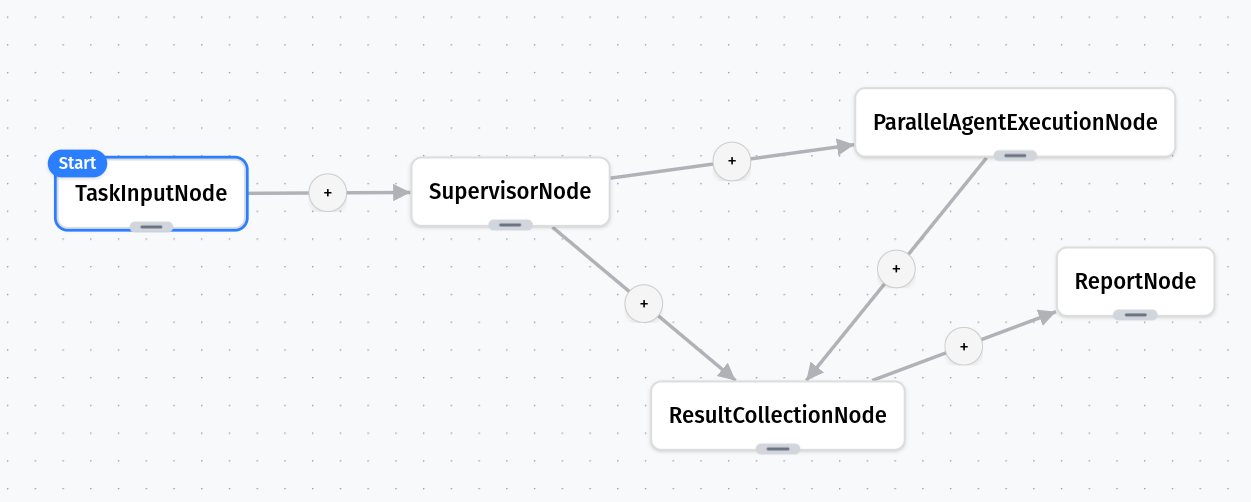
While agent creation and tool-calling have standards, workflow creation is still a mess. Grapheteria fixes that with a clean framework that gives you what you need while letting you extend things however you want.
Problems with Existing Tools
Code-based workflow builders make your brain hurt:
- “Wait, what does this wrapper do again?”
- “How many layers of inheritance am I dealing with?”
- “I just want to see what’s happening!”
UI-only tools hit walls quickly:
- Can’t customize for complex scenarios
- Multi-agent setups? Forget about it
- You eventually crawl back to code anyway
The Vision: Best of Both Worlds
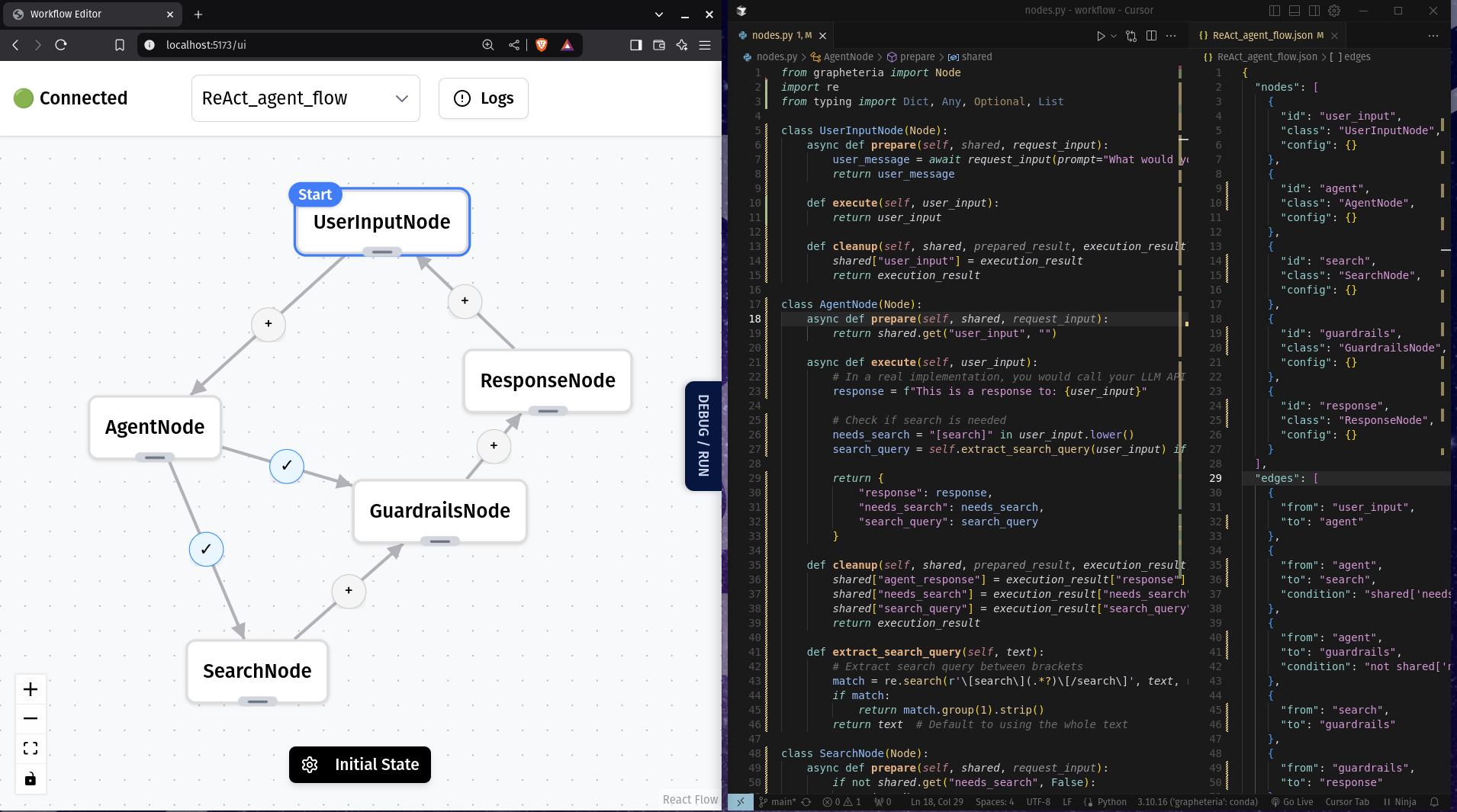
Grapheteria blends code and UI seamlessly. Bounce between visual design and code customization without compromises. Get all the power of code with the clarity of visual debugging.
Standout Features
Clean, Simple Code
Write workflows without a PhD in API-ology:
start_node = InputNode(id="get_name")
process_node = ProcessNode(id="greet")
output_node = OutputNode(id="display")

start_node > process_node > output_node
Powerful Agentic Patterns
Build sophisticated agent architectures with proven patterns:
- Chain-of-Thought: Break down complex reasoning into sequential steps
- Verification Loops: Self-check outputs with critic agents
- ReAct Framework: Integrate reasoning and action loops seamlessly
- Human-in-the-Loop: Add supervision exactly where needed
%%{init: {'theme': 'neutral' }}%%
graph TD
    %% Chain of Thought
    subgraph "Chain of Thought"
    A1[Task Input] --> B1[Reasoning Step 1]
    B1 --> C1[Reasoning Step 2]
    C1 --> D1[Reasoning Step 3]
    D1 --> E1[Final Output]
    end

    %% Verification Loop
    subgraph "Verification Loop"
    A2[Input] --> B2[Generator]
    B2 --> C2[Critic]
    C2 -->|Pass| D2[Output]
    C2 -->|Fail| B2
    end

    %% ReAct Framework
    subgraph "ReAct Framework"
    A4[Problem] --> B4[Reason]
    B4 --> C4[Act]
    C4 --> D4[Observe]
    D4 -->|Repeat| B4
    D4 -->|Complete| E4[Solution]
    end

    %% Human-in-the-Loop
    subgraph "Human-in-the-Loop"
    A5[Input] --> B5[Agent Process]
    B5 -->|Uncertain| C5[Human Review]
    C5 --> D5[Incorporate Feedback]
    D5 --> B5
    B5 -->|Confident| E5[Output]
    end
Visual Workflow Design
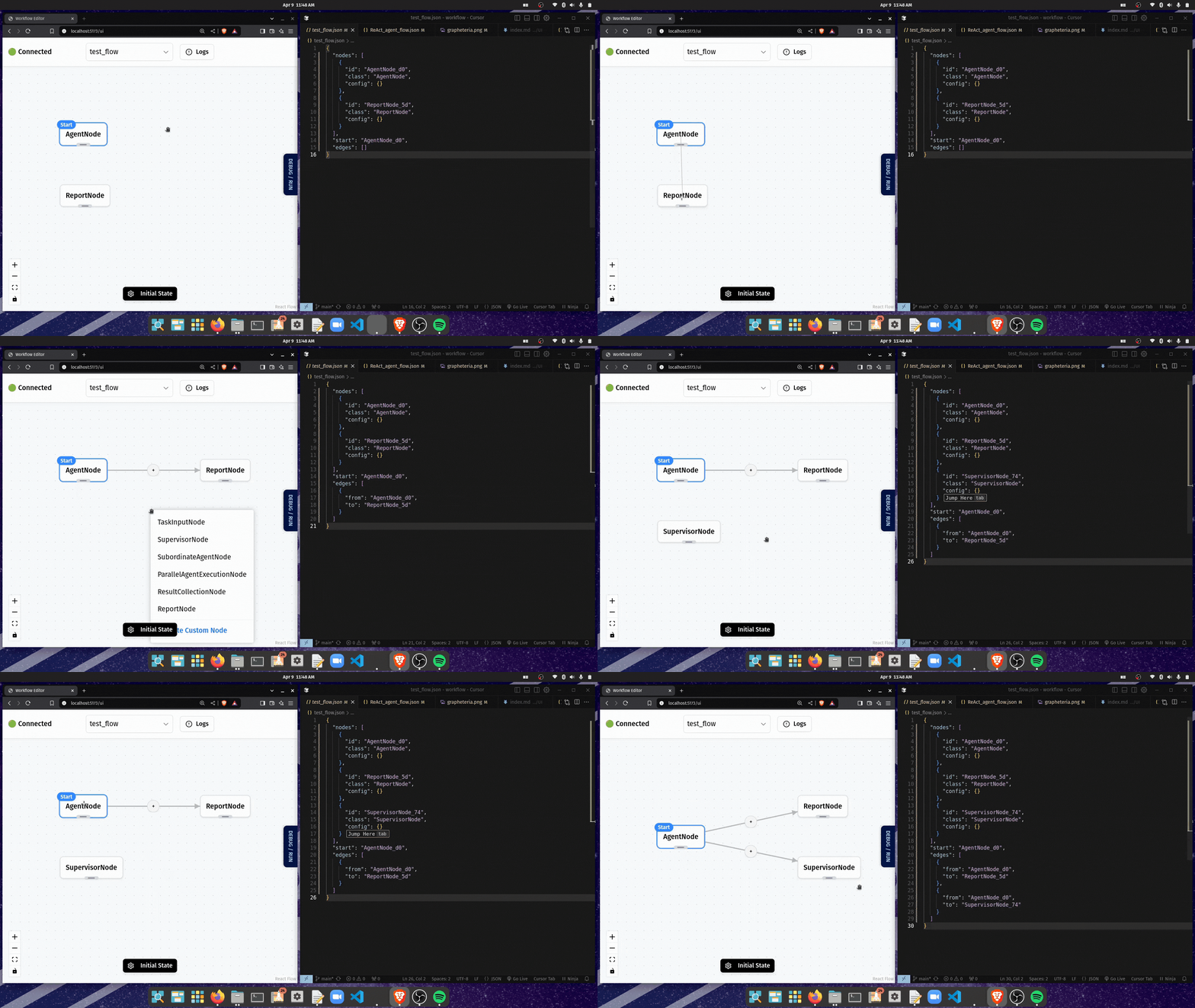
Edit visually or with code - they stay perfectly in sync!
- Drop nodes right in the UI
- Reroute your flow with a few clicks
- Debug in real-time while tweaking code
- Switch between code and UI whenever you want
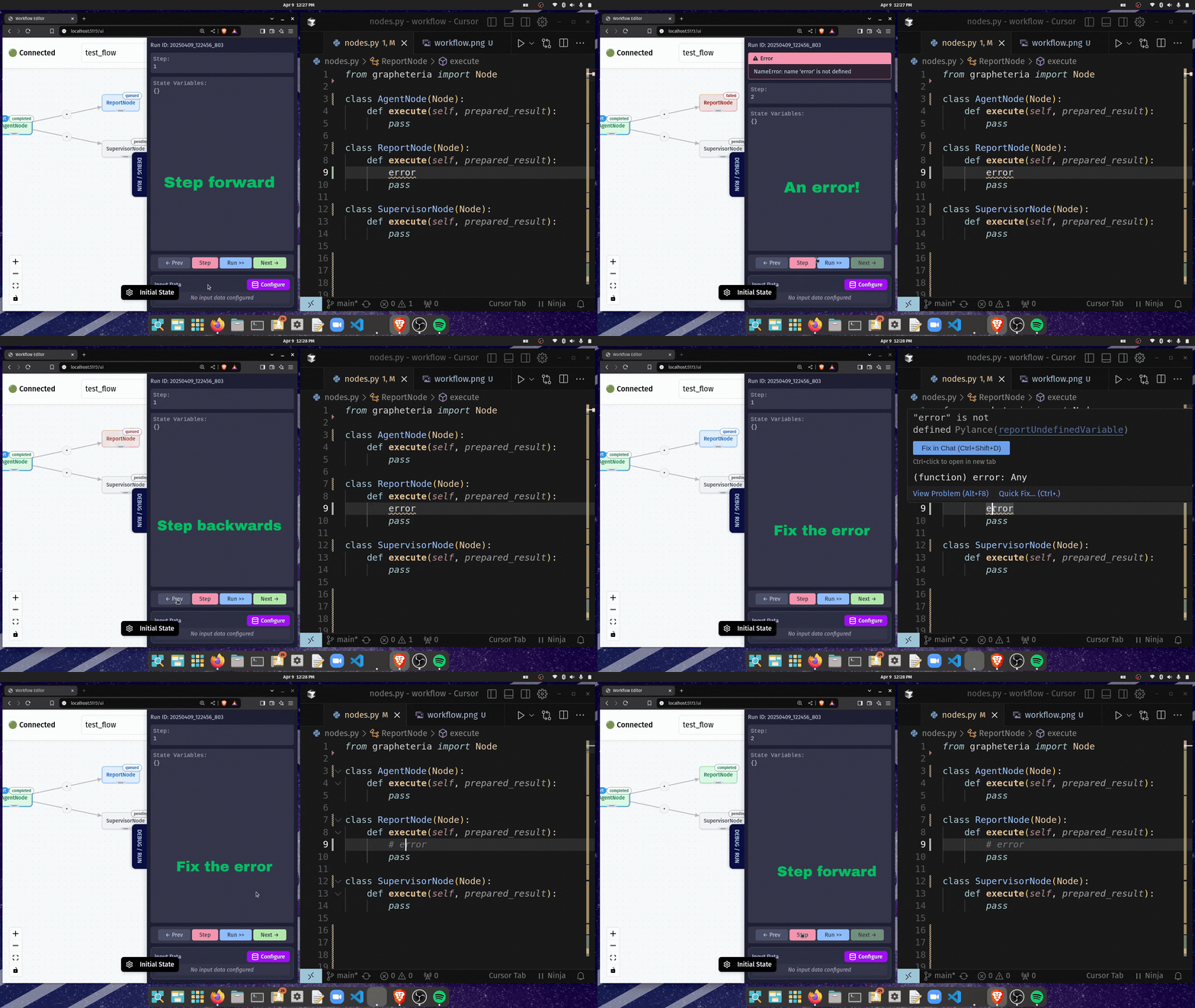
Time-Travel Debugging
Made a mistake? No sweat:
- Step backward in time
- Fix the bug
- Step forward
- Keep going from exactly where you left off
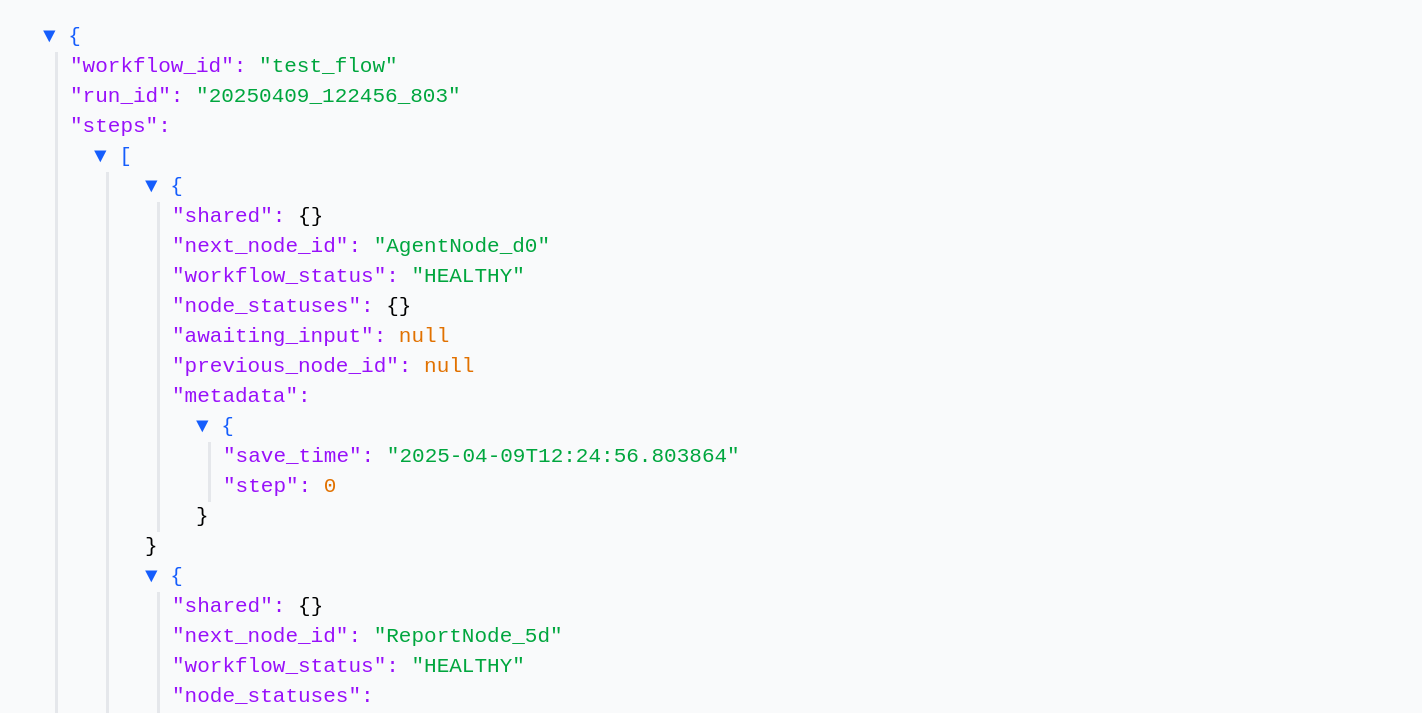
Built-in Essentials
- Super detailed logging
- Auto-saves your state
- Easy resume after stopping
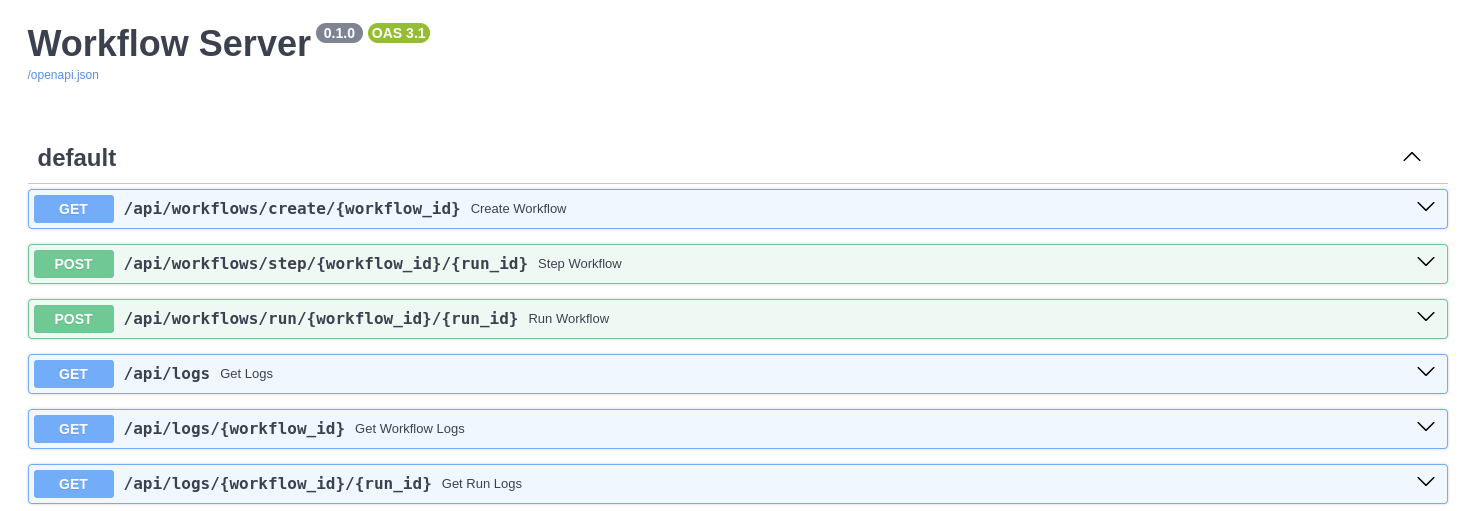
Production-Ready Path
From your laptop to the cloud with minimal changes:
- Scale to distributed execution
- Track everything automatically
- Handle errors like a pro
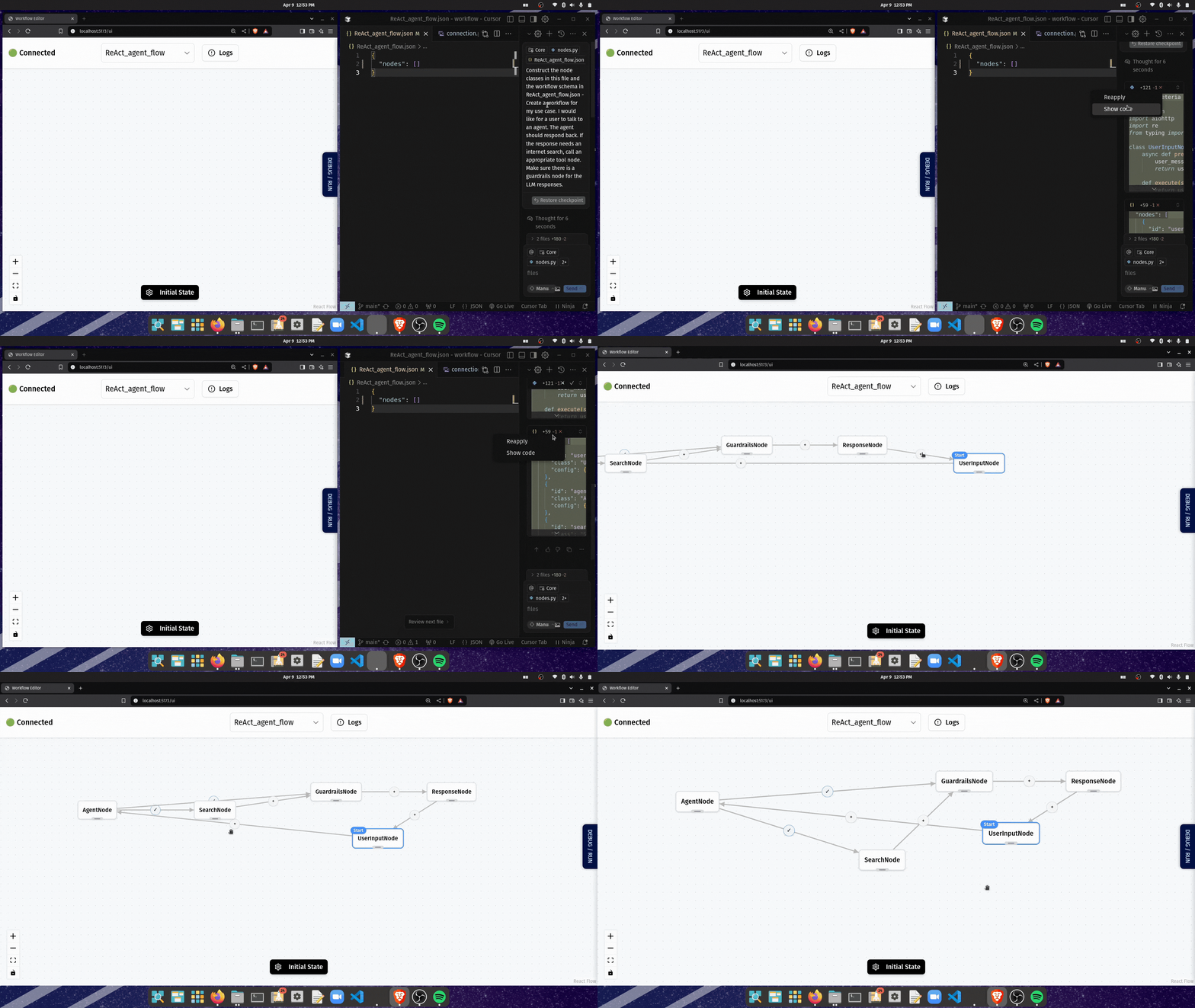
Vibe-Coding Compatible
Describe what you want, then fine-tune:
- Generate workflows with AI
- Tweak instead of starting from scratch
- Build complex flows in minutes, not hours
Ready to Try It?
Installation
# Create a virtual environment (recommended)
python -m venv venv
source venv/bin/activate  # On Windows: venv\Scripts\activate

# Install Grapheteria
pip install grapheteria
Note: Grapheteria requires Python 3.6 or higher.
Launch the UI
Once installed, fire up the UI with:
grapheteria
This starts the Grapheteria interface and automatically syncs with your code.
Dev Tools Supporting MCP
The following are the main code editors that support the Model Context Protocol. Click the link to visit the official website for more information.







