
Inbrowsermcp
What is Inbrowsermcp
InBrowserMcp is a browser automation toolkit that includes a server and a browser extension for automating tasks within web browsers.
Use cases
Use cases include automated testing of web applications, scraping data from websites, and automating user interactions for better efficiency.
How to use
To use InBrowserMcp, first install the server and frontend dependencies using pnpm. Then, start the server on port 9000 and the frontend development server, typically accessible at http://localhost:5173.
Key features
Key features include browser automation capabilities such as clicking, inputting text, and taking screenshots, AI control for browser behavior, and an extensible tool system for adding new functionalities.
Where to use
InBrowserMcp can be used in various fields such as web testing, automated data entry, and any scenario requiring repetitive browser interactions.
Clients Supporting MCP
The following are the main client software that supports the Model Context Protocol. Click the link to visit the official website for more information.





Overview
What is Inbrowsermcp
InBrowserMcp is a browser automation toolkit that includes a server and a browser extension for automating tasks within web browsers.
Use cases
Use cases include automated testing of web applications, scraping data from websites, and automating user interactions for better efficiency.
How to use
To use InBrowserMcp, first install the server and frontend dependencies using pnpm. Then, start the server on port 9000 and the frontend development server, typically accessible at http://localhost:5173.
Key features
Key features include browser automation capabilities such as clicking, inputting text, and taking screenshots, AI control for browser behavior, and an extensible tool system for adding new functionalities.
Where to use
InBrowserMcp can be used in various fields such as web testing, automated data entry, and any scenario requiring repetitive browser interactions.
Clients Supporting MCP
The following are the main client software that supports the Model Context Protocol. Click the link to visit the official website for more information.
Content
InBrowserMcp - (开发中)
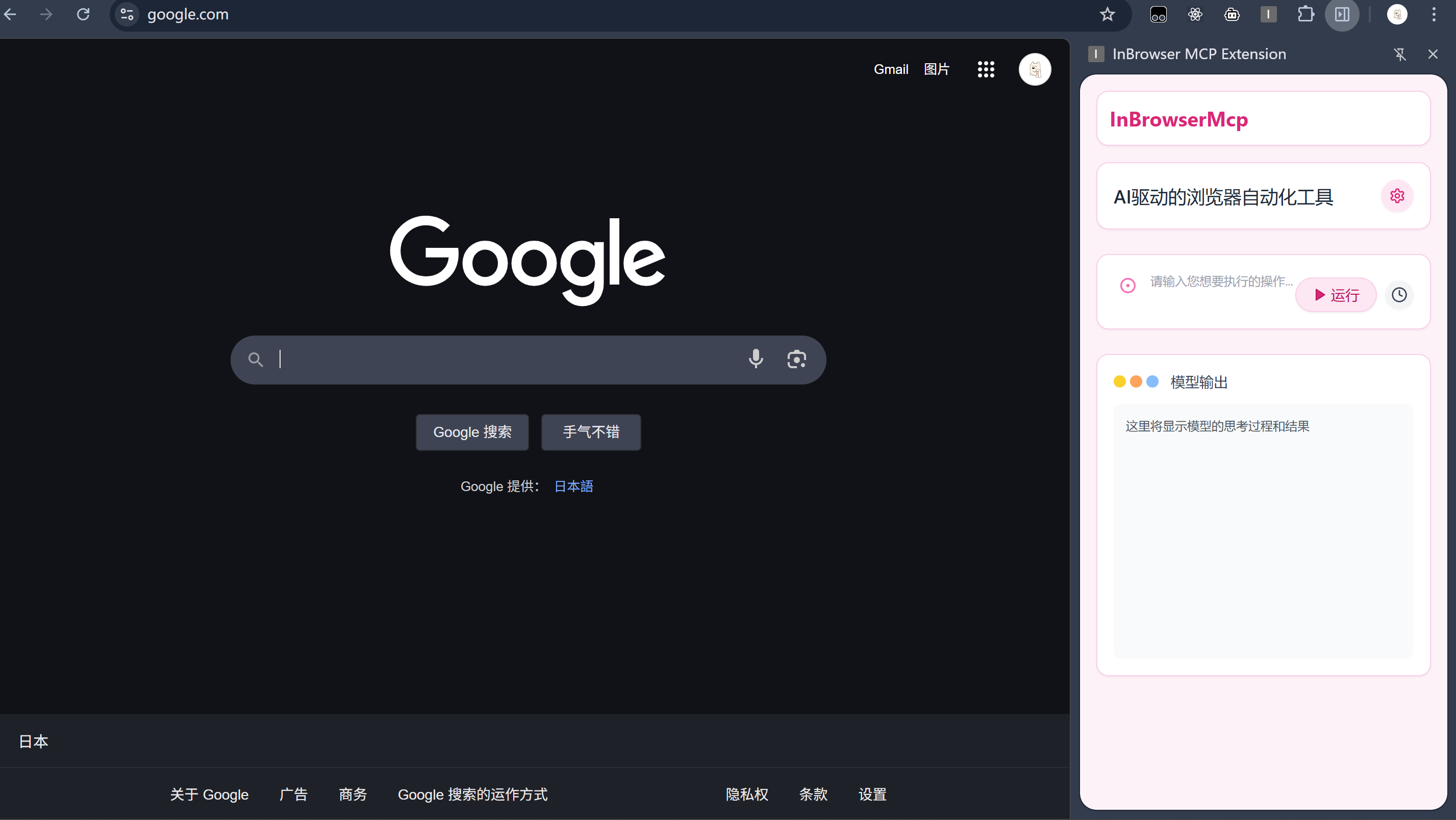
InBrowserMcp 是一个实验性项目,旨在通过 Chrome 扩展程序将模型上下文协议 (MCP) 的能力引入浏览器内部操作。
它允许 AI 模型或外部应用程序通过 MCP 标准接口向浏览器发送指令(如导航、点击、输入、获取内容等),并通过 Chrome 扩展在浏览器中实际执行这些操作。
项目结构
本项目包含三个主要部分:
mcp-server: 后端服务 (Node.js/Express)- 实现了 MCP 服务器,处理来自客户端(如 AI 模型)的 JSON-RPC 请求。
- 通过 WebSocket 与 Chrome 扩展 (
extension) 通信,将 MCP 指令转发给扩展,并接收执行结果。 - 提供
/mcp端点用于 MCP 通信 (POST/GET/DELETE)。 - 提供
/api/ai-command端点用于接收前端 UI 发送的自然语言指令,并将其(模拟地)转换为 MCP 指令。 - 提供
/api/cancel-command端点用于取消正在进行的浏览器操作。
extension: Chrome 浏览器扩展- 作为浏览器端的代理,通过 WebSocket 连接到
mcp-server。 - 接收来自
mcp-server的指令。 - 使用 Chrome Extension API (e.g.,
chrome.tabs,chrome.windows,chrome.debugger) 在浏览器中执行指令。 - 将执行结果或错误通过 WebSocket 返回给
mcp-server。
- 作为浏览器端的代理,通过 WebSocket 连接到
frontend: 前端用户界面 (React/Vite)- 提供一个简单的 Web 界面,用户可以在此输入自然语言指令。
- 通过 HTTP POST 请求将指令发送到
mcp-server的/api/ai-command端点。 - 通过 Server-Sent Events (SSE) 从
/mcp端点接收 MCP 服务器的状态更新和操作结果,并更新 UI。
技术栈
- 后端 (
mcp-server): Node.js, Express, TypeScript,@modelcontextprotocol/sdk,ws(WebSocket) - 扩展 (
extension): JavaScript, Chrome Extension API, WebSocket - 前端 (
frontend): React, Vite, TypeScript, Tailwind CSS, Server-Sent Events (EventSource)
工作流程
- 用户在
frontendUI 中输入指令(例如“打开 google.com”)。 frontend将指令 POST 到mcp-server的/api/ai-command。mcp-server(模拟 AI) 将自然语言指令转换为 MCP 工具调用请求(例如navigate工具)。mcp-server通过 WebSocket (sendBrowserAction) 将指令和参数发送给extension。extension(在background.js中) 接收指令,调用相应的 Chrome API 执行操作(例如chrome.tabs.update(...))。extension将操作结果(成功或失败信息)通过 WebSocket (action_response) 发送回mcp-server。mcp-server收到action_response,解析结果。mcp-server通过与frontend建立的 SSE 连接 (/mcpGET) 发送message或error事件。frontend接收 SSE 事件,更新 UI 状态(例如从“运行中”变为“成功”或“失败”)。
安装与运行
先决条件:
- Node.js (建议 v18 或更高版本)
- npm 或 pnpm
- Google Chrome 浏览器
步骤:
-
克隆仓库:
git clone <repository-url> cd InBrowserMcp -
安装后端依赖:
cd mcp-server npm install # 或者使用 pnpm # pnpm install cd .. -
安装前端依赖:
cd frontend pnpm install # 推荐使用 pnpm,如果使用 npm,请运行 npm install cd .. -
加载 Chrome 扩展:
- 打开 Chrome 浏览器,地址栏输入
chrome://extensions/。 - 启用右上角的“开发者模式”。
- 点击“加载已解压的扩展程序”。
- 选择项目中的
InBrowserMcp/extension文件夹。 - 确保扩展已启用。
- 打开 Chrome 浏览器,地址栏输入
-
启动后端服务:
cd mcp-server
npm run build
npm start
后端服务默认运行在
http://localhost:8080,WebSocket 服务器监听ws://localhost:8081。 -
启动前端开发服务器:
cd frontend
pnpm run dev
前端应用默认运行在
http://localhost:5173。 -
使用:
- 打开浏览器访问
http://localhost:5173。 - 在输入框中输入指令,例如“打开 google.com”或“导航到 bilibili.com”。
- 观察状态变化和浏览器行为。
- 打开浏览器访问
注意事项
- Chrome 扩展需要必要的权限才能执行某些操作(例如访问标签页、窗口、调试器等),这些权限在
extension/manifest.json中配置。 - 后端和扩展之间的 WebSocket 连接是核心通信渠道。
- 前端通过 SSE 与后端通信以获取实时更新。
- 当前的
/api/ai-command只是一个简单的模拟,实际应用中需要替换为真正的 AI 模型调用或更复杂的指令解析逻辑。
贡献
欢迎提出问题、报告错误或提交合并请求。
许可证
本项目采用 MIT 许可证。
Dev Tools Supporting MCP
The following are the main code editors that support the Model Context Protocol. Click the link to visit the official website for more information.







