
Lldb Mcp
What is Lldb Mcp
LLDB_MCP is a Model Context Protocol (MCP) server that enables LLDB debugging capabilities for AI assistants like Claude.
Use cases
Use cases include debugging applications, analyzing core dumps, and assisting developers in real-time during coding sessions with AI support.
How to use
To use LLDB_MCP, configure the MCP settings in the Claude app or browser extension to include the server, then restart Claude or refresh the page to access LLDB tools during conversations.
Key features
Key features include starting and managing LLDB sessions, loading programs and core dumps, setting breakpoints, stepping through code, examining memory, and executing arbitrary LLDB commands.
Where to use
LLDB_MCP is primarily used in software development and debugging environments, particularly when integrating AI assistants with debugging tools.
Clients Supporting MCP
The following are the main client software that supports the Model Context Protocol. Click the link to visit the official website for more information.





Overview
What is Lldb Mcp
LLDB_MCP is a Model Context Protocol (MCP) server that enables LLDB debugging capabilities for AI assistants like Claude.
Use cases
Use cases include debugging applications, analyzing core dumps, and assisting developers in real-time during coding sessions with AI support.
How to use
To use LLDB_MCP, configure the MCP settings in the Claude app or browser extension to include the server, then restart Claude or refresh the page to access LLDB tools during conversations.
Key features
Key features include starting and managing LLDB sessions, loading programs and core dumps, setting breakpoints, stepping through code, examining memory, and executing arbitrary LLDB commands.
Where to use
LLDB_MCP is primarily used in software development and debugging environments, particularly when integrating AI assistants with debugging tools.
Clients Supporting MCP
The following are the main client software that supports the Model Context Protocol. Click the link to visit the official website for more information.
Content
MCP LLDB Server
A Model Context Protocol (MCP) server that provides LLDB debugging functionality for use with Claude or other AI assistants.
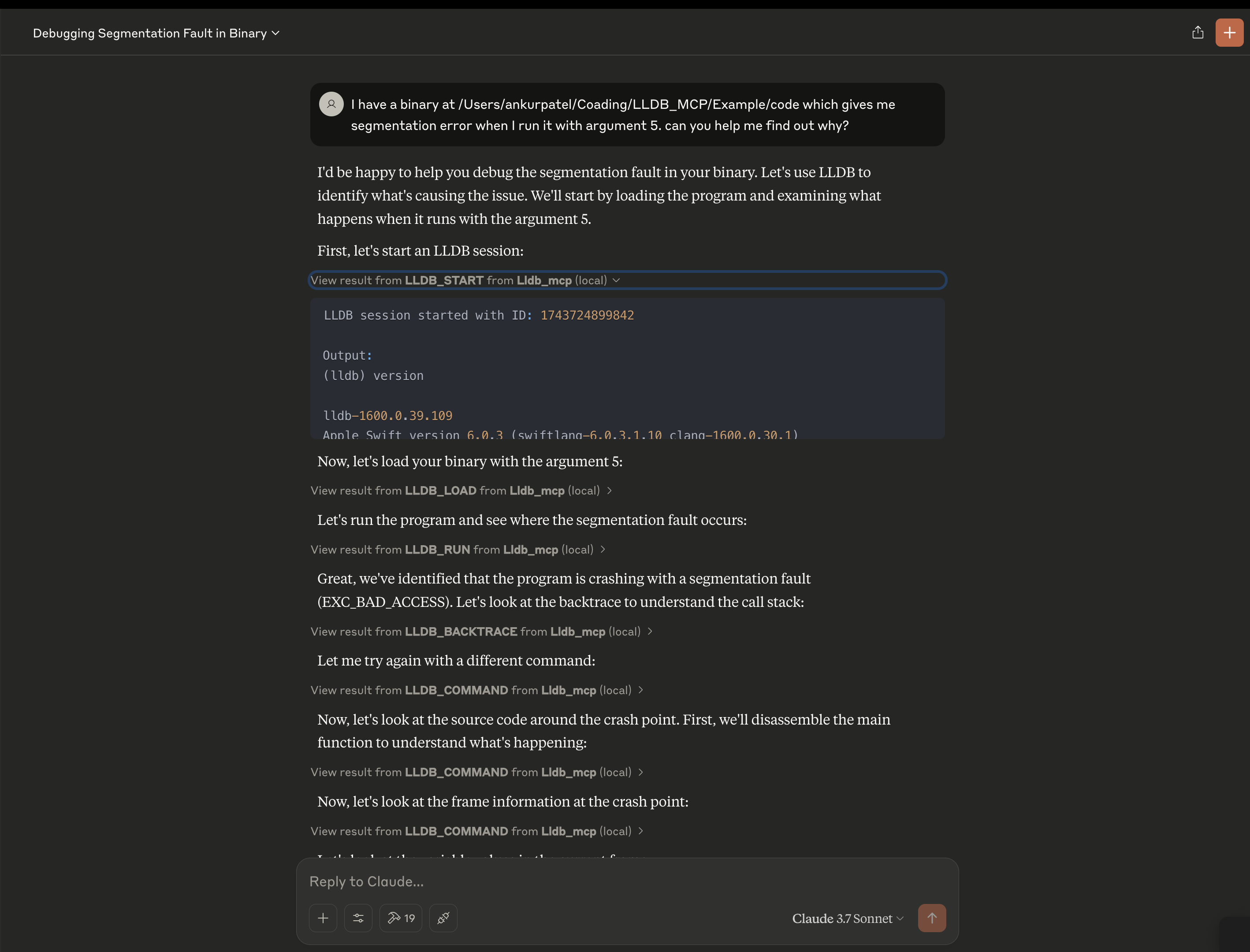
Features
- Start and manage LLDB debugging sessions
- Load programs and core dumps for analysis
- Set breakpoints, step through code, and examine memory
- View call stacks, variables, and registers
- Execute arbitrary LLDB commands
Installation
# Clone the repository
git clone [email protected]:ankur106/LLDB_MCP.git

cd LLDB_MCP

# Install dependencies
npm install

# Build the project
npm run build
Usage
Using with Claude or other MCP-enabled assistants
- Configure the MCP settings in the Claude desktop app or browser extension to include this server:
{
  "mcpServers": {
    "lldb": {
      "command": "node",
      "args": [
        "/path/to/LLDB_MCP/build/index.js"
      ],
      "disabled": false
    }
  }
}-
Restart Claude or refresh the page.
-
Now you can use the LLDB tools in your conversations with Claude.
Supported LLDB Commands
lldb_start: Start a new LLDB sessionlldb_load: Load a program into LLDBlldb_command: Execute an arbitrary LLDB commandlldb_terminate: Terminate an LLDB sessionlldb_list_sessions: List all active LLDB sessionslldb_attach: Attach to a running processlldb_load_core: Load a core dump filelldb_examine: Examine memorylldb_info_registers: Display registerslldb_set_breakpoint: Set a breakpointlldb_continue: Continue program executionlldb_step: Step program executionlldb_backtrace: Show call stacklldb_print: Print value of expressionlldb_next: Step over function callslldb_finish: Execute until the current function returnslldb_run: Run the programlldb_frame_info: Get information about the current stack framelldb_disassemble: Disassemble the current function
Dev Tools Supporting MCP
The following are the main code editors that support the Model Context Protocol. Click the link to visit the official website for more information.







