
Llama Mcp Streamlit
What is Llama Mcp Streamlit
LLaMa-MCP-Streamlit is an interactive AI assistant developed using Streamlit, NVIDIA NIM’s API (LLaMa 3.3:70B) / Ollama, and Model Control Protocol (MCP). It allows users to engage in conversations with a large language model (LLM) and execute real-time external tools seamlessly via MCP.
Use cases
Use cases for LLaMa-MCP-Streamlit include providing automated customer service responses, conducting data retrieval and analysis, facilitating interactive learning experiences, and integrating with other software tools for enhanced functionality.
How to use
To use LLaMa-MCP-Streamlit, first configure the environment variables in the .env file with your API keys. Then, install the necessary dependencies using Poetry and run the Streamlit app with the command ‘poetry run streamlit run ll’.
Key features
Key features of LLaMa-MCP-Streamlit include custom model selection from NVIDIA NIM or Ollama, API configuration for different backends, tool integration via MCP for enhanced usability, and a user-friendly chat-based interface.
Where to use
LLaMa-MCP-Streamlit can be used in various fields such as customer support, data analysis, educational tools, and any application requiring real-time interactions with AI and external tools.
Clients Supporting MCP
The following are the main client software that supports the Model Context Protocol. Click the link to visit the official website for more information.





Overview
What is Llama Mcp Streamlit
LLaMa-MCP-Streamlit is an interactive AI assistant developed using Streamlit, NVIDIA NIM’s API (LLaMa 3.3:70B) / Ollama, and Model Control Protocol (MCP). It allows users to engage in conversations with a large language model (LLM) and execute real-time external tools seamlessly via MCP.
Use cases
Use cases for LLaMa-MCP-Streamlit include providing automated customer service responses, conducting data retrieval and analysis, facilitating interactive learning experiences, and integrating with other software tools for enhanced functionality.
How to use
To use LLaMa-MCP-Streamlit, first configure the environment variables in the .env file with your API keys. Then, install the necessary dependencies using Poetry and run the Streamlit app with the command ‘poetry run streamlit run ll’.
Key features
Key features of LLaMa-MCP-Streamlit include custom model selection from NVIDIA NIM or Ollama, API configuration for different backends, tool integration via MCP for enhanced usability, and a user-friendly chat-based interface.
Where to use
LLaMa-MCP-Streamlit can be used in various fields such as customer support, data analysis, educational tools, and any application requiring real-time interactions with AI and external tools.
Clients Supporting MCP
The following are the main client software that supports the Model Context Protocol. Click the link to visit the official website for more information.
Content
Llama MCP Streamlit
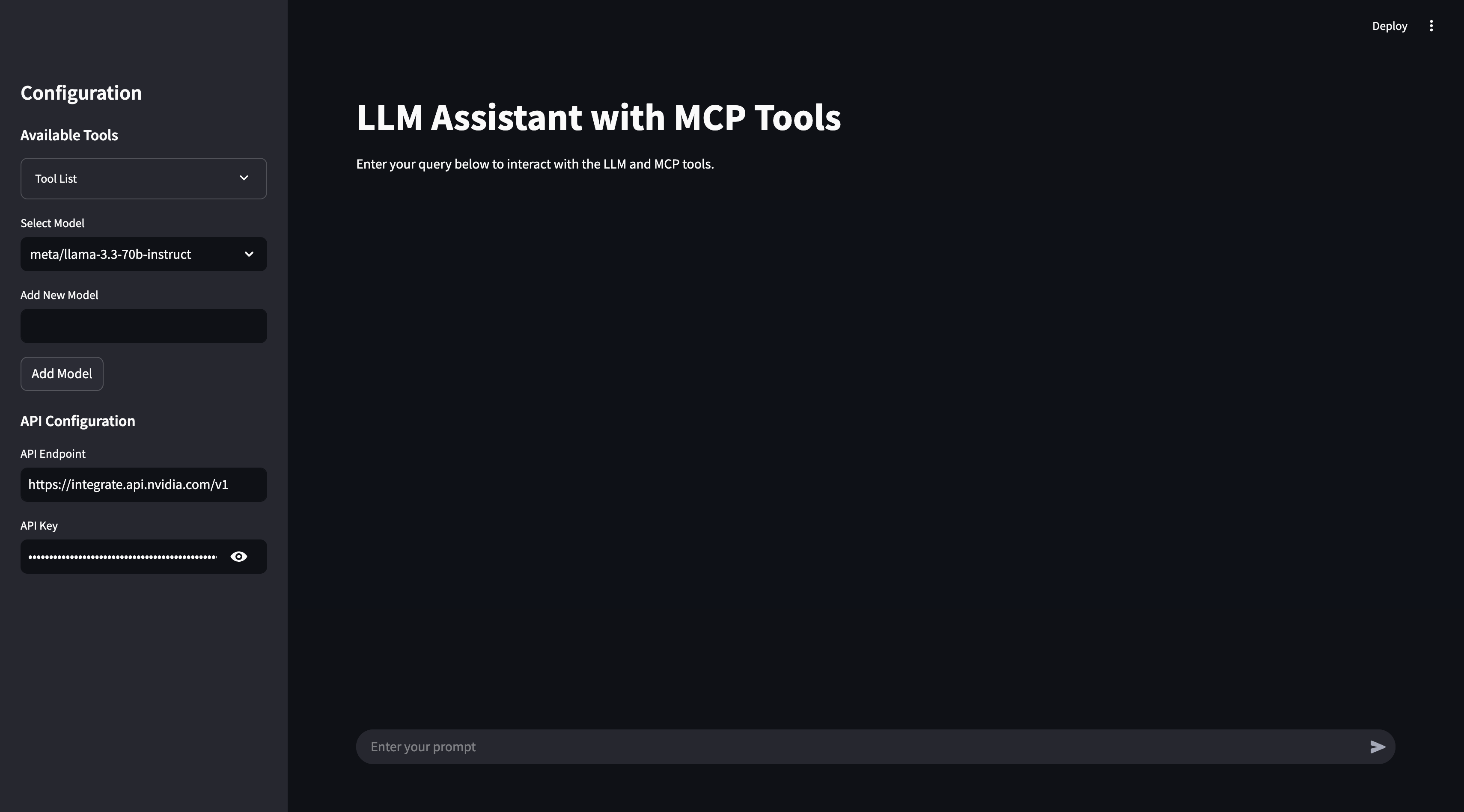
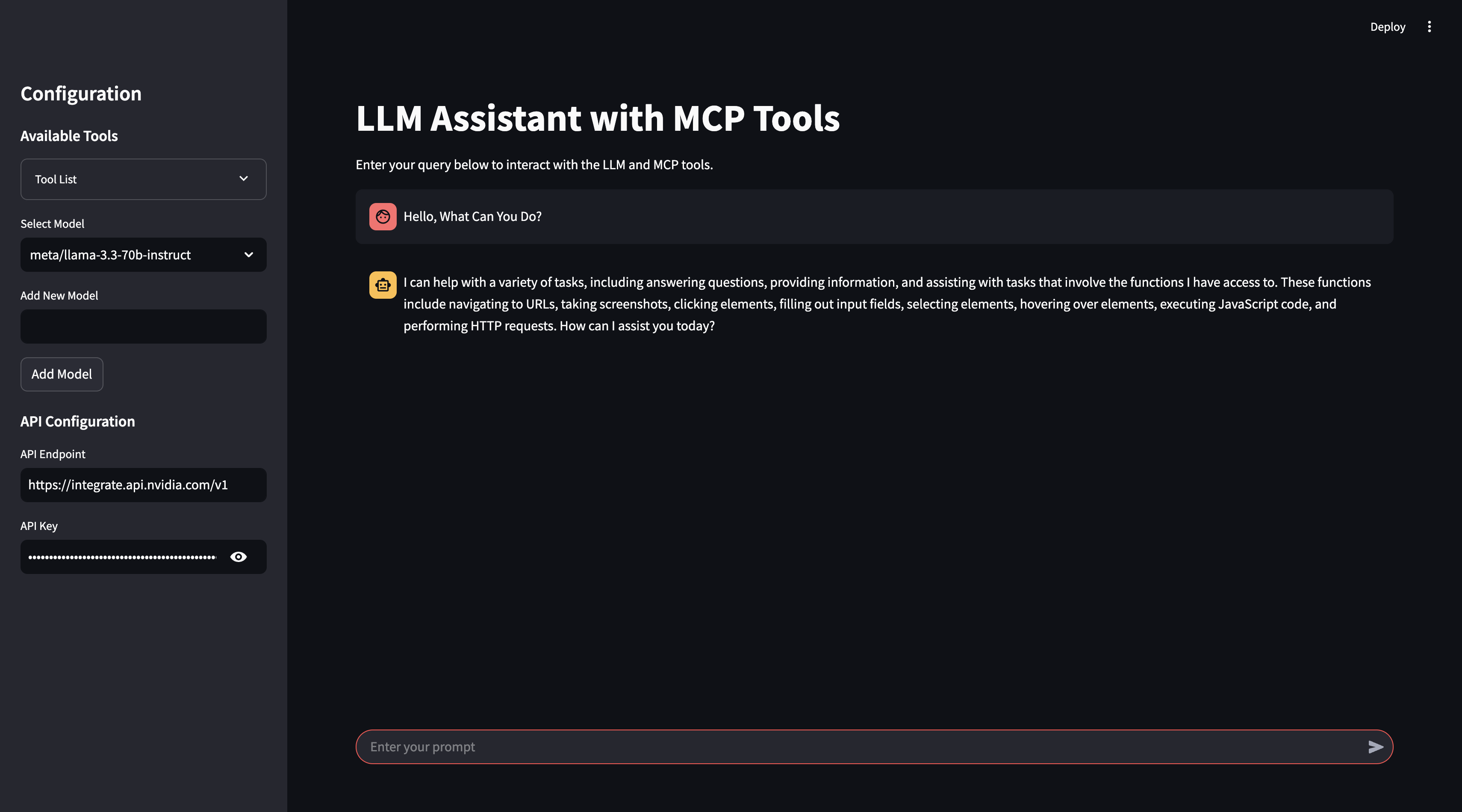
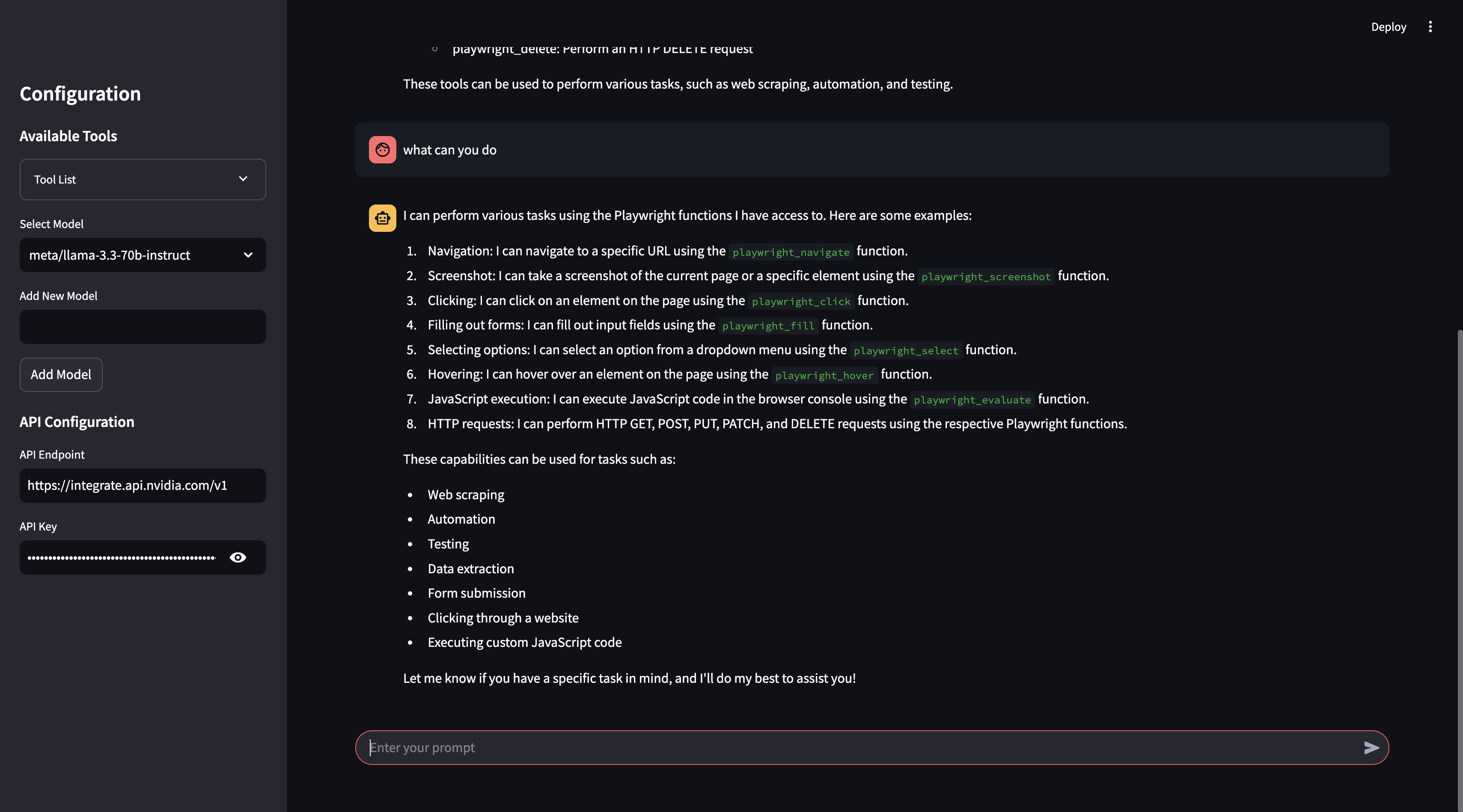
This project is an interactive AI assistant built with Streamlit, NVIDIA NIM’s API (LLaMa 3.3:70b)/Ollama, and Model Control Protocol (MCP). It provides a conversational interface where you can interact with an LLM to execute real-time external tools via MCP, retrieve data, and perform actions seamlessly.
The assistant supports:
- Custom model selection (NVIDIA NIM / Ollama)
- API configuration for different backends
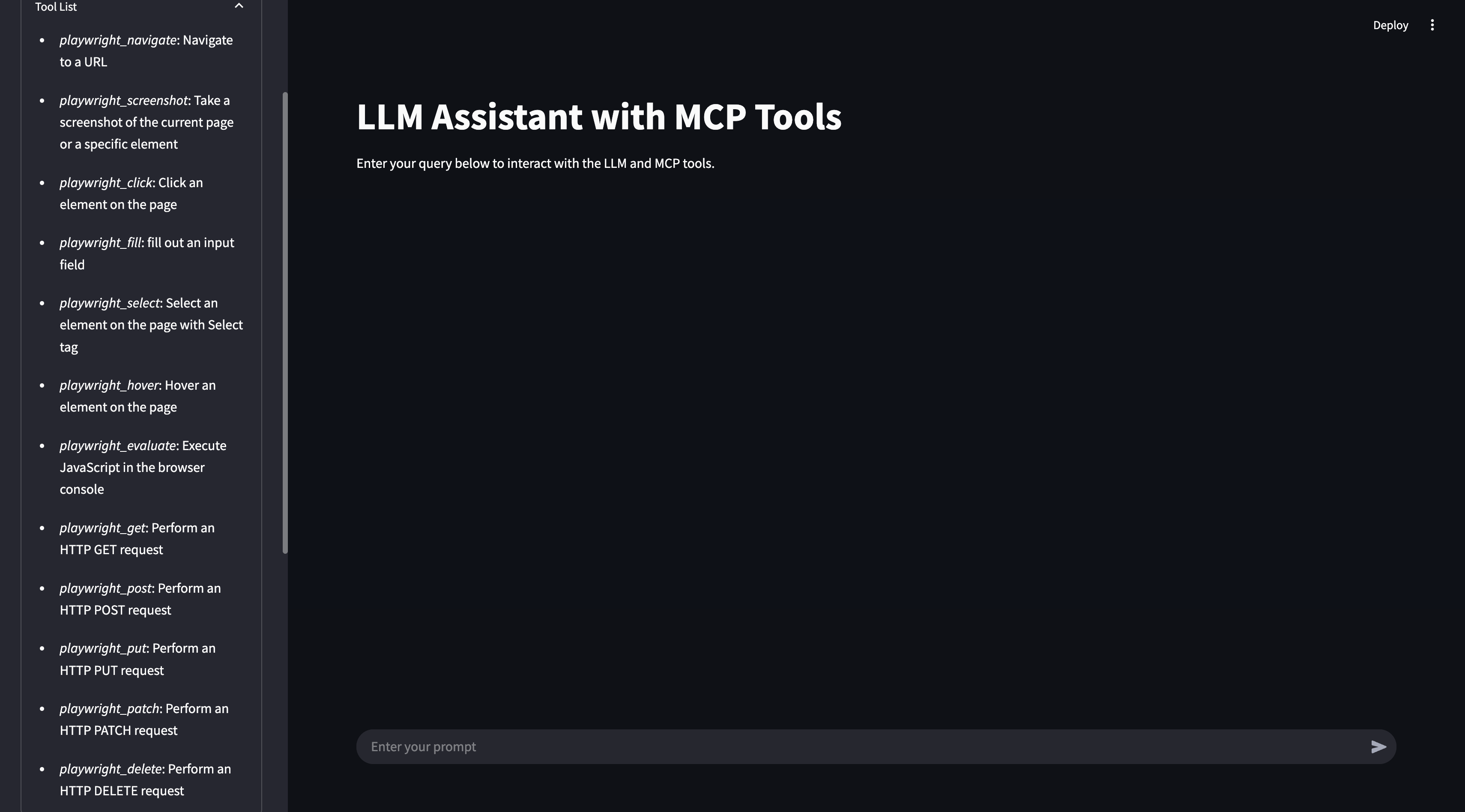
- Tool integration via MCP to enhance usability and real-time data processing
- A user-friendly chat-based experience with Streamlit
📸 Screenshots
📁 Project Structure
llama_mcp_streamlit/
│── ui/
│   ├── sidebar.py       # UI components for Streamlit sidebar
│   ├── chat_ui.py       # Chat interface components
│── utils/
│   ├── agent.py         # Handles interaction with LLM and tools
│   ├── mcp_client.py    # MCP client for connecting to external tools
│   ├── mcp_server.py    # Configuration for MCP server selection
│── config.py            # Configuration settings
│── main.py              # Entry point for the Streamlit app
.env                      # Environment variables
Dockerfile                # Docker configuration
pyproject.toml            # Poetry dependency management
🔧 Environment Variables
Before running the project, configure the .env file with your API keys:
# Endpoint for the NVIDIA Integrate API
API_ENDPOINT=https://integrate.api.nvidia.com/v1
API_KEY=your_api_key_here

# Endpoint for the Ollama API
API_ENDPOINT=http://localhost:11434/v1/
API_KEY=ollama
🚀 Running the Project
Using Poetry
- Install dependencies:
poetry install - Run the Streamlit app:
poetry run streamlit run llama_mcp_streamlit/main.py
Using Docker
- Build the Docker image:
docker build -t llama-mcp-assistant . - Run the container:
docker compose up
🔄 Changing MCP Server Configuration
To modify which MCP server to use, update the utils/mcp_server.py file.
You can use either NPX or Docker as the MCP server:
NPX Server
server_params = StdioServerParameters(
    command="npx",
    args=[
        "-y",
        "@modelcontextprotocol/server-filesystem",
        "/Users/username/Desktop",
        "/path/to/other/allowed/dir"
    ],
    env=None,
)
Docker Server
server_params = StdioServerParameters(
    command="docker",
    args=[
        "run",
        "-i",
        "--rm",
        "--mount", "type=bind,src=/Users/username/Desktop,dst=/projects/Desktop",
        "--mount", "type=bind,src=/path/to/other/allowed/dir,dst=/projects/other/allowed/dir,ro",
        "--mount", "type=bind,src=/path/to/file.txt,dst=/projects/path/to/file.txt",
        "mcp/filesystem",
        "/projects"
    ],
    env=None,
)
Modify the server_params configuration as needed to fit your setup.
📌 Features
- Real-time tool execution via MCP
- LLM-powered chat interface
- Streamlit UI with interactive chat elements
- Support for multiple LLM backends (NVIDIA NIM & Ollama)
- Docker support for easy deployment
🛠 Dependencies
- Python 3.11+
- Streamlit
- OpenAI API (for NVIDIA NIM integration)
- MCP (Model Control Protocol)
- Poetry (for dependency management)
- Docker (optional, for containerized deployment)
📜 License
This project is licensed under the MIT License.
🤝 Contributing
Feel free to submit pull requests or report issues!
📬 Contact
For any questions, reach out via GitHub Issues.
Dev Tools Supporting MCP
The following are the main code editors that support the Model Context Protocol. Click the link to visit the official website for more information.







