
Mcp Server Blender
What is Mcp Server Blender
MCP-Server-blender is an open-source library designed to connect any LLM (Large Language Model) to any MCP server, enabling the creation of custom agents with tool access without relying on closed-source applications.
Use cases
Use cases for MCP-Server-blender include building custom AI agents for web browsing, file operations, and other automated tasks that require LLM capabilities.
How to use
To use MCP-Server-blender, developers can create an MCP capable agent with just six lines of code, allowing for quick integration with various LLMs and tools.
Key features
Key features include ease of use, flexibility to work with any langchain supported LLM, an interactive code builder for exploring MCP capabilities, and support for various tool integrations.
Where to use
MCP-Server-blender can be used in fields such as AI development, automation, and any application requiring integration between LLMs and MCP servers.
Clients Supporting MCP
The following are the main client software that supports the Model Context Protocol. Click the link to visit the official website for more information.





Overview
What is Mcp Server Blender
MCP-Server-blender is an open-source library designed to connect any LLM (Large Language Model) to any MCP server, enabling the creation of custom agents with tool access without relying on closed-source applications.
Use cases
Use cases for MCP-Server-blender include building custom AI agents for web browsing, file operations, and other automated tasks that require LLM capabilities.
How to use
To use MCP-Server-blender, developers can create an MCP capable agent with just six lines of code, allowing for quick integration with various LLMs and tools.
Key features
Key features include ease of use, flexibility to work with any langchain supported LLM, an interactive code builder for exploring MCP capabilities, and support for various tool integrations.
Where to use
MCP-Server-blender can be used in fields such as AI development, automation, and any application requiring integration between LLMs and MCP servers.
Clients Supporting MCP
The following are the main client software that supports the Model Context Protocol. Click the link to visit the official website for more information.
Content
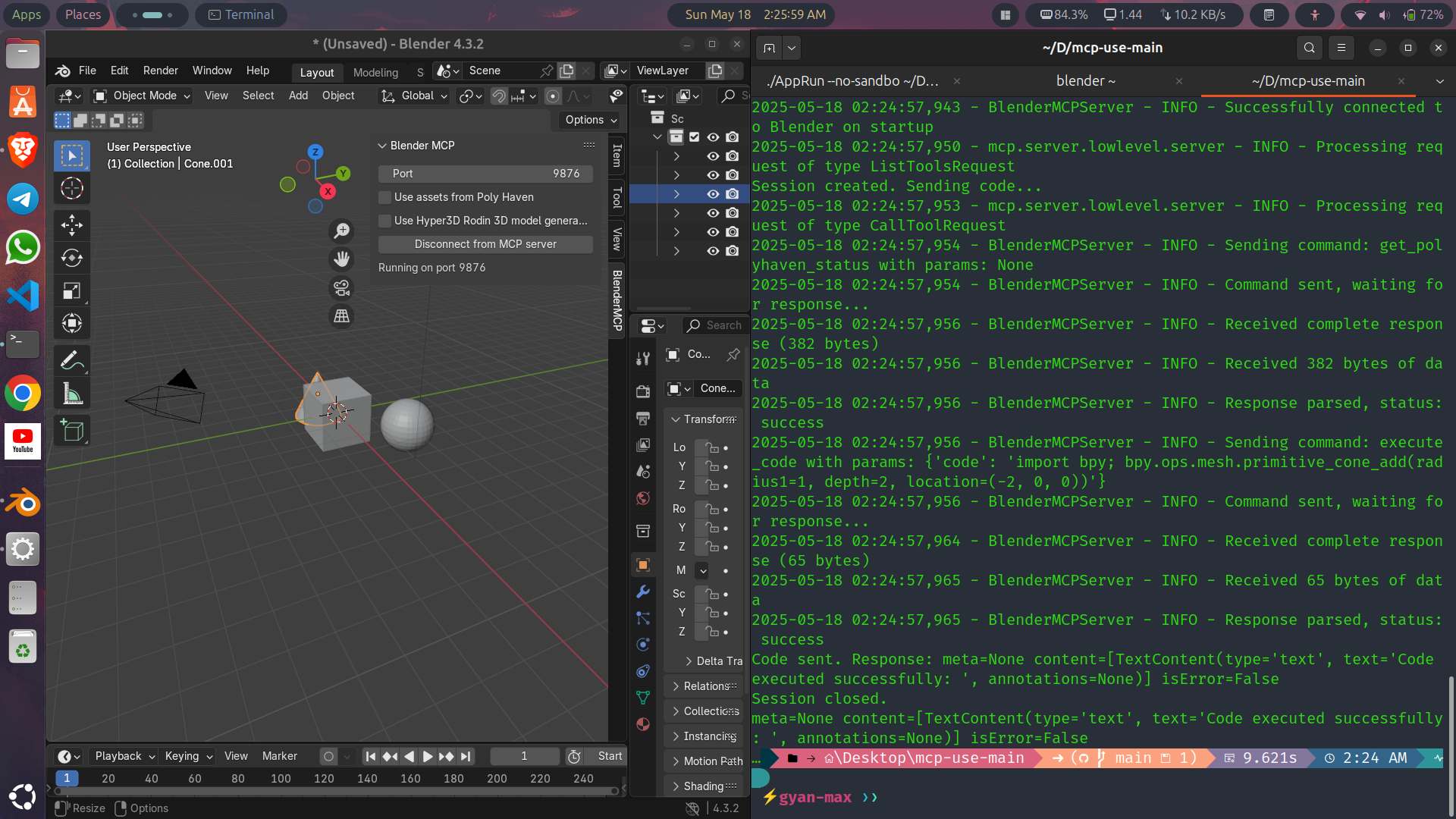
Prompt-to-3D
Overview
Prompt-to-3D is an innovative tool designed to make 3D modeling in Blender accessible to everyone, especially beginners and non-technical users. By allowing users to create 3D models using simple text prompts (e.g., “create a red car” or something else), our project eliminates the need to navigate Blender’s complex interface. Powered by natural language processing(NLP) and Blender’s python API, Prompt-to-3D translates plain language into 3D models, empowering anyone to create 3D models with ease.
Problem Statements
Blender is a powerful 3D modeling tool, but its steep learning curve and intricate interface can be overwhelming for beginners. Many people with great ideas struggle to create 3D models dur to the technical skills required. Prompt-to-3D solves this by enabling users to describe their vision in simple words, making 3D creation intuitive and inclusive.
Features
- Natural Language Input: Create 3D models by typing
simple prompts like “Create a cube or a circle or anything” - Blender Integration: Seamlessly works within Blender using its Python API
- Beginner-Friendly: No need to learn Blender’s tools or workflows.
- Extensible: Support future enhancements like advance NLP models or web-based interfaces.
Tech Stack
- Blender Python API(byp): Automates 3D modeling tasks in Blender.
- Python: Core language for scripting and integration
- NLP/LLM: Using Ollama and Mistral model for natural language processing
- Flask: Lightweight backend for promppt processing
- HTML/CSS/JavaScript: For potential web-based interface.
Installation
Prerequisites
- Blender 3.0 or higher
- Python 3.10 or higher
- pip and venv for installing python packages and requirements.
Steps
1. Clone the repository
git clone https://github.com/yourusername/Prompt-to-3D.git
cd Prompt-to-3D
2. Set up Virtual Environment
- for windows
python -m venv venv
venv/Script/activate
- for macOS/Linux
python3 -m venv venv
source venv/bin/activate
 # if using fish shell
 source venv/bin/activate.fish

 - verify
 ```bash
 which python
 which pip
Except paths like /path/to/venv/bin/python and /path/to/venv/bin/pip
3. Install uv(Dependency Manager)
pip install uv
uv --version
4. Install mcp-use
uv pip install mcp-use
- verify
pip show mcp-use
5. Config LLM Provider
- Create
.envfile for Anthropic or any other provider
touch .env
nano .env
- Add provider details
ANTHROPIC_API_KEY=your_api_key
save ctrl+x and y
- verify
ls -la .env
- Install langfow for local development
pip install langflow anthropic
- Test Anthropic API
python3 -c "import anthropic: anthropic.Client('your_api_key').complete(prompt='Hello, world!')"
6. Confirm Blender Installation
- Check if Blender is installed and available in the PATH
blender --version
Expect output like Blender 3.5.1 or higher.
-
If not installed, download from Blender Official Website
-
Verify the installation by running
blender --version -
for linux/macOS
# for macOS
brew install blender

# for linux
sudo apt-get install blender
- for windows follow the instructions here
Usage
-
Open Blender and navigate to the 3D view.
-
Find the Add-on panel:
- Press
Nto open the side bar - Look for
Prompt-to-3Din the list of add-ons. - Enable it by clicking the checkbox.
- Use the addon:
- In the 3D view, you’ll see a new panel with a text input field.
- Enter your prompt, e.g., “Create a red car”.
- Click the button to generate the 3D model.
Dev Tools Supporting MCP
The following are the main code editors that support the Model Context Protocol. Click the link to visit the official website for more information.







