
Mcp Web Curl
What is Mcp Web Curl
MCP-Web-Curl is a powerful tool designed for fetching and extracting text content from web pages and APIs. It can be used as a standalone CLI or as an MCP (Model Context Protocol) server, utilizing Puppeteer for robust web scraping.
Use cases
Use cases for MCP-Web-Curl include extracting product information from e-commerce sites, gathering data for research purposes, automating content updates for blogs, and performing competitive analysis by scraping competitors’ websites.
How to use
To use MCP-Web-Curl, you can either run it as a command-line interface (CLI) or set it up as an MCP server. Detailed instructions for installation and usage can be found in the documentation provided in the README.
Key features
Key features include the ability to retrieve text content from any website, block unnecessary resources (like images), support custom headers, handle authentication, and utilize the Google Custom Search API for enhanced search capabilities.
Where to use
MCP-Web-Curl can be used in various fields such as web scraping, data extraction, SEO analysis, and any application that requires automated content retrieval from the web.
Clients Supporting MCP
The following are the main client software that supports the Model Context Protocol. Click the link to visit the official website for more information.





Overview
What is Mcp Web Curl
MCP-Web-Curl is a powerful tool designed for fetching and extracting text content from web pages and APIs. It can be used as a standalone CLI or as an MCP (Model Context Protocol) server, utilizing Puppeteer for robust web scraping.
Use cases
Use cases for MCP-Web-Curl include extracting product information from e-commerce sites, gathering data for research purposes, automating content updates for blogs, and performing competitive analysis by scraping competitors’ websites.
How to use
To use MCP-Web-Curl, you can either run it as a command-line interface (CLI) or set it up as an MCP server. Detailed instructions for installation and usage can be found in the documentation provided in the README.
Key features
Key features include the ability to retrieve text content from any website, block unnecessary resources (like images), support custom headers, handle authentication, and utilize the Google Custom Search API for enhanced search capabilities.
Where to use
MCP-Web-Curl can be used in various fields such as web scraping, data extraction, SEO analysis, and any application that requires automated content retrieval from the web.
Clients Supporting MCP
The following are the main client software that supports the Model Context Protocol. Click the link to visit the official website for more information.
Content
Google Custom Search API
Google Custom Search API is free with usage limits (e.g., 100 queries per day for free, with additional queries requiring payment). For full details on quotas, pricing, and restrictions, see the official documentation.
Web-curl
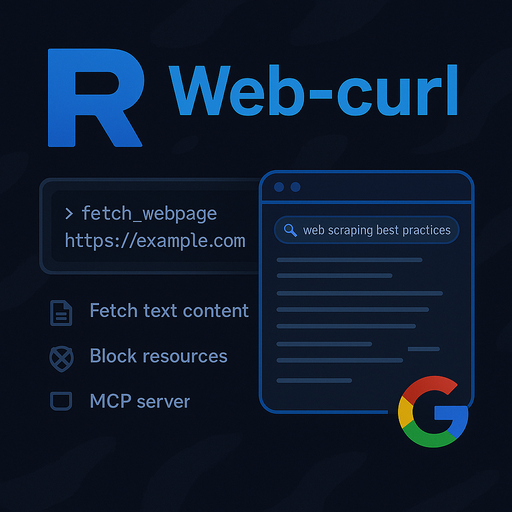
Developed by Rayss
🚀 Open Source Project
🛠️ Built with Node.js & TypeScript (Node.js v18+ required)


🎬 Demo Video

Click to watch the demo directly in your browser
📚 Table of Contents
- Overview
- Features
- Architecture
- Installation
- Usage
- Configuration
- Examples
- Troubleshooting
- Tips & Best Practices
- Contributing & Issues
- License & Attribution
📝 Overview
Web-curl is a powerful tool for fetching and extracting text content from web pages and APIs. Use it as a standalone CLI or as an MCP (Model Context Protocol) server. Web-curl leverages Puppeteer for robust web scraping and supports advanced features such as resource blocking, custom headers, authentication, and Google Custom Search.
✨ Features
- 🔎 Retrieve text content from any website.
- 🚫 Block unnecessary resources (images, stylesheets, fonts) for faster loading.
- ⏱️ Set navigation timeouts and content extraction limits.
- 💾 Output results to stdout or save to a file.
- 🖥️ Use as a CLI tool or as an MCP server.
- 🌐 Make REST API requests with custom methods, headers, and bodies.
- 🔍 Integrate Google Custom Search (requires API key and CX).
- 🤖 Smart command parsing (auto-detects URLs and search queries).
- 🛡️ Detailed error logging and robust error handling.
🏗️ Architecture
- CLI & MCP Server:
src/index.ts
Implements both the CLI entry point and the MCP server, exposing tools likefetch_webpage,fetch_api,google_search, andsmart_command. - Web Scraping: Uses Puppeteer for headless browsing, resource blocking, and content extraction.
- REST Client:
src/rest-client.ts
Provides a flexible HTTP client for API requests, used by both CLI and MCP tools. - Configuration: Managed via CLI options, environment variables, and tool arguments.
⚙️ MCP Server Configuration Example
To integrate web-curl as an MCP server, add the following configuration to your mcp_settings.json:
{
  "mcpServers": {
    "web-curl": {
      "command": "node",
      "args": [
        "build/index.js"
      ],
      "disabled": false,
      "alwaysAllow": [
        "fetch_webpage",
        "fetch_api",
        "google_search",
        "smart_command"
      ],
      "env": {
        "APIKEY_GOOGLE_SEARCH": "YOUR_GOOGLE_API_KEY",
        "CX_GOOGLE_SEARCH": "YOUR_CX_ID"
      }
    }
  }
}
🔑 How to Obtain Google API Key and CX
-
Get a Google API Key:
- Go to Google Cloud Console.
- Create/select a project, then go to APIs & Services > Credentials.
- Click Create Credentials > API key and copy it.
-
Get a Custom Search Engine (CX) ID:
- Go to Google Custom Search Engine.
- Create/select a search engine, then copy the Search engine ID (CX).
-
Enable Custom Search API:
- In Google Cloud Console, go to APIs & Services > Library.
- Search for Custom Search API and enable it.
Replace YOUR_GOOGLE_API_KEY and YOUR_CX_ID in the config above.
🛠️ Installation
# Clone the repository
git clone <repository-url>
cd web-curl

# Install dependencies
npm install

# Build the project
npm run build
### Puppeteer installation notes

- **Windows:** Just run `npm install`.
- **Linux:** You must install extra dependencies for Chromium. Run:
  ```bash
  sudo apt-get install -y \
    ca-certificates fonts-liberation libappindicator3-1 libasound2 libatk-bridge2.0-0 \
    libatk1.0-0 libcups2 libdbus-1-3 libdrm2 libgbm1 libnspr4 libnss3 \
    libx11-xcb1 libxcomposite1 libxdamage1 libxrandr2 xdg-utils
For more details, see the Puppeteer troubleshooting guide.
---

<a name="usage"></a>
## 🚀 Usage

### CLI Usage

The CLI supports fetching and extracting text content from web pages.

```bash
# Basic usage
node build/index.js https://example.com

# With options
node build/index.js --timeout 30000 --no-block-resources https://example.com

# Save output to a file
node build/index.js -o result.json https://example.com
Command Line Options
--timeout <ms>: Set navigation timeout (default: 60000)--no-block-resources: Disable blocking of images, stylesheets, and fonts-o <file>: Output result to specified file
MCP Server Usage
Web-curl can be run as an MCP server for integration with Roo Code or other MCP-compatible platforms.
Exposed Tools
- fetch_webpage: Retrieve text content from a web page
- fetch_api: Make REST API requests
- google_search: Search the web using Google Custom Search API
- smart_command: Accepts natural language commands and auto-routes to the appropriate tool
Running as MCP Server
npm run start
The server communicates via stdio and exposes tools as defined in src/index.ts.
MCP Tool Example (fetch_webpage)
{
  "name": "fetch_webpage",
  "arguments": {
    "url": "https://example.com",
    "blockResources": true,
    "timeout": 60000,
    "maxLength": 10000
  }
}
Google Search Integration
Set the following environment variables for Google Custom Search:
APIKEY_GOOGLE_SEARCH: Your Google API keyCX_GOOGLE_SEARCH: Your Custom Search Engine ID
🧩 Configuration
- Resource Blocking: Block images, stylesheets, and fonts for faster scraping.
- Timeouts: Set navigation and API request timeouts.
- Custom Headers: Pass custom HTTP headers for advanced scenarios.
- Authentication: Supports HTTP Basic Auth via username/password.
- Environment Variables: Used for Google Search API integration.
💡 Examples
Fetch Webpage Content
{
  "name": "fetch_webpage",
  "arguments": {
    "url": "https://en.wikipedia.org/wiki/Web_scraping",
    "blockResources": true,
    "maxLength": 5000
  }
}
Make a REST API Request
{
  "name": "fetch_api",
  "arguments": {
    "url": "https://api.github.com/repos/nodejs/node",
    "method": "GET",
    "headers": {
      "Accept": "application/vnd.github.v3+json"
    }
  }
}
Google Search
{
  "name": "google_search",
  "arguments": {
    "query": "web scraping best practices",
    "num": 5
  }
}
🛠️ Troubleshooting
- Timeout Errors: Increase the
timeoutparameter if requests are timing out. - Blocked Content: If content is missing, try disabling resource blocking or adjusting
resourceTypesToBlock. - Google Search Fails: Ensure
APIKEY_GOOGLE_SEARCHandCX_GOOGLE_SEARCHare set in your environment. - Binary/Unknown Content: Non-text responses are base64-encoded.
- Error Logs: Check the
logs/error-log.txtfile for detailed error messages.
🧠 Tips & Best Practices
Click for advanced tips
- Use resource blocking for faster and lighter scraping unless you need images or styles.
- For large pages, use
maxLengthandstartIndexto paginate content extraction. - Always validate your tool arguments to avoid errors.
- Secure your API keys and sensitive data using environment variables.
- Review the MCP tool schemas in
src/index.tsfor all available options.
🤝 Contributing & Issues
Contributions are welcome! If you want to contribute, fork this repository and submit a pull request.
If you find any issues or have suggestions, please open an issue on the repository page.
📄 License & Attribution
This project was developed by Rayss.
For questions, improvements, or contributions, please contact the author or open an issue in the repository.
Note: Google Search API is free with usage limits. For details, see: Google Custom Search API Overview
Dev Tools Supporting MCP
The following are the main code editors that support the Model Context Protocol. Click the link to visit the official website for more information.







