
Mcp Http Protocol
What is Mcp Http Protocol
MCP-http-protocol is a protocol that facilitates communication using HTTP transport mechanisms, specifically designed for the MCP Server. It allows for the exchange of messages between clients and the server, primarily through an inspector tool.
Use cases
Use cases for MCP-http-protocol include testing and debugging communication between clients and servers, learning about HTTP transport mechanisms, and developing applications that require message exchange over HTTP.
How to use
To use MCP-http-protocol, first install the necessary dependencies with ‘pip install -r requirements.txt’. Then, run the server using ‘python run.py’. Finally, connect to the server via the inspector tool by entering the server URL (http://localhost:8000/sse) in the tool.
Key features
Key features of MCP-http-protocol include support for HTTP transport, compatibility with the inspector tool, and the ability to send and receive messages. The server also provides dummy responses for testing purposes.
Where to use
MCP-http-protocol can be used in various fields such as software development, protocol testing, and educational purposes, especially for those learning about network protocols.
Clients Supporting MCP
The following are the main client software that supports the Model Context Protocol. Click the link to visit the official website for more information.





Overview
What is Mcp Http Protocol
MCP-http-protocol is a protocol that facilitates communication using HTTP transport mechanisms, specifically designed for the MCP Server. It allows for the exchange of messages between clients and the server, primarily through an inspector tool.
Use cases
Use cases for MCP-http-protocol include testing and debugging communication between clients and servers, learning about HTTP transport mechanisms, and developing applications that require message exchange over HTTP.
How to use
To use MCP-http-protocol, first install the necessary dependencies with ‘pip install -r requirements.txt’. Then, run the server using ‘python run.py’. Finally, connect to the server via the inspector tool by entering the server URL (http://localhost:8000/sse) in the tool.
Key features
Key features of MCP-http-protocol include support for HTTP transport, compatibility with the inspector tool, and the ability to send and receive messages. The server also provides dummy responses for testing purposes.
Where to use
MCP-http-protocol can be used in various fields such as software development, protocol testing, and educational purposes, especially for those learning about network protocols.
Clients Supporting MCP
The following are the main client software that supports the Model Context Protocol. Click the link to visit the official website for more information.
Content
MCP HTTP Server
This project shows MCP Server support using HTTP transport mechanism. I personally love learning about protocols by placing breakpoints in the code, and looking at the raw payloads being sent back and forth. This project is a simple HTTP server that supports the MCP protocol. This only works with the inspector tool at the moment, most clients do not support the HTTP transport mechanism yet.
Setup
-
Install dependencies:
pip install -r requirements.txt -
Run the server:
python run.py -
Connect to server using HTTP transport mechanism in inspector tool. (Inspector Tool setup)
npx @modelcontextprotocol/inspector- The inspector tool runs on http://localhost:5173 🚀
- Click on the connect button and enter the URL of the server http://localhost:8000/sse
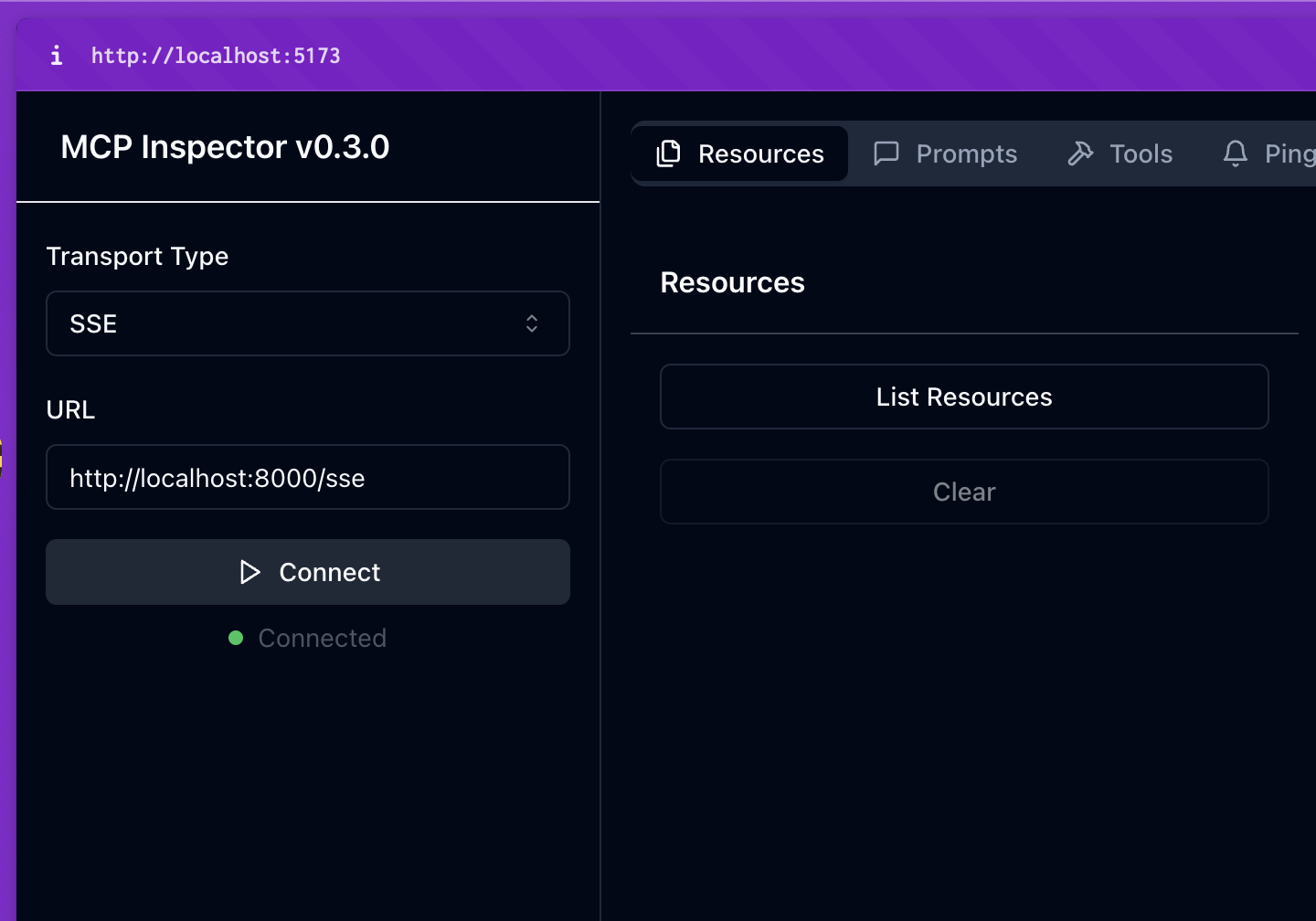
- Congrats! You are now connected to the server. You can now send and receive messages using the inspector tool. Hit any of the buttons like
list resourcesorget resourceto see the server in action. All responses are dummy responses.
TODO:
- [ ] Implement sampling (this is a sick feature btw)
Known Issues
For some reason the Hot Reload on this server is not working properly (The server hangs waiting). Just restart the server and it will start up again (Or fix it, submit a PR and you will be my hero).
Dev Tools Supporting MCP
The following are the main code editors that support the Model Context Protocol. Click the link to visit the official website for more information.







