
Mcp Agent
What is Mcp Agent
MCP_Agent is a framework built on MCP that enables multi-step query strategies, allowing users to create agents capable of handling complex queries within a Docker environment.
Use cases
Use cases for MCP_Agent include automated customer service agents, interactive data querying tools, and research assistants that can process and respond to multi-faceted inquiries.
How to use
To use MCP_Agent, start the server with ‘python3 mcp_server.py’, then launch the client using ‘uvicorn mcp_client:app --reload --host 0.0.0.0 --port 18475’. Finally, run the Streamlit demo with ‘streamlit run stremlit_demo.py --server.port=18477’ to interact with the agent.
Key features
Key features of MCP_Agent include multi-step query execution, Docker container deployment, and customizable LLM integration, allowing users to tailor the agent’s functionality to their needs.
Where to use
MCP_Agent can be used in various fields such as customer support, data analysis, and research, where complex queries and multi-step interactions are required.
Clients Supporting MCP
The following are the main client software that supports the Model Context Protocol. Click the link to visit the official website for more information.





Overview
What is Mcp Agent
MCP_Agent is a framework built on MCP that enables multi-step query strategies, allowing users to create agents capable of handling complex queries within a Docker environment.
Use cases
Use cases for MCP_Agent include automated customer service agents, interactive data querying tools, and research assistants that can process and respond to multi-faceted inquiries.
How to use
To use MCP_Agent, start the server with ‘python3 mcp_server.py’, then launch the client using ‘uvicorn mcp_client:app --reload --host 0.0.0.0 --port 18475’. Finally, run the Streamlit demo with ‘streamlit run stremlit_demo.py --server.port=18477’ to interact with the agent.
Key features
Key features of MCP_Agent include multi-step query execution, Docker container deployment, and customizable LLM integration, allowing users to tailor the agent’s functionality to their needs.
Where to use
MCP_Agent can be used in various fields such as customer support, data analysis, and research, where complex queries and multi-step interactions are required.
Clients Supporting MCP
The following are the main client software that supports the Model Context Protocol. Click the link to visit the official website for more information.
Content
MCP_Agent
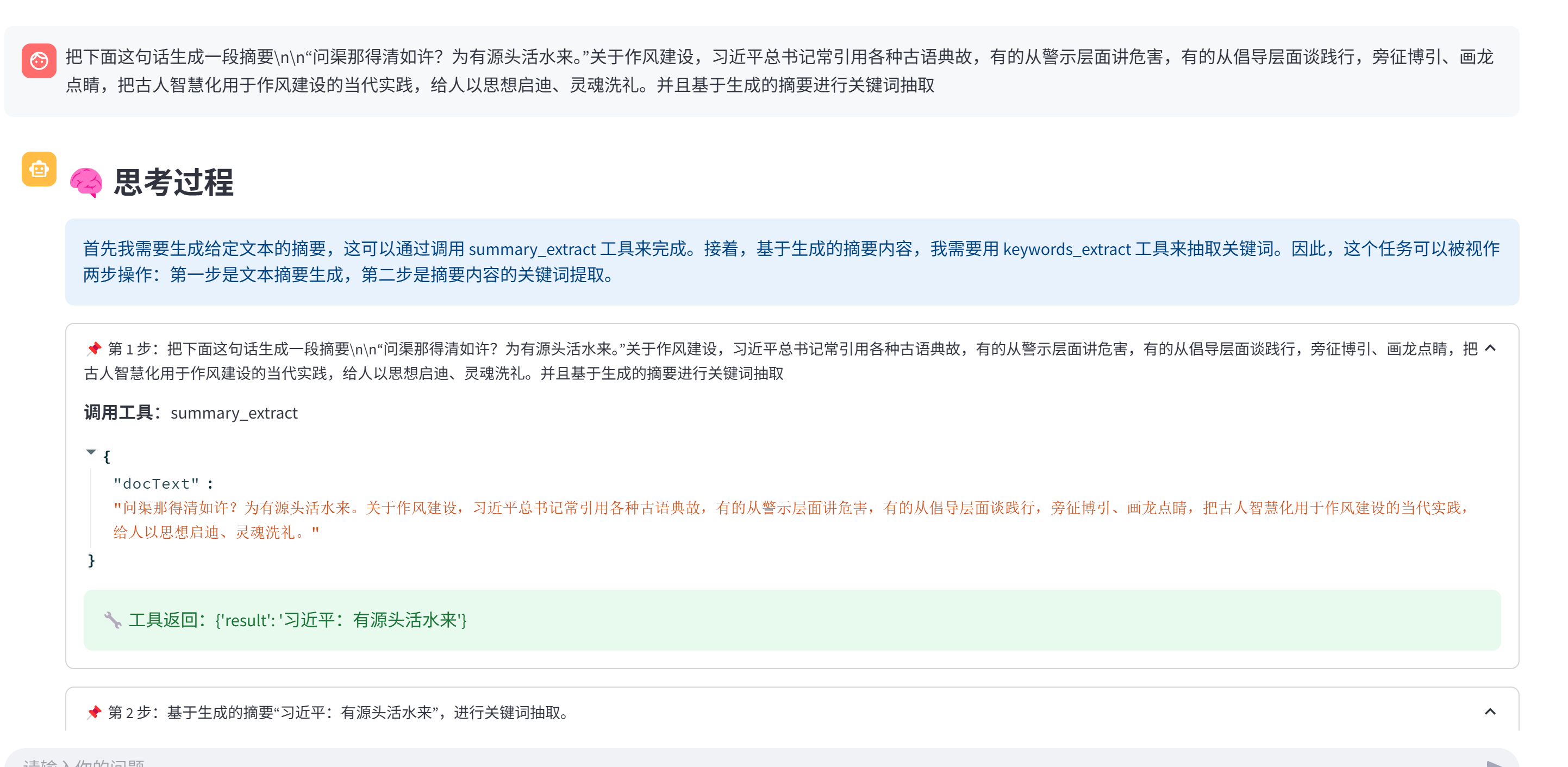
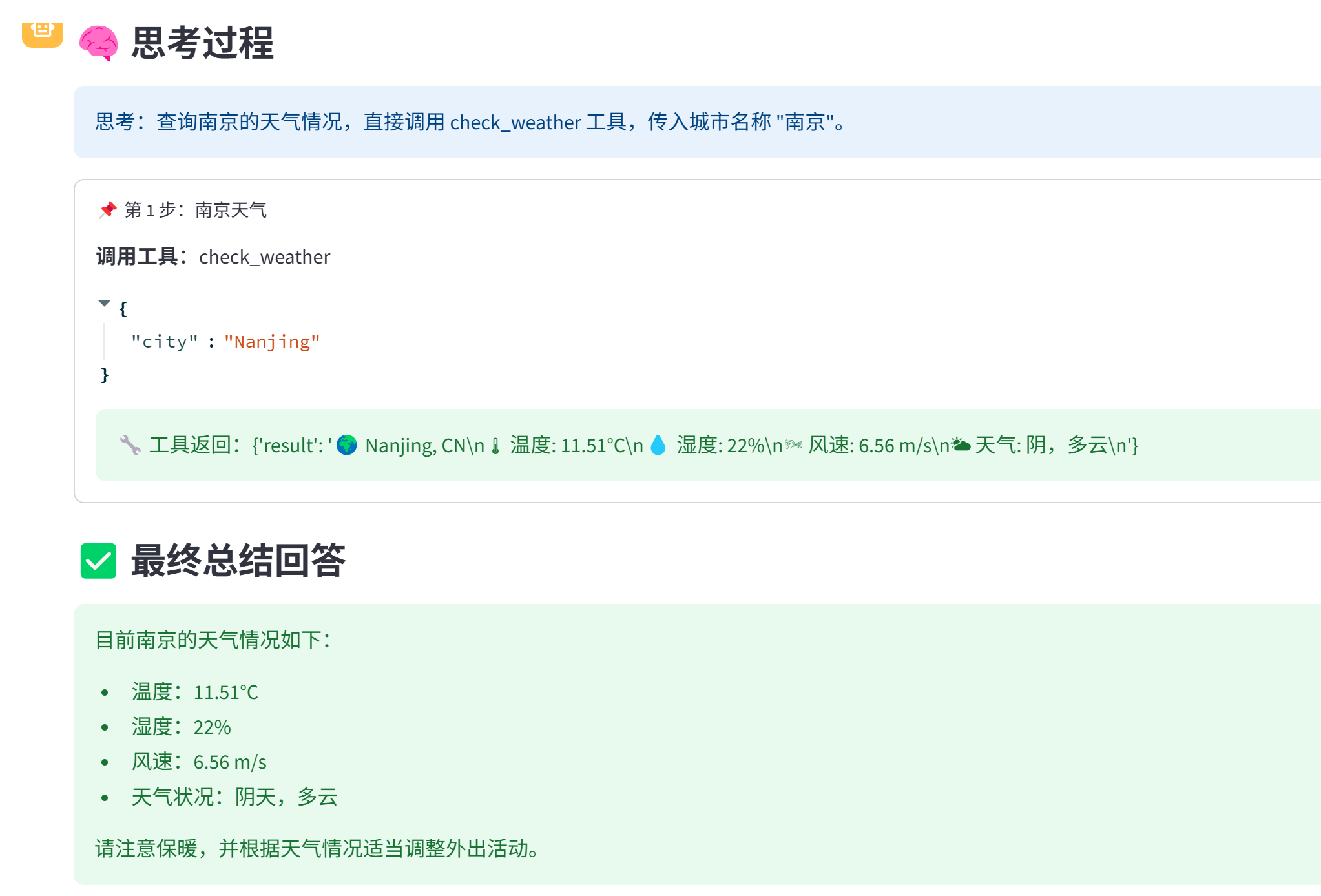
用MCP搭建Agent,实现多步查询策略
本次环境是在docker 容器 内部中执行
Agent搭建策略可以去知乎查看:https://zhuanlan.zhihu.com/p/1894473368180339955
需要把代码里涉及到的LLM地址以及key替换成自己的
代码执行步骤
**1)服务端启动 **
python3 mcp_server.py
2) 客户端启动
uvicorn mcp_client:app --reload --host 0.0.0.0 --port 18475
3) 在streamlit中问答
streamlit run stremlit_demo.py --server.port=18477
实现效果图:
最后欢迎大家提出自己的想法,多多改进!!!
Dev Tools Supporting MCP
The following are the main code editors that support the Model Context Protocol. Click the link to visit the official website for more information.







