
Mcptoolkit
What is Mcptoolkit
McpToolkit is a lightweight and fast framework for building Model Context Protocol (MCP) servers and clients in .NET. It is compatible with NativeAOT and leverages Source Generators to minimize the amount of C# code required.
Use cases
Use cases for McpToolkit include building lightweight servers for data processing, creating tools for mathematical operations, and developing applications that require efficient communication between clients and servers.
How to use
To use McpToolkit, you need to create an instance of McpServer, add tools with their respective functionalities, and connect it to a transport layer such as StdioServerTransport. The framework allows for asynchronous operations and is designed for ease of use.
Key features
Key features of McpToolkit include a clear and easy-to-use API, compatibility with NativeAOT, minimal C# code requirements due to Source Generators, and the ability to create MCP servers and clients efficiently.
Where to use
McpToolkit can be used in various fields that require the implementation of the Model Context Protocol, such as server-client applications, data processing systems, and real-time communication platforms.
Clients Supporting MCP
The following are the main client software that supports the Model Context Protocol. Click the link to visit the official website for more information.





Overview
What is Mcptoolkit
McpToolkit is a lightweight and fast framework for building Model Context Protocol (MCP) servers and clients in .NET. It is compatible with NativeAOT and leverages Source Generators to minimize the amount of C# code required.
Use cases
Use cases for McpToolkit include building lightweight servers for data processing, creating tools for mathematical operations, and developing applications that require efficient communication between clients and servers.
How to use
To use McpToolkit, you need to create an instance of McpServer, add tools with their respective functionalities, and connect it to a transport layer such as StdioServerTransport. The framework allows for asynchronous operations and is designed for ease of use.
Key features
Key features of McpToolkit include a clear and easy-to-use API, compatibility with NativeAOT, minimal C# code requirements due to Source Generators, and the ability to create MCP servers and clients efficiently.
Where to use
McpToolkit can be used in various fields that require the implementation of the Model Context Protocol, such as server-client applications, data processing systems, and real-time communication platforms.
Clients Supporting MCP
The following are the main client software that supports the Model Context Protocol. Click the link to visit the official website for more information.
Content
MCP Toolkit for .NET
Lightweight, fast, NativeAOT compatible MCP (Model Context Protocol) framework for .NET
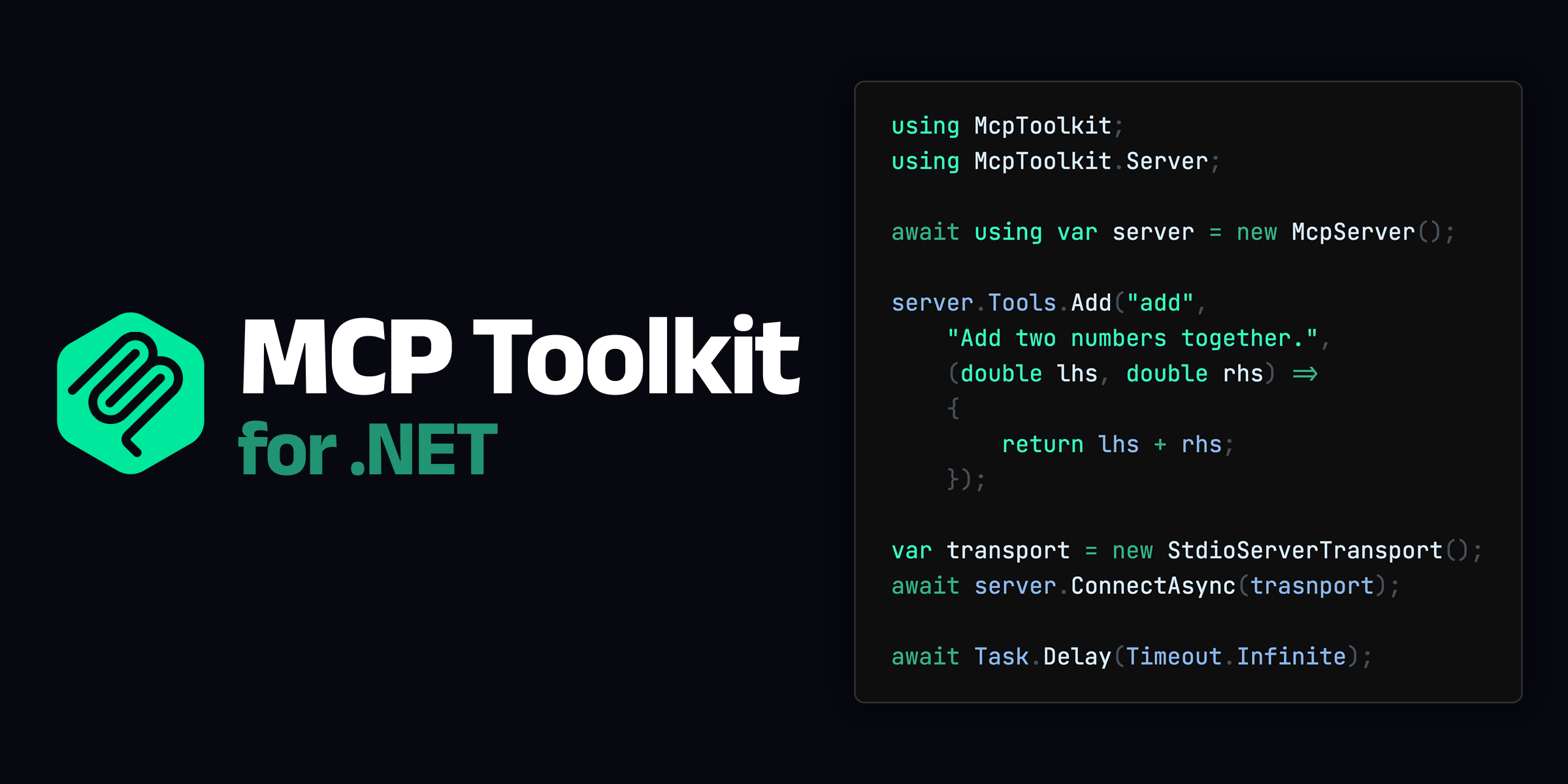


English | 日本語
MCP Toolkit for .NET is a framework for building MCP (Model Context Protocol) servers/clients in .NET. By leveraging Source Generators, it enables the creation of MCP servers/clients with minimal C# code.
using McpToolkit;
using McpToolkit.Server;

await using var server = new McpServer();

server.Tools.Add("add", "Add two numbers together.", (double lhs, double rhs) =>
{
    return lhs + rhs;
});

await server.ConnectAsync(new StdioServerTransport());
await Task.Delay(Timeout.Infinite);
[!CAUTION]
MCP Toolkit for .NET is currently in alpha and may introduce breaking changes without notice. Additionally, the following features are under development and not yet supported:
- Streamable HTTP Transport
- Authorization
- Cancellation
- Progress
Why not C# SDK?
An official C# SDK for the Model Context Protocol already exists. So why use MCP Toolkit?
Clear and Easy to Use API
MCP Toolkit fully utilizes Source Generators to provide an intuitive and user-friendly API. Below is a comparison of implementing the same MCP server using the C# SDK and MCP Toolkit.
// C# SDK
using Microsoft.Extensions.DependencyInjection;
using Microsoft.Extensions.Hosting;
using Microsoft.Extensions.Logging;
using ModelContextProtocol.Server;
using System.ComponentModel;

var builder = Host.CreateApplicationBuilder(args);

builder.Services
    .AddMcpServer()
    .WithStdioServerTransport()
    .WithToolsFromAssembly();

await builder.Build().RunAsync();

[McpServerToolType]
public static class EchoTool
{
    [McpServerTool, Description("Echoes the message back to the client.")]
    public static string Echo(string message) => $"hello {message}";
}
// MCP Toolkit for .NET
using McpToolkit;
using McpToolkit.Server;

await using var server = new McpServer();

server.Tools.Add("echo",
    "Echoes the message back to the client.",
    (string message) => $"hello {message}");

await server.ConnectAsync(new StdioServerTransport());
await Task.Delay(Timeout.Infinite);
MCP Toolkit analyzes the lambda expressions passed to server.Tools.Add() and generates the necessary source code. It also supports adding tools at the class level, similar to the C# SDK.
Zero Dependency
Unlike the C# SDK, which depends on Microsoft.Extensions.AI and Microsoft.Extensions.Hosting, MCP Toolkit has no external dependencies.
While MCP is a protocol for integrating LLMs with applications, MCP itself is a simple JSON-RPC and does not inherently include LLM-related features. Therefore, the functionality provided by Microsoft.Extensions.AI is unnecessary for implementing a basic MCP server.
Integration with Microsoft.Extensions.Hosting is optional in MCP Toolkit and is provided as an extension package. Microsoft.Extensions.Hosting is a large package, and its dependency can significantly increase binary size, especially in Native AOT scenarios. While Generic Host is powerful for web application implementations, it is not essential for implementing local MCP servers/clients.
NativeAOT Compatible
MCP Toolkit does not perform any dynamic code generation, making it fully compatible with Native AOT. This allows for reduced binary size and startup time through AOT compilation.
Requirements
MCP Toolkit requires .NET 8 or later. All necessary packages are available on NuGet.
Getting Started (Server)
Installation
To implement an MCP server, you need the McpToolkit.Server package.
.NET CLI
dotnet add package McpToolkit.Server
Package Manager
Install-Package McpToolkit.Server
Quick Start
You can easily implement an MCP server using McpServer.
await using var server = new McpServer
{
    Name = "Sample",
    Version = "1.0.0",
};

// Add tools
server.Tools.Add("foo", "Sample tool.", (string message) =>
{
    return $"test message: {message}";
});

// Use stdio as the transport
await server.ConnectAsync(new StdioServerTransport());

// Wait for client requests
await Task.Delay(Timeout.Infinite);
Tool
You can add tools using server.Tools.Add().
// Add tools
server.Tools.Add("add", "Add two numbers together.", (double lhs, double rhs) =>
{
    return lhs + rhs;
});
MCP Toolkit’s Source Generator analyzes the lambda expressions in Tools.Add() and generates appropriate overloads.
Generated Code
// <auto-generated/>
#nullable enable
#pragma warning disable

using System.Text.Json;

namespace McpToolkit.Server
{
    internal static partial class GeneratedMcpServerToolsExtensions
    {
        public static void Add(this global::McpToolkit.Server.IMcpServerTools tools, string name, string? description, Func<double, double, double> action)
        {
            switch (name)
            {
                case "add":
                {
                    var inputSchema = global::System.Text.Json.JsonDocument.Parse(
                    """
                    {
                        "type": "object",
                        "properties": {
                            "lhs": {
                                "type": "number"
                            },
                            "rhs": {
                                "type": "number"
                            }
                        },
                        "required": ["lhs", "rhs"]
                    }
                    """).RootElement;

                    var tool = new global::McpToolkit.Tool()
                    {
                        Name = name,
                        Description = description,
                        InputSchema = inputSchema,
                    };

                    tools.Add(tool, (global::System.Text.Json.JsonElement? args, global::System.Threading.CancellationToken ct) =>
                    {
                        if (args == null)
                        {
                            throw new global::McpToolkit.McpException("Missing required argument 'lhs'");
                        }
                        var lhs = args.Value!.GetProperty("lhs").Deserialize<double>();
                        var rhs = args.Value!.GetProperty("rhs").Deserialize<double>();
                        return new([(action(lhs, rhs)).ToString()]);
                    });

                    break;
                }
            }
        }

    }
}
You can also register methods from a class. When adding tools using methods, the <summary> and <param> information from the method’s documentation comments is automatically used to generate the description.
server.Tools.Add<Tools>();

partial class Tools
{
    /// <summary>
    /// Add two numbers together.
    /// </summary>
    /// <param name="lhs">left-hand side </param>
    /// <param name="rhs">right-hand side </param>
    [McpTool("add")]
    double Add(double lhs, double rhs)
    {
        return lhs + rhs;
    }
}
Generated Code
// <auto-generated/>
#nullable enable
#pragma warning disable

using System.Text.Json;

partial class Tools : global::McpToolkit.IMcpToolProvider
{
    global::McpToolkit.ToolDescriptor[] global::McpToolkit.IMcpToolProvider.GetToolDescriptors(global::System.IServiceProvider serviceProvider)
    {
        return new global::McpToolkit.ToolDescriptor[]
        {
            new()
            {
                Tool = new()
                {
                    Name = "add",
                    Description = "Add two numbers together.",
                    InputSchema =  global::System.Text.Json.JsonDocument.Parse(
                    """
                    {
                        "type": "object",
                        "properties": {
                            "lhs": {
                                "type": "number",
                                "description": "left-hand side"
                            },
                            "rhs": {
                                "type": "number",
                                "description": "right-hand side"
                            }
                        },
                        "required": ["lhs", "rhs"]
                    }
                    """).RootElement,
                },
                Handler = (global::System.Text.Json.JsonElement? args, global::System.Threading.CancellationToken ct) =>
                {
                    if (args == null)
                    {
                        throw new global::McpToolkit.McpException("Missing required argument 'lhs'");
                    }
                    var lhs = args.Value!.GetProperty("lhs").Deserialize<double>();
                    var rhs = args.Value!.GetProperty("rhs").Deserialize<double>();
                    return new([(Add(lhs, rhs)).ToString()]);
                },
            },
        };
    }
}
However, tool arguments are limited to primitive types, DateTime, and any Enum. The return type can be arbitrary, but non-Content[] types are automatically converted to strings. For more complex operations, use the low-level API described later.
Resource
You can add resources using server.Resources.Add().
server.Resources.Add("file:///project/src/Program.cs",
    "Primary application entry point",
    async (uri, ct) =>
    {
        return [new()
        {
            Uri = uri,
            Text = await File.ReadAllTextAsync(uri.Replace("file://", ""), ct),
        }];
    });
Prompts
You can add prompts using server.Prompts.Add().
server.Prompts.Add(new Prompt()
{
    Name = "review_code",
    Description = "Asks the LLM to analyze code quality and suggest improvements",
    Arguments = [new() { Name = "code", Description = "The code to review", Required = true }]
}, async (arguments, ct) =>
{
    var code = arguments!.Value.GetProperty("code").GetString();
    return [new() { Role = Role.User, Content = $"Please review the following code:\n{code}" }];
});
Getting Started (Client)
Installation
To implement an MCP client, you need the McpToolkit.Client package.
.NET CLI
dotnet add package McpToolkit.Client
Package Manager
Install-Package McpToolkit.Client
Quick Start
You can implement an MCP client using McpClient.
using McpToolkit.Client;

await using var client = new McpClient();

await client.ConnectAsync(new StdioClientTransport()
{
    Command = "dotnet",
    Arguments = "run --project ../ExampleServer/ExampleServer.csproj",
});

await foreach (var tool in client.Tools.ListAsync())
{
    Console.WriteLine(tool);
}

var results = await client.Tools.CallAsync("add", new
{
    lhs = 1,
    rhs = 2,
});

foreach (var result in results)
{
    Console.WriteLine(result.Text);
}
Transport
By implementing IMcpTransport, you can replace the transport layer with a custom implementation.
[!NOTE]
Currently, Streamable HTTP Transport is not provided. This is planned to be implemented by v1.0.0.
public interface IMcpTransport : IAsyncDisposable
{
    bool IsConnected { get; }
    void SetRequestHandler(string method, Func<JsonRpcRequest, CancellationToken, ValueTask<JsonRpcResponse>> handler);
    void SetNotificationHandler(string method, Func<JsonRpcNotification, CancellationToken, ValueTask> handler);
    ValueTask StartAsync(CancellationToken cancellationToken = default);
    ValueTask SendMessageAsync(JsonRpcMessage message, CancellationToken cancellationToken = default);
    ValueTask<JsonRpcResponse> SendRequestAsync(JsonRpcRequest request, CancellationToken cancellationToken = default);
}
Standard Input/Output (stdio)
// Server
await using var server = new McpServer();
await server.ConnectAsync(new StdioServerTransport());

// Client
await using var client = new McpClient();
await client.ConnectAsync(new StdioClientTransport()
{
    Command = "dotnet",
    Arguments = "run --project ../ExampleServer/ExampleServer.csproj",
});
In-memory
await using var server = new McpServer();
await using var client = new McpClient();

var (serverTransport, clientTransport) = InMemoryTransport.CreateLinkedPair();
await server.ConnectAsync(serverTransport);
await client.ConnectAsync(clientTransport);
Low-Level API
Both servers and clients can use SetRequestHandler() and SetNotificationHandler() for more granular customization. Note that this replaces the default handlers.
await using var server = new McpServer();

server.SetRequestHandler(RequestSchema.ListToolsRequest, async (requestParams, ct) =>
{
    return new ListToolsResult
    {
        Tools = [
            new()
            {
                Name = "add",
                InputSchema = JsonSerializer.SerializeToElement(new
                {
                    type = "object",
                    properties = new
                    {
                        lhs = new { type = "number" },
                        rhs = new { type = "number" },
                    }
                })
            }
        ]
    };
});
License
This library is released under the MIT License.
Dev Tools Supporting MCP
The following are the main code editors that support the Model Context Protocol. Click the link to visit the official website for more information.







