
Skywork Mureka MCP
What is Skywork Mureka MCP
Mureka-mcp is an official Model Context Protocol (MCP) server that facilitates the generation of lyrics, songs, and background music (instrumental) through powerful APIs. It allows interaction with various MCP clients to create musical content.
Use cases
Use cases for Mureka-mcp include creating original songs for artists, generating background music for videos and games, and assisting songwriters in brainstorming lyrics and melodies.
How to use
To use Mureka-mcp, obtain an API key from the Mureka platform, install the ‘uv’ package manager, and configure your MCP client (like Claude Desktop) with the necessary settings including your API key and URL. Restart the client to access the available MCP tools.
Key features
Key features of Mureka-mcp include the ability to generate lyrics, songs, and instrumental background music, seamless integration with various MCP clients, and a user-friendly setup process.
Where to use
Mureka-mcp can be used in fields such as music production, content creation, game development, and any application that requires automated music and lyric generation.
Clients Supporting MCP
The following are the main client software that supports the Model Context Protocol. Click the link to visit the official website for more information.





Overview
What is Skywork Mureka MCP
Mureka-mcp is an official Model Context Protocol (MCP) server that facilitates the generation of lyrics, songs, and background music (instrumental) through powerful APIs. It allows interaction with various MCP clients to create musical content.
Use cases
Use cases for Mureka-mcp include creating original songs for artists, generating background music for videos and games, and assisting songwriters in brainstorming lyrics and melodies.
How to use
To use Mureka-mcp, obtain an API key from the Mureka platform, install the ‘uv’ package manager, and configure your MCP client (like Claude Desktop) with the necessary settings including your API key and URL. Restart the client to access the available MCP tools.
Key features
Key features of Mureka-mcp include the ability to generate lyrics, songs, and instrumental background music, seamless integration with various MCP clients, and a user-friendly setup process.
Where to use
Mureka-mcp can be used in fields such as music production, content creation, game development, and any application that requires automated music and lyric generation.
Clients Supporting MCP
The following are the main client software that supports the Model Context Protocol. Click the link to visit the official website for more information.
Content




Official Mureka Model Context Protocol (MCP) server that enables interaction with powerful lyrics, song and bgm generating APIs. This server allows MCP clients like Claude Desktop, OpenAI Agents and others to generate lyrics, song and background music(instrumental).
Quickstart with Claude Desktop
- Get your API key from Mureka.
- Install
uv(Python package manager), install withcurl -LsSf https://astral.sh/uv/install.sh | shor see theuvrepo for additional install methods. - Go to Claude > Settings > Developer > Edit Config > claude_desktop_config.json to include the following:
{
    "mcpServers": {
        "Mureka": {
            "command": "uvx",
            "args": [
                "mureka-mcp"
            ],
            "env": {
                "MUREKA_API_KEY": "<insert-your-api-key-here>",
                "MUREKA_API_URL": "https://api.mureka.ai",
                "TIME_OUT_SECONDS":"300"
            }
        }
    }
}
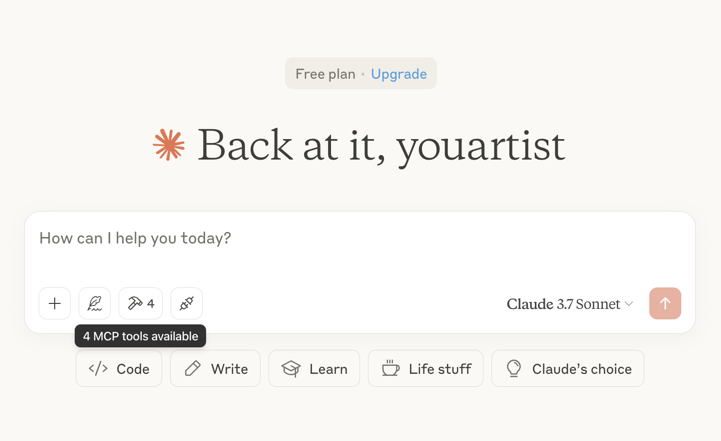
Then restart the Claude app and see 4 MCP tools available in the window, indicating successful loading
Optional features
You can add the TIME_OUT_SECONDS environment variable to the claude_desktop_config.json to set the timeout period for song or bgm generation waiting(Default 60s).
Example usage
⚠️ Warning: Mureka credits are needed to use these tools.
Try asking Claude:
- “Please create a song for my daughter Jessica to wish her a happy birthday and play it”

- “Please generate lyrics about Christmas”
- “Please generate a song based on the lyrics just now”
- “Please generate background music suitable for playing in the coffee shop”

Troubleshooting
Logs when running with Claude Desktop can be found at:
- Windows:
%APPDATA%\Claude\logs\mcp-server-Mureka.log - macOS:
~/Library/Logs/Claude/mcp-server-Mureka.log
Quickstart with Openai agents sdk
Install Agents SDK
pip install openai-agents
Run example: openapi_agents_example/main.py
Key is required to be filled in:
MUREKA_API_KEY = "<insert-your-api-key-here>"
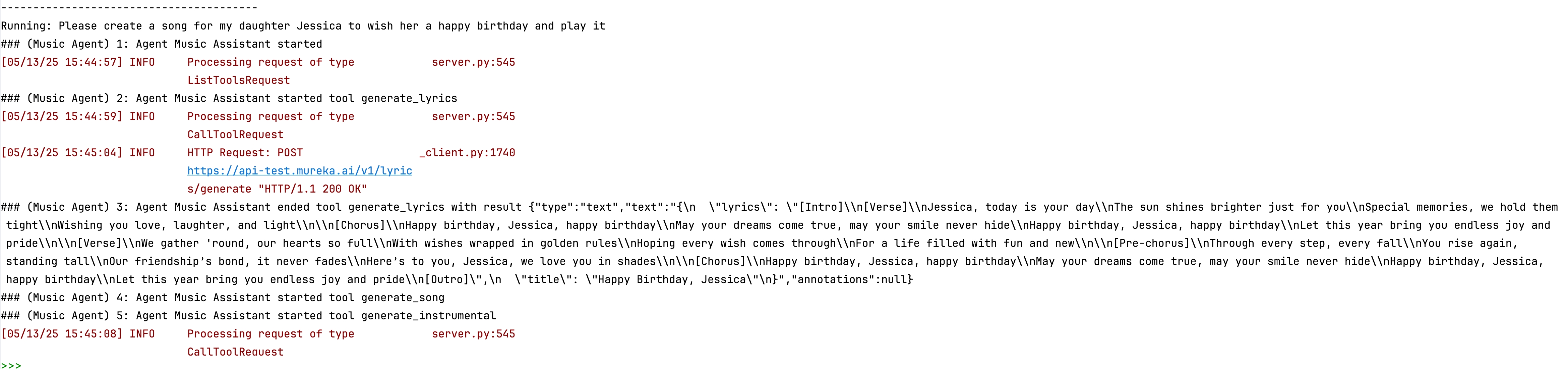
After running, you can see the composition process in the console

Dev Tools Supporting MCP
The following are the main code editors that support the Model Context Protocol. Click the link to visit the official website for more information.







