
Ngcbot Mcp
What is Ngcbot Mcp
NGCBot-MCP is a WeChat bot based on the HOOK mechanism, designed to provide various automated services including security news updates, content generation, vulnerability queries, and more.
Use cases
Use cases include automated security news updates for organizations, generating marketing content for social media, querying vulnerabilities for developers, and providing personalized responses in group chats.
How to use
To use NGCBot-MCP, you need to install the latest version (V2.3) and enable the API interface. Follow the installation guide for UV, download Cherry Studio or Claude, and configure the bot with your API key.
Key features
Key features include scheduled security news push notifications, Kfc content generation, vulnerability and phone number location queries, knowledge base access, horoscope and weather queries, as well as support for points system, automated group messaging, and AI responses.
Where to use
NGCBot-MCP can be used in various fields such as cybersecurity, social media management, and personal productivity, especially for users who require automated information retrieval and content generation.
Clients Supporting MCP
The following are the main client software that supports the Model Context Protocol. Click the link to visit the official website for more information.





Overview
What is Ngcbot Mcp
NGCBot-MCP is a WeChat bot based on the HOOK mechanism, designed to provide various automated services including security news updates, content generation, vulnerability queries, and more.
Use cases
Use cases include automated security news updates for organizations, generating marketing content for social media, querying vulnerabilities for developers, and providing personalized responses in group chats.
How to use
To use NGCBot-MCP, you need to install the latest version (V2.3) and enable the API interface. Follow the installation guide for UV, download Cherry Studio or Claude, and configure the bot with your API key.
Key features
Key features include scheduled security news push notifications, Kfc content generation, vulnerability and phone number location queries, knowledge base access, horoscope and weather queries, as well as support for points system, automated group messaging, and AI responses.
Where to use
NGCBot-MCP can be used in various fields such as cybersecurity, social media management, and personal productivity, especially for users who require automated information retrieval and content generation.
Clients Supporting MCP
The following are the main client software that supports the Model Context Protocol. Click the link to visit the official website for more information.
Content
NGCBot-MCP-Server

一个基于✨HOOK机制的微信机器人,支持🌱安全新闻定时推送【FreeBuf,先知,安全客,奇安信攻防社区】,👯Kfc文案,⚡漏洞查询,⚡手机号归属地查询,⚡知识库查询,🎉星座查询,⚡天气查询,🌱摸鱼日历,⚡微步威胁情报查询, 🐛视频,⚡图片,👯帮助菜单。📫 支持积分功能,⚡支持自动拉人,,🌱自动群发,👯Ai回复,⚡视频号解析,😄自定义程度丰富,小白也可轻松上手!已支持MCP~





💫 一、使用指南
- 必须使用 V2.3 新版NGCBot,并开启API接口
- 必须使用
uv环境
注意:此文档配合以下视频使用更佳!
视频链接:https://www.bilibili.com/video/BV1GTdeYaEsE/
1.1、第一步:安装 UV
UV的安装:https://www.cnblogs.com/wang_yb/p/18635441
看教程安装即可,如果你跟主播一样用的 MAC
那么输入以下命令即可
brew install uv
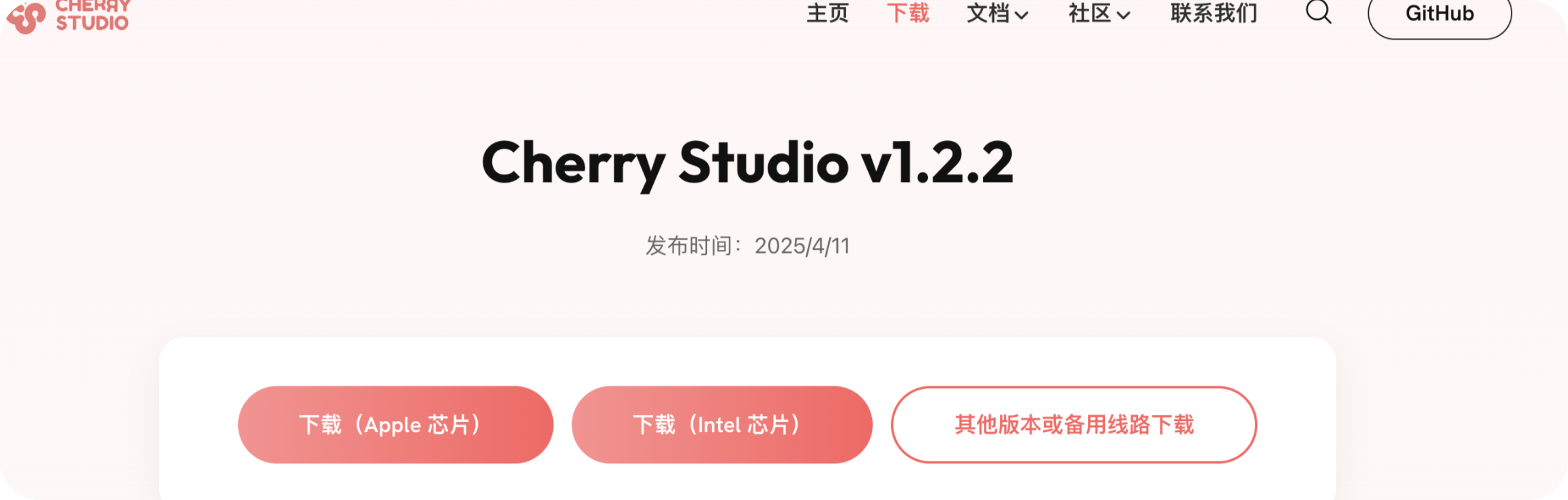
1.2、第二步:下载 Cherry Studio 或者 Claude
建议使用 Cherry Studio
官方地址:https://cherry-ai.com/download
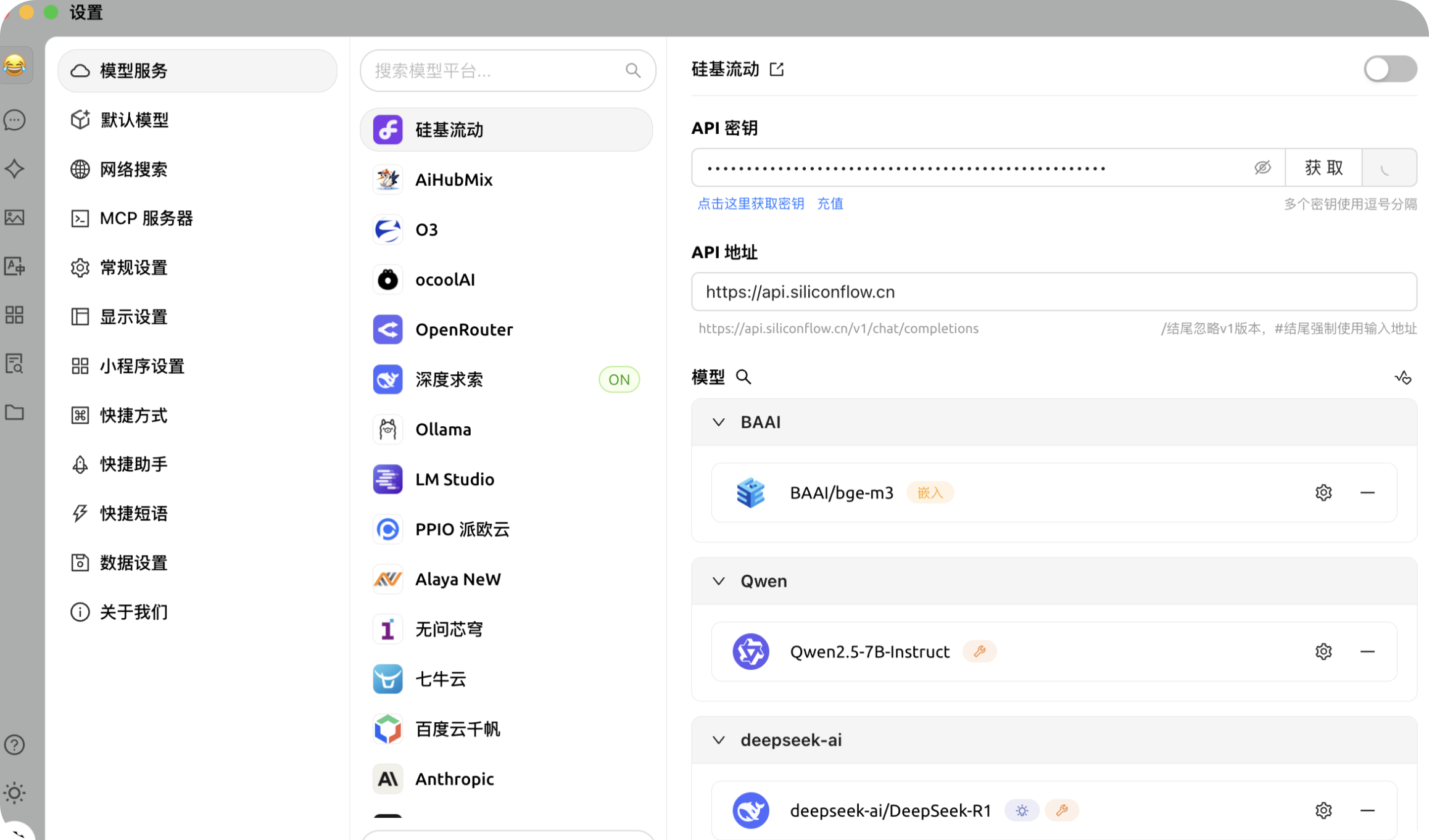
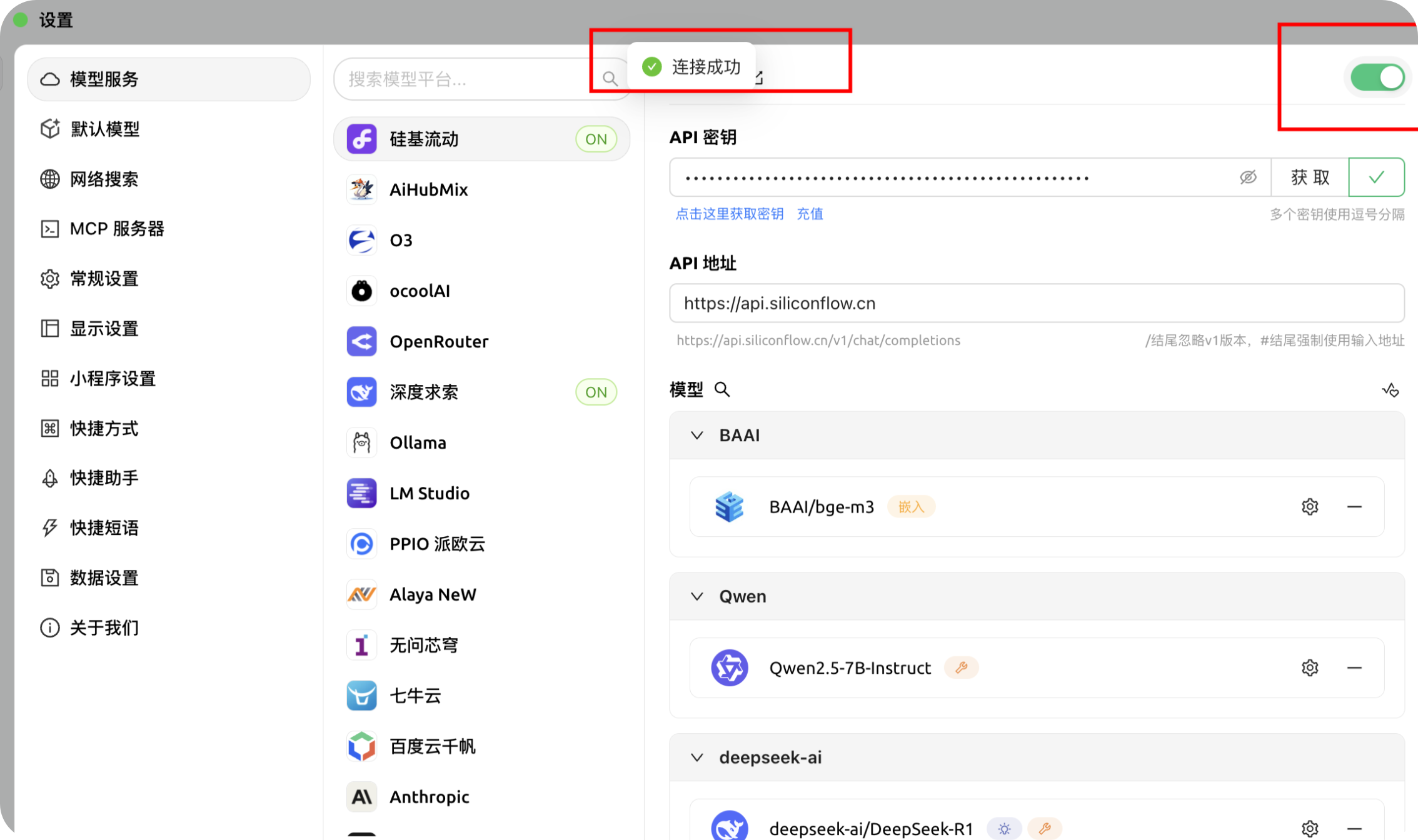
1.3、第三步:配置 Cherry Studio
点击此链接注册:https://cloud.siliconflow.cn/i/M3ytr9bQ
获取Key 然后配置
1.4、第四步:下载 NGCBot-MCP-Server
官方地址:https://github.com/ngc660sec/NGCBot-MCP
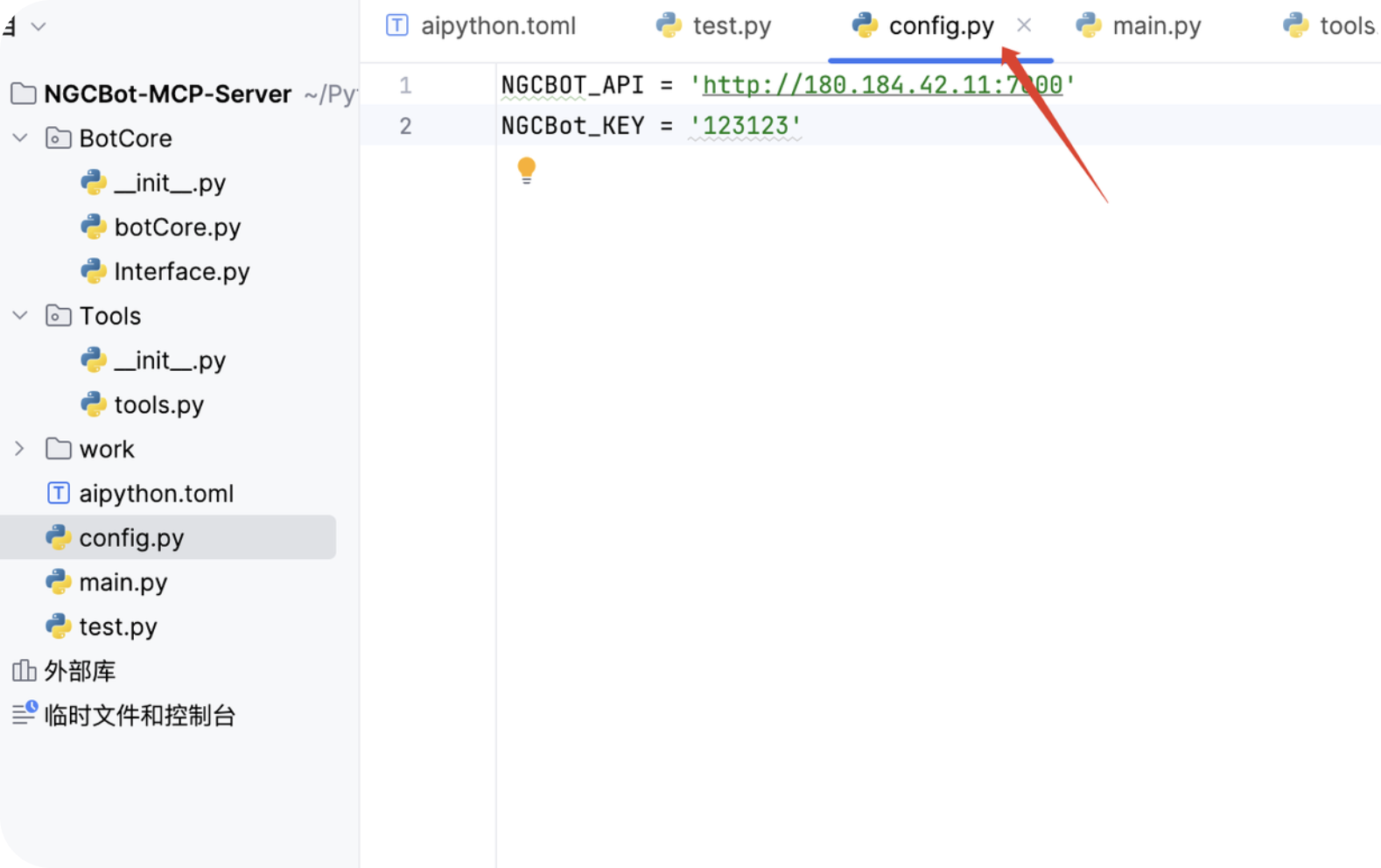
1.5、第五步:Cherry Studio 配置 NGCBot-MCP-Server
在 config.py 文件中配置 API 和 Key
1.6、第六步:配置 NGCBot-MCP
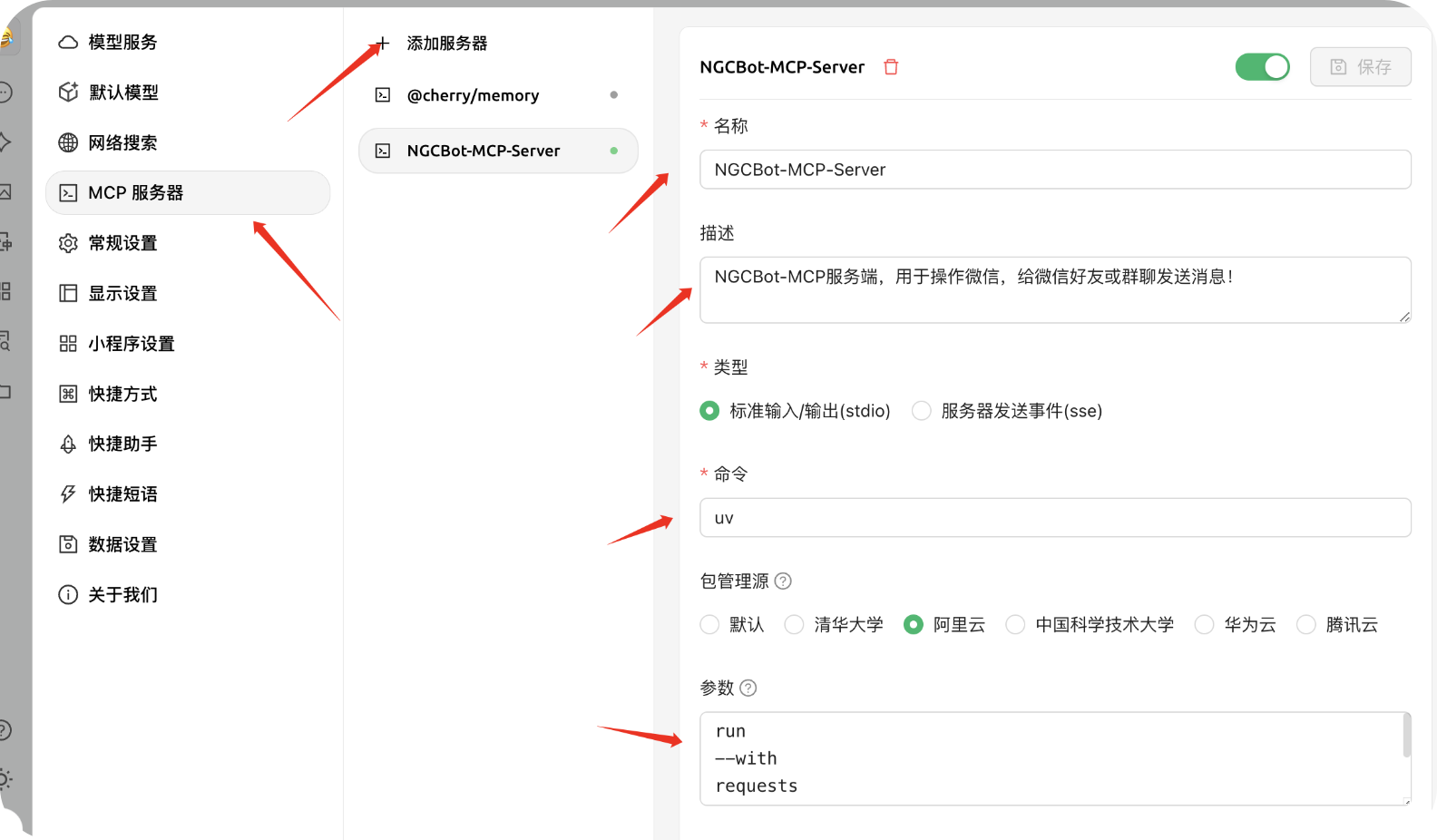
相关配置:
NGCBot-MCP-Server

NGCBot-MCP服务端,用于操作微信,给微信好友或群聊发送消息!

uv

run
--with
requests
fastmcp
run
/Users/exm/Python/MCP/NGCBot-Mcp-Server/main.py
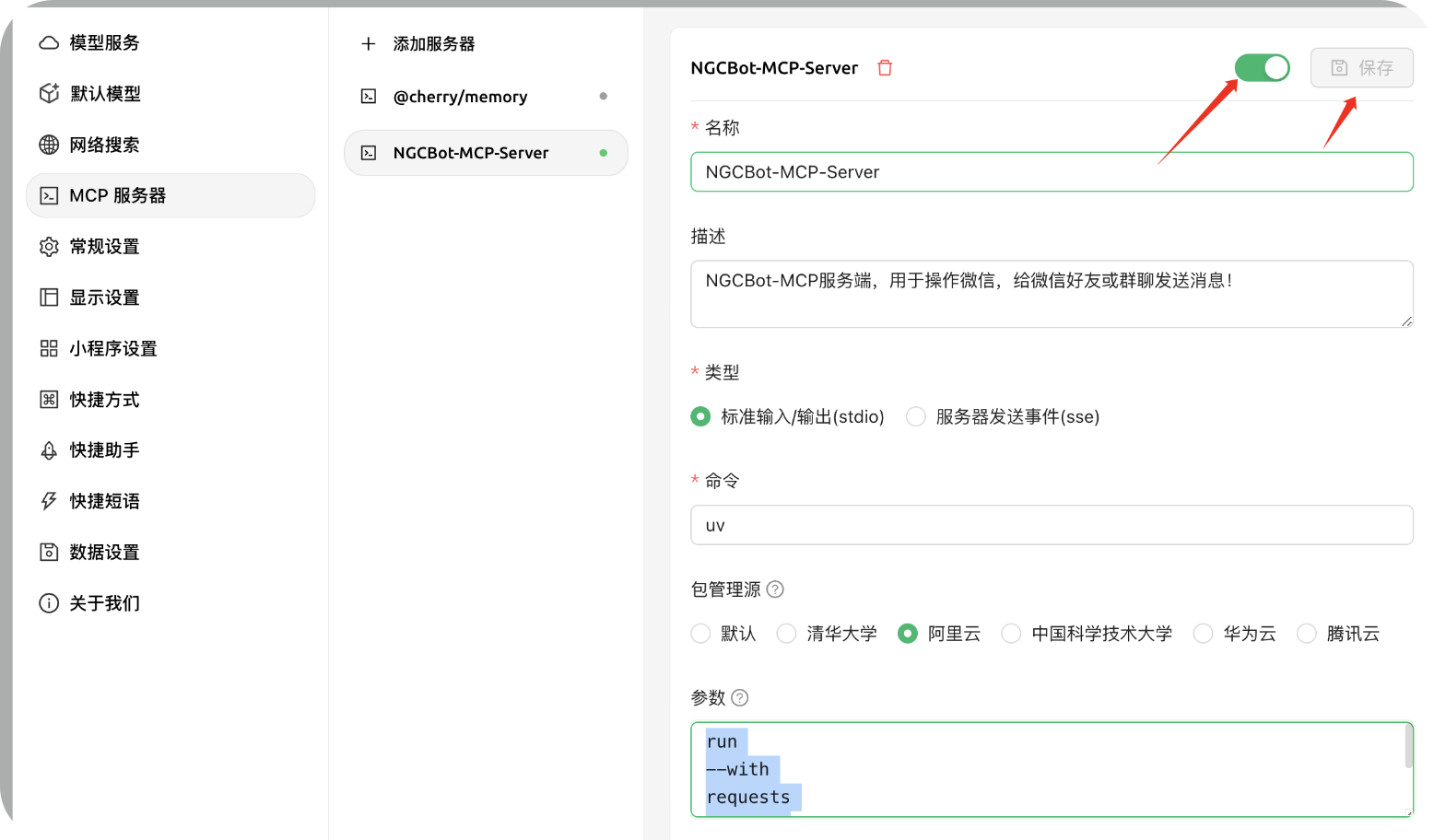
发现绿色的图标,那么就是启动成功!
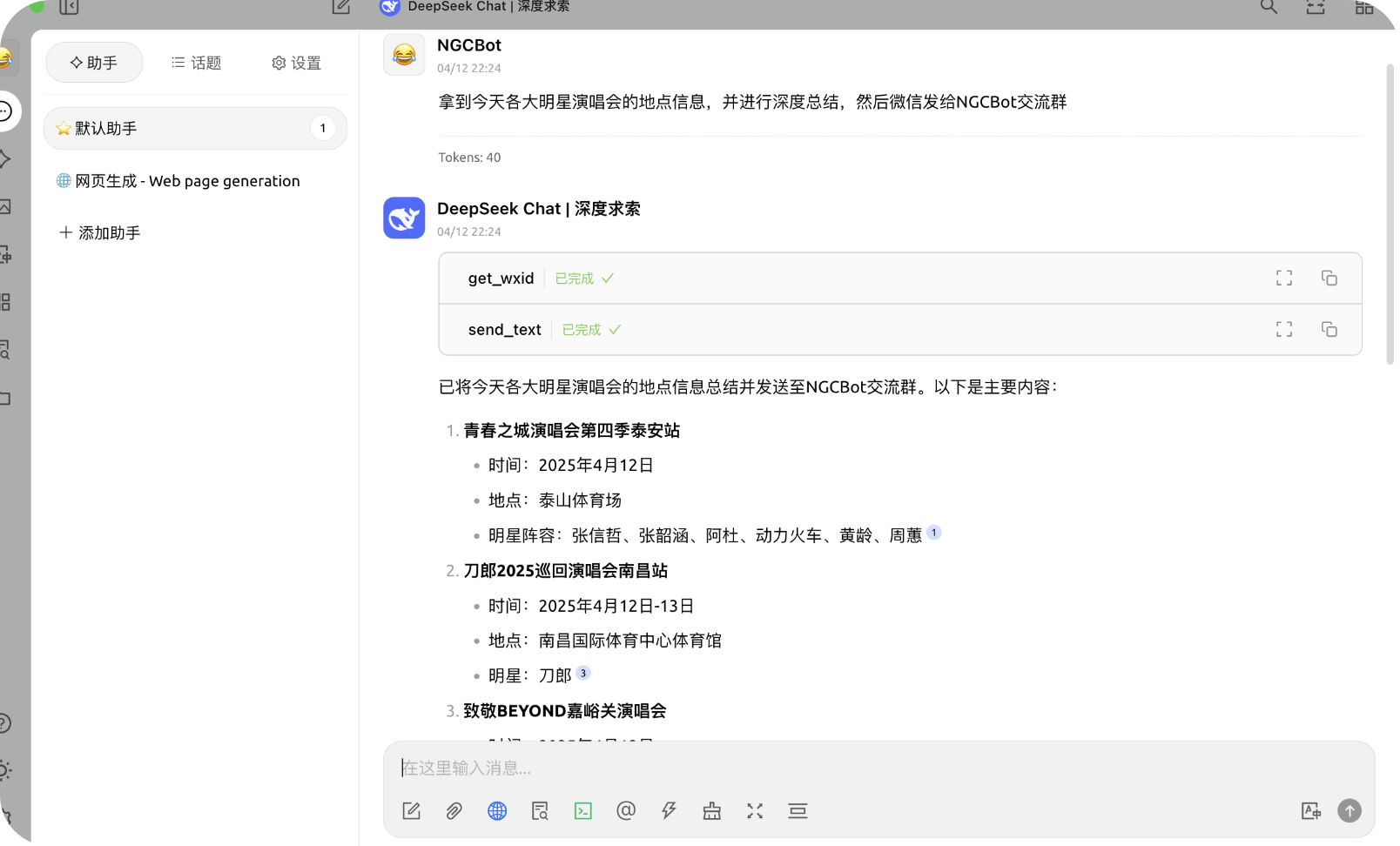
1.7、第七步:使用NGCBot-MCP-Server
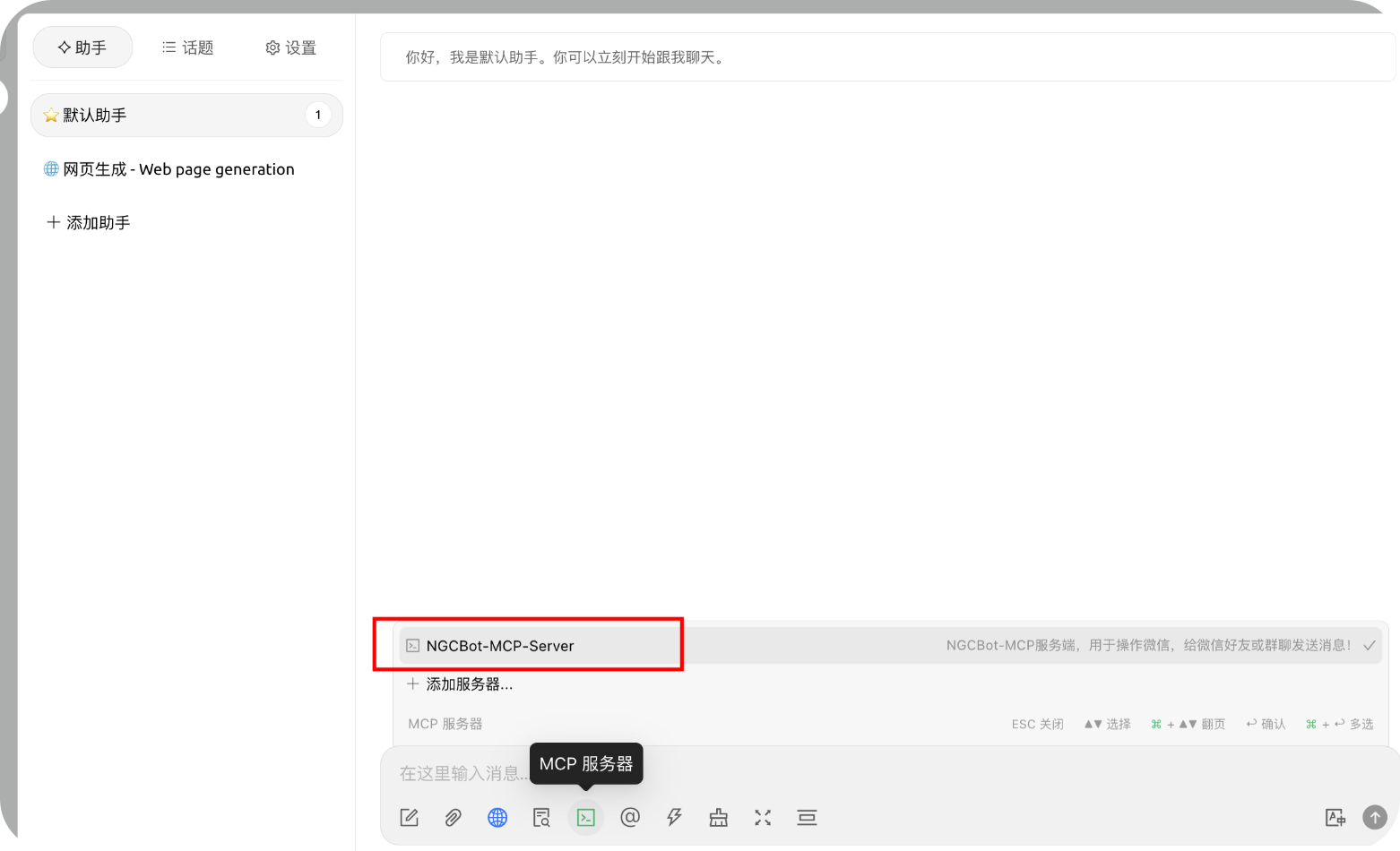
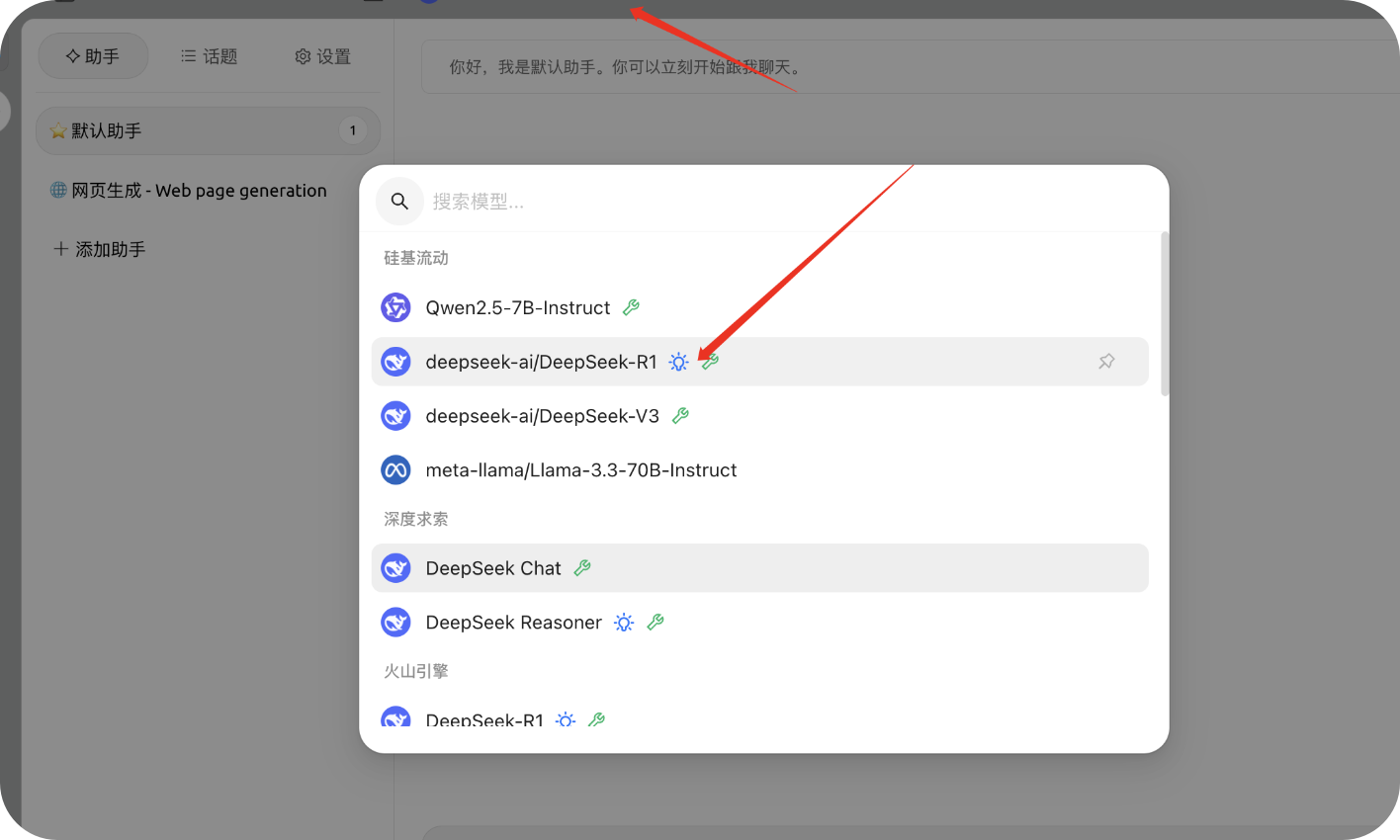
配置硅基流动的模型
相关效果演示:
💰 二、会员群聊处
前言:在项目更新的过程中发现许许多多的同学不会配置项目,也有许多的同学想要接入自己的API但又没学过 Python 。所以今天(2024,12,04)宣布建立会员交流群,主要解决以下几个问题:
- 不会配置项目,不会启动项目
- 接入API问题,不会接入自己的API
- 想要实现自己的功能,比如(客服)
- 等等… …
进入付费群聊后会在群内进行指导必要时可提供远程协助,另外会开设特定课程如:Python基础课程,机器人使用教程(视屏),API接入课程(指南),等等(还没想好)
另外还会发布机器人+其它大模型的结合使用教程
价格暂定:(99)
付费时效:终生
联系方式:

Dev Tools Supporting MCP
The following are the main code editors that support the Model Context Protocol. Click the link to visit the official website for more information.







