
Piecesmcpnet
What is Piecesmcpnet
PiecesMCPNet is a C# implementation of the Model Context Protocol (MCP) that interacts with Pieces Long-Term Memory (LTM). It enables users to ask questions and receive answers based on the information stored in the LTM for the past 7 days.
Use cases
Use cases for PiecesMCPNet include: 1) Assisting developers in retrieving recent code snippets or documentation; 2) Enhancing AI chatbots with contextual memory; 3) Providing quick answers to frequently asked questions in customer support.
How to use
To use PiecesMCPNet, ensure that you have the .NET 9 SDK and Pieces installed with the LTM engine enabled. Build the code using the command ‘dotnet publish -r
Key features
Key features of PiecesMCPNet include: 1) Integration with Pieces Long-Term Memory for answering questions; 2) A configurable MCP tool; 3) Self-contained single-file output for easy deployment.
Where to use
PiecesMCPNet can be used in various fields such as software development, AI research, and any application requiring context-aware question answering based on recent data.
Clients Supporting MCP
The following are the main client software that supports the Model Context Protocol. Click the link to visit the official website for more information.





Overview
What is Piecesmcpnet
PiecesMCPNet is a C# implementation of the Model Context Protocol (MCP) that interacts with Pieces Long-Term Memory (LTM). It enables users to ask questions and receive answers based on the information stored in the LTM for the past 7 days.
Use cases
Use cases for PiecesMCPNet include: 1) Assisting developers in retrieving recent code snippets or documentation; 2) Enhancing AI chatbots with contextual memory; 3) Providing quick answers to frequently asked questions in customer support.
How to use
To use PiecesMCPNet, ensure that you have the .NET 9 SDK and Pieces installed with the LTM engine enabled. Build the code using the command ‘dotnet publish -r
Key features
Key features of PiecesMCPNet include: 1) Integration with Pieces Long-Term Memory for answering questions; 2) A configurable MCP tool; 3) Self-contained single-file output for easy deployment.
Where to use
PiecesMCPNet can be used in various fields such as software development, AI research, and any application requiring context-aware question answering based on recent data.
Clients Supporting MCP
The following are the main client software that supports the Model Context Protocol. Click the link to visit the official website for more information.
Content
Pieces MCP Net
A C# implementation of MCP (Model context protocol) using Pieces Long-Term Memory powered by the Pieces C# SDK.
This contains an MCP tool that answers questions using the Pieces Long-Term Memory for the past 7 days. This limit is hard coded, but this code can be expanded to make this configurable.
Setup
This requires:
- .NET 9 SDK installed
- Pieces installed, and the LTM engine enabled
Build the code
It is easiest to build and publish a single binary that you can then call from your MCP server. This project is configured for a self-contained single file output.
To build and publish, use this command:
dotnet publish -r <platform>
Replace <platform> with the RID of your platform of choice.
This will create a single executable in the Release/net9.0/<platform>/publish/ folder called PiecesMCPNet
Register with Claude for Desktop
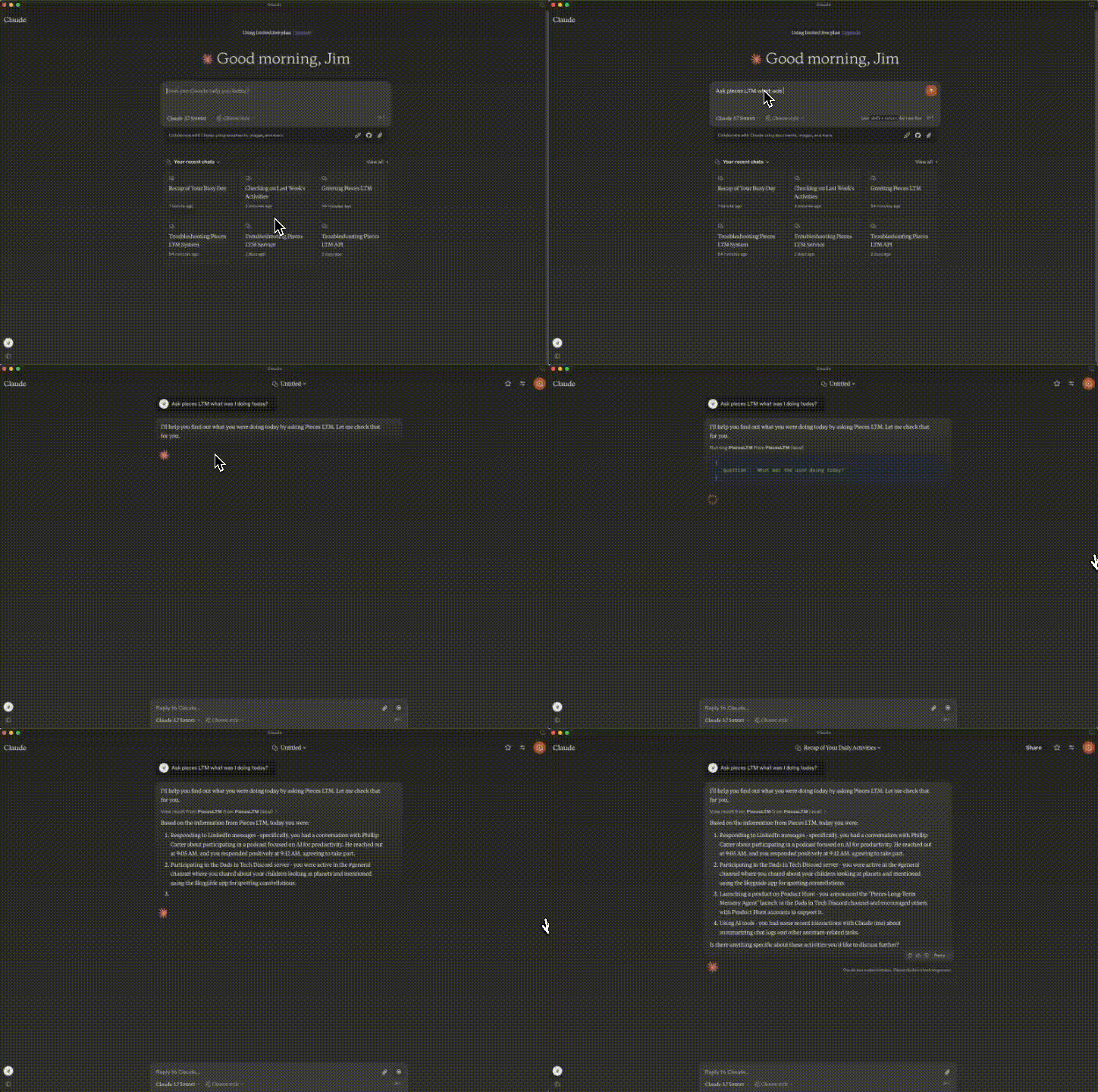
To register this with Claude for Desktop, add the following to your claude_desktop_config.json file:
{
  "mcpServers": {
    "PiecesLTM": {
      "command": "<location>PiecesMCPNet"
    }
  }
}
Replace <location> with the path to this file.
You can now re-launch Claude for Desktop, and this tool will be registered.
To invoke it, prompt with:
Ask Pieces LTM <question>
You will need to allow Pieces for the chat or single message in Claude for Desktop.
Dev Tools Supporting MCP
The following are the main code editors that support the Model Context Protocol. Click the link to visit the official website for more information.







