
Projectdochelper
What is Projectdochelper
ProjectDocHelper is an MCP (Model Context Protocol) server designed to automatically generate project documentation and make it accessible to AI development tools like Cursor, thereby improving the accuracy and relevance of AI responses.
Use cases
Use cases include generating project requirements, guidelines, and tech stack documentation for different project types, enhancing AI-assisted development by integrating documentation with AI tools, and maintaining structured documentation through Q&A interactions.
How to use
To use ProjectDocHelper, install it via pip with ‘pip install projectdochelper’. You can generate project documentation in simple or detailed mode using the command ‘projectdochelper generate --mode simple’ or ‘projectdochelper generate --mode detailed’. Finally, start the MCP server with ‘projectdochelper serve --port 8080’.
Key features
Key features include smart documentation generation based on project type, multiple generation modes (simple and detailed), progress visualization during document generation, MCP service support for AI tools, and Q&A integration that incorporates user-AI interactions into documentation.
Where to use
ProjectDocHelper can be used in software development projects across various domains, including frontend, backend, and full-stack development, where automated documentation is beneficial.
Clients Supporting MCP
The following are the main client software that supports the Model Context Protocol. Click the link to visit the official website for more information.





Overview
What is Projectdochelper
ProjectDocHelper is an MCP (Model Context Protocol) server designed to automatically generate project documentation and make it accessible to AI development tools like Cursor, thereby improving the accuracy and relevance of AI responses.
Use cases
Use cases include generating project requirements, guidelines, and tech stack documentation for different project types, enhancing AI-assisted development by integrating documentation with AI tools, and maintaining structured documentation through Q&A interactions.
How to use
To use ProjectDocHelper, install it via pip with ‘pip install projectdochelper’. You can generate project documentation in simple or detailed mode using the command ‘projectdochelper generate --mode simple’ or ‘projectdochelper generate --mode detailed’. Finally, start the MCP server with ‘projectdochelper serve --port 8080’.
Key features
Key features include smart documentation generation based on project type, multiple generation modes (simple and detailed), progress visualization during document generation, MCP service support for AI tools, and Q&A integration that incorporates user-AI interactions into documentation.
Where to use
ProjectDocHelper can be used in software development projects across various domains, including frontend, backend, and full-stack development, where automated documentation is beneficial.
Clients Supporting MCP
The following are the main client software that supports the Model Context Protocol. Click the link to visit the official website for more information.
Content
ProjectDocHelper


📝 Introduction
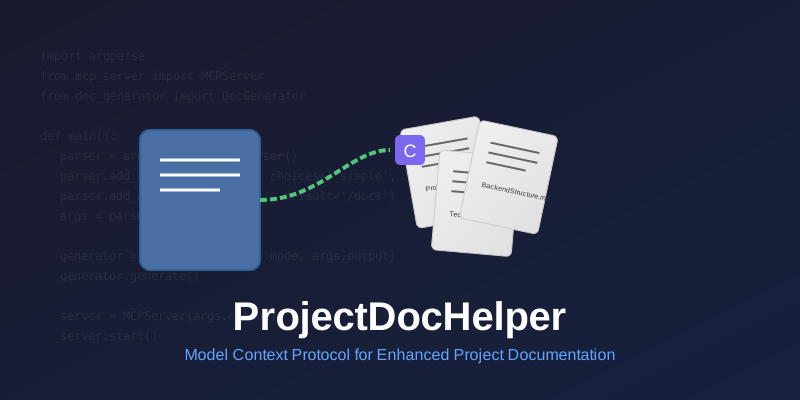
ProjectDocHelper is an MCP (Model Context Protocol) server designed to automatically generate project documentation and make it accessible to AI development tools like Cursor through MCP, thereby improving the accuracy and relevance of AI responses.
✨ Key Features
- 🚀 Smart Documentation Generation: Automatically generates document sets based on project type
- 🔄 Multiple Generation Modes: Supports both simple and detailed modes for different needs
- 📊 Progress Visualization: Displays progress bar during document generation
- 🔌 MCP Service Support: Cursor can access generated documents after service startup
- 📋 Q&A Integration: Supports incorporating user-AI interactions into documentation
🛠️ Tech Stack
- Python 3.12+
- argparse: Command-line argument parsing
- Jinja2: Template engine
- MCP Protocol: Integration with AI tools like Cursor
🚀 Quick Start
Installation
pip install projectdochelper
Basic Usage
# Generate project documentation (simple mode)
projectdochelper generate --mode simple

# Generate project documentation (detailed mode)
projectdochelper generate --mode detailed

# Start MCP server
projectdochelper serve --port 8080
📚 Document Generation
ProjectDocHelper generates different document sets based on project type:
| Project Type | Generated Documents |
|---|---|
| Frontend | ProjectRequirements.md, FrontendGuidelines.md, TechStack.md |
| Backend | ProjectRequirements.md, BackendStructure.md, TechStack.md |
| Full Stack | ProjectRequirements.md, FrontendGuidelines.md, BackendStructure.md, TechStack.md |
🔗 Cursor Integration
- Start ProjectDocHelper service
- Configure MCP service address in Cursor
- Start enjoying enhanced AI-assisted development
📋 Q&A Integration Feature
ProjectDocHelper intelligently integrates user-AI interactions into relevant documentation:
- Automatically identifies relevant Q&A content
- Adds valuable information to corresponding documents
- Maintains structured and readable documentation
🤝 Contributing
Contributions are welcome! Please check out our Contributing Guide for details.
📄 License
This project is licensed under the MIT License - see the LICENSE file for details.
💡 Note: ProjectDocHelper is under active development. Feedback and suggestions are welcome!
Dev Tools Supporting MCP
The following are the main code editors that support the Model Context Protocol. Click the link to visit the official website for more information.







