
Psmcp Mcp Server For Photoshop
What is Psmcp Mcp Server For Photoshop
PsMCP-MCP-Server-for-Photoshop is an extensive MCP server and client designed to interact with Adobe Photoshop using win32com, providing a fun and efficient way to design with Photoshop.
Use cases
Use cases include automating design tasks, managing assets efficiently, and enhancing productivity in graphic design projects.
How to use
To use PsMCP-MCP-Server-for-Photoshop, install the required dependencies with ‘pip install -r requirements.txt’, set your Gemini API key and directories for PSDs, assets, and exports in the .env file, then run the application using ‘python app.py’.
Key features
Key features include seamless integration with Photoshop, multiple tools for design enhancement, and compatibility with various MCP clients such as Claude and Cursor.
Where to use
PsMCP-MCP-Server-for-Photoshop is ideal for graphic designers, digital artists, and anyone working with Photoshop who seeks to streamline their workflow and enhance their design capabilities.
Clients Supporting MCP
The following are the main client software that supports the Model Context Protocol. Click the link to visit the official website for more information.





Overview
What is Psmcp Mcp Server For Photoshop
PsMCP-MCP-Server-for-Photoshop is an extensive MCP server and client designed to interact with Adobe Photoshop using win32com, providing a fun and efficient way to design with Photoshop.
Use cases
Use cases include automating design tasks, managing assets efficiently, and enhancing productivity in graphic design projects.
How to use
To use PsMCP-MCP-Server-for-Photoshop, install the required dependencies with ‘pip install -r requirements.txt’, set your Gemini API key and directories for PSDs, assets, and exports in the .env file, then run the application using ‘python app.py’.
Key features
Key features include seamless integration with Photoshop, multiple tools for design enhancement, and compatibility with various MCP clients such as Claude and Cursor.
Where to use
PsMCP-MCP-Server-for-Photoshop is ideal for graphic designers, digital artists, and anyone working with Photoshop who seeks to streamline their workflow and enhance their design capabilities.
Clients Supporting MCP
The following are the main client software that supports the Model Context Protocol. Click the link to visit the official website for more information.
Content
PsMCP-MCP-Server-for-Photoshop
Watch the Demo Below

Usage
Install Requirements
Activate your Python environment and install dependencies:
pip install -r requirements.txt
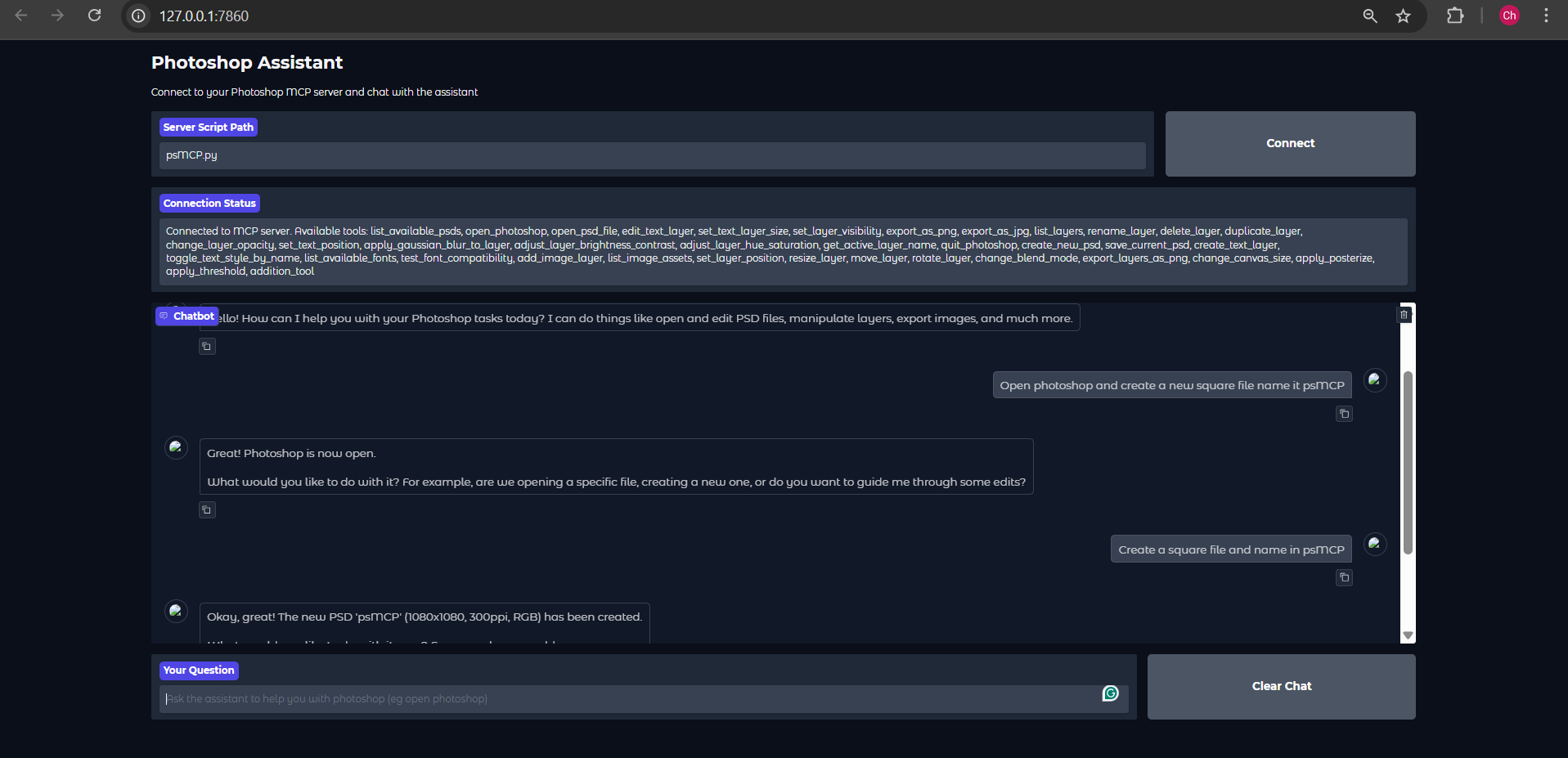
Run Using the Gradio Client Provided
Heads Up: The Gemini Gradio client I’ve provided, for some reason does only a maximum of one tool call for any request, use this just to test the tool. For actual usage use Claude ot Cursor
Set Gemini Key in .env
GEMINI_API_KEY = PASTE_YOUR_KEY_HERE
Set Directories for PSDs, Assets and Exports
PSD_DIRECTORY = "D:\\Photoshop Files"
EXPORT_DIRECTORY = "D:\\PsMCP-Exports"
ASSETS_DIR = "D:\\PsMCP-Assets"
Run the App and connect to the Server
python app.py
Configure Server with Any MCP Client (Claude, Cursor, etc)
Add Server to Config file as follows to access the tools
{
 "mcpServers": {
   "PhotoshopAdv": {
     "command": "uv",
     "args": [
       "--directory",
       "Path/To/Directory",
       "run",
       "psMCP.py"
     ],
     "timeout": 60000
   }
 }
}
Use Cases
- Automate repetitive Photoshop tasks (e.g., inserting text, resizing, exporting).
- Build custom design pipelines for batch PSD editing.
- Rapidly generate marketing creatives from templates.
- Toggle layers or apply effects dynamically through Python scripts.
- Streamline creative asset versioning and export processes.
Dev Tools Supporting MCP
The following are the main code editors that support the Model Context Protocol. Click the link to visit the official website for more information.







