
Ragchatbot Mcpserver
What is Ragchatbot Mcpserver
RagChatbot_MCPServer is a Retrieval-Augmented Generation (RAG) based HR chatbot designed to provide workplace rules and information through a localhost MCP server. It utilizes advanced AI models to answer user queries based on uploaded documents.
Use cases
Use cases include onboarding new employees by providing them with necessary workplace guidelines, answering HR-related queries, assisting in compliance training, and serving as a knowledge base for frequently asked questions in the workplace.
How to use
To use RagChatbot_MCPServer, users can upload PDF files containing relevant workplace information. The chatbot will then parse the documents and allow users to ask natural language questions, retrieving answers based on the content of the PDFs.
Key features
Key features include MCP Tool Integration for seamless communication, PDF Upload and Parsing for extracting text, Text Chunking for efficient indexing, Document Indexing with OpenAI embeddings, Similarity Search using Cosine Similarity, Prompt-Based Answer Generation with GPT-4, and an Interactive Interface powered by Streamlit.
Where to use
RagChatbot_MCPServer can be used in various fields such as Human Resources, corporate training, compliance management, and any environment where quick access to workplace rules and information is essential.
Clients Supporting MCP
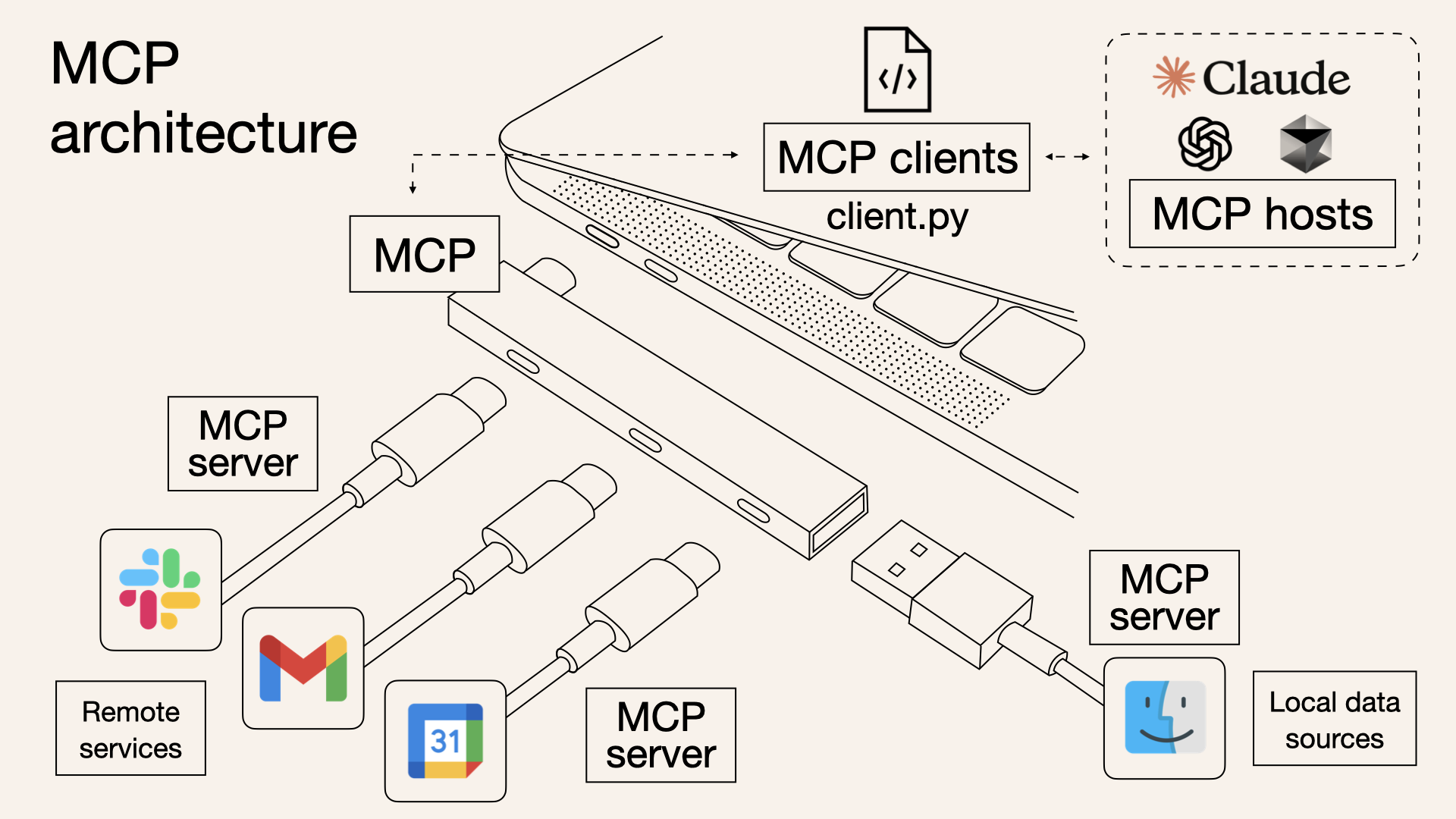
The following are the main client software that supports the Model Context Protocol. Click the link to visit the official website for more information.





Overview
What is Ragchatbot Mcpserver
RagChatbot_MCPServer is a Retrieval-Augmented Generation (RAG) based HR chatbot designed to provide workplace rules and information through a localhost MCP server. It utilizes advanced AI models to answer user queries based on uploaded documents.
Use cases
Use cases include onboarding new employees by providing them with necessary workplace guidelines, answering HR-related queries, assisting in compliance training, and serving as a knowledge base for frequently asked questions in the workplace.
How to use
To use RagChatbot_MCPServer, users can upload PDF files containing relevant workplace information. The chatbot will then parse the documents and allow users to ask natural language questions, retrieving answers based on the content of the PDFs.
Key features
Key features include MCP Tool Integration for seamless communication, PDF Upload and Parsing for extracting text, Text Chunking for efficient indexing, Document Indexing with OpenAI embeddings, Similarity Search using Cosine Similarity, Prompt-Based Answer Generation with GPT-4, and an Interactive Interface powered by Streamlit.
Where to use
RagChatbot_MCPServer can be used in various fields such as Human Resources, corporate training, compliance management, and any environment where quick access to workplace rules and information is essential.
Clients Supporting MCP
The following are the main client software that supports the Model Context Protocol. Click the link to visit the official website for more information.
Content
Rag chatbot with a localhost MCP server
Building a RAG-based HR chatbot for providing rules in the workplace with the localhost MCP server as a function-calling hub
Overview
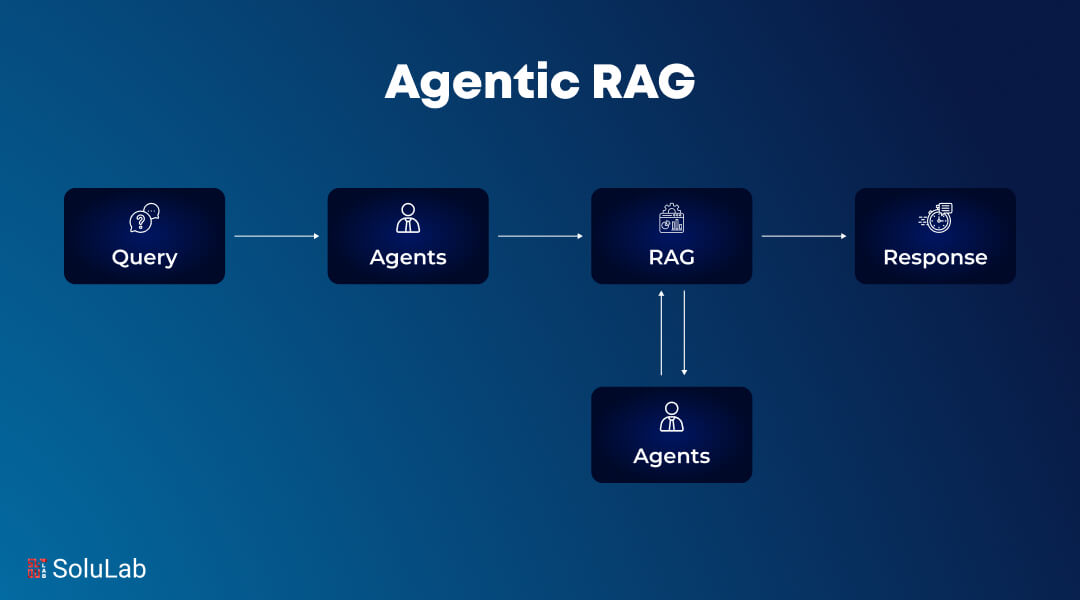
This project implements a Retrieval-Augmented Generation (RAG) chatbot using Streamlit and the MCP server. Users can upload PDF files, and the chatbot retrieves relevant information from the PDFs to answer natural language questions. The system leverages OpenAI models, LangChain utilities, and an in-memory vector store for efficient document retrieval.
Features
-
MCP Tool Integration:
Tool orchestration with MCP ensures smooth communication between document indexing, retrieval, and answer generation. The backend tools can be extended or replaced easily as new functionalities are added. -
PDF Upload and Parsing:
Upload a PDF file which is then parsed usingPDFPlumberLoaderto extract text content. -
Text Chunking:
The extracted text is split into smaller chunks usingRecursiveCharacterTextSplitterto facilitate efficient indexing and retrieval. -
Document Indexing:
Chunks are indexed in an in-memory vector store with embeddings generated viaOpenAIEmbeddings. -
Similarity Search (Consine Similarity):
When a user submits a query, the chatbot performs a similarity search to retrieve the most relevant document chunks based on the query. -
Prompt-Based Answer Generation:
A custom prompt template combines the user question with retrieved context, and a GPT-4 powered LLM (usingChatOpenAI) generates the final answer. -
Interactive Interface:
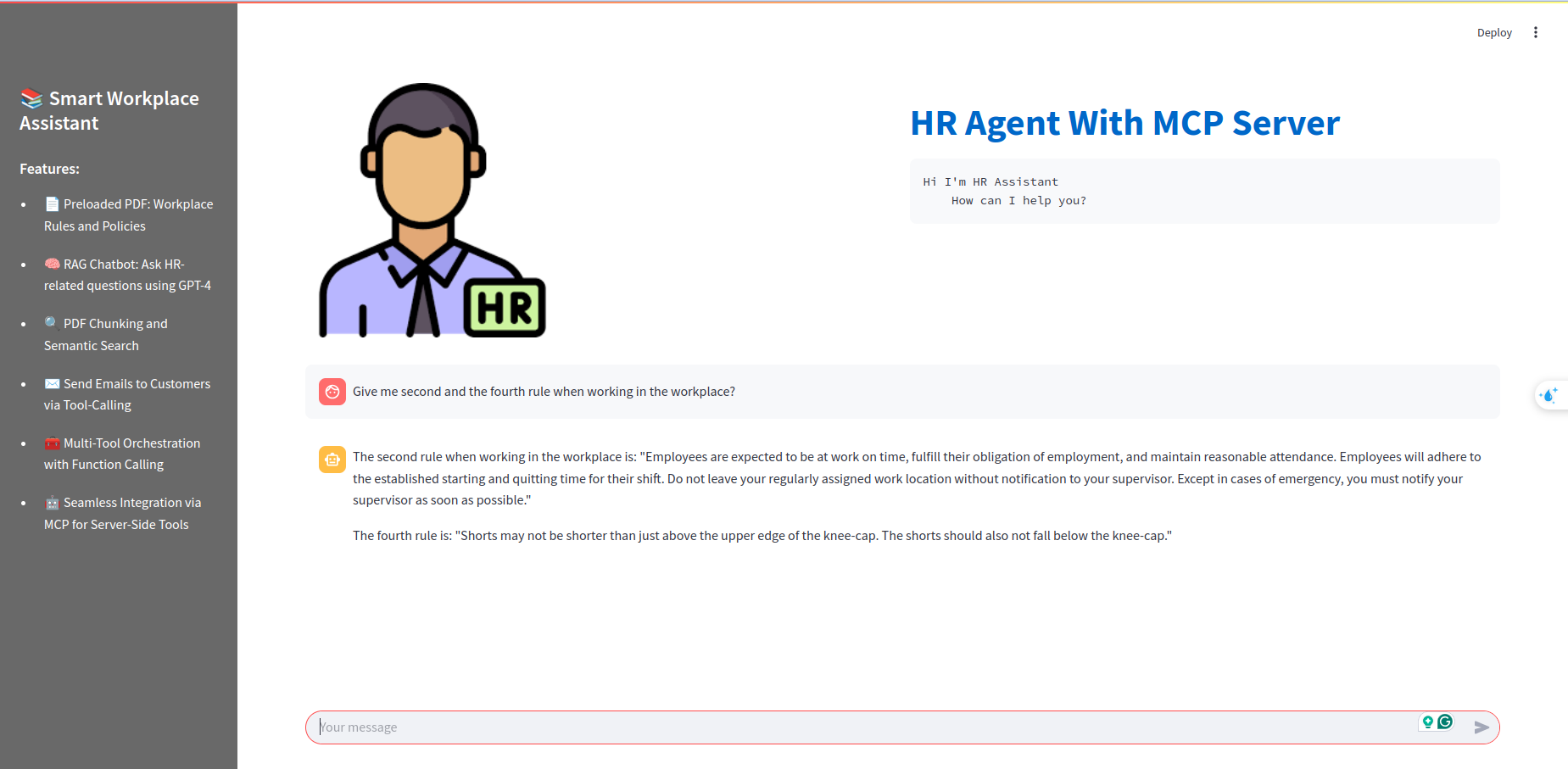
The application uses Streamlit to provide an interactive, chat-like interface where user questions and bot responses are displayed.
Result
Dev Tools Supporting MCP
The following are the main code editors that support the Model Context Protocol. Click the link to visit the official website for more information.







