
Roomey Ai Voice Agent
What is Roomey Ai Voice Agent
Roomey_AI_Voice_Agent is a multi-purpose AI Voice Agent designed to enhance both personal and business life with ultra-low latency and advanced natural language processing capabilities.
Use cases
Use cases for Roomey include managing daily schedules, controlling home automation systems, retrieving stock market information, and generating content for social media platforms.
How to use
Users can interact with Roomey by issuing voice commands or questions, which Roomey processes to provide instant responses and perform tasks such as controlling smart home devices or accessing calendar events.
Key features
Key features include ultra-low latency responses, natural conversation capabilities, web search functionality, smart home control, real-time financial data access, calendar integration, contextual memory, and LinkedIn post generation.
Where to use
Roomey can be utilized in various fields including personal assistance, business productivity, smart home management, and financial monitoring.
Clients Supporting MCP
The following are the main client software that supports the Model Context Protocol. Click the link to visit the official website for more information.





Overview
What is Roomey Ai Voice Agent
Roomey_AI_Voice_Agent is a multi-purpose AI Voice Agent designed to enhance both personal and business life with ultra-low latency and advanced natural language processing capabilities.
Use cases
Use cases for Roomey include managing daily schedules, controlling home automation systems, retrieving stock market information, and generating content for social media platforms.
How to use
Users can interact with Roomey by issuing voice commands or questions, which Roomey processes to provide instant responses and perform tasks such as controlling smart home devices or accessing calendar events.
Key features
Key features include ultra-low latency responses, natural conversation capabilities, web search functionality, smart home control, real-time financial data access, calendar integration, contextual memory, and LinkedIn post generation.
Where to use
Roomey can be utilized in various fields including personal assistance, business productivity, smart home management, and financial monitoring.
Clients Supporting MCP
The following are the main client software that supports the Model Context Protocol. Click the link to visit the official website for more information.
Content
🎙️ Roomey AI Voice Agent
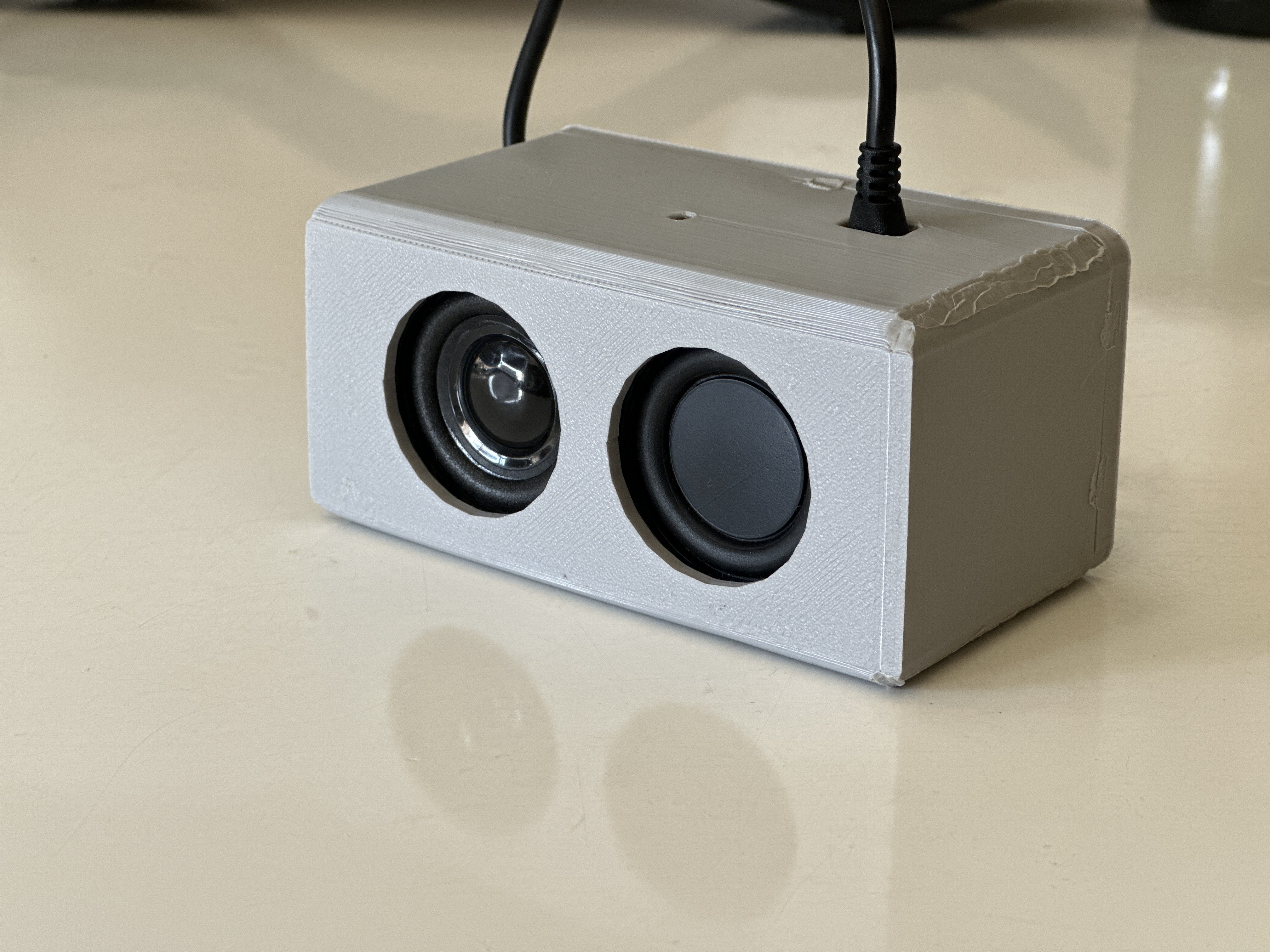

🚀 Introducing Roomey
Roomey is an ultra-low latency AI Voice Agent designed to seamlessly integrate into your daily life. With lightning-fast response times and advanced natural language processing, Roomey understands your commands and questions with remarkable accuracy.
📺 See Roomey in Action

✨ Features
- Ultra-Low Latency: Get responses in milliseconds, not seconds
- Natural Conversations: Engage in fluid, human-like dialogue
- Web Search: Find information from the internet instantly
- Smart Home Control: Adjust lights and other connected devices
- Financial Data: Get real-time stock prices and market information
- Calendar Integration: Access your Google Calendar events and appointments
- Contextual Memory: Roomey remembers your preferences and previous conversations
- LinkedIn Post Generation: Generate viral LinkedIn posts based on provided context
🔧 Integrations
- Google Calendar: Access your schedule and upcoming events
- Smart Home Devices: Control lights and other connected devices
- Financial APIs: Get real-time stock market data
- Web Search: Find information from across the internet
🔮 Coming Soon
- [ ] MCP Integration: Enhanced capabilities through Model Context Protocol
- [ ] Additional Tools: Expanding Roomey’s functionality with more integrations
- [ ] Voice Customization: Personalize Roomey’s voice to your preferences
- [ ] Multi-room Support: Seamless experience across your entire home
🛠️ Technical Architecture
Roomey is built on a modular architecture that allows for easy expansion and customization:
- Voice Recognition: Advanced speech-to-text processing
- Natural Language Understanding: Contextual comprehension of user requests
- Agent Framework: Intelligent decision-making and task execution
- Integration Layer: Connects to various services and APIs
- Voice Synthesis: Natural-sounding text-to-speech responses
🚀 Getting Started
Follow these steps to set up and run Roomey on your system:
Prerequisites
- Python 3.9+ installed on your system
- Git for cloning the repository
- Internet connection for API access
- Google Gemini API key
Installation
-
Clone the repository
git clone https://github.com/augmentedstartups/Roomey_AI_Voice_Agent.git cd Roomey_AI_Voice_Agent -
Create a virtual environment
python -m venv myenv -
Activate the environment
source myenv/bin/activate # On macOS/Linux -
Install dependencies
pip install -r requirements.txt -
Set up environment variables
- Create a
.envfile in the root directory - Add the following environment variables:
GEMINI_API_KEY=your_gemini_api_key_here PERSONALIZED_PROMPT="You are a helpful assistant. My name is [Your Name], [add personal details here]." - The
PERSONALIZED_PROMPTallows you to customize the AI’s understanding of who you are
- Create a
Running Roomey
-
Activate the environment (if not already activated)
source myenv/bin/activate -
Run the main application
python main_mac.py -
Interact with Roomey
- Speak naturally to Roomey
- Ask questions, request information, or give commands
- Explore the various integrations
📚 Documentation
Explore the integrations directory for detailed documentation on each integration module.
🤝 Contributing
We are a team of developers passionate about the future of AI and open-source software. With years of experience in both fields, we believe in the power of community-driven development and are excited to build tools that make AI more accessible and personalized.
We welcome all forms of contributions:
- Bug reports and feature requests
- Documentation improvements
- Code contributions
- Testing and feedback
- Community support
How to contribute:
Fork the repository
- Create your feature branch (git checkout -b roomey/feature/amazing-feature)
- Make your changes
- Commit your changes (git commit -m ‘Add some amazing feature’)
- Push to the branch (git push origin roomey/feature/amazing-feature)
- Open a Pull Request
Join us in building the future of AI memory management! Your contributions help make Roomey even better for everyone.
Dev Tools Supporting MCP
The following are the main code editors that support the Model Context Protocol. Click the link to visit the official website for more information.







