
Vistaai
What is Vistaai
VistAAI is a self-hosted AI solution that integrates with the Ollama container to provide information related to VistA patients, utilizing the VistA model context.
Use cases
Use cases for VistAAI include querying patient information, drug details, and general healthcare inquiries, while ensuring the confidentiality of sensitive data.
How to use
To use VistAAI, clone the repository from GitHub, navigate to the VistAAI directory, and run ‘docker-compose up -d’ to start the containers. Once initialized, access the AI mcp-server console via ‘./mcp-server.sh’ to begin querying about VistA.
Key features
Key features of VistAAI include integration with the Ollama AI model, support for VistA patient information, a web UI for easy access, and the ability to handle sensitive patient data securely.
Where to use
VistAAI can be used in healthcare settings, particularly in hospitals and clinics that utilize the VistA electronic health record system.
Clients Supporting MCP
The following are the main client software that supports the Model Context Protocol. Click the link to visit the official website for more information.





Overview
What is Vistaai
VistAAI is a self-hosted AI solution that integrates with the Ollama container to provide information related to VistA patients, utilizing the VistA model context.
Use cases
Use cases for VistAAI include querying patient information, drug details, and general healthcare inquiries, while ensuring the confidentiality of sensitive data.
How to use
To use VistAAI, clone the repository from GitHub, navigate to the VistAAI directory, and run ‘docker-compose up -d’ to start the containers. Once initialized, access the AI mcp-server console via ‘./mcp-server.sh’ to begin querying about VistA.
Key features
Key features of VistAAI include integration with the Ollama AI model, support for VistA patient information, a web UI for easy access, and the ability to handle sensitive patient data securely.
Where to use
VistAAI can be used in healthcare settings, particularly in hospitals and clinics that utilize the VistA electronic health record system.
Clients Supporting MCP
The following are the main client software that supports the Model Context Protocol. Click the link to visit the official website for more information.
Content

VistA Self Hosted AI
An MCP server that integrates with a self hosted Ollama container and returns information related to VistA patients.
Pre-requisites
To run:
 git clone https://github.com/RamSailopal/VistAAI.git
 cd VistAAI
 docker-compose up -d
This will run a number of containers:
- An ollama container
- A “side car” container that will pull the llama3.2 model into ollama
- A VistA container along with fmQL (Fileman query language)
- An mcp-server
You will need to wait for the containers to fully initialise before things can proceed and so monitor them with:
docker-compose logs -f
Once all the containers have initialised and there is no further output on the screen, press Ctrl+C. You can now access the AI mcp-server console via:
./mcp-server.sh
You now begin to ask questions about VistA.
Programmed VistA context
Drugs
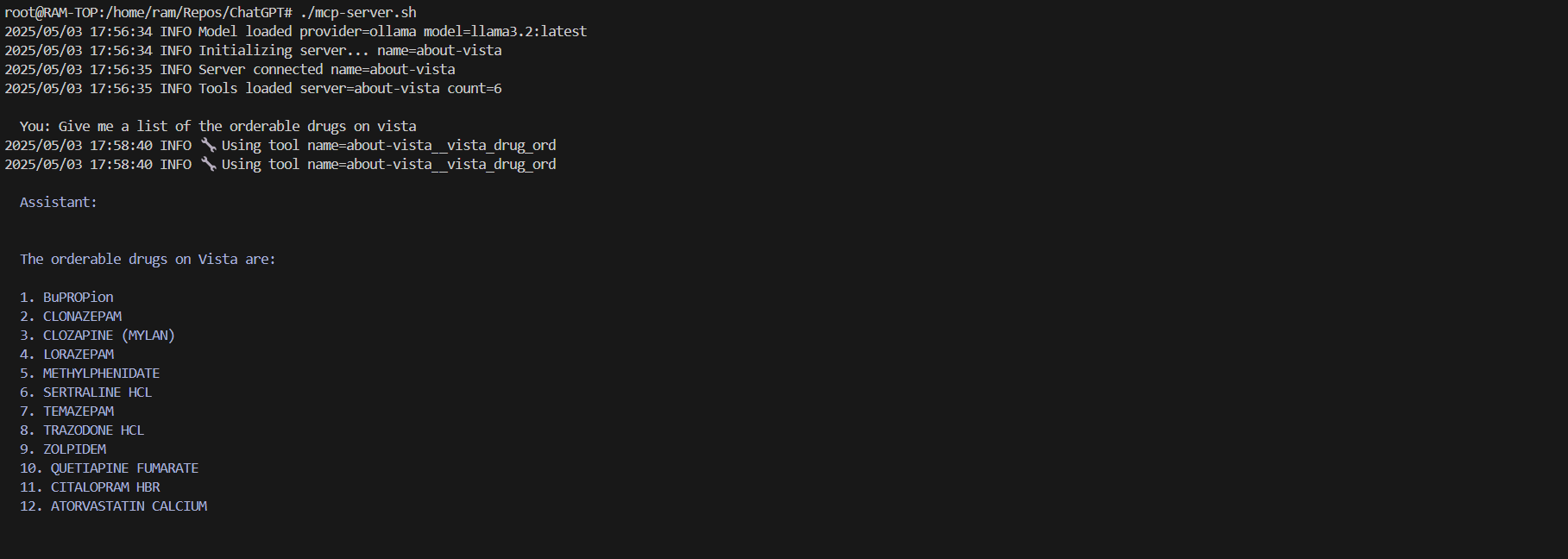
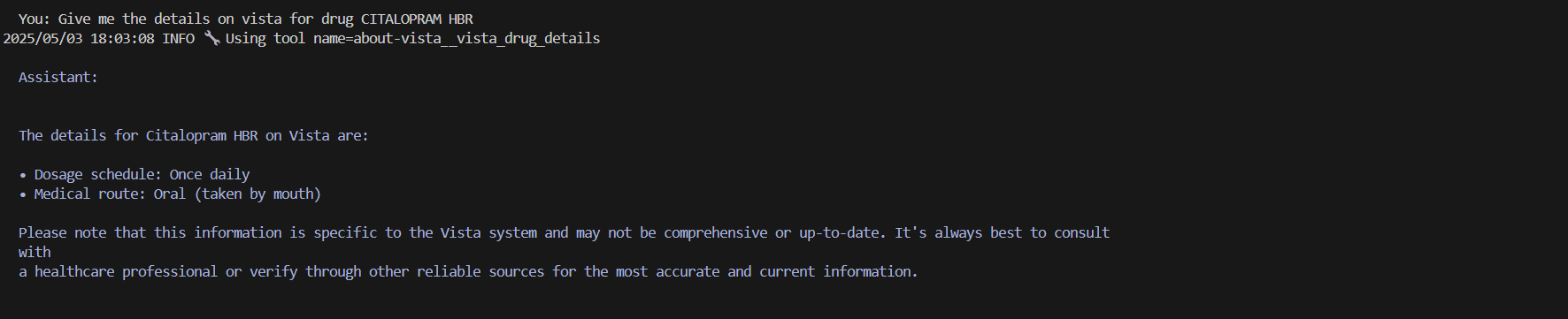
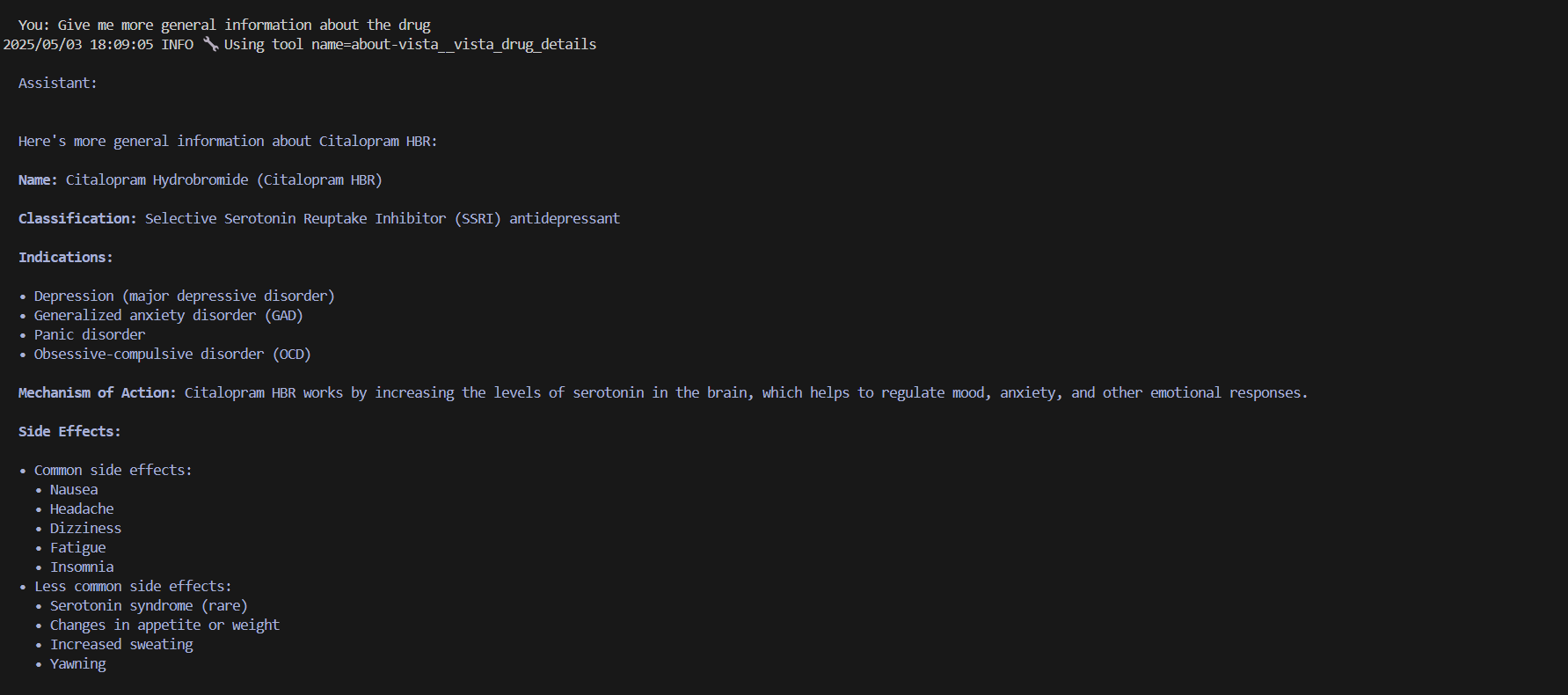
Patients
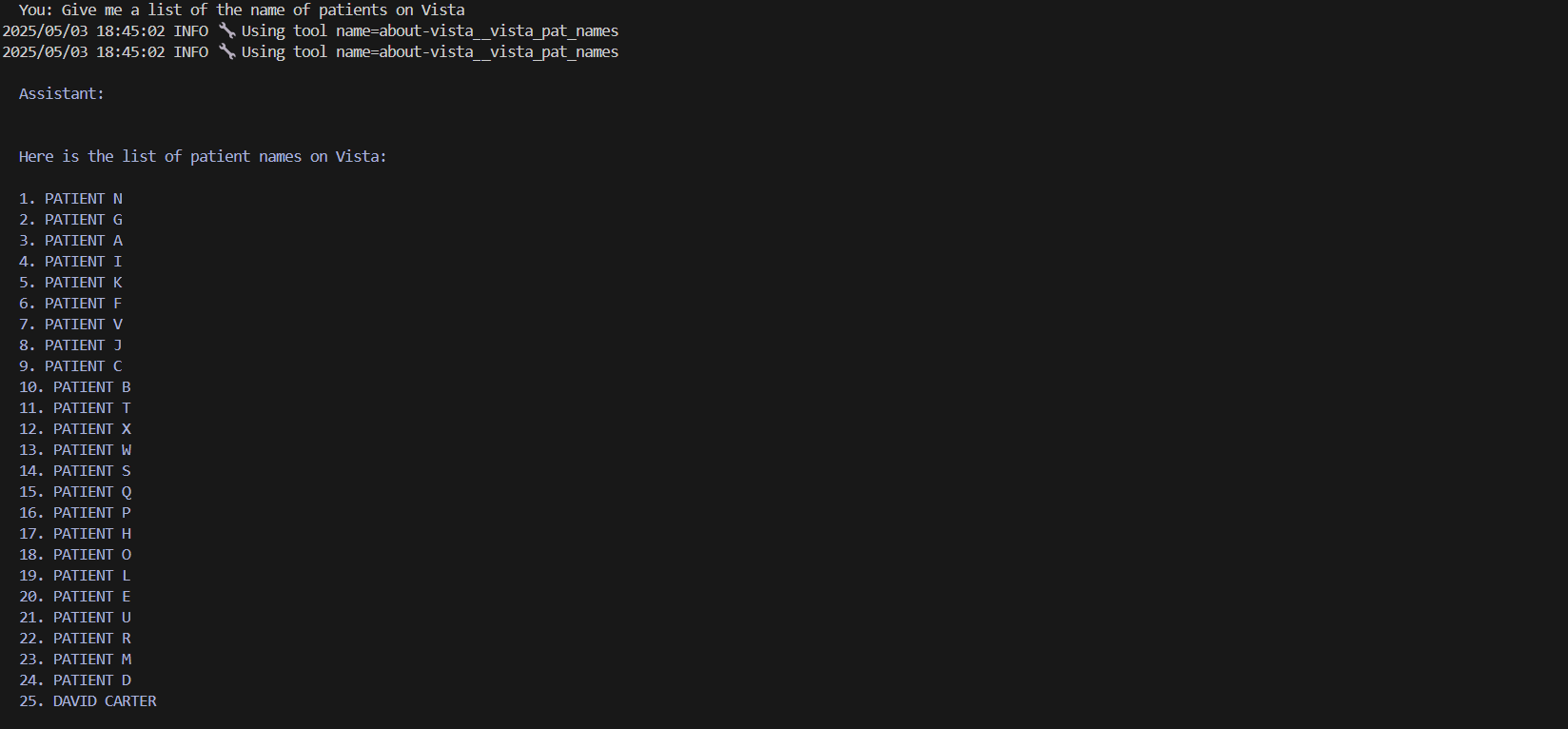

The AI model is intellegent enough to know that the details returned have confidentials/sensitive information and refuses.
Ollama WebUI
In additional an Ollama web UI container runs. This container references the Ollama llama 3.2 model without an mcp server and no interaction with Vista. The web UI can be accessed via the web address:
NOTE - This is a self hosted AI and the speed of the responses will be dependant on the hardware on which the AI model is running.
Functionality
The Python code mcp/vista.py provides the context about VistA to the AI model. When writing the code, Python function docstrings/comments are important with regards to helping the AI model understand the context.
Further Information:
Dev Tools Supporting MCP
The following are the main code editors that support the Model Context Protocol. Click the link to visit the official website for more information.







