
Xmcp
What is Xmcp
Xmcp is an AI-powered command-line tool designed to automate the creation and posting of tweets on Twitter (X) using MCP servers.
Use cases
Use cases for Xmcp include automating social media campaigns, generating engaging content for brands, managing multiple Twitter accounts, and saving time on routine posting tasks.
How to use
To use Xmcp, clone the repository, install the necessary dependencies, configure your environment variables with your Twitter API credentials, and run the application using the command ‘npm start’.
Key features
Key features include AI-generated tweets, direct posting to Twitter, secure OAuth 2.0 authentication, customizable tweet templates, and draft management for future posts.
Where to use
Xmcp is primarily used in social media management, content creation, and marketing fields, where efficient and automated posting is essential.
Clients Supporting MCP
The following are the main client software that supports the Model Context Protocol. Click the link to visit the official website for more information.





Overview
What is Xmcp
Xmcp is an AI-powered command-line tool designed to automate the creation and posting of tweets on Twitter (X) using MCP servers.
Use cases
Use cases for Xmcp include automating social media campaigns, generating engaging content for brands, managing multiple Twitter accounts, and saving time on routine posting tasks.
How to use
To use Xmcp, clone the repository, install the necessary dependencies, configure your environment variables with your Twitter API credentials, and run the application using the command ‘npm start’.
Key features
Key features include AI-generated tweets, direct posting to Twitter, secure OAuth 2.0 authentication, customizable tweet templates, and draft management for future posts.
Where to use
Xmcp is primarily used in social media management, content creation, and marketing fields, where efficient and automated posting is essential.
Clients Supporting MCP
The following are the main client software that supports the Model Context Protocol. Click the link to visit the official website for more information.
Content
🐥🤖 Xmcp – AI-Powered Twitter Posting Tool
Xmcp is a command-line tool that leverages AI to assist users in composing and publishing tweets directly to their Twitter (X) accounts. Designed for simplicity and efficiency, Xmcp streamlines the process of creating engaging content with minimal effort.
✨ Features
- AI-Generated Tweets: Automatically generate tweet content based on prompts or topics.
- Direct Posting: Seamlessly post tweets to your Twitter account without leaving the command line.
- Secure Authentication: Utilizes OAuth 2.0 for secure and authorized access to your Twitter account.
- Customizable Templates: Define templates for consistent tweet formatting.
- Draft Management: Save and manage tweet drafts for future posting.
🚀 Getting Started
Prerequisites
- Node.js v14 or higher
- npm v6 or higher
- Google Gemini API key
- A Twitter Developer Account with API credentials
Installation
-
Clone the repository:
git clone https://github.com/debasmitaas/Xmcp.git -
Navigate to the project directory:
cd Xmcp -
Installing Dependencies:
npm install -
Configure environment variables:
-
Create a
.envfile in the root directory. -
You will also need another
.envfile to add Your AI API. -
Add your Twitter API credentials:
TWITTER_API_KEY=your_api_key TWITTER_API_SECRET=your_api_secret TWITTER_ACCESS_TOKEN=your_access_token TWITTER_ACCESS_SECRET=your_access_secret -
-
Run the application:
npm start
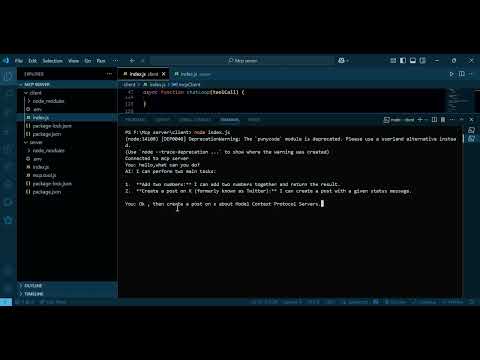
📺 Checkout the youtube video here:
Dev Tools Supporting MCP
The following are the main code editors that support the Model Context Protocol. Click the link to visit the official website for more information.







