
Zeek Mcp
What is Zeek Mcp
Zeek-MCP is a set of utilities designed to build a Model Context Protocol (MCP) server that can be integrated with LLM chatbot clients, facilitating communication and data processing.
Use cases
Use cases for Zeek-MCP include analyzing network traffic through PCAP files, integrating with chatbots for enhanced data interaction, and automating log file processing for security analysis.
How to use
To use Zeek-MCP, clone the repository, install the required dependencies, and run the MCP server using the provided command. You can then utilize the MCP tools to interact with your LLM.
Key features
Key features of Zeek-MCP include support for Server-Sent Events (SSE) transport, the ability to execute Zeek on PCAP files, and tools for parsing log files generated by Zeek.
Where to use
Zeek-MCP can be used in fields such as cybersecurity, network monitoring, and any application requiring real-time data processing and interaction with large language models.
Clients Supporting MCP
The following are the main client software that supports the Model Context Protocol. Click the link to visit the official website for more information.





Overview
What is Zeek Mcp
Zeek-MCP is a set of utilities designed to build a Model Context Protocol (MCP) server that can be integrated with LLM chatbot clients, facilitating communication and data processing.
Use cases
Use cases for Zeek-MCP include analyzing network traffic through PCAP files, integrating with chatbots for enhanced data interaction, and automating log file processing for security analysis.
How to use
To use Zeek-MCP, clone the repository, install the required dependencies, and run the MCP server using the provided command. You can then utilize the MCP tools to interact with your LLM.
Key features
Key features of Zeek-MCP include support for Server-Sent Events (SSE) transport, the ability to execute Zeek on PCAP files, and tools for parsing log files generated by Zeek.
Where to use
Zeek-MCP can be used in fields such as cybersecurity, network monitoring, and any application requiring real-time data processing and interaction with large language models.
Clients Supporting MCP
The following are the main client software that supports the Model Context Protocol. Click the link to visit the official website for more information.
Content



Zeek-MCP
This repository provides a set of utilities to build an MCP server (Model Context Protocol) that you can integrate with your conversational AI client.
Table of Contents
Prerequisites
- Python 3.7+
- Zeek installed and available in your
PATH(for theexeczeektool) - pip (for installing Python dependencies)
Installation
1. Clone the repository
git clone https://github.com/Gabbo01/Zeek-MCP
cd Zeek-MCP
2. Install dependencies
It’s recommended to use a virtual environment:
python -m venv venv
source venv/bin/activate    # Linux/macOS
venv\Scripts\activate     # Windows
pip install -r requirements.txt
Note: If you don’t have a
requirements.txt, install directly:pip install pandas mcp
Usage
The repository exposes two main MCP tools and a command-line entry point:
3. Run the MCP server
python Bridge_Zeek_MCP.py --mcp-host 127.0.0.1 --mcp-port 8081 --transport sse
--mcp-host: Host for the MCP server (default:127.0.0.1).--mcp-port: Port for the MCP server (default:8081).--transport: Transport protocol, eithersse(Server-Sent Events) orstdio.

4. Use the MCP tools
You need to use an LLM that can support the MCP tools usage by calling the following tools:
-
execzeek(pcap_path: str) -> str- Description: Runs Zeek on the given PCAP file after deleting existing
.logfiles in the working directory. - Returns: A string listing generated
.logfilenames or"1"on error.
- Description: Runs Zeek on the given PCAP file after deleting existing
-
parselogs(logfile: str) -> DataFrame- Description: Parses a single Zeek
.logfile and returns the parsed content.
- Description: Parses a single Zeek
You can interact with these endpoints via HTTP (if using SSE transport) or by embedding in LLM client (eg: Claude Desktop):
Claude Desktop integration:
To set up Claude Desktop as a Zeek MCP client, go to Claude -> Settings -> Developer -> Edit Config -> claude_desktop_config.json and add the following:
Alternatively, edit this file directly:
/Users/YOUR_USER/Library/Application Support/Claude/claude_desktop_config.json
5ire Integration:
Another MCP client that supports multiple models on the backend is 5ire. To set up Zeek-MCP, open 5ire and go to Tools -> New and set the following configurations:
- Tool Key: ZeekMCP
- Name: Zeek-MCP
- Command:
python /ABSOLUTE_PATH_TO/Bridge_Zeek_MCP.py
Alternatively you can use Chainlit framework and follow the documentation to integrate the MCP server.
Examples
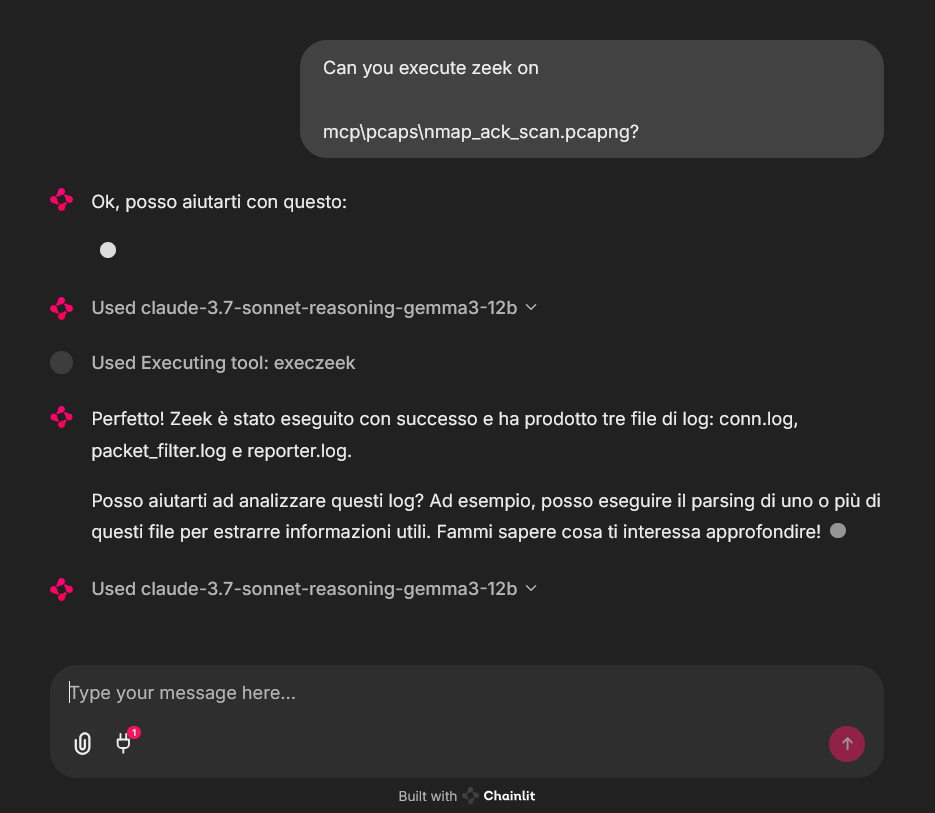
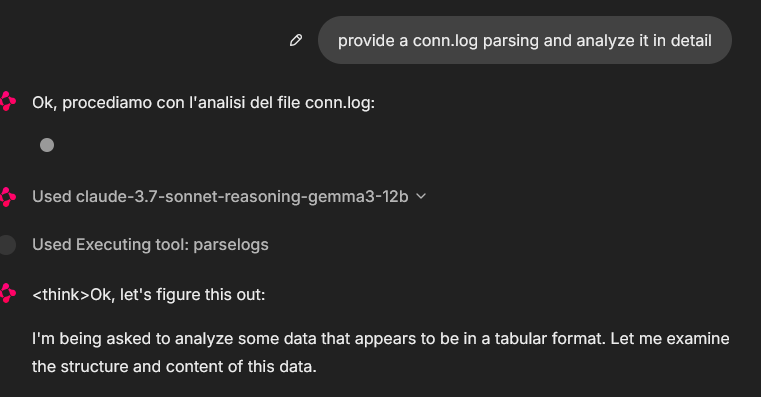
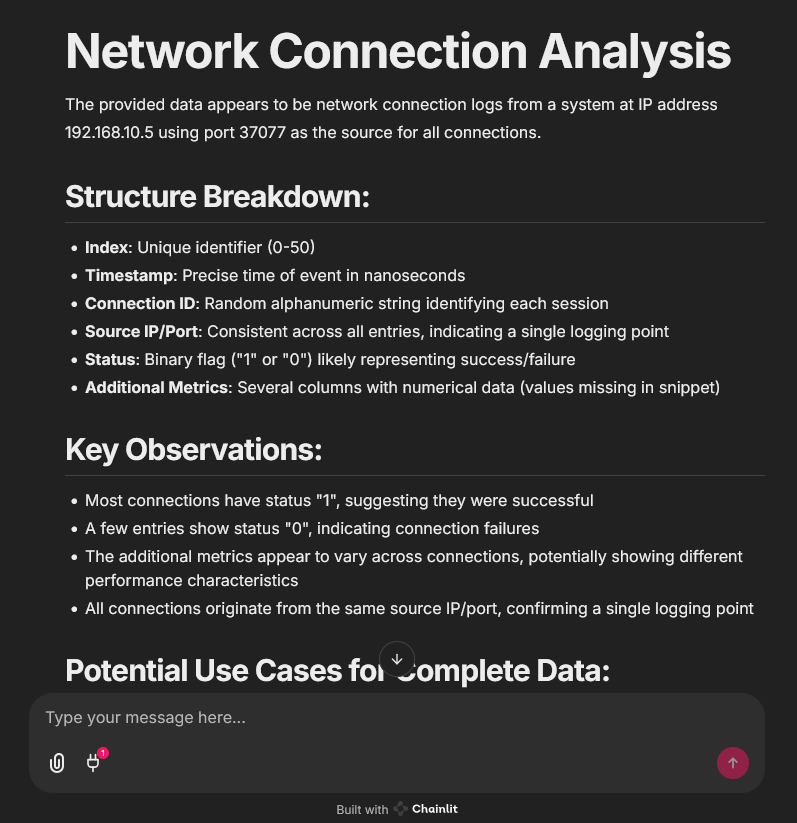
An example of MCP tools usage from a chainlit chatbot client, it was used an example pcap file (you can find fews in pcaps folder)
In that case the used model was claude-3.7-sonnet-reasoning-gemma3-12b
License
See LICENSE for more information.
Dev Tools Supporting MCP
The following are the main code editors that support the Model Context Protocol. Click the link to visit the official website for more information.







