
Aapi Mcp Server
What is Aapi Mcp Server
aapi-mcp-server is an Advanced API MCP Server that facilitates interaction with Ankr’s Advanced APIs, allowing AI models to access blockchain data and perform various operations.
Use cases
Use cases include querying token balances for users, retrieving the latest prices for cryptocurrencies, and integrating blockchain data into AI-driven applications.
How to use
To use aapi-mcp-server, you need to set up an Ankr API key and configure the server in your development environment. You can run it locally or use the managed remote server provided by Asphere.
Key features
Key features include fetching account balances across multiple blockchains, retrieving current token prices, and supporting various mainnets and testnets.
Where to use
aapi-mcp-server is suitable for blockchain applications, decentralized finance (DeFi) platforms, and any project that requires real-time blockchain data access.
Clients Supporting MCP
The following are the main client software that supports the Model Context Protocol. Click the link to visit the official website for more information.





Overview
What is Aapi Mcp Server
aapi-mcp-server is an Advanced API MCP Server that facilitates interaction with Ankr’s Advanced APIs, allowing AI models to access blockchain data and perform various operations.
Use cases
Use cases include querying token balances for users, retrieving the latest prices for cryptocurrencies, and integrating blockchain data into AI-driven applications.
How to use
To use aapi-mcp-server, you need to set up an Ankr API key and configure the server in your development environment. You can run it locally or use the managed remote server provided by Asphere.
Key features
Key features include fetching account balances across multiple blockchains, retrieving current token prices, and supporting various mainnets and testnets.
Where to use
aapi-mcp-server is suitable for blockchain applications, decentralized finance (DeFi) platforms, and any project that requires real-time blockchain data access.
Clients Supporting MCP
The following are the main client software that supports the Model Context Protocol. Click the link to visit the official website for more information.
Content
Ankr Advanced API MCP Server ⚡
This is a Model Context Protocol (MCP) server that provides tools for interacting with Ankr’s Advanced APIs. It enables AI models to fetch blockchain data and perform various operations.
Tools
getAccountBalance: Fetch token balances across multiple blockchains for any address or ENS name- Arguments:
address: Ethereum address (0x…) or ENS name (*.eth)blockchains(optional): Array of specific blockchains to query. If not provided, checks all supported chains
- Arguments:
getTokenPrice: Get current price for any token (native or ERC20) on supported blockchains- Arguments:
blockchain: The blockchain network (eth, bsc, polygon, etc.)contractAddress(optional): The token’s contract address. Leave empty for native coin
- Arguments:
Supported Blockchains
- Mainnets: Ethereum, BSC, Polygon, Arbitrum, Avalanche, Base, Fantom, Gnosis, Linea, Optimism, and more
- Testnets: Ethereum Sepolia, Ethereum Holesky, Base Sepolia, Avalanche Fuji, and others
Setup
Prerequisites
- Ankr API Key
- Create a free account at ankr.com/rpc
Configuring Cursor 🖥️
- Open Cursor Settings
- Navigate to Features > MCP Servers
- Click on the “+ Add New MCP Server” button
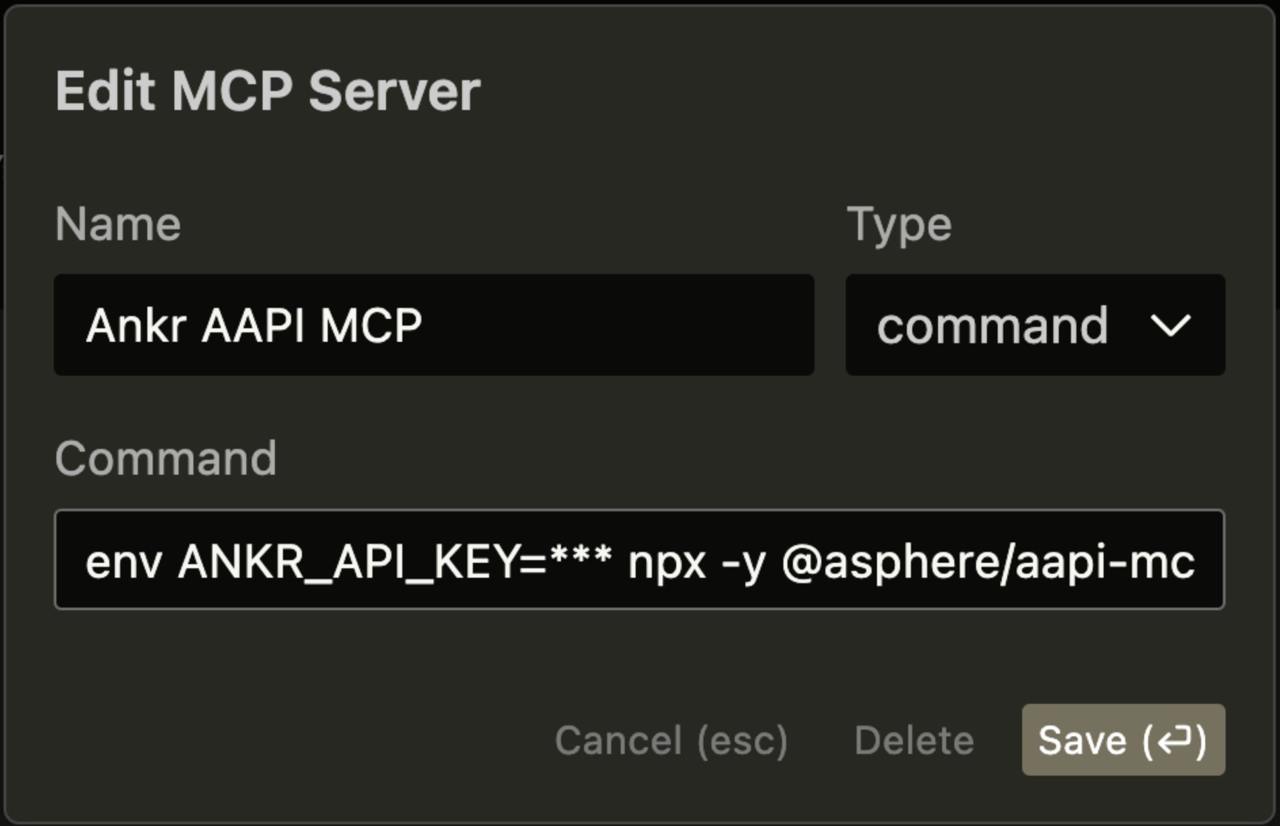
- Fill out the following information:
- Name: Enter a nickname for the server (e.g., “Ankr AAPI MCP”)
- Type: Select “command” as the type
- Command:
env ANKR_API_KEY=<YOUR_KEY> npx -y @asphere/aapi-mcp-server
Use with Claude Desktop
{
  "mcpServers": {
    "aapi": {
      "command": "npx",
      "args": [
        "-y",
        "@asphere/aapi-mcp-server"
      ],
      "env": {
        "ANKR_API_KEY": "<YOUR_KEY>"
      }
    }
  }
}
Local development
Install dependencies
pnpm i
Run local SSE server
export ANKR_API_KEY="YOUR-ANKR-KEY"
pnpm dev:sse
Remote server
In the remote mode service creates an isolated MCP Server instance for each connection, enabling secure and isolated access over the internet. Each connection requires an apiKey in the URL path for authentication with Ankr Advanced API.
Asphere Managed AAPI MCP Remote server
The managed version is available on https://aapi-mcp-server.asphere.network/
https://aapi-mcp-server.asphere.network/{ANKR-API-KEY}/sse
Local Development
# Start the remote server
pnpm dev:remote

# Connect using localhost
http://localhost:3001/{apiKey}/sse
Deployment
When deployed, MCP clients can connect using:
type: sse
url: https://your-remote-url.com/{apiKey}/sse
Dev Tools Supporting MCP
The following are the main code editors that support the Model Context Protocol. Click the link to visit the official website for more information.







