
Accord Project Mcp
What is Accord Project Mcp
The accord-project-mcp is a server that facilitates communication with the Accord Project Agreement Protocol (APAP) OpenAPI specification, enabling read and write operations on templates and agreements.
Use cases
Use cases include generating legal agreements, automating contract workflows, and integrating with other applications to streamline agreement handling.
How to use
To use accord-project-mcp, compile the project from TypeScript to JavaScript using ‘npm run build’. After making code changes, restart the Claude Desktop to apply the updates. The server interacts with the Agreement Server to manage templates and agreements.
Key features
Key features include the ability to query and create templates and agreements, support for various prompts and tools, and a structured operation sequence that ensures efficient communication between clients and servers.
Where to use
accord-project-mcp can be used in legal tech, contract management, and any domain requiring automated agreement processing and template management.
Clients Supporting MCP
The following are the main client software that supports the Model Context Protocol. Click the link to visit the official website for more information.





Overview
What is Accord Project Mcp
The accord-project-mcp is a server that facilitates communication with the Accord Project Agreement Protocol (APAP) OpenAPI specification, enabling read and write operations on templates and agreements.
Use cases
Use cases include generating legal agreements, automating contract workflows, and integrating with other applications to streamline agreement handling.
How to use
To use accord-project-mcp, compile the project from TypeScript to JavaScript using ‘npm run build’. After making code changes, restart the Claude Desktop to apply the updates. The server interacts with the Agreement Server to manage templates and agreements.
Key features
Key features include the ability to query and create templates and agreements, support for various prompts and tools, and a structured operation sequence that ensures efficient communication between clients and servers.
Where to use
accord-project-mcp can be used in legal tech, contract management, and any domain requiring automated agreement processing and template management.
Clients Supporting MCP
The following are the main client software that supports the Model Context Protocol. Click the link to visit the official website for more information.
Content
Note that the core elements of this project are currently beign integrated into the core APAP API at https://github.com/accordproject/apap
Accord Project Agent Interface
This project is a MCP server that can be used to communicate with the Accord Project Agreement Protocol (APAP) OpenAPI specification as defined in https://github.com/accordproject/apap.
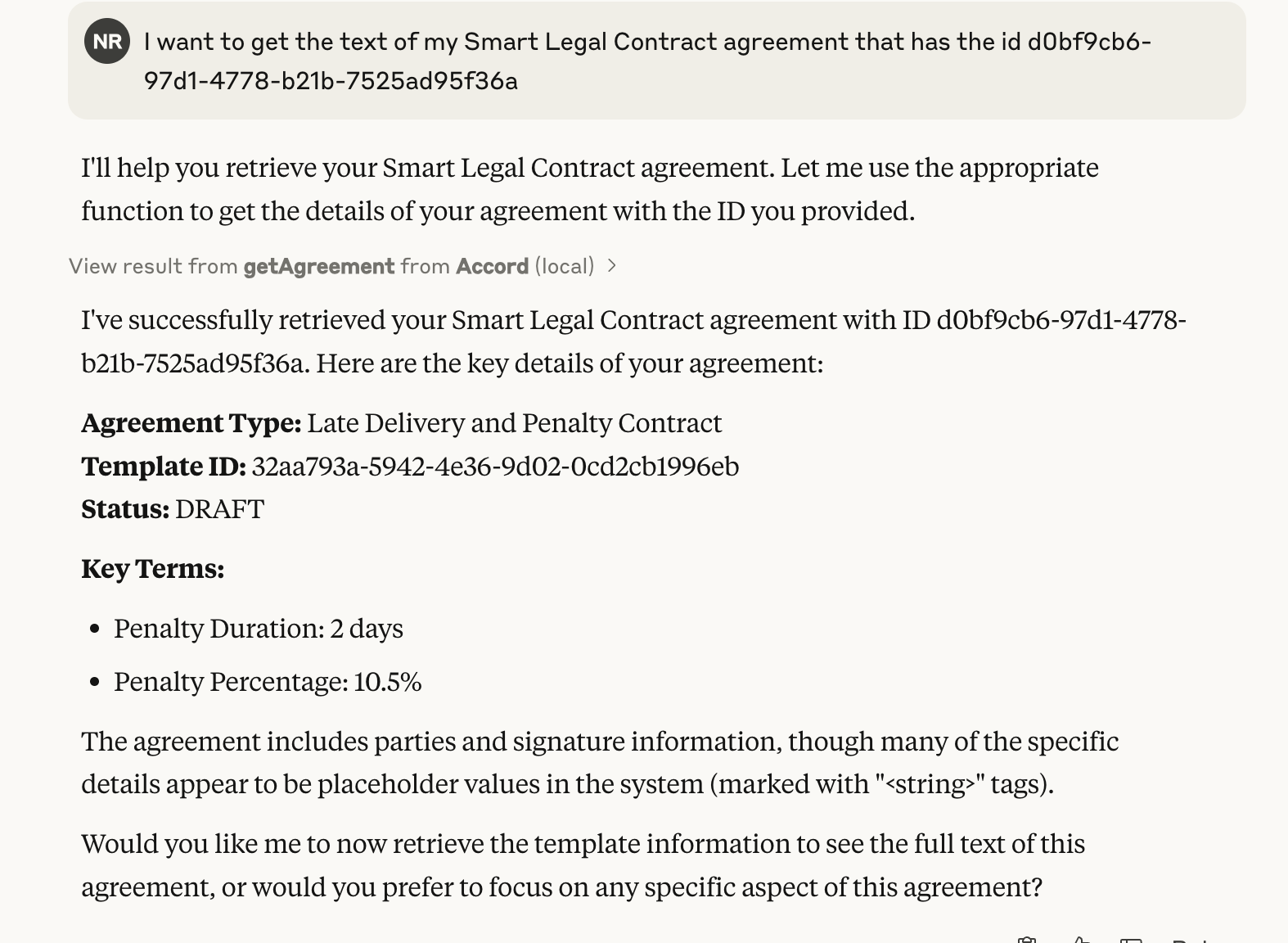
Screenshot of Claude Desktop querying an agreement
Operation of the Server
The MCP server is involked by an LLM when it needs to interact with the Agreement Server to allow read and write operations on templates and agreements. This allows twemplates agreements to be queried and created.
Architecture
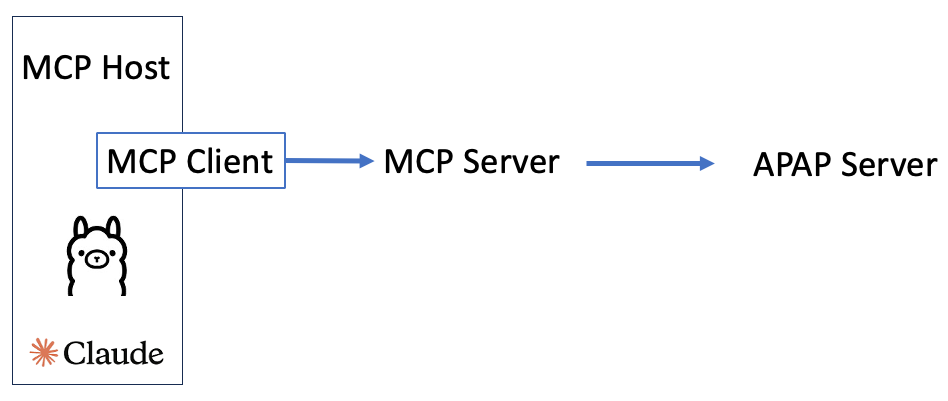 Here is an example sequence of operations:
sequenceDiagram
    participant C as MCP Client
    participant T as MCP Server
    participant S as Agreement Server
    C->>T: Get Available Prompts
    T->>C: List of Available Prompts
    C->>T: Get Available Tools
    T->>C: List of Available Tools
    C->>T: Get Available Resources
    T->>C: List of Available Resources
    C->>T: Create a Template with text and model
    T->>S: Deploy Template
    S->>T: Template ID
    T->>C: Template Created
    C->>T: Create an Agreement with data
    T->>S: Create Agreement with Data and State
    S->>T: Agreement Details
    T->>C: Agreement Created
    C->>T: Invoke an Agreement Clause
    T->>S: Trigger Agreement with Request Data
    S->>T: Trigger Response and Updated State
Building the project:
The project needs to be compiled from TypeScript to JavaScript by running the following:
npm run build
This needs to be run each time there is a code change.
Note that Claude Desktop needs to be restarted to pick up new code changes for the MCP Server.
Running in Claude Desktop
For Claude Desktop the Claude configuration file called claude_desktop_config.json in a Mac this can be found by default in /Users/yourusername/Library/Application Support/Claude and it needs to be configured as follows:
- args should point to the MCP server implementation. This is the absolute path to the apap.js file that will be generated by the compilation process
- APAP_BASE_URL pointing to the APAP server url including a port number
- Depending on the implementation for the APAP Server a valid JWT_TOKEN may be needed
Configuration Details for Claude:
{
  "mcpServers": {
    "Accord": {
      "command": "node",
      "args": [
        "path/to/mcp/build/apap.js"
      ],
      "env": {
        "APAP_BASE_URL": "",
        "JWT_TOKEN": ""
      }
    }
  }
}
Once configured, when Claude is started there should be a hammer icon at the bottom of the chat window that when pressed should contain the various tools implemented by this MCP server in list of Available MCP tools.
A user confirmation is generally required before the MCP trigger is called.
NB use with care to avoid accidently triggering an agreement by mistake or with incorrect data.
Debugging the MCP Server
The MCP Server can be debugged by testing with the MCP Inspector tool
this ca be run from a terminal after setting any required env variables and instaling the
@modelcontextprotocol/inspector tool and then running the following command frm the root of the project
npx @modelcontextprotocol/inspector node build/apap.js
This will open a web interface locally on port 6274. Click connect and the window on the bottom left shoudl display debug output from the MCP Server. If the inspector cannot connect to the MCP server stop the npx @modelcontextprotocol/inspector node build/apap.js and start again and wait a couple of seconds, refresh the web inspector web page and try to connect again.
The tabs along the top of the server will list the available prompts that the Server will return to the MCP Host and the available resources and tools. When List Resources is pressed the inspector tool will attempt to list the ids of all available templates and agreeemnts and then fetch each template and agreement.
If there are errors showing with the MCP server in Clause, or the tool and socket icons are not showing:
- there are log files /Users/niall/Library/Logs/Claude folder, a general log file called mcp.log and a log file for each individual mcp server
- Open the menu for Claude -> Settings -> Developer and look to make t=sure the MCP server is listed
- If the server is listed make sure that when clicked it is showing as running and the environment variables look as expected
- If the server does not work consider that Clause starts the server in a default shell that may not have the same configuration to the shell used for development and testing
Using the MCP Server with prompts
As per the inspector tool Claude will attempt to retrieve all templates and agreeemnts as resources. These files are available to add to a chat context when clicking the button that looks like two connecting plugs and choosing a template or agreeemnt id. This will add some of the meta data for the selected template or agreement to the chat. The LLM may also retrieve templates or agreeemnts using the defined tool methods such as View Agreement or Create Template. A list of these tools can be seen when pressing the hammer icon.
LLM-driven APAP Workflow
A typical workflow possible via instructions to the LLM could be as follows:
- Review existing templates and agreements (if present)
- Check the state of an agreement (if present)
- Create new templates and agreements
- Triggering agreements (if supported by the agreement)
- Check the new state of an agreement if modified by the trigger operation
- other methods such as delete agreement/template have not been implemented for safety reasons but are avaialble in the APAP protocol.
Dev Tools Supporting MCP
The following are the main code editors that support the Model Context Protocol. Click the link to visit the official website for more information.







