
Agent
What is Agent
Stakpak Agent is a versatile DevOps agent that operates within your terminal using a Text User Interface (TUI). It allows users to execute commands, edit files, and interact with the Stakpak API through an MCP Server, enhancing its capabilities.
Use cases
Use cases for Stakpak Agent include automating DevOps tasks, managing cloud resources, and facilitating collaborative development workflows with AI assistance.
How to use
To use Stakpak Agent, first install it via Homebrew, binary release, or Docker. Authenticate by obtaining an API key from the Stakpak website and set it as an environment variable. Launch the agent using the command ‘stakpak’ in your terminal.
Key features
Key features of Stakpak Agent include a user-friendly TUI for managing DevOps workflows, command execution, file editing, and seamless integration with the Stakpak API for enhanced functionality.
Where to use
Stakpak Agent is ideal for DevOps environments, software development, and cloud management, where efficient command execution and configuration management are essential.
Clients Supporting MCP
The following are the main client software that supports the Model Context Protocol. Click the link to visit the official website for more information.





Overview
What is Agent
Stakpak Agent is a versatile DevOps agent that operates within your terminal using a Text User Interface (TUI). It allows users to execute commands, edit files, and interact with the Stakpak API through an MCP Server, enhancing its capabilities.
Use cases
Use cases for Stakpak Agent include automating DevOps tasks, managing cloud resources, and facilitating collaborative development workflows with AI assistance.
How to use
To use Stakpak Agent, first install it via Homebrew, binary release, or Docker. Authenticate by obtaining an API key from the Stakpak website and set it as an environment variable. Launch the agent using the command ‘stakpak’ in your terminal.
Key features
Key features of Stakpak Agent include a user-friendly TUI for managing DevOps workflows, command execution, file editing, and seamless integration with the Stakpak API for enhanced functionality.
Where to use
Stakpak Agent is ideal for DevOps environments, software development, and cloud management, where efficient command execution and configuration management are essential.
Clients Supporting MCP
The following are the main client software that supports the Model Context Protocol. Click the link to visit the official website for more information.
Content
Stakpak Agent
A Swiss-Army knife DevOps Agent that runs in your terminal.
Designed for the grittiest parts of software development: DevOps work. It has everything you’d expect from a Coding Agent powered by Claude 4, except that it’s exceptionally good at writing Terraform code, building containers, and analysing the security of your cloud account (and much more!)

Warning
This CLI tool is under heavy development, and breaking changes should be expected. Use with caution 🚧
Installation
All installation options (Linux, MacOs, Windows)
Homebrew (Linux & MacOS)
brew tap stakpak/stakpak
brew install stakpak
To update it you can use
brew update
brew upgrade stakpak
Binary Release
Download the latest binary for your platform from our GitHub Releases.
Docker
This image includes the most popular CLI tools the agent might need for everyday DevOps tasks like docker, kubectl, aws cli, gcloud, azure cli, and more.
docker pull ghcr.io/stakpak/agent:latest
Usage
Authentication
Get an API Key (no card required)
-
Visit stakpak.dev
-
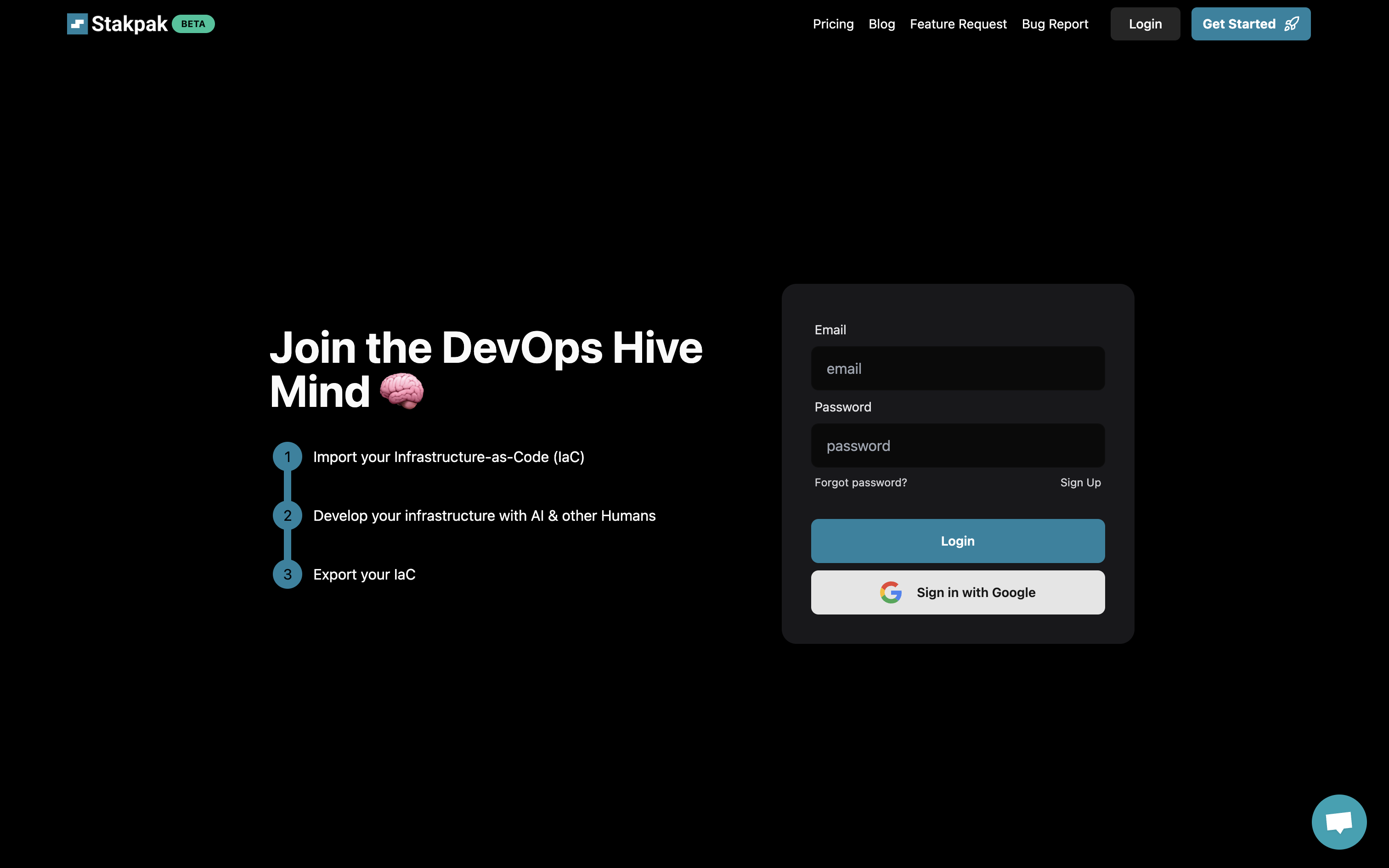
Click “Login” in the top right
-
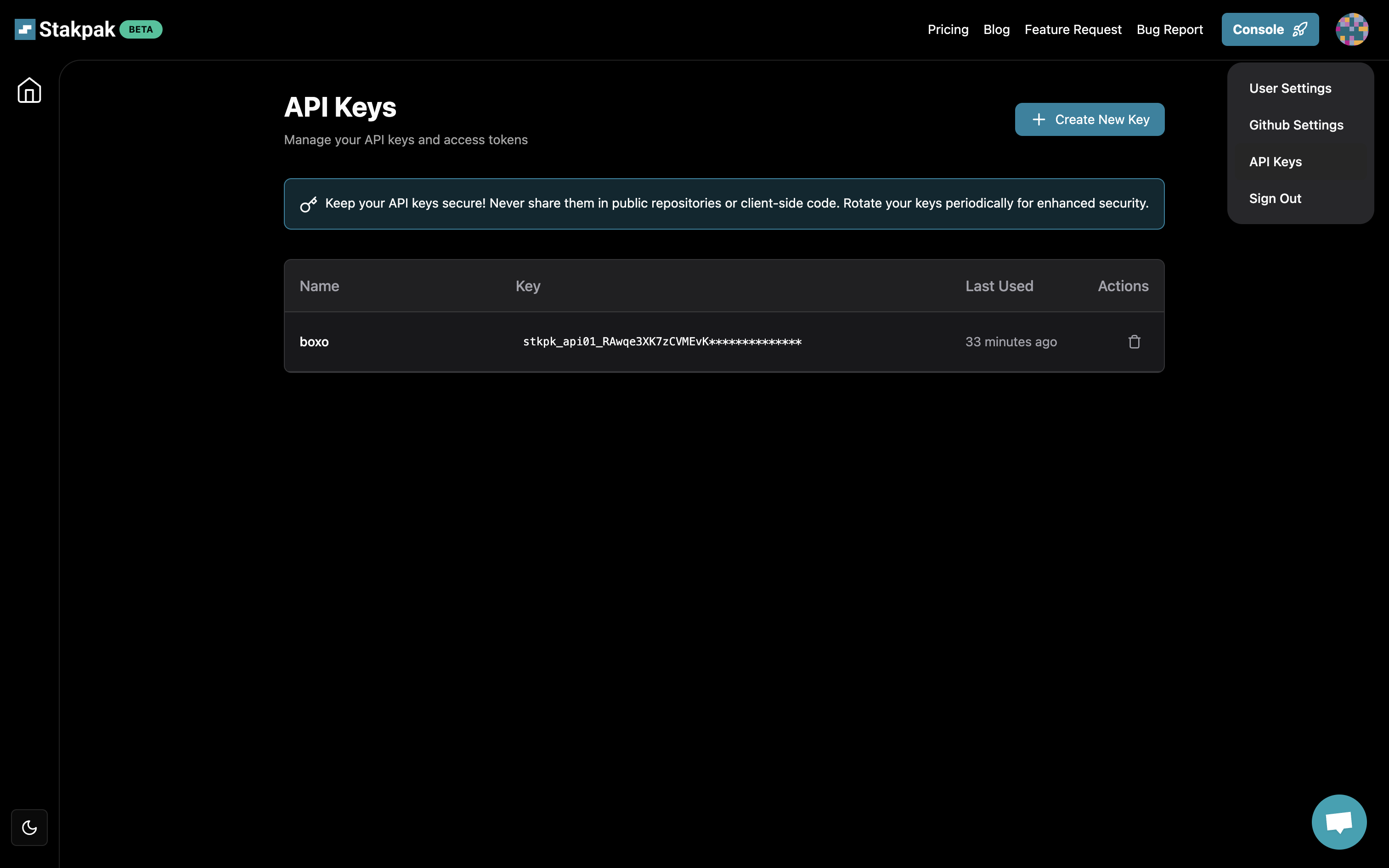
Click “Create API Key” in the account menu
Set the environment variable STAKPAK_API_KEY
export STAKPAK_API_KEY=<mykey>
Save your API key to ~/.stakpak/config.toml
stakpak login --api-key $STAKPAK_API_KEY
View current account (Optional)
stakpak account
Start Stakpak Agent TUI
stakpak
# Resume execution from a checkpoint
stakpak -c <checkpoint-id>
Start Stakpak Agent TUI with Docker
docker run -it --entrypoint stakpak ghcr.io/stakpak/agent:latest
# for containerization tasks (you need to mount the Docker socket)
docker run -it \
   -v "/var/run/docker.sock":"/var/run/docker.sock" \
   -v "{your app path}":"/agent/" \
   --entrypoint stakpak ghcr.io/stakpak/agent:latest
Keyboard Shortcuts

- Use
Arrow keysor Tab to select options - Press
Escto exit the prompt ?for Shortcuts/for commands↵to send messageShift + EnterorCtrl + Jto insert newlineCtrl + Cto quit
MCP Server Mode
Stakpak can run as an Model Context Protocol (MCP) server, providing secure and controlled access to system operations through different tool modes:
Tool Modes
- Local Mode (
--tool-mode local) - File operations and command execution only (no API key required) - Remote Mode (
--tool-mode remote) - AI-powered code generation and search tools (API key required) - Combined Mode (
--tool-mode combined) - Both local and remote tools (default, API key required)
Local Tools Security Benefits
The local MCP tools provide enhanced security for working with sensitive data:
- Secure Secret Handling: LLMs can read, write, and compare plain text secrets without seeing the actual secret values
- No External Dependencies: Local tools work offline without requiring API keys or internet access
Start MCP Server
# Local tools only (no API key required)
stakpak mcp --tool-mode local

# Remote tools only (AI tools optimized for DevOps)
stakpak mcp --tool-mode remote

# Combined mode (default - all tools)
stakpak mcp
⭐ Like what we’re building?
If our Agent saves you time or makes your DevOps life easier,
consider giving us a star on GitHub — it really helps!

Dev Tools Supporting MCP
The following are the main code editors that support the Model Context Protocol. Click the link to visit the official website for more information.







