
Ai Agent Marketplace Index Mcp
What is Ai Agent Marketplace Index Mcp
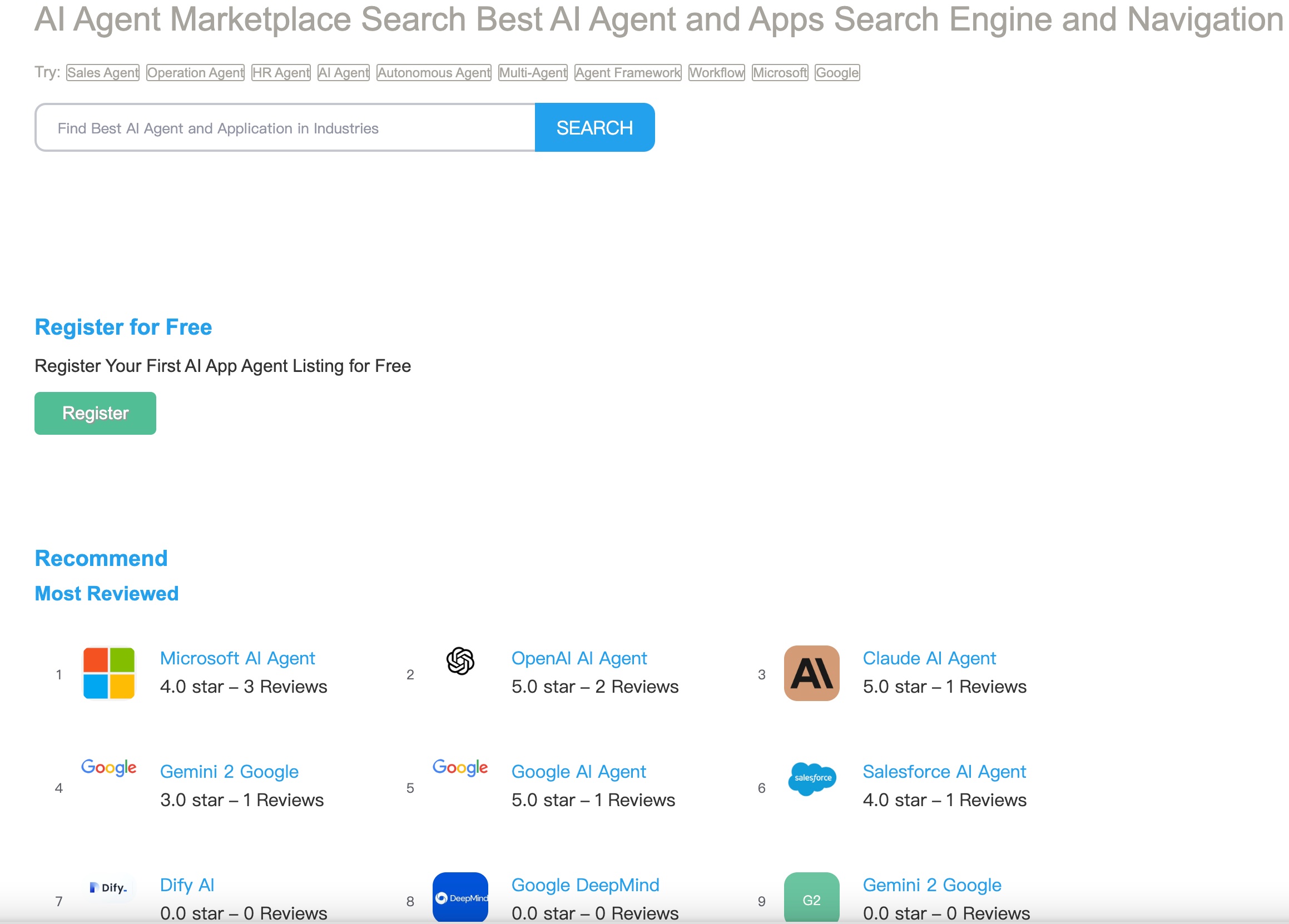
The ai-agent-marketplace-index-mcp is an MCP Server developed by DeepNLP that serves as a search engine for AI agents. It allows users to find available AI agents based on keywords or categories, such as ‘AI coding agents’ or ‘Healthcare AI agents’.
Use cases
Use cases include finding specific types of AI agents for coding, HR tasks, financial analysis, or healthcare applications, as well as monitoring the performance of these agents in the marketplace.
How to use
To use the ai-agent-marketplace-index-mcp, clone the repository, install the necessary dependencies, and run the server using the command ‘uv run -m ai-agent-marketplace-index-mcp’. Users can also configure it with compatible clients like Claude Desktop.
Key features
Key features include searching for AI agents by query or category, monitoring web traffic performance of AI agents, providing an API to list AI agents, and comprehensive error handling.
Where to use
The ai-agent-marketplace-index-mcp can be used in various fields including software development, human resources, finance, and healthcare, where AI agents can assist in specific tasks.
Clients Supporting MCP
The following are the main client software that supports the Model Context Protocol. Click the link to visit the official website for more information.





Overview
What is Ai Agent Marketplace Index Mcp
The ai-agent-marketplace-index-mcp is an MCP Server developed by DeepNLP that serves as a search engine for AI agents. It allows users to find available AI agents based on keywords or categories, such as ‘AI coding agents’ or ‘Healthcare AI agents’.
Use cases
Use cases include finding specific types of AI agents for coding, HR tasks, financial analysis, or healthcare applications, as well as monitoring the performance of these agents in the marketplace.
How to use
To use the ai-agent-marketplace-index-mcp, clone the repository, install the necessary dependencies, and run the server using the command ‘uv run -m ai-agent-marketplace-index-mcp’. Users can also configure it with compatible clients like Claude Desktop.
Key features
Key features include searching for AI agents by query or category, monitoring web traffic performance of AI agents, providing an API to list AI agents, and comprehensive error handling.
Where to use
The ai-agent-marketplace-index-mcp can be used in various fields including software development, human resources, finance, and healthcare, where AI agents can assist in specific tasks.
Clients Supporting MCP
The following are the main client software that supports the Model Context Protocol. Click the link to visit the official website for more information.
Content
AI Agent Marketplace Index Search MCP Server
MCP Server for AI Agent Marketplace Index from DeepNLP, , allowing AI assistants to searches available AI agents Navigation Page function, tools or use cases by “keywords” or “category”. such as find all the “AI coding agents”, “GUI AI Agents”, “Mobile Use Agent”, “Desktop Use Agent”, etc.
Features
- Search AI Agents by query or category, find all available ai agents from the Agent Marketplace Index, such as “AI Coding”, “HR AI Agents”, “Finance AI Agent”, “Healthcare AI Agent”, “AI Agents Employees”,etc.
- Monitor AI Agents Web Traffic Performance, such as Google/Bing ranking, Github Stars, Arxiv Reference.
- API to list your AI agents to the AI Agent Marketplace and Index
- Comprehensive error handling
Update
Add MCP Marketplace Plugin
Open Project https://github.com/AI-Agent-Hub/mcp-marketplace

Search Engine for AI Agents
Tool Listing

Tool Result

Requirements
- Python 3.10 or higher
- Microsoft Bing Search API key
- MCP-compatible client (e.g., Claude Desktop, Cursor)
Installation
- Clone this repository
- Install dependencies:
uv venv
source .venv/bin/activate  # On Windows: .venv\Scripts\activate
uv pip install -e .
Configuration
Usage
Running the server
uv run -m ai-agent-marketplace-index-mcp
development
cd ./ai-agent-marketplace-index-mcp/src/ai-agent-marketplace-index
mcp dev server.py
Configuring with Claude for Desktop
Add the following to your Claude Desktop configuration file (~/Library/Application Support/Claude/claude_desktop_config.json on macOS or %APPDATA%\Claude\claude_desktop_config.json on Windows):
{
  "mcpServers": {
    "ai-agent-marketplace-index-mcp": {
      "command": "uv",
      "args": [
        "--directory",
        "/ABSOLUTE/PATH/TO/PARENT/FOLDER/ai-agent-marketplace-index-mcp/src/ai-agent-marketplace-index",
        "run",
        "server.py"
      ]
    }
  }
}
Available Tools
1. search_ai_agent
General search of AI Agents for information, websites, content and metric statistic of web traffic, etc.
search_ai_agent(q: str, limit: int = 100, timeout: int = 5)
Resources
MCP Marketplace API Support
- Allow any agent rag workflow to find this MCP Server via python/typescript API
- Search relevant servers by query/id/category
- Give LLM chances to choose this tools and enhance usage.
Example: Search Server and Tools
    import mcp_marketplace as mcpm
    mcpm.set_endpoint("deepnlp") # choose various open mcp marketplace endpoint

    result_q = mcpm.search(id="ai-agent-marketplace-index-mcp", mode="dict", page_id=0, count_per_page=100)
    result_id = mcpm.search(id="ai-agent-hub/ai-agent-marketplace-index-mcp", mode="dict", page_id=0, count_per_page=100)
    tools = mcpm.list_tools(id="ai-agent-hub/ai-agent-marketplace-index-mcp")
Example: Integrate with LLM e.g. Claude
    import anthropic
    client = anthropic.Anthropic()

    # Step 1. search mcp by query/id to find this mcp

    # Step 2. Calling LLM for Better Usage and MCP Selection
    response = client.messages.create(
        model="claude-3-7-sonnet-20250219", max_tokens=1024, tools=tools, messages=[]
    )
    print(response)
    ## install remote servers if tools from this mcp are chosen
License
Dev Tools Supporting MCP
The following are the main code editors that support the Model Context Protocol. Click the link to visit the official website for more information.







