
Alg Mcp
What is Alg Mcp
alg-mcp is a project designed to enable intelligent querying based on the MCP protocol. It utilizes real-time data integration and semantic indexing capabilities of the MCP Server database to transform natural language into structured queries.
Use cases
Use cases for alg-mcp include assisting enterprises in technical R&D, enhancing product design processes, and enabling intelligent querying for data-driven decision-making.
How to use
To use alg-mcp, configure the mcp-server with database connection settings and third-party weather API credentials. Then, set up the mcp-client to connect to the mcp-server and configure the large model API keys. Follow the provided operation steps for implementation.
Key features
Key features of alg-mcp include a robust MCP server and client, support for various AI models like Zhipu-AI, and functionalities for weather queries and database operations. It also provides a seamless natural language to SQL transformation.
Where to use
alg-mcp can be used in various fields including technology research and development, product design, and any domain requiring intelligent data querying and analysis.
Clients Supporting MCP
The following are the main client software that supports the Model Context Protocol. Click the link to visit the official website for more information.





Overview
What is Alg Mcp
alg-mcp is a project designed to enable intelligent querying based on the MCP protocol. It utilizes real-time data integration and semantic indexing capabilities of the MCP Server database to transform natural language into structured queries.
Use cases
Use cases for alg-mcp include assisting enterprises in technical R&D, enhancing product design processes, and enabling intelligent querying for data-driven decision-making.
How to use
To use alg-mcp, configure the mcp-server with database connection settings and third-party weather API credentials. Then, set up the mcp-client to connect to the mcp-server and configure the large model API keys. Follow the provided operation steps for implementation.
Key features
Key features of alg-mcp include a robust MCP server and client, support for various AI models like Zhipu-AI, and functionalities for weather queries and database operations. It also provides a seamless natural language to SQL transformation.
Where to use
alg-mcp can be used in various fields including technology research and development, product design, and any domain requiring intelligent data querying and analysis.
Clients Supporting MCP
The following are the main client software that supports the Model Context Protocol. Click the link to visit the official website for more information.
Content
Getting Started
Algorithmic Learning Graybeard - 星星点灯,基于RAG+MCP双引擎架构实现智能查询。
在大语言模型(LLM)的基石上,依托MCP Server对数据库的数据融合与语义索引能力,构建RAG与MCP协同的双引擎架构,通过智能语法解析与查询映射,实现自然语言到结构化查询的精准转换,形成完整的技术链路闭环。可用于辅助企业/团队进行技术研发、产品设计等支撑工作。
🌟该项目如对您有帮助,欢迎点赞🌟
系统组成及文档
如果您有上千数据目录、亿级数据事实,要做数据检索或数据分析,可以在该项目上进行扩展优化。
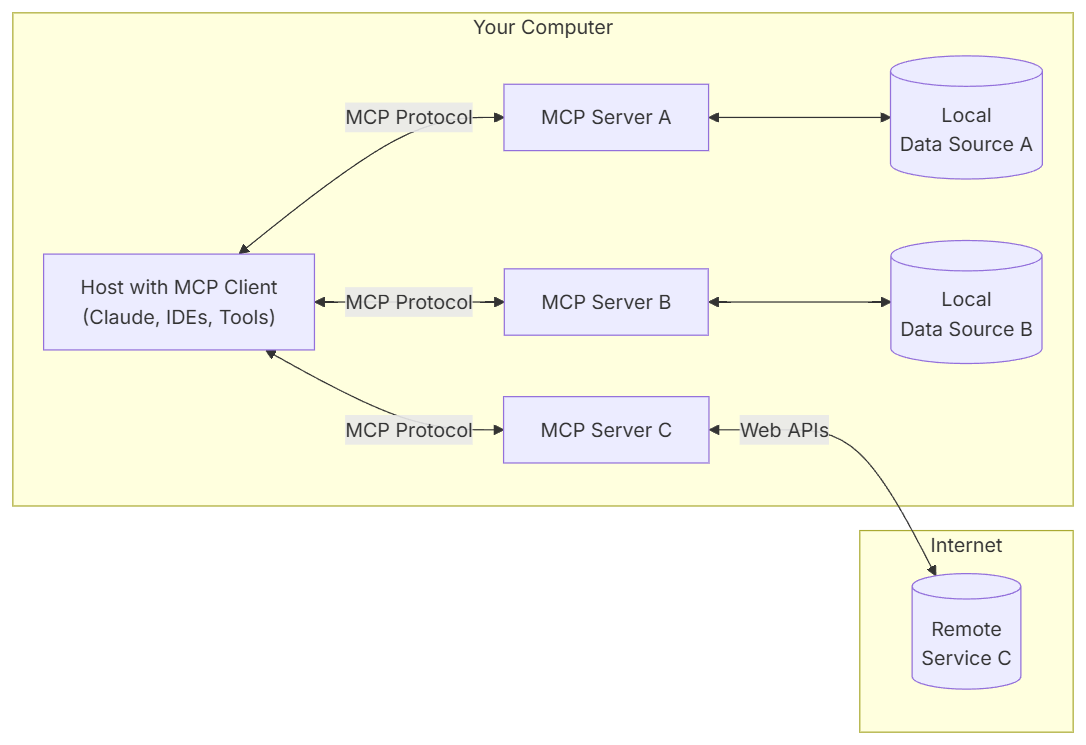
架构参考:
-
总体架构
-
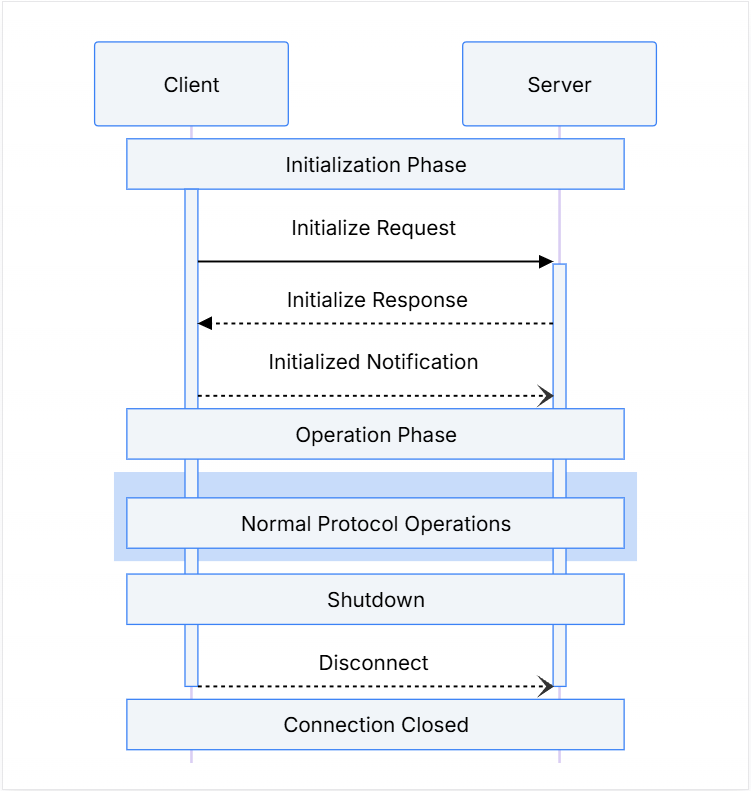
生命周期
-
操作步骤
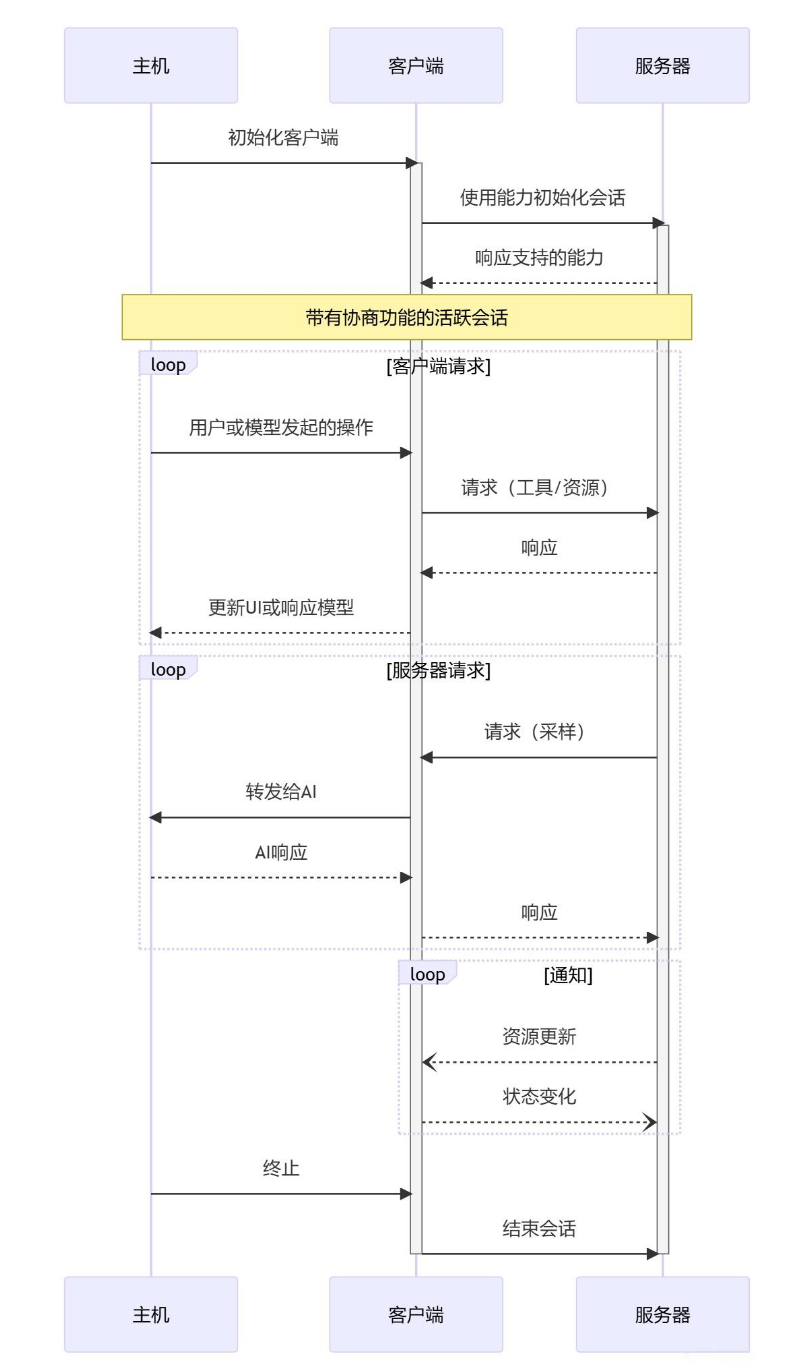
功能点
-
MCP服务端
-
MCP客户端
-
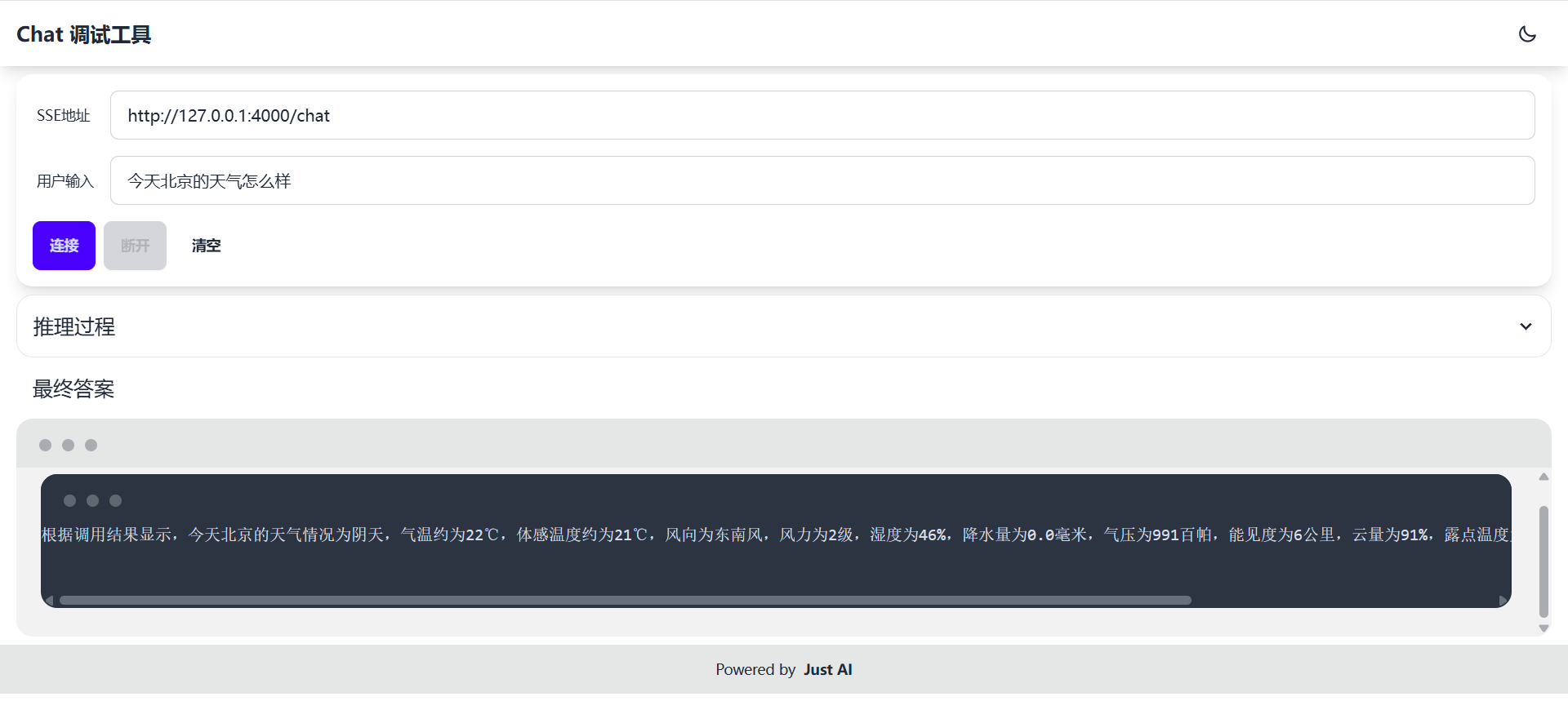
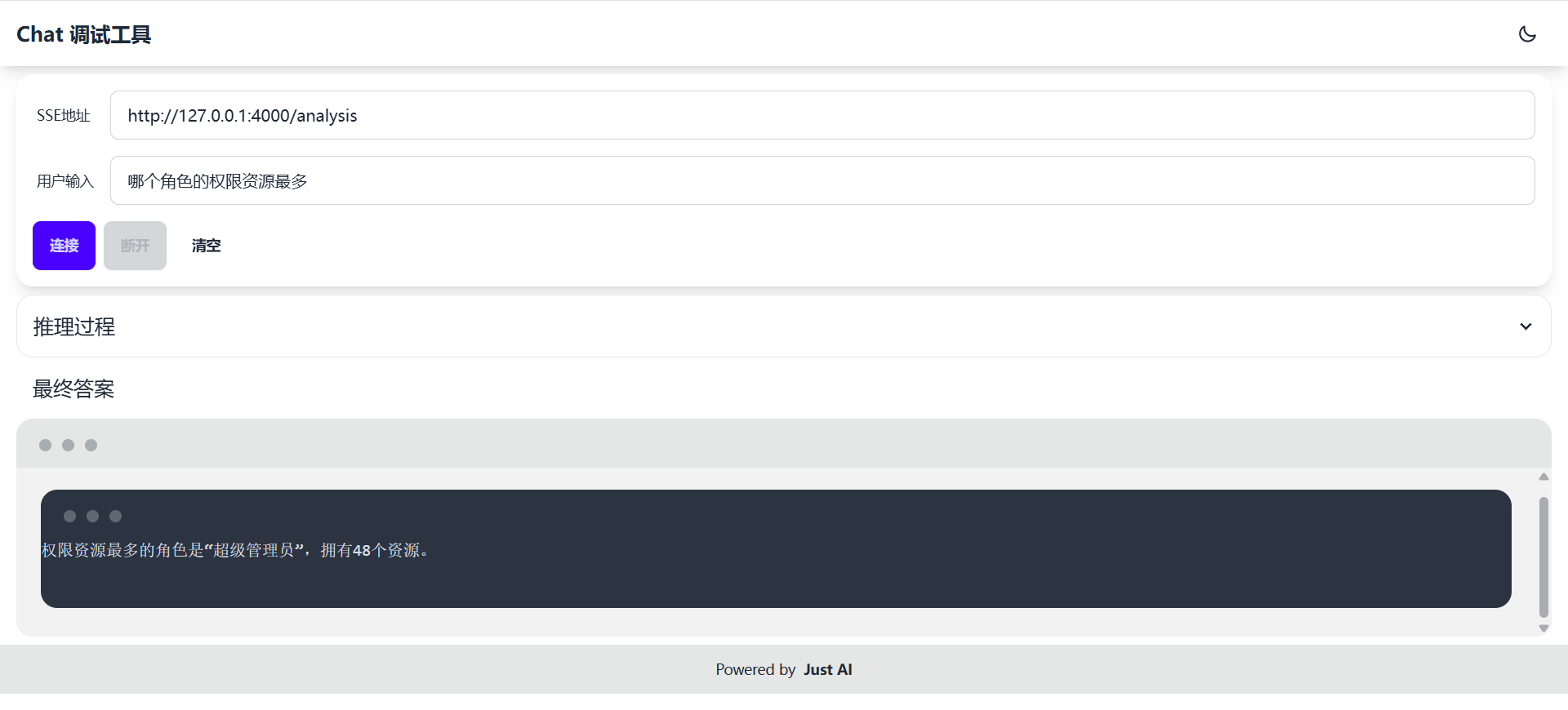
Chat演示地址:
http://localhost:4000/
- 天气查询
外部接口自由对接
- 数据库操作
一句话精准完成分组、排名、取样等SQL操作
接入的模型
-
Zhipu-AI
-
也可以根据个人喜好接入其他模型:
支持DeepSeek、ChatGPT 3.5、通义千问、文心一言、Ollama等
技术栈
该仓库为后端服务
技术栈:
- jdk 17
- springboot 3.4.4
- langchain4j 1.0.0-beta3
- mcp-server 利用自定义注解,实现MCP协议。已完成的接口有:
initialize、tools/call、tools/list、notifications/initialized、prompts/list、prompts/get等 - mcp-client 使用RAG自定义QueryTransformer,读取MCP server prompt实现NPL2SQL功能
如何运行
mcp-server配置
a. 配置数据库连接
- 数据库(MySQL)
spring:
  datasource:
    type: com.zaxxer.hikari.HikariDataSource
    url: jdbc:mysql://<ip>:<port>/<database_name>?characterEncoding=utf8&serverTimezone=GMT%2B8&useSSL=false
    driver-class-name: com.mysql.cj.jdbc.Driver
    username: <username>
    password: <password>
- 支持PostgreSQL、Oracle、SQLServer、H2等关系型数据库
配置参考:spring-boot-data-jdbc
b. 配置第三方天气API
- 申请和风天气的API-KEY和API-HOST
申请地址
weather:
  api:
    host: <api-host>
    api-key: <api-key>
mcp-client配置
a. 配置mcp-server连接
- SSE Endpoint
mcp:
  server:
    sse-url: http://localhost:3002/sse
b. 配置大模型
- 大模型api-key和model配置
zhipu-ai:
  api-key: <api-key>
  model: <model>
Dev Tools Supporting MCP
The following are the main code editors that support the Model Context Protocol. Click the link to visit the official website for more information.







