
Alibabacloud Devops Mcp Server
What is Alibabacloud Devops Mcp Server
alibabacloud-devops-mcp-server is a server that facilitates integration with the AlibabaCloud DevOps Yunxiao platform. It empowers AI assistants to interact with development projects, automating various tasks such as code writing, code review, and task management, ultimately enhancing productivity for enterprise development teams.
Use cases
The server can be used to streamline several development processes, including code repository management, project oversight, automating code merges, and conducting reviews. It assists teams in minimizing repetitive tasks, optimizing workflow, and concentrating on innovation and product delivery.
How to use
Users can install the alibabacloud-devops-mcp-server through various methods, including using NPX commands, Docker containers, or via the MCP marketplace in Lingma. Prior to installation, users must acquire a Personal Access Token from AlibabaCloud DevOps with necessary permissions for API access.
Key features
The server offers capabilities like management of code repositories, project details, pipeline instances, file operations, and package management. It provides tools to create branches, manage code reviews, and query project and work item data, supporting both development and collaborative efforts.
Where to use
This server is suitable for organizations using AlibabaCloud’s Yunxiao DevOps platform. It is particularly beneficial for development teams looking to automate and enhance their workflows, optimize code management, and improve project delivery processes.
Clients Supporting MCP
The following are the main client software that supports the Model Context Protocol. Click the link to visit the official website for more information.





Overview
What is Alibabacloud Devops Mcp Server
alibabacloud-devops-mcp-server is a server that facilitates integration with the AlibabaCloud DevOps Yunxiao platform. It empowers AI assistants to interact with development projects, automating various tasks such as code writing, code review, and task management, ultimately enhancing productivity for enterprise development teams.
Use cases
The server can be used to streamline several development processes, including code repository management, project oversight, automating code merges, and conducting reviews. It assists teams in minimizing repetitive tasks, optimizing workflow, and concentrating on innovation and product delivery.
How to use
Users can install the alibabacloud-devops-mcp-server through various methods, including using NPX commands, Docker containers, or via the MCP marketplace in Lingma. Prior to installation, users must acquire a Personal Access Token from AlibabaCloud DevOps with necessary permissions for API access.
Key features
The server offers capabilities like management of code repositories, project details, pipeline instances, file operations, and package management. It provides tools to create branches, manage code reviews, and query project and work item data, supporting both development and collaborative efforts.
Where to use
This server is suitable for organizations using AlibabaCloud’s Yunxiao DevOps platform. It is particularly beneficial for development teams looking to automate and enhance their workflows, optimize code management, and improve project delivery processes.
Clients Supporting MCP
The following are the main client software that supports the Model Context Protocol. Click the link to visit the official website for more information.
Content
English | 中文
alibabacloud-devops-mcp-server
AlibabaCloud Devops MCP Server provides AI assistants with the ability to interact with the Yunxiao platform, enabling them to read work item contents in projects, automatically write code after understanding requirements, and submit code merge requests. Enterprise development teams can use it to assist with code reviews, optimize task management, reduce repetitive operations, and thus focus on more important innovation and product delivery.
Features
alibabacloud-devops-mcp-server provides the following capabilities for AI assistants:
- Code Repository Management: Query code repositories and their branches, create branches
- File Operations: Create, update, delete, and retrieve code file content
- Code Review: Create and manage code review processes
- Project Management: Search projects, get project details
- Pipeline Management: Get pipeline details, get pipeline list, create a pipeline run instance, get the latest pipeline run instance, get pipeline run details, get pipeline run list, Query / Run a pipeline deployment task
- Package Management: Get package repository details list, Get artifacts details list, Get single artifact details
Tools
alibabacloud-devops-mcp-server integrates various tools, including:
Organization Management
get_current_organization_Info: Get current user’s organization informationget_user_organizations: Get the list of organizations the current user has joinedget_organization_role: Get information about an organization roleget_organization_departments: Get the list of departments in an organizationget_organization_department_info: Get information about a department in an organizationget_organization_department_ancestors: Get the ancestors of a department in an organizationget_organization_members: Get the list of members in an organizationget_organization_member_info: Get information about a member in an organizationget_organization_member_info_by_user_id: Get information about a member in an organization by user IDsearch_organization_members: Search for organization memberslist_organization_roles: List organization rolesget_organization_role: Get information about an organization role
Code Management Tools
create_branch: Create a branchdelete_branch: Delete a branchget_branch: Get branch informationlist_branches: Get branch listcreate_file: Create a filedelete_file: Delete a fileget_file_blobs: Get file contentlist_files: Query file treeupdate_file: Update file contentcreate_change_request: Create a merge requestcreate_change_request_comment: Create a comment on a merge requestget_change_request: Query merge requestlist_change_request_patch_sets: Query merge request version listlist_change_request: Query merge request listlist_change_request_comments: Query merge request comment listget_compare: Compare codeget_repository: Get repository detailslist_repositories: Get repository list
Project Management Tools
get_project: Get project detailssearch_projects: Search projectsget_work_item: Get work item detailssearch_workitems: Search work itemsget_work_item_types: get work item typescreate_work_item: create work item
Pipeline Management Tools
get_pipeline: Get pipeline detailslist_pipelines: Get pipeline listsmart_list_pipelines: Smart pipeline search with natural language time referencescreate_pipeline_run: Create a pipeline run instanceget_latest_pipeline_run: Get the latest pipeline run instanceget_pipeline_run: Get pipeline run detailslist_pipeline_runs: Get pipeline run listlist_pipeline_jobs_by_category: Get pipeline execution tasks by categorylist_pipeline_job_historys: Get the execution history of a pipeline taskexecute_pipeline_job_run: Manually run a pipeline taskget_pipeline_job_run_log: Get the execution logs of a pipeline joblist_service_connections: List service connections in organizationcreate_pipeline_from_description: Automatically generates YAML configuration and creates pipelineupdate_pipeline: Update an existing pipeline in Yunxiao by pipelineId. Use this to update pipeline YAML, stages, jobs, etc.
Packages Management Tools
list_package_repositories: Get package repositories details listlist_artifacts: Get artifacts details listget_artifact: Get single artifact details
Usage
Prerequisites
-
node version >= 16.0.0
-
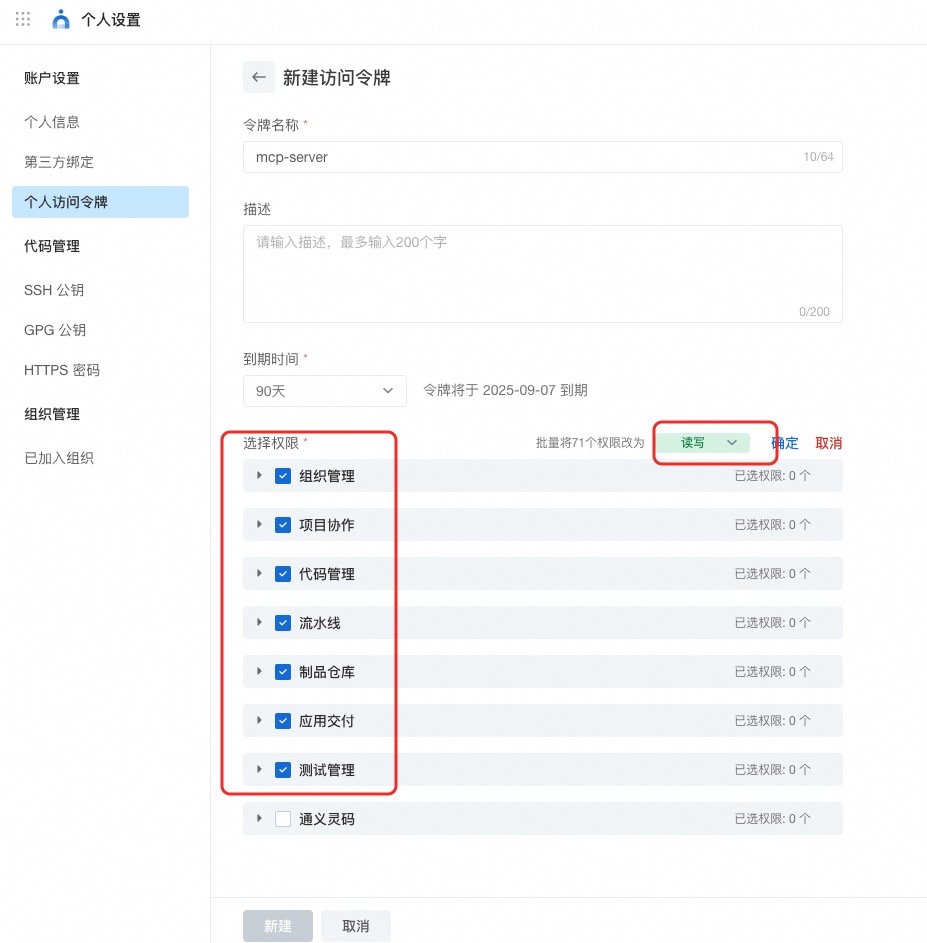
AlibabaCloud Devops Personal Access Token, click here to obtain. Grant read and write permissions to all APIs under organization management, project collaboration, code management, pipeline management, artifact repository management, application delivery and testing management.
Installing via Smithery
To install AlibabaCloud DevOps Server for Claude Desktop automatically via Smithery:
npx -y @smithery/cli install @aliyun/alibabacloud-devops-mcp-server --client claude
Install Yunxiao MCP server via MCP marketplace
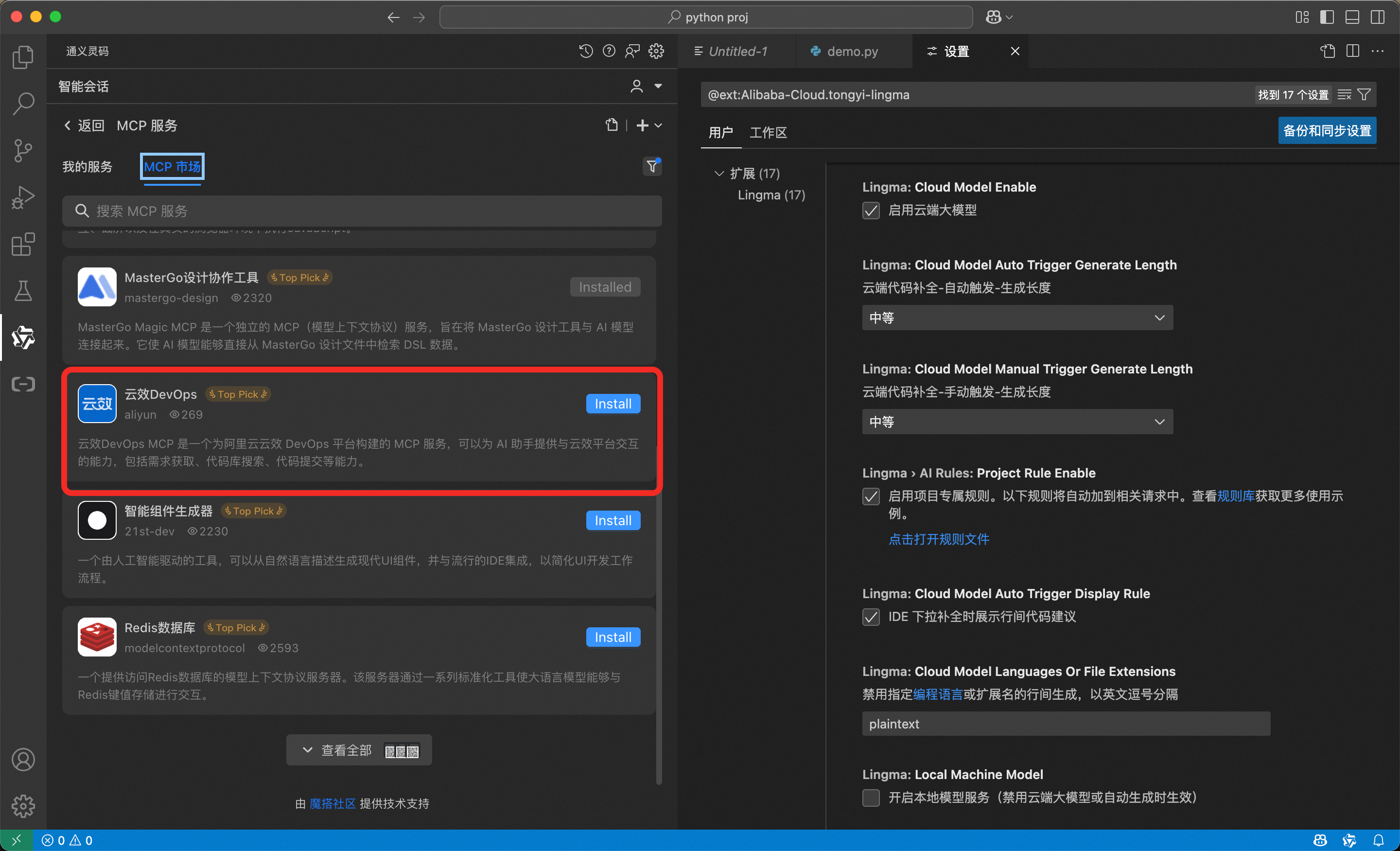
The MCP market built into Lingma (AlibabaCloud Tongyi Lingma) has already provided the AlibabaCloud Devops MCP service. To install it, simply enter the MCP market in Lingma and search for “Yunxiao DevOps”, then click install.
Run MCP Server via NPX
{
  "mcpServers": {
    "yunxiao": {
      "command": "npx",
      "args": [
        "-y",
        "alibabacloud-devops-mcp-server"
      ],
      "env": {
        "YUNXIAO_ACCESS_TOKEN": "<YOUR_TOKEN>"
      }
    }
  }
}
Run MCP Server via Docker Container
- Docker build
docker build -t alibabacloud/alibabacloud-devops-mcp-server .
- Configure MCP Server
{
  "mcpServers": {
    "yunxiao": {
      "command": "docker",
      "args": [
        "run",
        "-i",
        "--rm",
        "-e",
        "YUNXIAO_ACCESS_TOKEN",
        "alibabacloud/alibabacloud-devops-mcp-server"
      ],
      "env": {
        "YUNXIAO_ACCESS_TOKEN": "<YOUR_TOKEN>"
      }
    }
  }
}
Contact Us
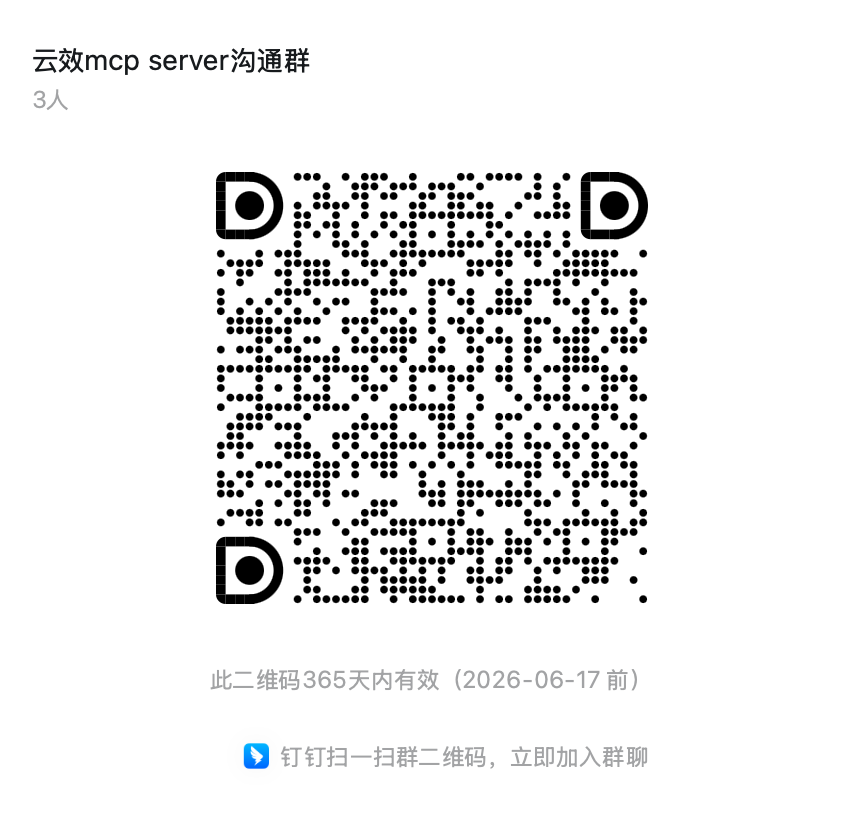
If you have any questions, please join the Alibaba Cloud Devops discussion group (134400004101) for discussion.
Related Links
Dev Tools Supporting MCP
The following are the main code editors that support the Model Context Protocol. Click the link to visit the official website for more information.







