
Alibabacloud Mcp Server
What is Alibabacloud Mcp Server
Alibaba Cloud Ops MCP Server is a Model Context Protocol (MCP) server designed for seamless integration with Alibaba Cloud APIs. It enables AI assistants to manage and operate resources on Alibaba Cloud, supporting widely used services such as ECS, Cloud Monitor, and OOS.
Use cases
The Alibaba Cloud Ops MCP Server can be used for various cloud management tasks, including executing commands on Elastic Compute Service (ECS) instances, monitoring cloud resource metrics via Cloud Monitor, and managing Object Storage Service (OSS). It facilitates automation and management of cloud resources efficiently for various applications.
How to use
To use the Alibaba Cloud Ops MCP Server, install ‘uv’, then configure it using VS Code and Cline by defining the required parameters, such as access keys and command settings. Users can also integrate it with other MCP Clients and restart the server to apply configuration changes.
Key features
Key features of Alibaba Cloud Ops MCP Server include a wide range of operations on ECS, VPC, RDS, OSS, and Cloud Monitor. It provides APIs for inventory management, command execution, and resource monitoring. The server supports common cloud operations like starting, stopping, and managing instances, buckets, and monitoring resource performance.
Where to use
The Alibaba Cloud Ops MCP Server can be used across multiple platforms that support Model Context Protocol, including Cline, Cursor, ModelScope, Lingma, and Smithery AI. It’s also available in the Alibaba Cloud Model Studio Platform MCP Marketplace for developers looking to integrate AI-driven automation in their cloud operations.
Clients Supporting MCP
The following are the main client software that supports the Model Context Protocol. Click the link to visit the official website for more information.





Overview
What is Alibabacloud Mcp Server
Alibaba Cloud Ops MCP Server is a Model Context Protocol (MCP) server designed for seamless integration with Alibaba Cloud APIs. It enables AI assistants to manage and operate resources on Alibaba Cloud, supporting widely used services such as ECS, Cloud Monitor, and OOS.
Use cases
The Alibaba Cloud Ops MCP Server can be used for various cloud management tasks, including executing commands on Elastic Compute Service (ECS) instances, monitoring cloud resource metrics via Cloud Monitor, and managing Object Storage Service (OSS). It facilitates automation and management of cloud resources efficiently for various applications.
How to use
To use the Alibaba Cloud Ops MCP Server, install ‘uv’, then configure it using VS Code and Cline by defining the required parameters, such as access keys and command settings. Users can also integrate it with other MCP Clients and restart the server to apply configuration changes.
Key features
Key features of Alibaba Cloud Ops MCP Server include a wide range of operations on ECS, VPC, RDS, OSS, and Cloud Monitor. It provides APIs for inventory management, command execution, and resource monitoring. The server supports common cloud operations like starting, stopping, and managing instances, buckets, and monitoring resource performance.
Where to use
The Alibaba Cloud Ops MCP Server can be used across multiple platforms that support Model Context Protocol, including Cline, Cursor, ModelScope, Lingma, and Smithery AI. It’s also available in the Alibaba Cloud Model Studio Platform MCP Marketplace for developers looking to integrate AI-driven automation in their cloud operations.
Clients Supporting MCP
The following are the main client software that supports the Model Context Protocol. Click the link to visit the official website for more information.
Content
Alibaba Cloud Ops MCP Server

Alibaba Cloud Ops MCP Server is a Model Context Protocol (MCP) server that provides seamless integration with Alibaba Cloud APIs, enabling AI assistants to operation resources on Alibaba Cloud, supporting ECS, Cloud Monitor, OOS andother widely used cloud products.
Prepare
Install uv
# On macOS and Linux.
curl -LsSf https://astral.sh/uv/install.sh | sh
Configuration
Use VS Code + Cline to config MCP Server.
To use alibaba-cloud-ops-mcp-server MCP Server with any other MCP Client, you can manually add this configuration and restart for changes to take effect:
{
  "mcpServers": {
    "alibaba-cloud-ops-mcp-server": {
      "timeout": 600,
      "command": "uvx",
      "args": [
        "alibaba-cloud-ops-mcp-server@latest"
      ],
      "env": {
        "ALIBABA_CLOUD_ACCESS_KEY_ID": "Your Access Key ID",
        "ALIBABA_CLOUD_ACCESS_KEY_SECRET": "Your Access Key SECRET"
      }
    }
  }
}
For detailed parameter description, see MCP startup parameter document
MCP Maketplace Integration

Know More
- Alibaba Cloud Ops MCP Server is ready to use out of the box!!
- Setup Alibaba Cloud Ops MCP Server on Bailian
- Build your own Alibaba Cloud OpenAPI MCP Server with 10 lines of code
- Alibaba Cloud Ops MCP Server is officially available on the Alibaba Cloud Model Studio Platform MCP Marketplace
Tools
| Product | Tool | Function | Implematation | Status |
|---|---|---|---|---|
| ECS | RunCommand | Run Command | OOS | Done |
| StartInstances | Start Instances | OOS | Done | |
| StopInstances | Stop Instances | OOS | Done | |
| RebootInstances | Reboot Instances | OOS | Done | |
| DescribeInstances | View Instances | API | Done | |
| DescribeRegions | View Regions | API | Done | |
| DescribeZones | View Zones | API | Done | |
| DescribeAvailableResource | View Resource Inventory | API | Done | |
| DescribeImages | View Images | API | Done | |
| DescribeSecurityGroups | View Security Groups | API | Done | |
| RunInstances | Create Instances | OOS | Done | |
| DeleteInstances | Delete Instances | API | Done | |
| ResetPassword | Modify Password | OOS | Done | |
| ReplaceSystemDisk | Replace Operating System | OOS | Done | |
| VPC | DescribeVpcs | View VPCs | API | Done |
| DescribeVSwitches | View VSwitches | API | Done | |
| RDS | DescribeDBInstances | List RDS Instances | API | Done |
| StartDBInstances | Start the RDS instance | OOS | Done | |
| StopDBInstances | Stop the RDS instance | OOS | Done | |
| RestartDBInstances | Restart the RDS instance | OOS | Done | |
| OSS | ListBuckets | List Bucket | API | Done |
| PutBucket | Create Bucket | API | Done | |
| DeleteBucket | Delete Bucket | API | Done | |
| ListObjects | View object information in the bucket | API | Done | |
| CloudMonitor | GetCpuUsageData | Get CPU Usage Data for ECS Instances | API | Done |
| GetCpuLoadavgData | Get CPU One-Minute Average Load Metric Data | API | Done | |
| GetCpuloadavg5mData | Get CPU Five-Minute Average Load Metric Data | API | Done | |
| GetCpuloadavg15mData | Get CPU Fifteen-Minute Average Load Metric Data | API | Done | |
| GetMemUsedData | Get Memory Usage Metric Data | API | Done | |
| GetMemUsageData | Get Memory Utilization Metric Data | API | Done | |
| GetDiskUsageData | Get Disk Utilization Metric Data | API | Done | |
| GetDiskTotalData | Get Total Disk Partition Capacity Metric Data | API | Done | |
| GetDiskUsedData | Get Disk Partition Usage Metric Data | API | Done |
Contact us
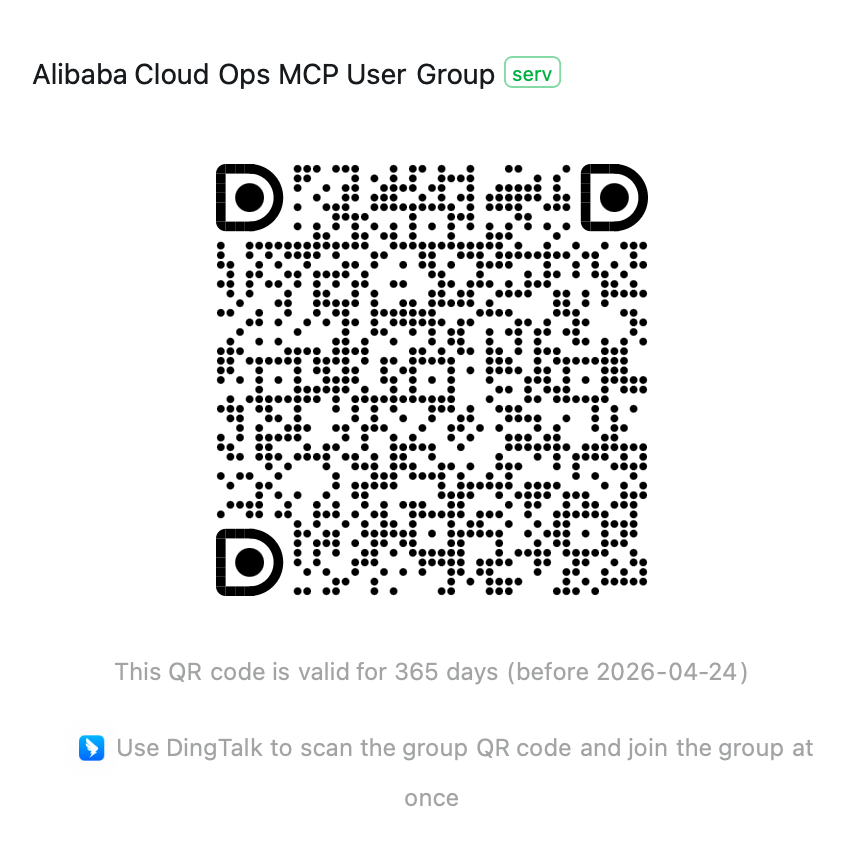
If you have any questions, please join the Alibaba Cloud Ops MCP discussion group (DingTalk group: 113455011677) for discussion.
Dev Tools Supporting MCP
The following are the main code editors that support the Model Context Protocol. Click the link to visit the official website for more information.







