
Amap Mcp
What is Amap Mcp
amap-mcp is a non-official server for the Model Context Protocol (MCP) that facilitates interaction with AMap’s powerful location-related services.
Use cases
Use cases for amap-mcp include enhancing user experience in navigation applications, providing location-based recommendations, and integrating location services into chatbots and virtual assistants.
How to use
To use amap-mcp, you need to have Python 3.10 or higher, obtain an AMAP_KEY from the AMap open platform, and install the ‘uv’ package. After setting up, configure your MCP client (like Cursor) with the provided configuration settings.
Key features
Key features of amap-mcp include seamless integration with various MCP clients, access to AMap’s location services, and the ability to customize commands and arguments for specific use cases.
Where to use
amap-mcp can be used in various applications that require location-based services, such as navigation apps, location tracking systems, and any software that benefits from geographical data.
Clients Supporting MCP
The following are the main client software that supports the Model Context Protocol. Click the link to visit the official website for more information.





Overview
What is Amap Mcp
amap-mcp is a non-official server for the Model Context Protocol (MCP) that facilitates interaction with AMap’s powerful location-related services.
Use cases
Use cases for amap-mcp include enhancing user experience in navigation applications, providing location-based recommendations, and integrating location services into chatbots and virtual assistants.
How to use
To use amap-mcp, you need to have Python 3.10 or higher, obtain an AMAP_KEY from the AMap open platform, and install the ‘uv’ package. After setting up, configure your MCP client (like Cursor) with the provided configuration settings.
Key features
Key features of amap-mcp include seamless integration with various MCP clients, access to AMap’s location services, and the ability to customize commands and arguments for specific use cases.
Where to use
amap-mcp can be used in various applications that require location-based services, such as navigation apps, location tracking systems, and any software that benefits from geographical data.
Clients Supporting MCP
The following are the main client software that supports the Model Context Protocol. Click the link to visit the official website for more information.
Content

Non-official AMap Model Context Protocol (MCP) server that enables interaction with AMap powerful location related service. You can use in the following MCP clients like Cursor, Claude Desktop, Cline , Windsurf and other Client.
Prerequisite
- python 3.10+;
- Get your AMAP_KEY from AMAP open platform.
- Install
uv(Python package manager), install withpip install uvor see theuvrepo for additional install methods.
Quickstart with Cursor
Go to Cursor -> Cursor Settings -> MCP, click Add new global MCP server, and mcp.json will open, paste the following config content:
"AMap": {
        "command": "uvx",
        "args": [
          "amap-mcp"
        ],
        "env": {
          "AMAP_KEY": "<insert-your-AMap-here>"
        },
      },
Example usage
A demonstration video:
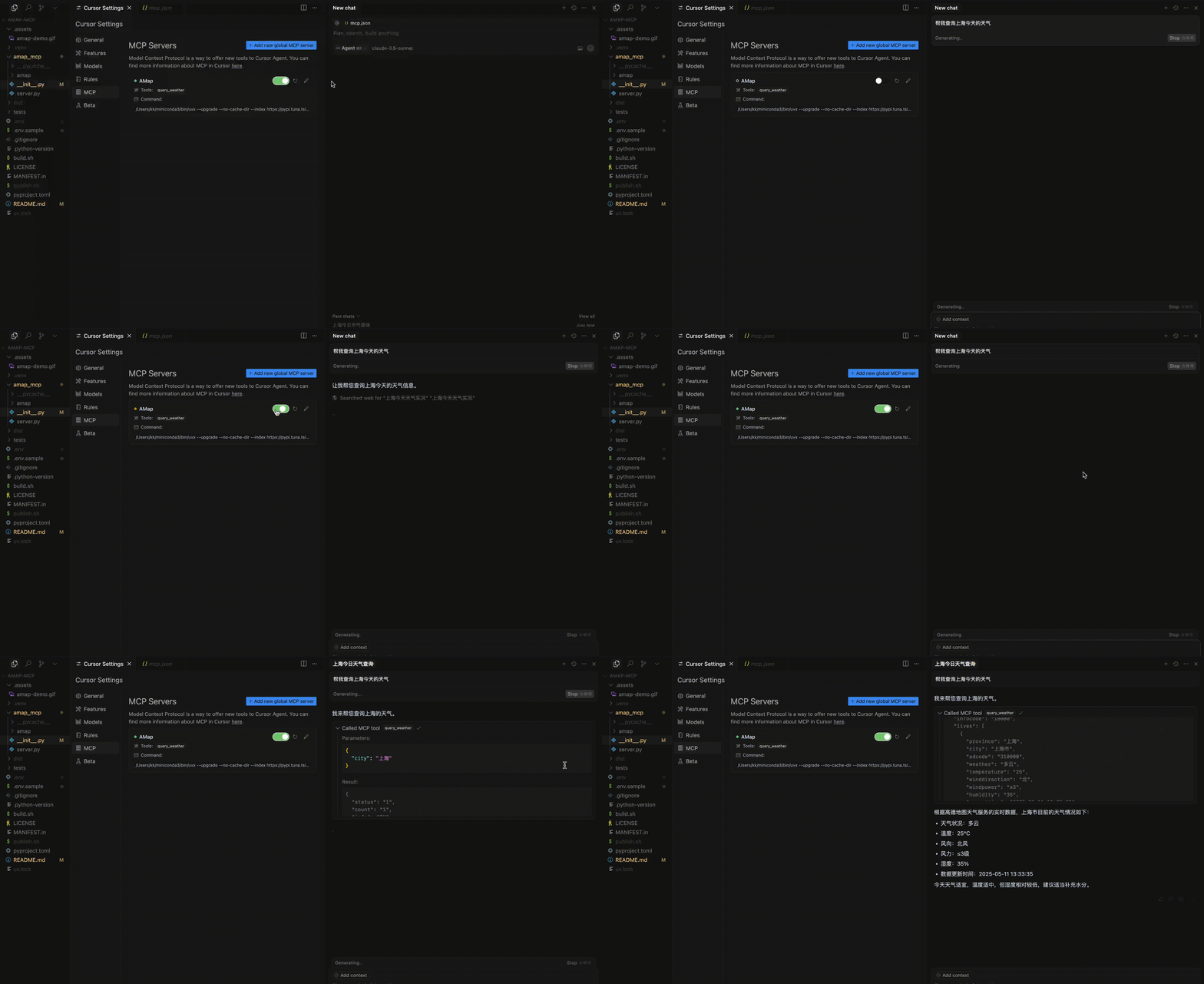
Dev Tools Supporting MCP
The following are the main code editors that support the Model Context Protocol. Click the link to visit the official website for more information.







