
Any Chat Completions Mcp
What is Any Chat Completions Mcp
any-chat-completions-mcp is a TypeScript-based MCP Server that integrates Claude with any OpenAI SDK compatible Chat Completion API, such as OpenAI, Perplexity, Groq, xAI, and PyroPrompts. It implements the Model Context Protocol Server.
Use cases
Use cases include integrating AI chat functionalities into desktop applications, enhancing user interactions in customer service platforms, and developing interactive chatbots for websites and applications.
How to use
To use any-chat-completions-mcp, install the necessary dependencies using ‘npm install’, build the server with ‘npm run build’, and configure it in the Claude Desktop application by adding the server configuration to the appropriate JSON file based on your operating system.
Key features
Key features include the ability to relay questions to various AI Chat Providers, support for multiple configurations, and compatibility with various OpenAI SDKs. It also supports auto-rebuild during development.
Where to use
any-chat-completions-mcp can be used in various fields that require AI chat capabilities, including customer support, virtual assistants, and interactive applications that leverage AI for conversational interfaces.
Clients Supporting MCP
The following are the main client software that supports the Model Context Protocol. Click the link to visit the official website for more information.





Overview
What is Any Chat Completions Mcp
any-chat-completions-mcp is a TypeScript-based MCP Server that integrates Claude with any OpenAI SDK compatible Chat Completion API, such as OpenAI, Perplexity, Groq, xAI, and PyroPrompts. It implements the Model Context Protocol Server.
Use cases
Use cases include integrating AI chat functionalities into desktop applications, enhancing user interactions in customer service platforms, and developing interactive chatbots for websites and applications.
How to use
To use any-chat-completions-mcp, install the necessary dependencies using ‘npm install’, build the server with ‘npm run build’, and configure it in the Claude Desktop application by adding the server configuration to the appropriate JSON file based on your operating system.
Key features
Key features include the ability to relay questions to various AI Chat Providers, support for multiple configurations, and compatibility with various OpenAI SDKs. It also supports auto-rebuild during development.
Where to use
any-chat-completions-mcp can be used in various fields that require AI chat capabilities, including customer support, virtual assistants, and interactive applications that leverage AI for conversational interfaces.
Clients Supporting MCP
The following are the main client software that supports the Model Context Protocol. Click the link to visit the official website for more information.
Content
any-chat-completions-mcp MCP Server
Integrate Claude with Any OpenAI SDK Compatible Chat Completion API - OpenAI, Perplexity, Groq, xAI, PyroPrompts and more.
This implements the Model Context Protocol Server. Learn more: https://modelcontextprotocol.io
This is a TypeScript-based MCP server that implements an implementation into any OpenAI SDK Compatible Chat Completions API.
It has one tool, chat which relays a question to a configured AI Chat Provider.
Development
Install dependencies:
npm install
Build the server:
npm run build
For development with auto-rebuild:
npm run watch
Installation
To add OpenAI to Claude Desktop, add the server config:
On MacOS: ~/Library/Application Support/Claude/claude_desktop_config.json
On Windows: %APPDATA%/Claude/claude_desktop_config.json
You can use it via npx in your Claude Desktop configuration like this:
{
  "mcpServers": {
    "chat-openai": {
      "command": "npx",
      "args": [
        "@pyroprompts/any-chat-completions-mcp"
      ],
      "env": {
        "AI_CHAT_KEY": "OPENAI_KEY",
        "AI_CHAT_NAME": "OpenAI",
        "AI_CHAT_MODEL": "gpt-4o",
        "AI_CHAT_BASE_URL": "https://api.openai.com/v1"
      }
    }
  }
}
Or, if you clone the repo, you can build and use in your Claude Desktop configuration like this:
{
  "mcpServers": {
    "chat-openai": {
      "command": "node",
      "args": [
        "/path/to/any-chat-completions-mcp/build/index.js"
      ],
      "env": {
        "AI_CHAT_KEY": "OPENAI_KEY",
        "AI_CHAT_NAME": "OpenAI",
        "AI_CHAT_MODEL": "gpt-4o",
        "AI_CHAT_BASE_URL": "https://api.openai.com/v1"
      }
    }
  }
}
You can add multiple providers by referencing the same MCP server multiple times, but with different env arguments:
{
  "mcpServers": {
    "chat-pyroprompts": {
      "command": "node",
      "args": [
        "/path/to/any-chat-completions-mcp/build/index.js"
      ],
      "env": {
        "AI_CHAT_KEY": "PYROPROMPTS_KEY",
        "AI_CHAT_NAME": "PyroPrompts",
        "AI_CHAT_MODEL": "ash",
        "AI_CHAT_BASE_URL": "https://api.pyroprompts.com/openaiv1"
      }
    },
    "chat-perplexity": {
      "command": "node",
      "args": [
        "/path/to/any-chat-completions-mcp/build/index.js"
      ],
      "env": {
        "AI_CHAT_KEY": "PERPLEXITY_KEY",
        "AI_CHAT_NAME": "Perplexity",
        "AI_CHAT_MODEL": "sonar",
        "AI_CHAT_BASE_URL": "https://api.perplexity.ai"
      }
    },
    "chat-openai": {
      "command": "node",
      "args": [
        "/path/to/any-chat-completions-mcp/build/index.js"
      ],
      "env": {
        "AI_CHAT_KEY": "OPENAI_KEY",
        "AI_CHAT_NAME": "OpenAI",
        "AI_CHAT_MODEL": "gpt-4o",
        "AI_CHAT_BASE_URL": "https://api.openai.com/v1"
      }
    }
  }
}
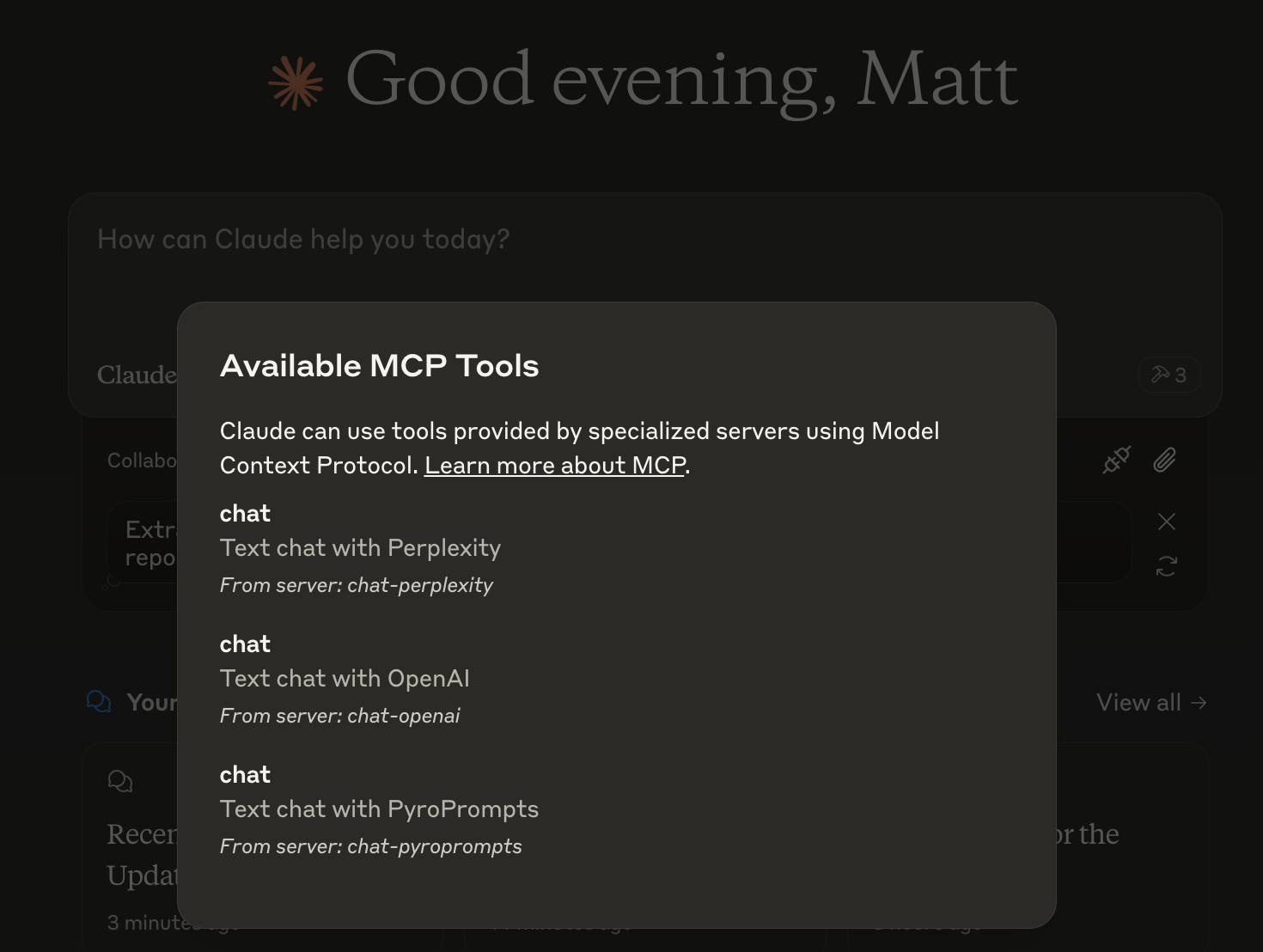
With these three, you’ll see a tool for each in the Claude Desktop Home:
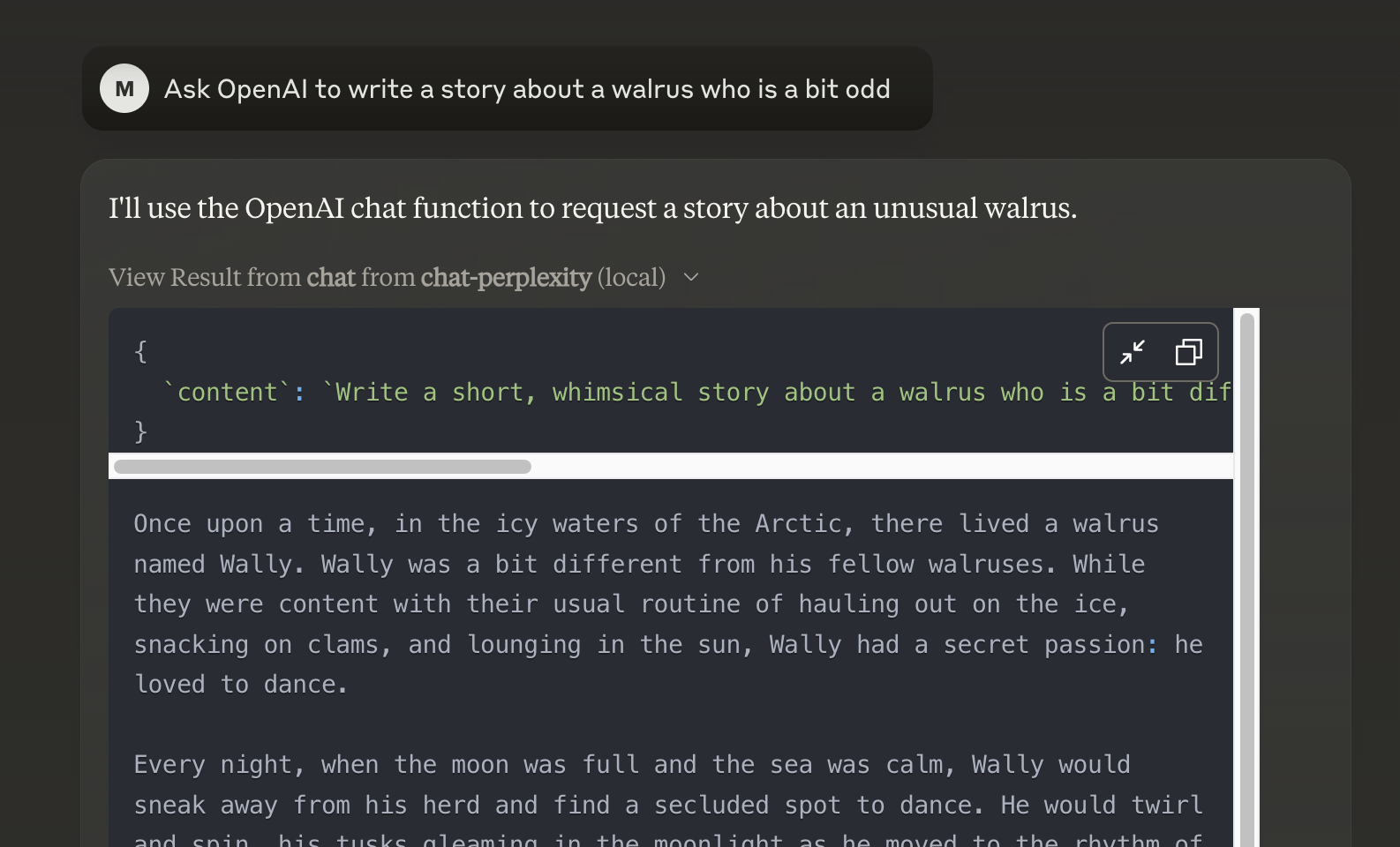
And then you can chat with other LLMs and it shows in chat like this:
Or, configure in LibreChat like:
  chat-perplexity:
    type: stdio
    command: npx
    args:
      - -y
      - @pyroprompts/any-chat-completions-mcp
    env:
      AI_CHAT_KEY: "pplx-012345679"
      AI_CHAT_NAME: Perplexity
      AI_CHAT_MODEL: sonar
      AI_CHAT_BASE_URL: "https://api.perplexity.ai"
      PATH: '/usr/local/bin:/usr/bin:/bin'
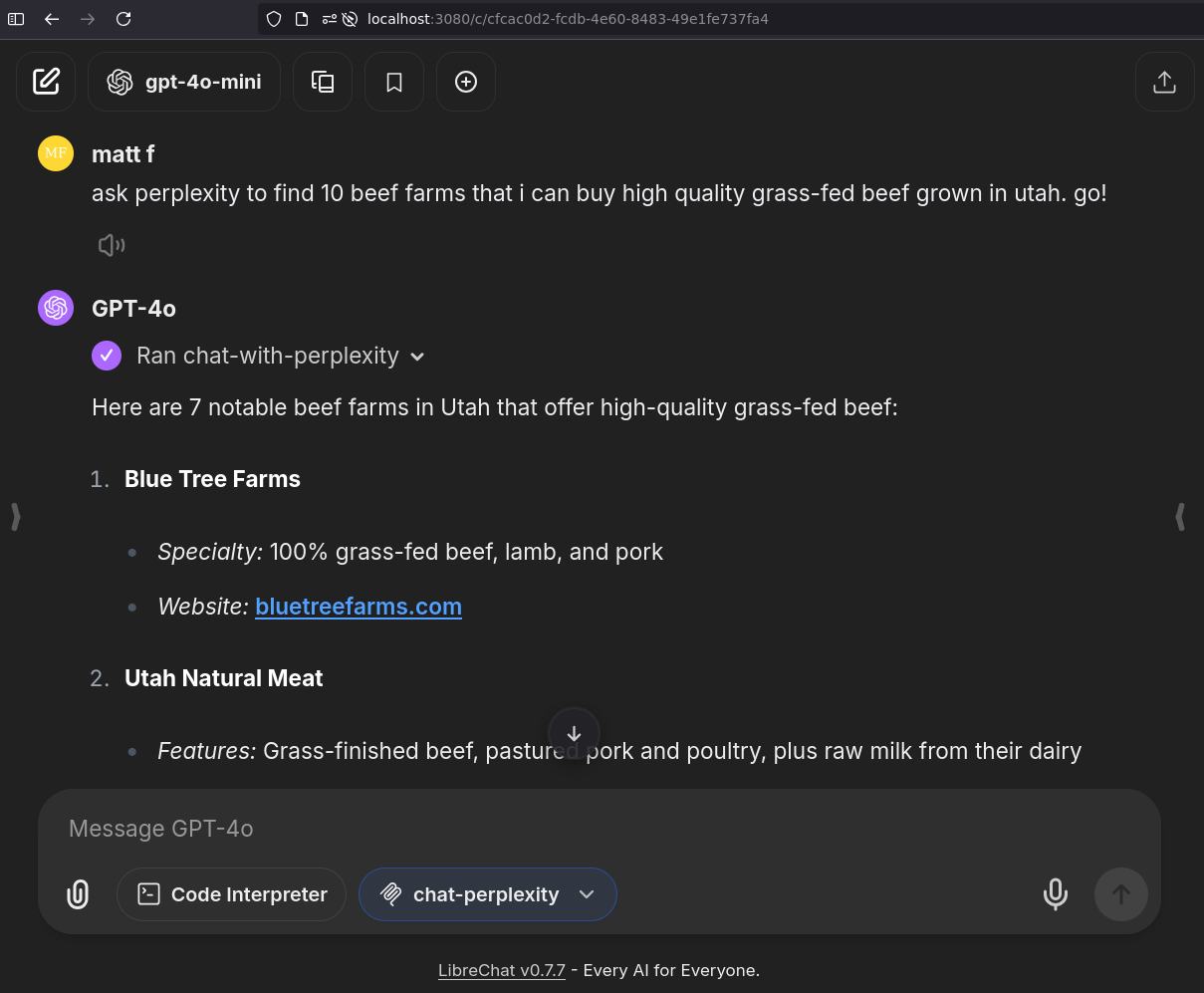
And it shows in LibreChat:
Installing via Smithery
To install Any OpenAI Compatible API Integrations for Claude Desktop automatically via Smithery:
npx -y @smithery/cli install any-chat-completions-mcp-server --client claude
Debugging
Since MCP servers communicate over stdio, debugging can be challenging. We recommend using the MCP Inspector, which is available as a package script:
npm run inspector
The Inspector will provide a URL to access debugging tools in your browser.
Acknowledgements
- Obviously the modelcontextprotocol and Anthropic team for the MCP Specification and integration into Claude Desktop. https://modelcontextprotocol.io/introduction
- PyroPrompts for sponsoring this project. Use code
CLAUDEANYCHATfor 20 free automation credits on Pyroprompts.
Dev Tools Supporting MCP
The following are the main code editors that support the Model Context Protocol. Click the link to visit the official website for more information.







