
Apifox Mcp Demo
What is Apifox Mcp Demo
apifox-mcp-demo is a demonstration project for the Apifox MCP service, showcasing how to set up and use the service effectively.
Use cases
Use cases include developing and testing APIs, integrating AI functionalities into applications, and demonstrating API collaboration through Apifox links.
How to use
To use apifox-mcp-demo, clone the repository, set up environment variables, create an Access Token in the Apifox client, and start the service using Node.js. Additionally, create a NestJS project and configure it to connect with the MCP service.
Key features
Key features include easy setup with Node.js, integration with Apifox for API management, and the ability to implement APIs using NestJS and TypeScript.
Where to use
apifox-mcp-demo can be used in software development environments, particularly for API development and management, as well as in projects that utilize NestJS.
Clients Supporting MCP
The following are the main client software that supports the Model Context Protocol. Click the link to visit the official website for more information.





Overview
What is Apifox Mcp Demo
apifox-mcp-demo is a demonstration project for the Apifox MCP service, showcasing how to set up and use the service effectively.
Use cases
Use cases include developing and testing APIs, integrating AI functionalities into applications, and demonstrating API collaboration through Apifox links.
How to use
To use apifox-mcp-demo, clone the repository, set up environment variables, create an Access Token in the Apifox client, and start the service using Node.js. Additionally, create a NestJS project and configure it to connect with the MCP service.
Key features
Key features include easy setup with Node.js, integration with Apifox for API management, and the ability to implement APIs using NestJS and TypeScript.
Where to use
apifox-mcp-demo can be used in software development environments, particularly for API development and management, as well as in projects that utilize NestJS.
Clients Supporting MCP
The following are the main client software that supports the Model Context Protocol. Click the link to visit the official website for more information.
Content
环境要求
- NodeJS >= 18
1. 准备 Apifox MCP 服务
1.1 克隆 Apifox MCP 项目
git clone https://github.com/Tzott/apifox-mcp-demo.git
1.2 创建环境变量
cd apifox-mcp-demo
cp .env.example .env
1.3 在 Apifox 客户端中创建一个Access Token ,并写入到 .env 文件中
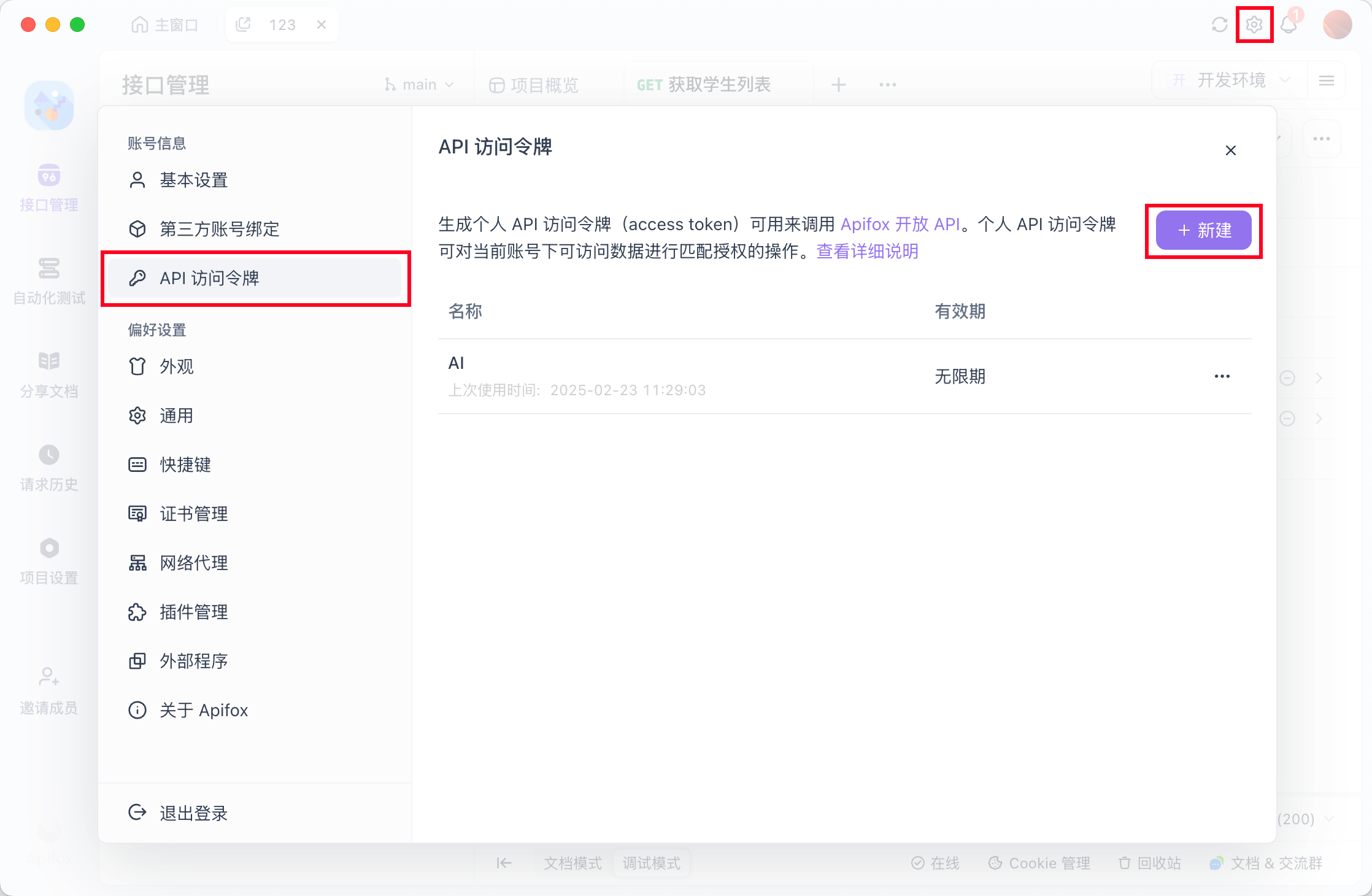
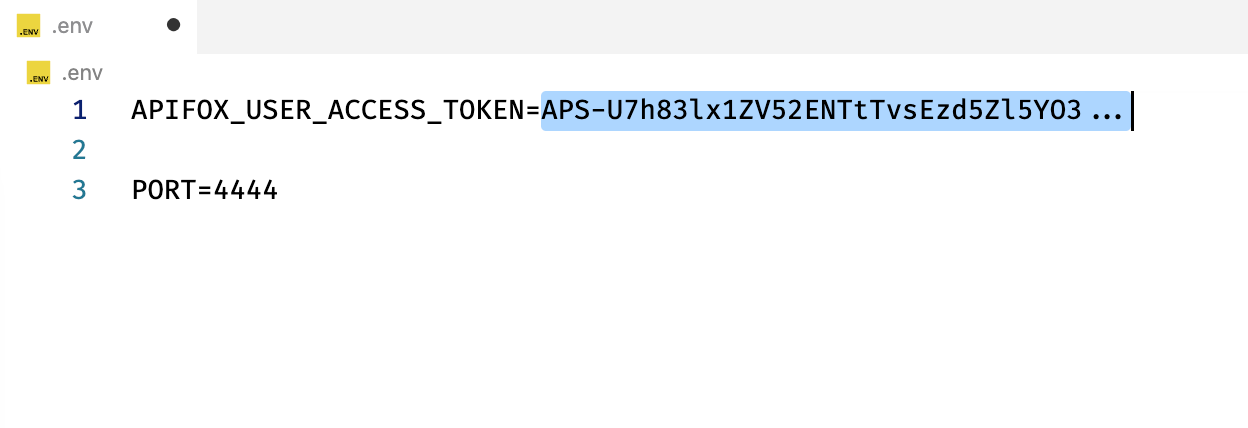
1.4 启动 Apifox MCP 服务
# 如果没有安装 pnpm,可先运行:npm i -g pnpm

pnpm i && pnpm build && pnpm start
1.5 看到启动成功日志
> [email protected] start /Users/code/apifox-mcp-demo
> node lib/index.js

SSE endpoint: http://localhost:4444/sse
Message endpoint: http://localhost:4444/messages
HTTP server listening on port 4444
2. 准备 Cursor
2.1 创建一个空白的 Nestjs 项目
npm i -g @nestjs/cli
nest new nest-ai-demo
cd nest-ai-demo
2.2 添加一个 Cursor MCP 配置
从 apifox-mcp-demo 项目中复制 sse 的地址,填到 Server URL 中。
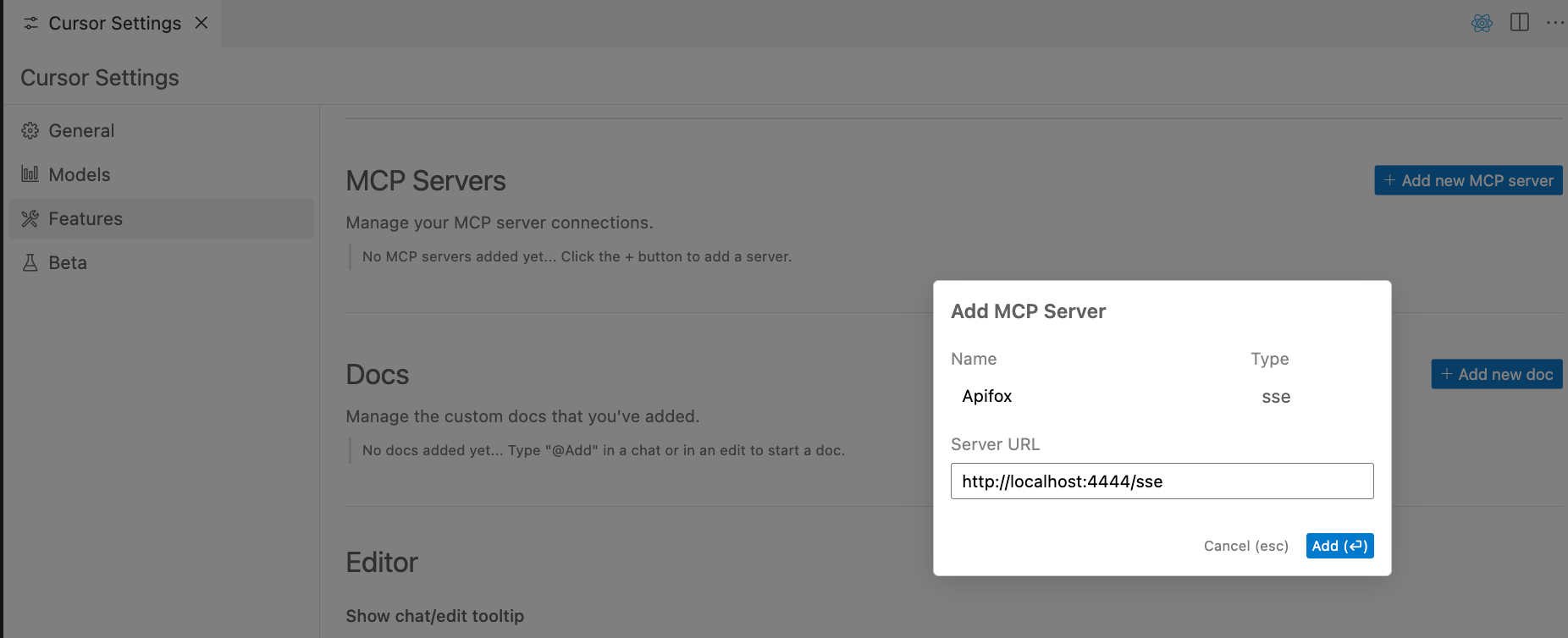
可以看到MCP 服务连接成功
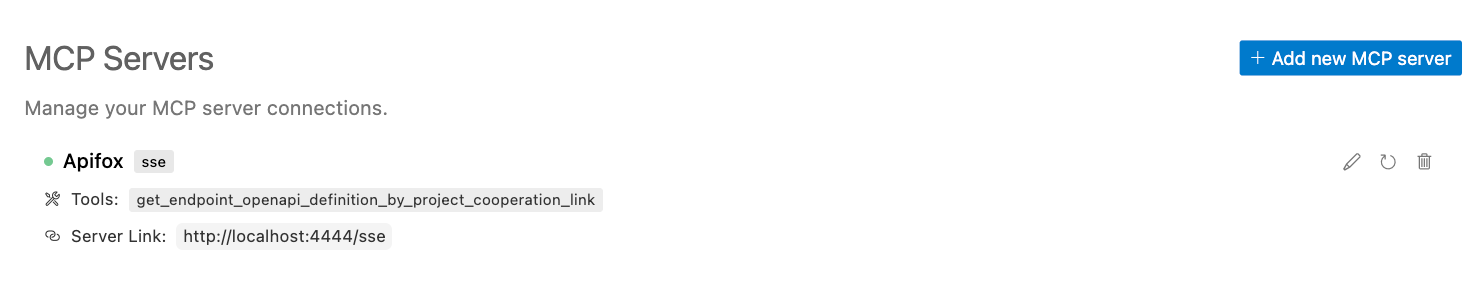
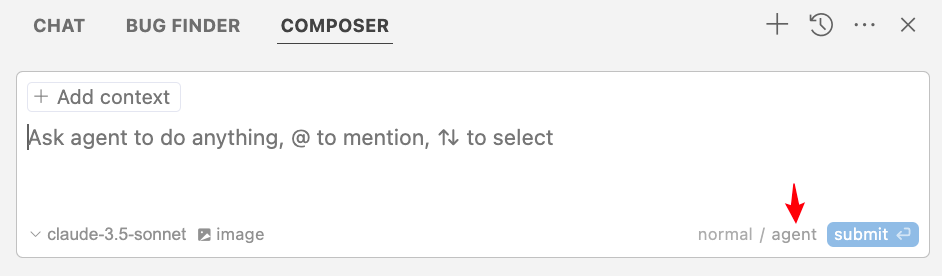
2.3 打开 Cursor Composer,并切换到 Agent 模式
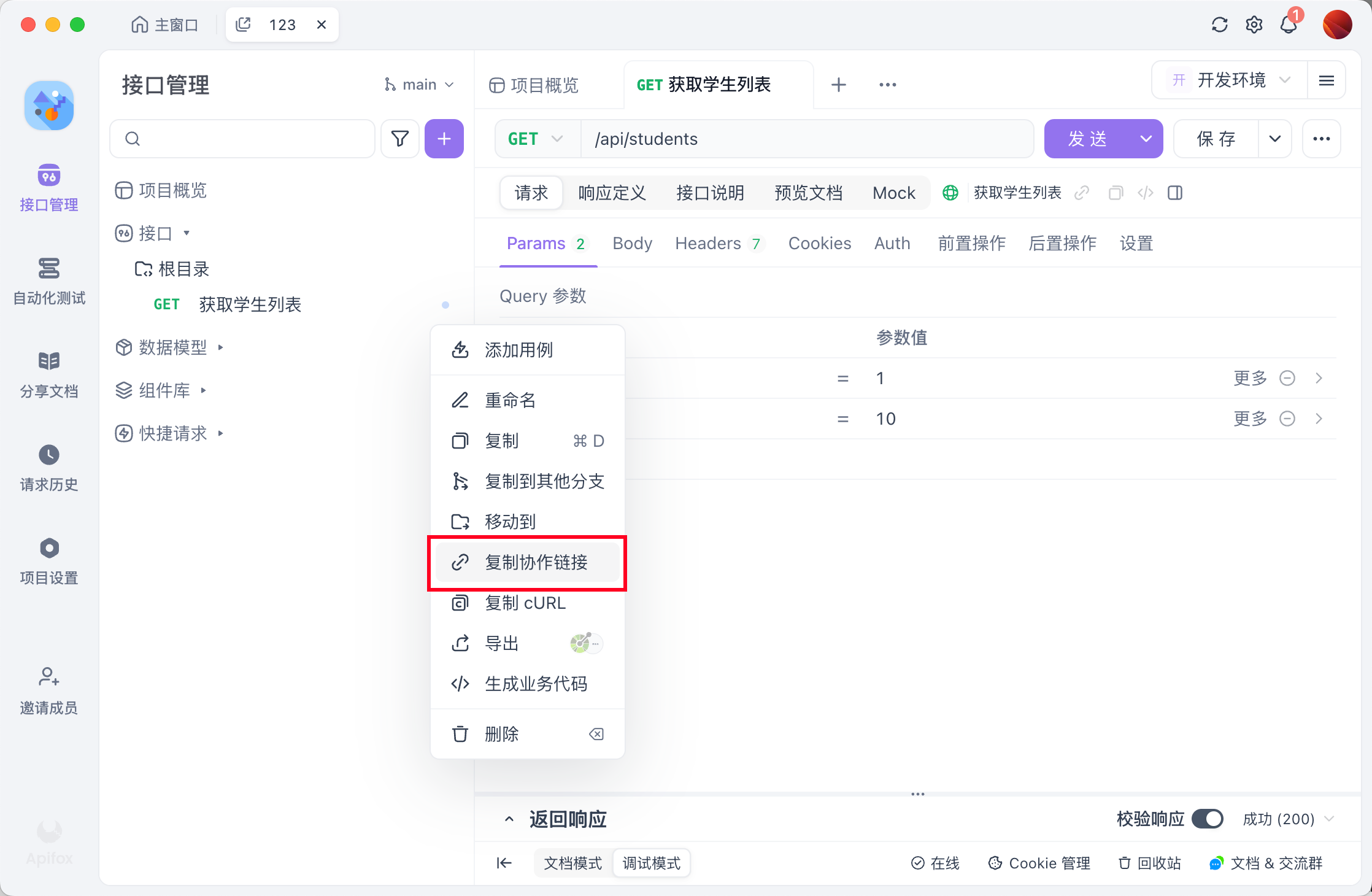
2.4 复制一个 Apifox 接口的协作链接
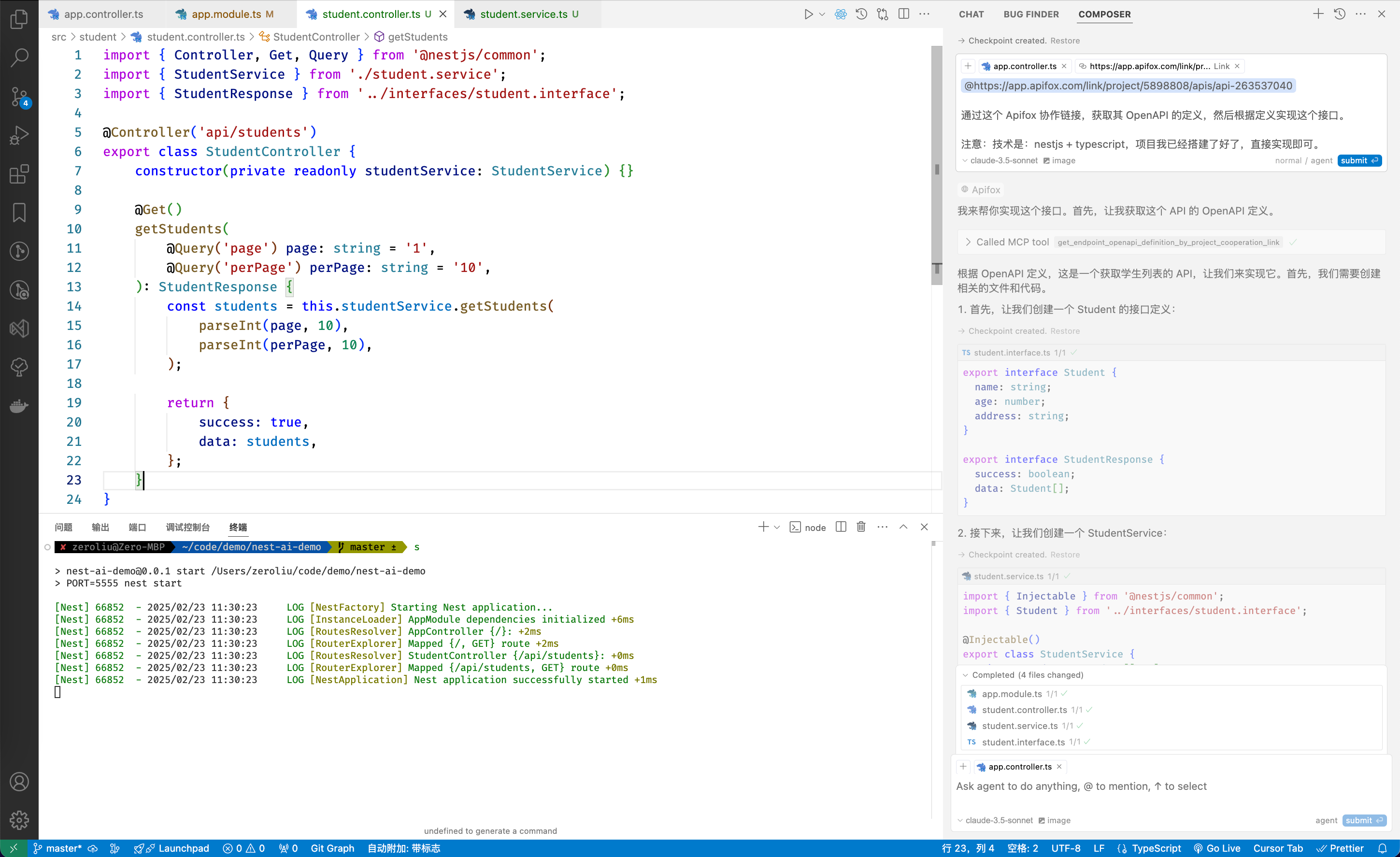
2.5 粘贴到 Composer 中,并让其实现接口
https://app.apifox.com/link/project/5898808/apis/api-263537040

通过这个 Apifox 协作链接,获取其 OpenAPI 的定义,然后根据定义实现这个接口。

注意:技术是:nestjs + typescript,项目我已经搭建了好了,直接实现即可。
2.6 Cursor Composer 实现完毕,并 Accepted 结果
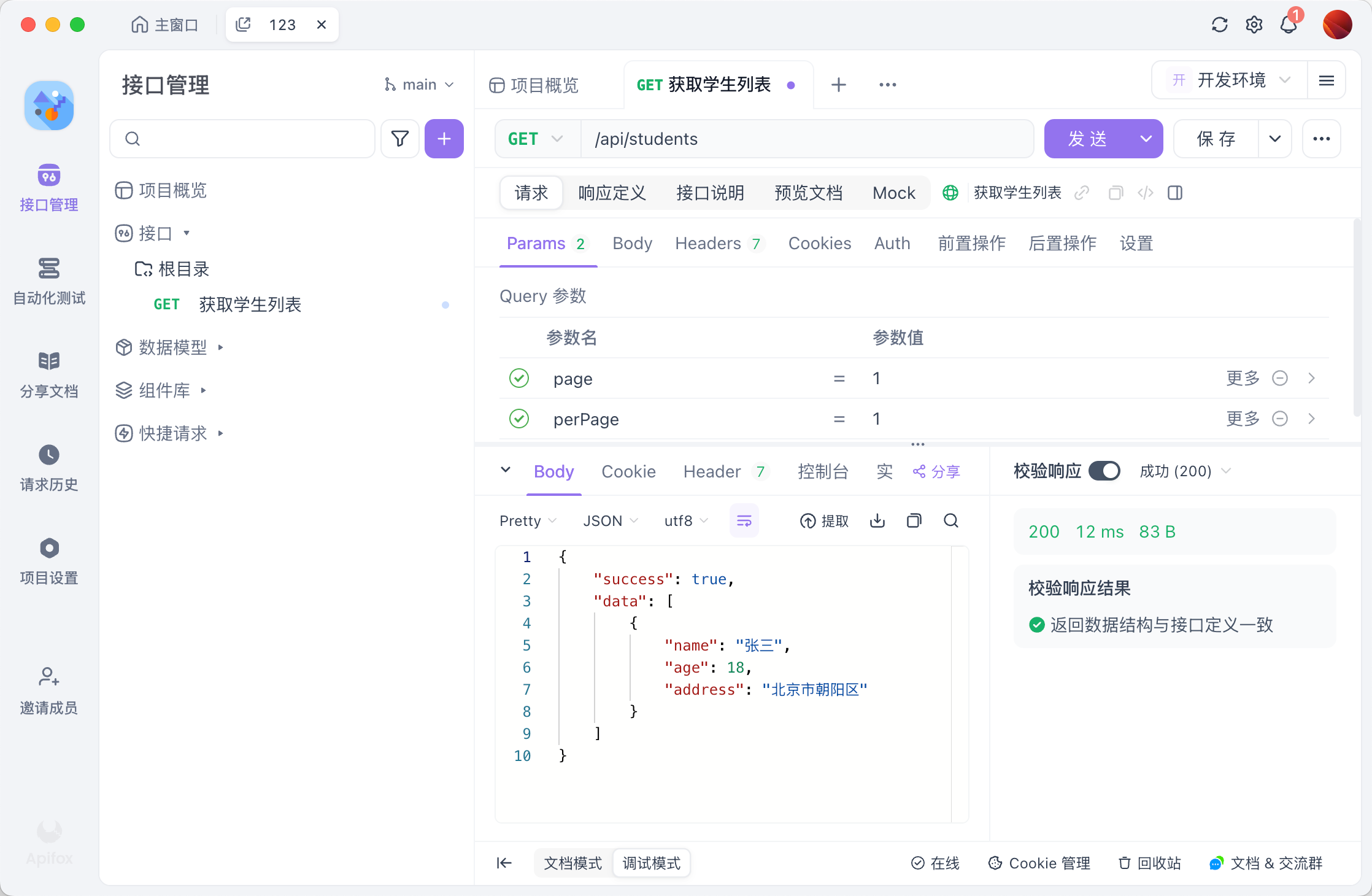
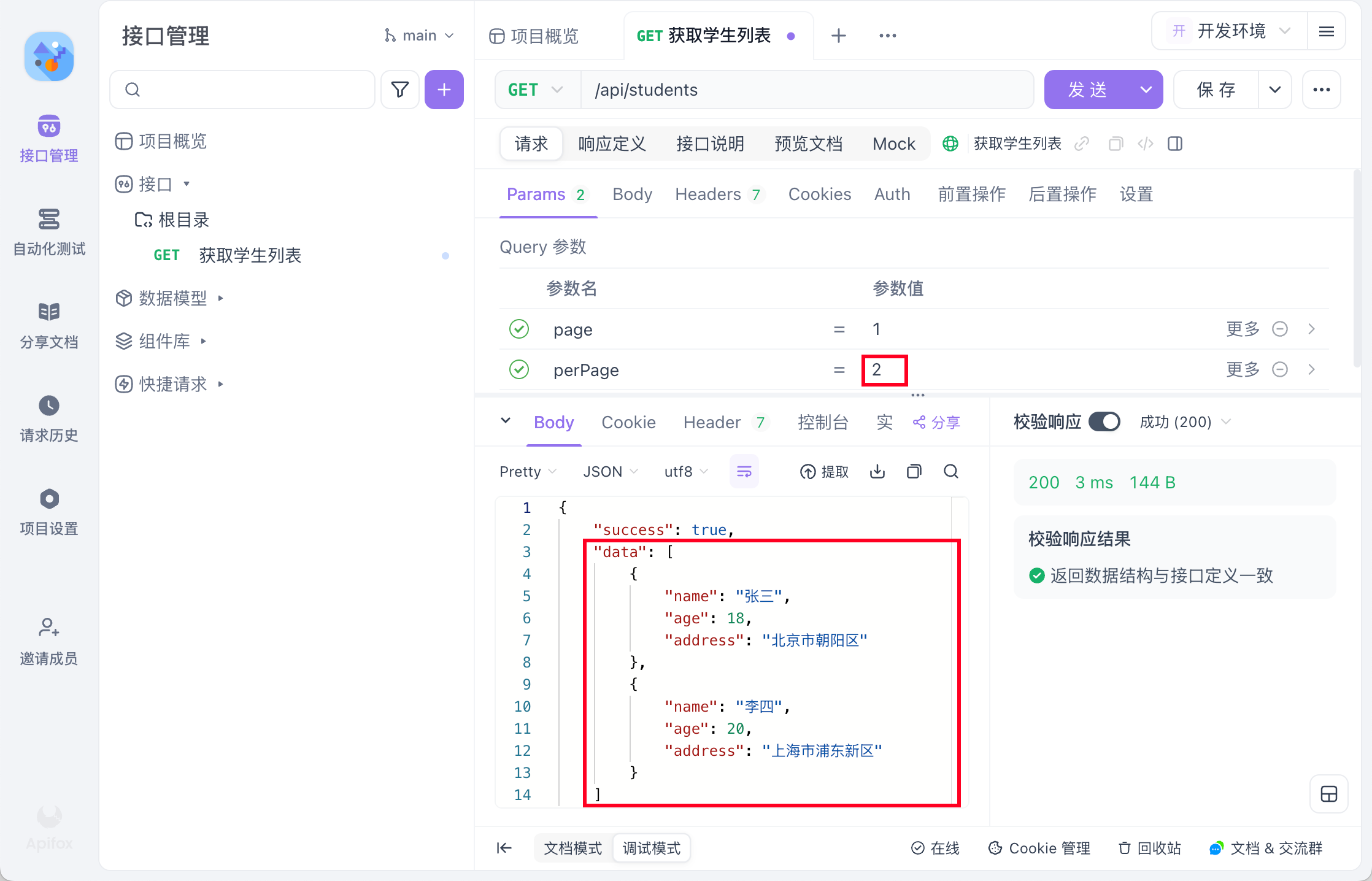
2.7 启动 Nestjs服务,通过 Apifox 调用AI 写的接口,断言通过
3. 其他
分页也简单实现了
Dev Tools Supporting MCP
The following are the main code editors that support the Model Context Protocol. Click the link to visit the official website for more information.







