
Apifox Mcp Server
What is Apifox Mcp Server
apifox-mcp-server is a server designed to facilitate the integration of APIs with various clients, allowing developers to implement and test API functionalities efficiently using tools like Cursor and Cline.
Use cases
Use cases for apifox-mcp-server include developing RESTful APIs, integrating AI functionalities into applications, and facilitating collaborative API development among teams using tools like Cursor and Cline.
How to use
To use apifox-mcp-server, first create an Access Token in the Apifox client. Then, configure the server in different MCP Clients such as Cursor or Cline. Follow the provided steps to set up a NestJS project and utilize the Cursor Composer for API implementation.
Key features
Key features of apifox-mcp-server include compatibility with NodeJS version 18 or higher, support for multiple MCP Clients, and the ability to easily implement and test APIs using collaborative links from Apifox.
Where to use
apifox-mcp-server is suitable for use in software development environments, particularly for teams working on API development and integration projects, as well as in educational settings for teaching API concepts.
Clients Supporting MCP
The following are the main client software that supports the Model Context Protocol. Click the link to visit the official website for more information.





Overview
What is Apifox Mcp Server
apifox-mcp-server is a server designed to facilitate the integration of APIs with various clients, allowing developers to implement and test API functionalities efficiently using tools like Cursor and Cline.
Use cases
Use cases for apifox-mcp-server include developing RESTful APIs, integrating AI functionalities into applications, and facilitating collaborative API development among teams using tools like Cursor and Cline.
How to use
To use apifox-mcp-server, first create an Access Token in the Apifox client. Then, configure the server in different MCP Clients such as Cursor or Cline. Follow the provided steps to set up a NestJS project and utilize the Cursor Composer for API implementation.
Key features
Key features of apifox-mcp-server include compatibility with NodeJS version 18 or higher, support for multiple MCP Clients, and the ability to easily implement and test APIs using collaborative links from Apifox.
Where to use
apifox-mcp-server is suitable for use in software development environments, particularly for teams working on API development and integration projects, as well as in educational settings for teaching API concepts.
Clients Supporting MCP
The following are the main client software that supports the Model Context Protocol. Click the link to visit the official website for more information.
Content
使用 Apifox Mcp Server
环境要求
- NodeJS >= 18
1. 前置准备
在 Apifox 客户端中创建一个Access Token
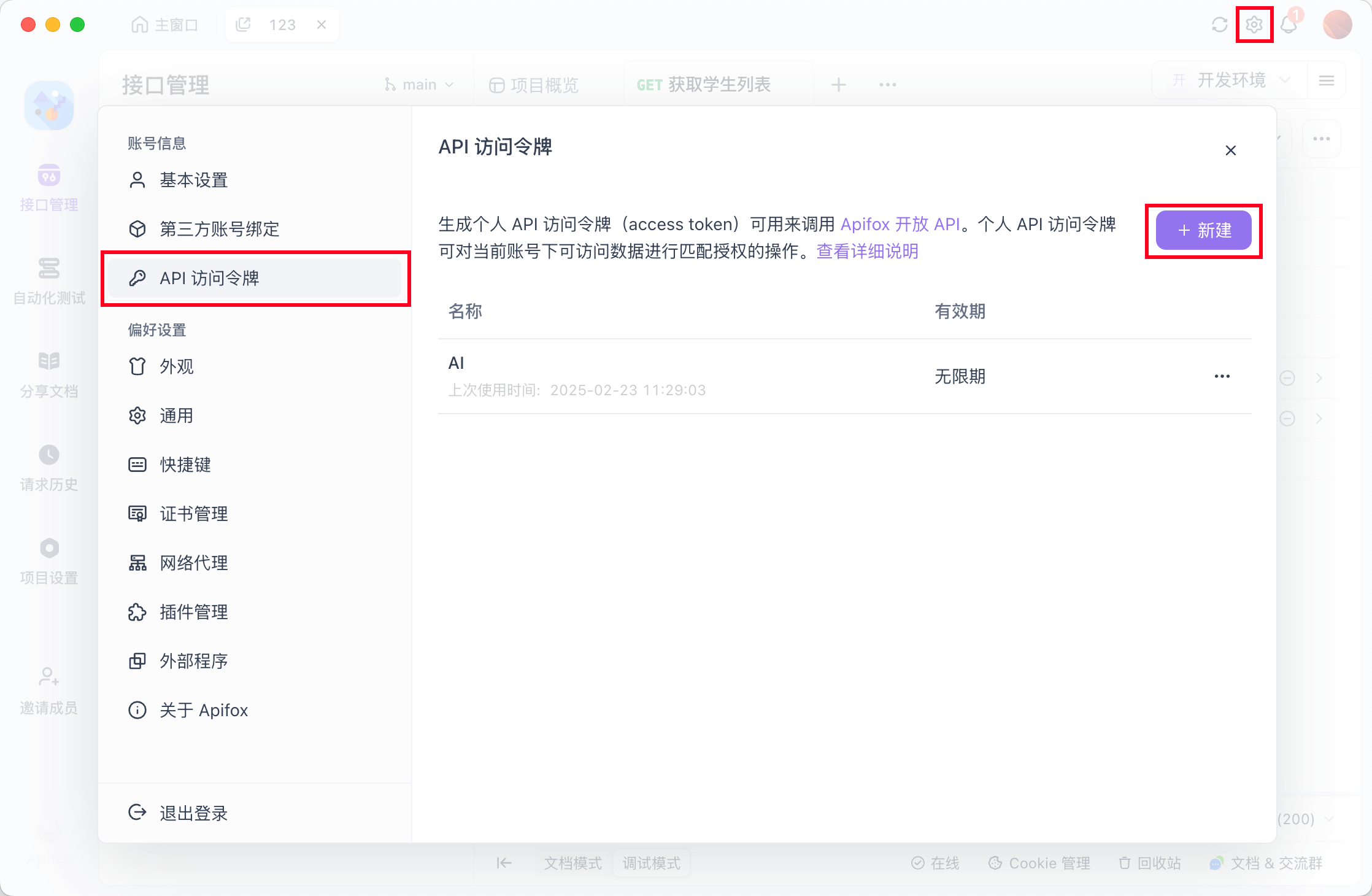
2. 在 不同的 MCP Client 中配置 Apifox Mcp Server
2.1 Cursor
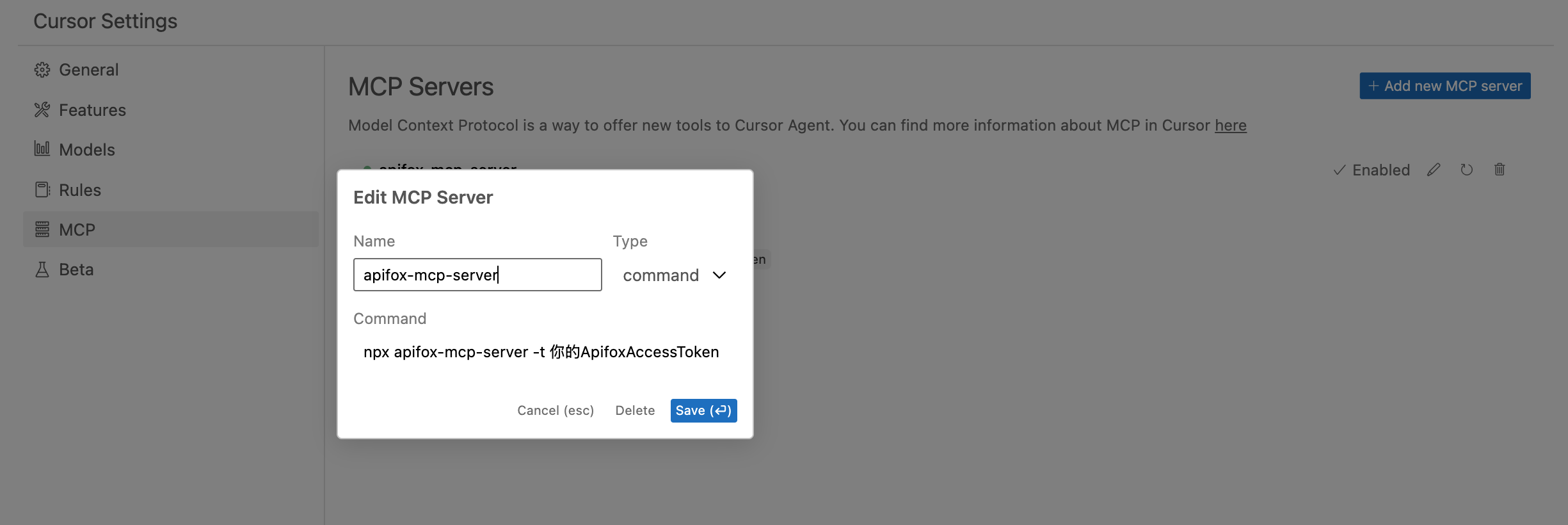
2.2 Cline
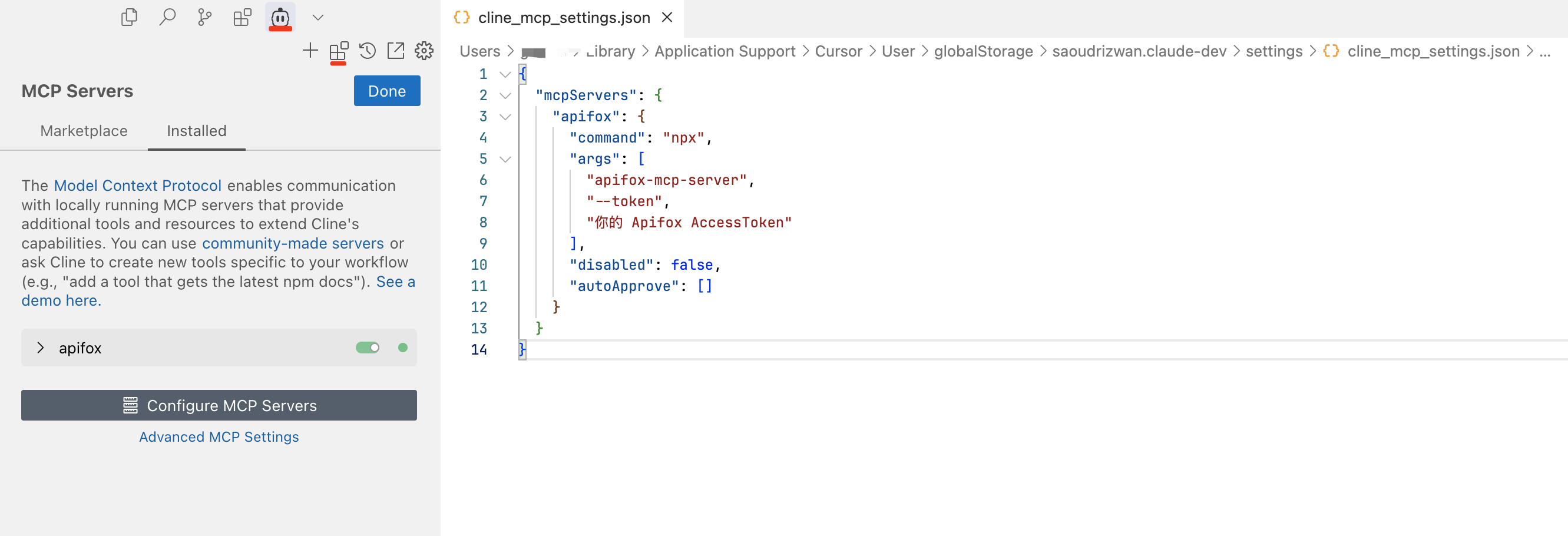
3. 使用 Apifox Mcp Server 以 Cursor 为例
3.1 创建一个空白的 Nestjs 项目
npm i -g @nestjs/cli
nest new nest-ai-demo
cd nest-ai-demo
3.2 打开 Cursor Composer,并切换到 Agent 模式
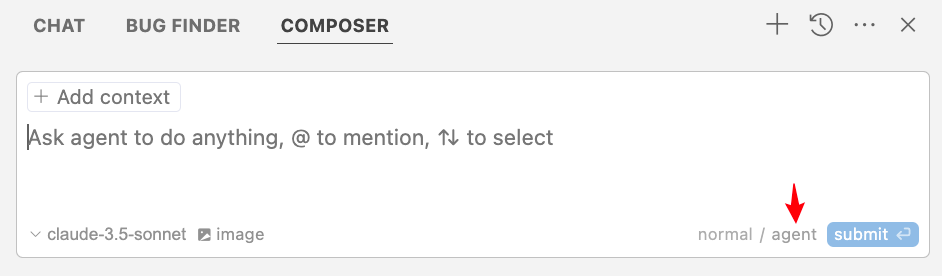
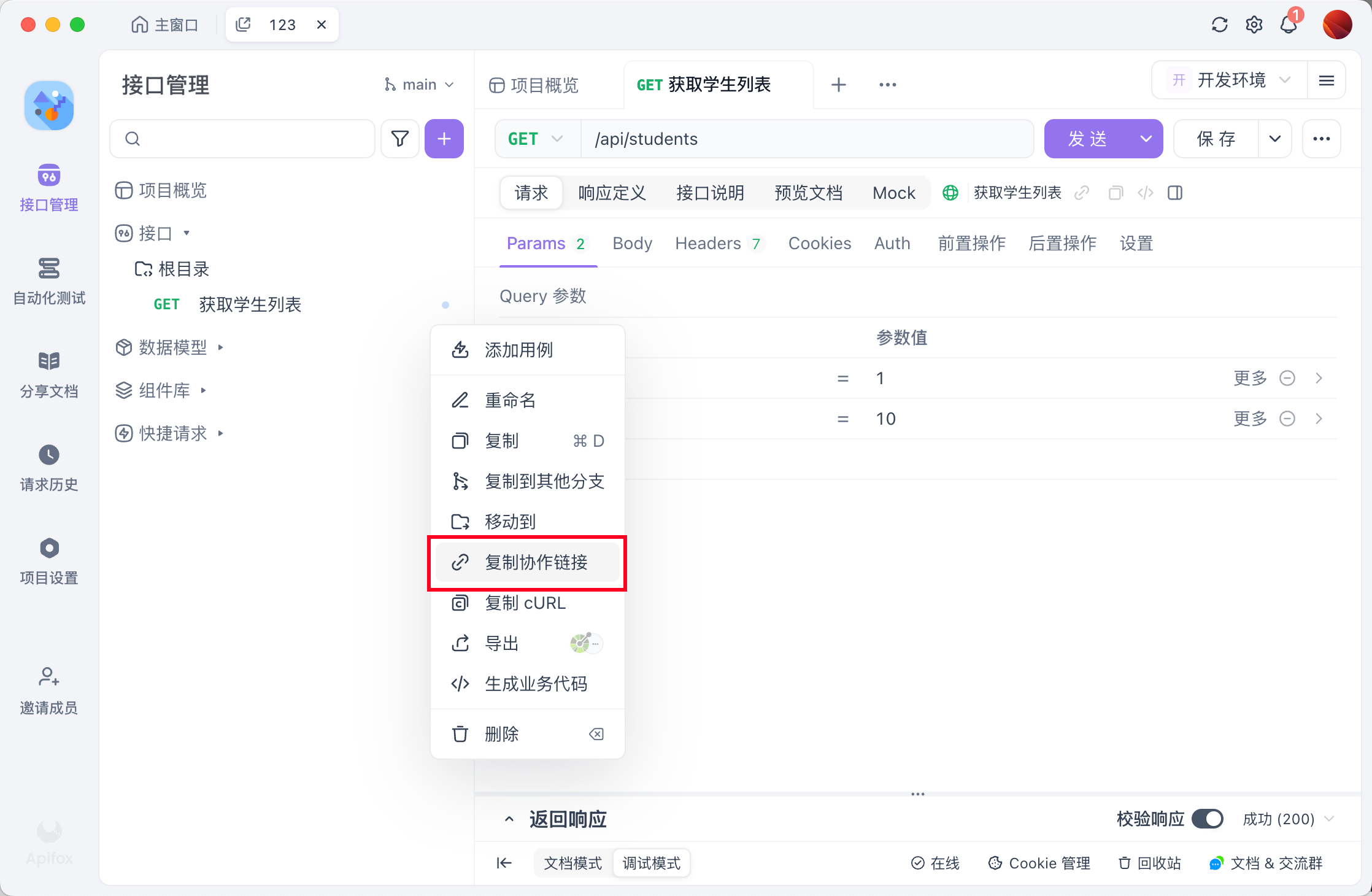
3.3 复制一个 Apifox 接口的协作链接
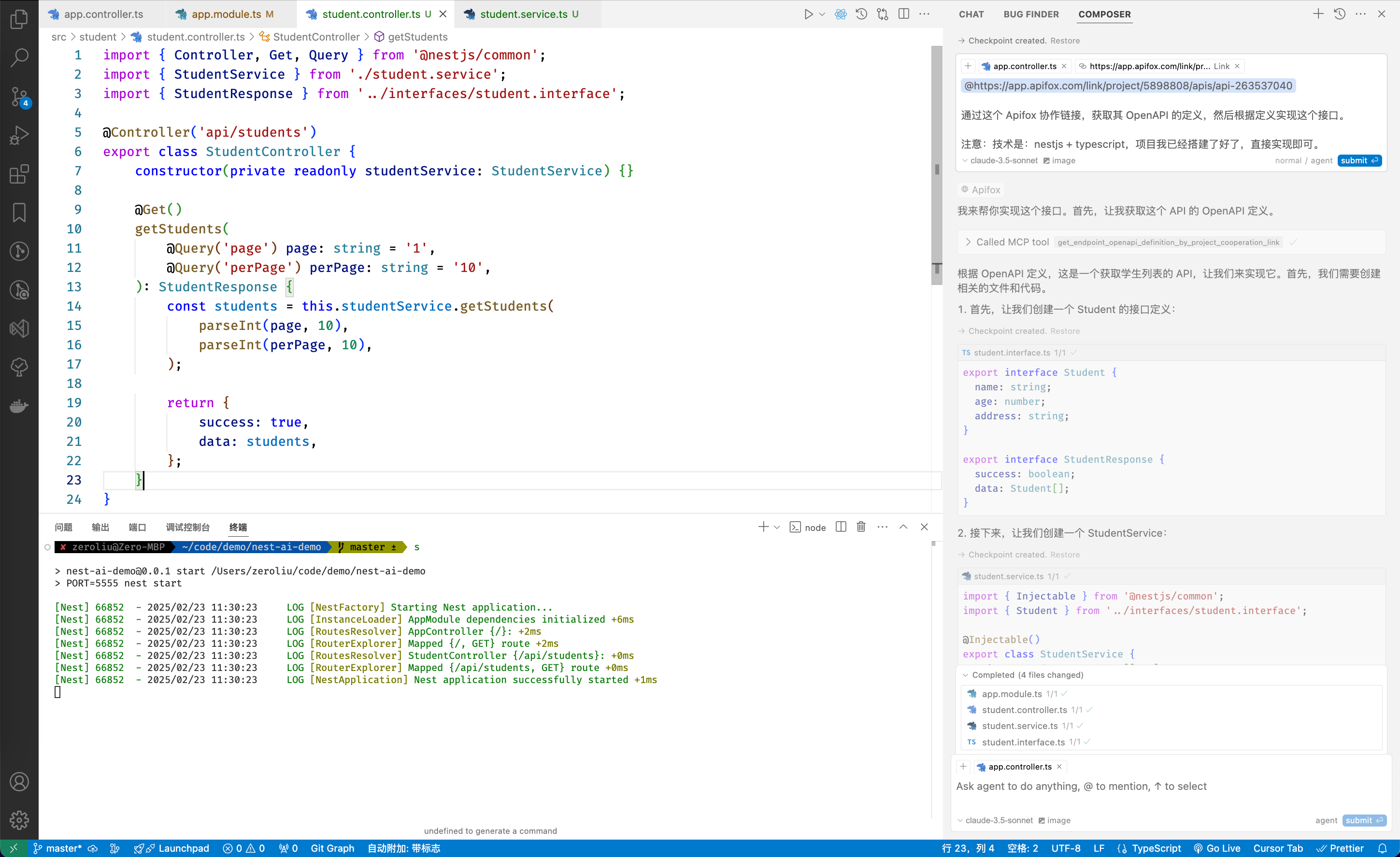
3.4 粘贴到 Composer 中,并让其实现接口
https://app.apifox.com/link/project/5898808/apis/api-263537040

通过这个 Apifox 协作链接,获取其 OpenAPI 的定义,然后根据定义实现这个接口。

注意:技术是:nestjs + typescript,项目我已经搭建了好了,直接实现即可。
3.5 Cursor Composer 实现完毕,并 Accepted 结果
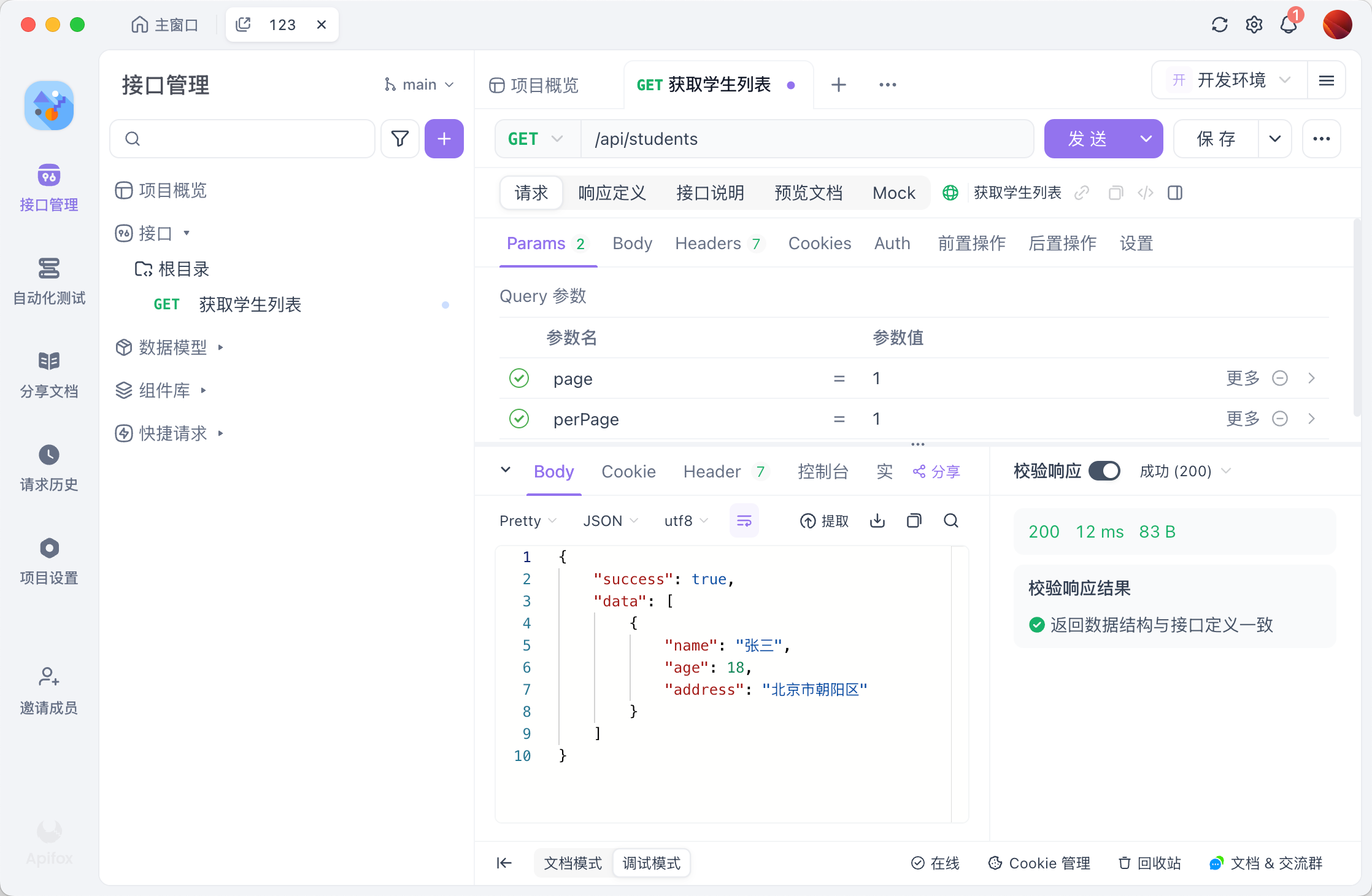
3.6 启动 Nestjs服务,通过 Apifox 调用AI 写的接口,断言通过
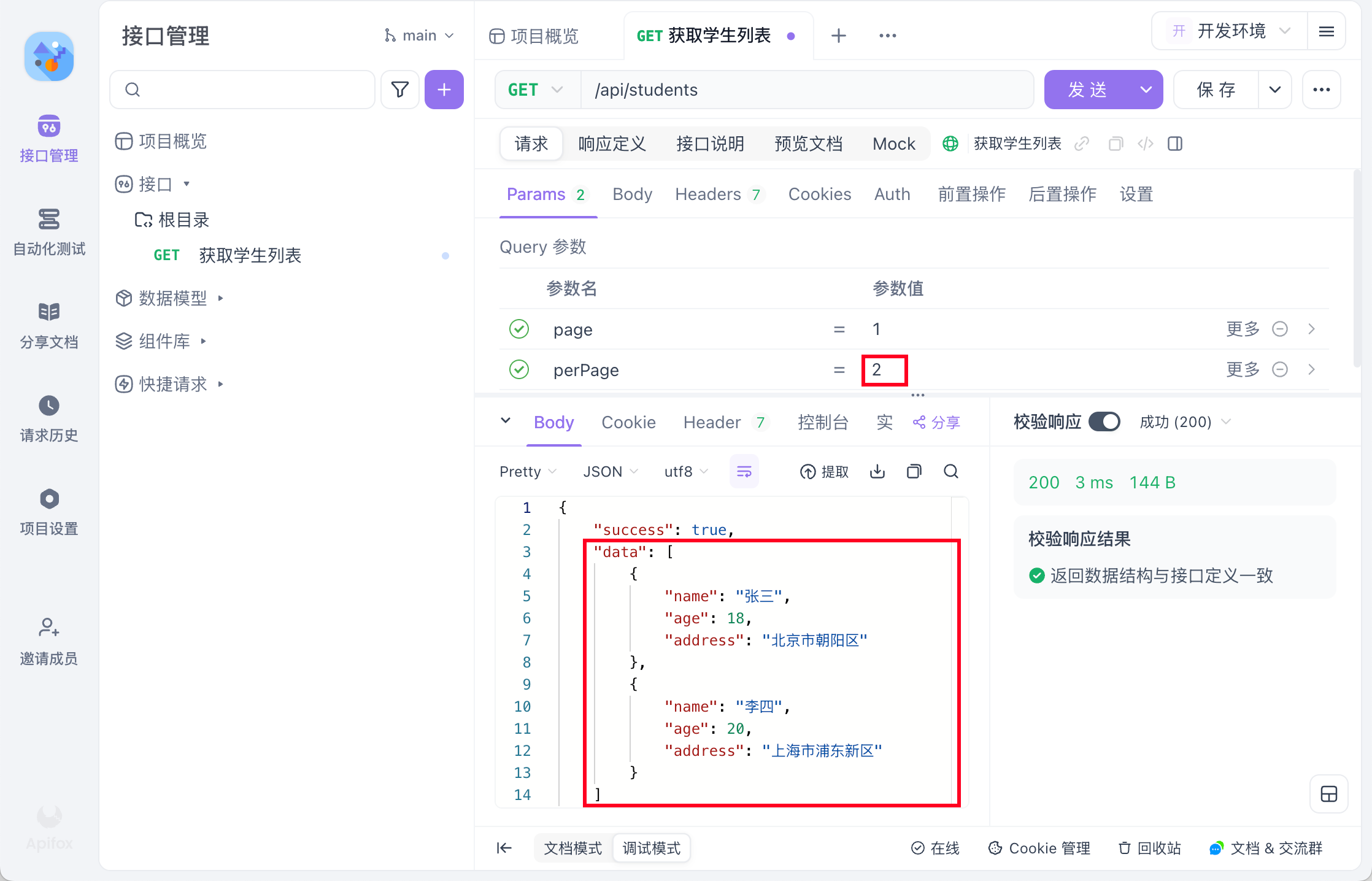
3.7 其他
分页也简单实现了
Dev Tools Supporting MCP
The following are the main code editors that support the Model Context Protocol. Click the link to visit the official website for more information.







