
Arm64 Mcpelauncher Server
What is Arm64 Mcpelauncher Server
arm64-mcpelauncher-server is an unstable, hacky Minecraft Bedrock Edition server designed for aarch64 devices, such as Raspberry Pi. It is specifically tailored for Minecraft version 1.21.60.28.
Use cases
Use cases include hosting Minecraft multiplayer games on Raspberry Pi, testing server configurations, and providing a platform for learning about server management and game development.
How to use
To use arm64-mcpelauncher-server, you need to build it from source. Create a build directory, use CMake with clang, and compile the server. After building, ensure you have the arm64-v8a version of the Minecraft APK and unpack it into the designated game directory.
Key features
Key features include compatibility with aarch64 devices, support for the latest Minecraft Bedrock Edition versions, and a community-driven development approach based on existing projects like mcpelauncher.
Where to use
arm64-mcpelauncher-server is primarily used in hobbyist and educational environments, particularly for those experimenting with Minecraft servers on low-cost hardware like Raspberry Pi.
Clients Supporting MCP
The following are the main client software that supports the Model Context Protocol. Click the link to visit the official website for more information.





Overview
What is Arm64 Mcpelauncher Server
arm64-mcpelauncher-server is an unstable, hacky Minecraft Bedrock Edition server designed for aarch64 devices, such as Raspberry Pi. It is specifically tailored for Minecraft version 1.21.60.28.
Use cases
Use cases include hosting Minecraft multiplayer games on Raspberry Pi, testing server configurations, and providing a platform for learning about server management and game development.
How to use
To use arm64-mcpelauncher-server, you need to build it from source. Create a build directory, use CMake with clang, and compile the server. After building, ensure you have the arm64-v8a version of the Minecraft APK and unpack it into the designated game directory.
Key features
Key features include compatibility with aarch64 devices, support for the latest Minecraft Bedrock Edition versions, and a community-driven development approach based on existing projects like mcpelauncher.
Where to use
arm64-mcpelauncher-server is primarily used in hobbyist and educational environments, particularly for those experimenting with Minecraft servers on low-cost hardware like Raspberry Pi.
Clients Supporting MCP
The following are the main client software that supports the Model Context Protocol. Click the link to visit the official website for more information.
Content
arm64-mcpelauncher-server
An unstable hacky Minecraft Bedrock Edition server that runs on arm64 devices (e.g. Raspberry Pi)
NOTE: This branch is for Minecraft v1.21.60.28 (latest version as of March 12th, 2025),
for Minecraft v1.21.2.02, click here.
for Minecraft v1.20.81, click here.
Some configurations might not actually work.
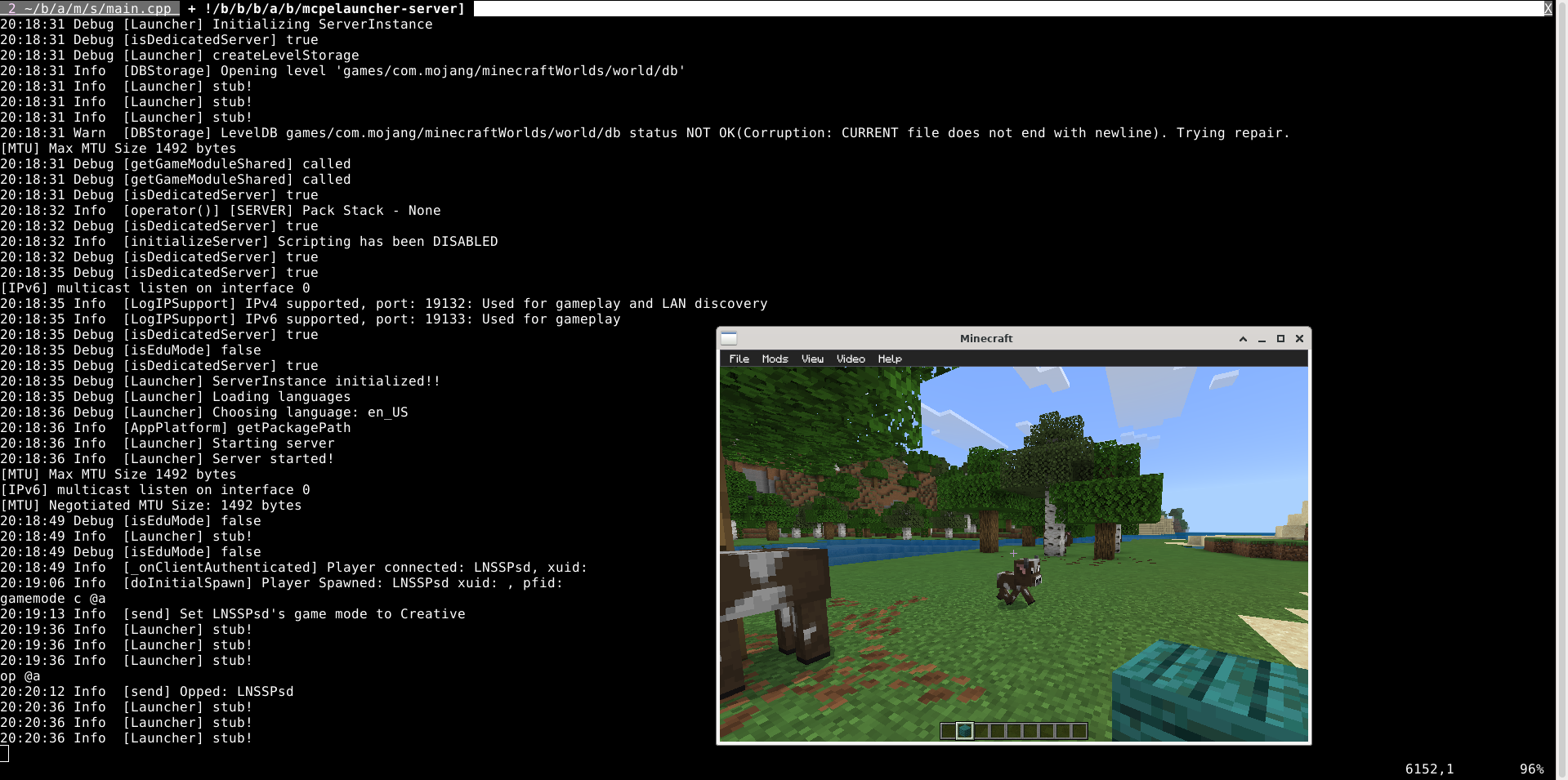
The image above shows a Minecraft server running on Raspberry Pi 4 device.
(Only terminal window for raspi, the Minecraft window is on x86_64 machine)
This project is based on mcpelauncher project.
Some ideas of the class structures came from LeviLamina.
Build instruction:
mkdir -p build
cd build
CC=clang CXX=clang++ cmake ..
make -j12
cp server.properties build/mcpelauncher-server/
mkdir build/mcpelauncher-server/data # or preferred data path
# the server should be at build/mcpelauncher-server
# download arm64-v8a version of .apk file on mcpelauncher ui settings-versions-download apk
# and unpack game to build/mcpelauncher-server/game (or customized path) before use, the directory should contain 'lib/' and 'assets/'
Dev Tools Supporting MCP
The following are the main code editors that support the Model Context Protocol. Click the link to visit the official website for more information.







