
Baseline Mcp Server
What is Baseline Mcp Server
The baseline-mcp-server is a Model Context Protocol server that provides the baseline status of specific web platform features using the Web Platform Dashboard API.
Use cases
Use cases include querying the baseline status of web features for development purposes, integrating with AI models for enhanced functionality, and providing real-time support status checks in web applications.
How to use
To use the baseline-mcp-server, set up the server in your local environment by placing the baseline-mcp-server.ts file and configuring it in your MCP client settings, such as in Claude Desktop or Visual Studio Code.
Key features
Key features include functionality search using the Web Platform Dashboard API, providing baseline statuses (widely, newly, limited, no_data) for web features, and integration with various AI models via MCP.
Where to use
The baseline-mcp-server can be used in web development environments, particularly for developers needing to check the compatibility and support status of web features across different browsers.
Clients Supporting MCP
The following are the main client software that supports the Model Context Protocol. Click the link to visit the official website for more information.





Overview
What is Baseline Mcp Server
The baseline-mcp-server is a Model Context Protocol server that provides the baseline status of specific web platform features using the Web Platform Dashboard API.
Use cases
Use cases include querying the baseline status of web features for development purposes, integrating with AI models for enhanced functionality, and providing real-time support status checks in web applications.
How to use
To use the baseline-mcp-server, set up the server in your local environment by placing the baseline-mcp-server.ts file and configuring it in your MCP client settings, such as in Claude Desktop or Visual Studio Code.
Key features
Key features include functionality search using the Web Platform Dashboard API, providing baseline statuses (widely, newly, limited, no_data) for web features, and integration with various AI models via MCP.
Where to use
The baseline-mcp-server can be used in web development environments, particularly for developers needing to check the compatibility and support status of web features across different browsers.
Clients Supporting MCP
The following are the main client software that supports the Model Context Protocol. Click the link to visit the official website for more information.
Content
Baseline MCP Server
Web Platform APIのサポート状況を提供するModel Context Protocolサーバーです。
概要
このサーバーは、Web Platform DashboardのAPIを使用して、WebのAPI機能のBaselineステータス(サポート状況)を取得できるMCPサーバーを実装しています。クエリに基づいてWeb機能の情報を取得し、その結果をMCPクライアントに返します。
機能
- Web Platform DashboardのAPIを使用した機能検索
- 機能のBaselineステータス(
widely、newly、limited、no_data)の提供 - ブラウザ実装状況(バージョンと実装日)の提供
- 機能の使用状況データの提供
- 特定のブラウザを除外した機能検索(
chrome,edge,firefox,safari) - MCPを介した各種AIモデルとの連携
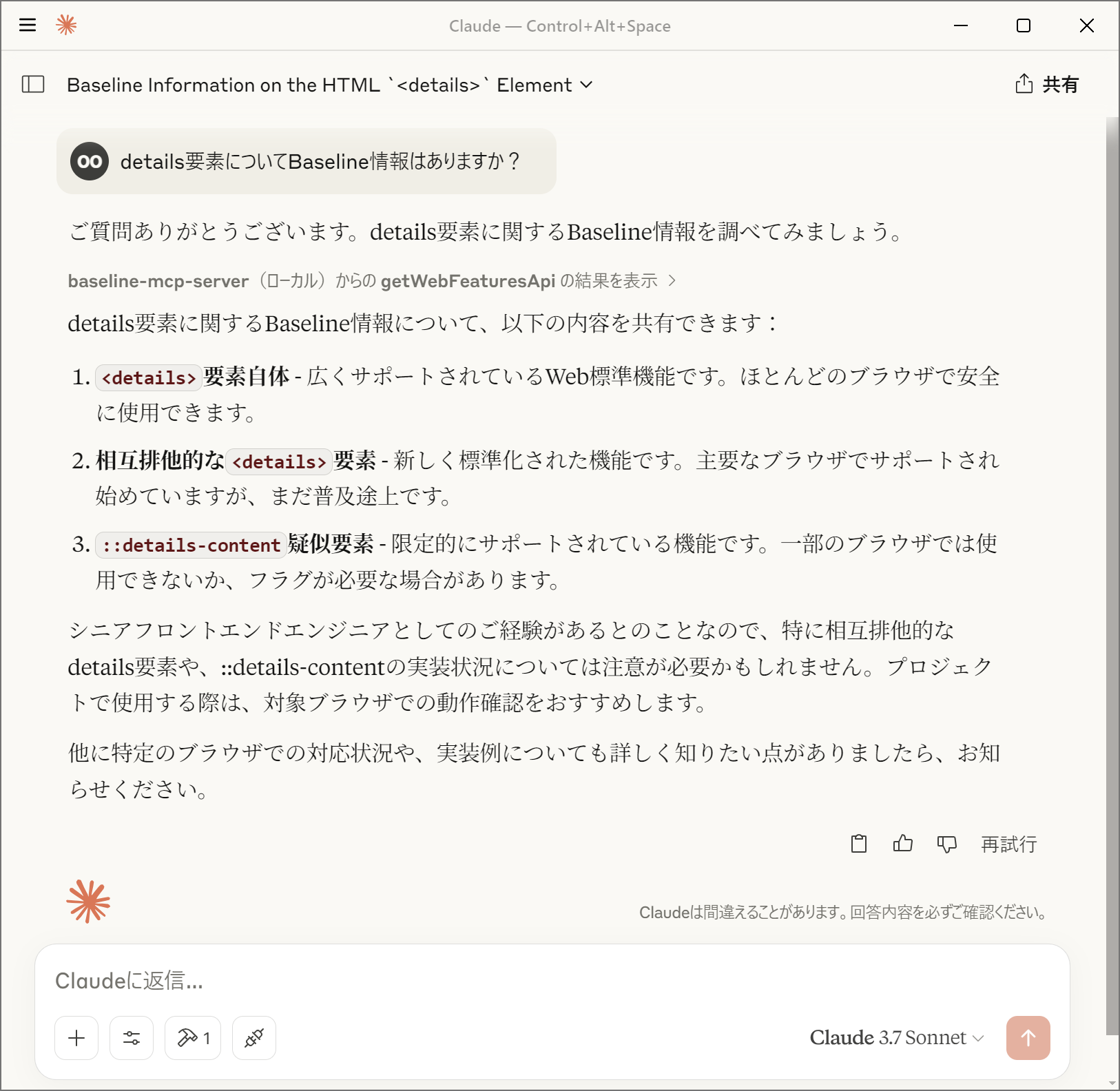
Baselineステータスについて
Baselineステータスは、Web機能のブラウザサポート状況を示します:
- widely:
広くサポートされているWeb標準機能。ほとんどのブラウザで安全に使用できます。 - newly:
新しく標準化されたWeb機能。主要なブラウザでサポートされ始めていますが、まだ普及途上です。 - limited:
限定的にサポートされているWeb機能。一部のブラウザでは使用できないか、フラグが必要な場合があります。 - no_data:
現時点ではBaselineに含まれていないWeb機能。ブラウザのサポート状況を個別に確認する必要があります。
Baselineについての詳細については「Baseline (互換性) - MDN Web Docs 用語集」を参照してください。
MCPクライアントでの設定
- サーバーを起動するにあたり、Denoの使用を推奨します
- パーミッションとして
api.webstatus.devのみのアクセスを許可してください
- パーミッションとして
@yamanoku/baseline-mcp-serverを指定するか、お手元のローカル環境にbaseline-mcp-server.tsを設置して読み取るように設定してください
Claude Desktop
Claude
DesktopのMCPクライアントで使用するには、以下のようにcline_mcp_settings.jsonに設定を追加します。
{
  "mcpServers": {
    "baseline-mcp-server": {
      "command": "deno",
      "args": [
        "run",
        "--allow-net=api.webstatus.dev",
        "jsr:@yamanoku/baseline-mcp-server"
      ]
    }
  }
}
Visual Studio Code
Visual Studio
CodeのMCPクライアントで使用するには、以下のようにsettings.jsonに設定を追加します。
{
  "mcp": {
    "servers": {
      "baseline-mcp-server": {
        "command": "deno",
        "args": [
          "run",
          "--allow-net=api.webstatus.dev",
          "jsr:@yamanoku/baseline-mcp-server"
        ]
      }
    }
  }
}
Dockerによる起動
最初にDockerイメージをビルドします。
docker build -t baseline-mcp-server .
MCPクライアントの設定でDockerコンテナを実行するようにします。
{
  "mcpServers": {
    "baseline-mcp-server": {
      "command": "docker",
      "args": [
        "run",
        "-i",
        "baseline-mcp-server:latest"
      ]
    }
  }
}
謝辞
このOSSはGPT-4o Image Generationによってロゴを製作、Claude 3.7
Sonnetによって実装、ドキュメントのサンプルを提案いただきました。感謝申し上げます。
ライセンス
Dev Tools Supporting MCP
The following are the main code editors that support the Model Context Protocol. Click the link to visit the official website for more information.







