
Beeper Mcp
What is Beeper Mcp
beeper-mcp is a backend service designed for executing beeper transactions on the Binance Smart Chain (BSC). It provides tools for interacting with the BSC blockchain, including balance checks, transfers, token swaps, and reward claims.
Use cases
Use cases for beeper-mcp include automating token transfers, executing trades on Pancakeswap, managing cryptocurrency wallets, and claiming rewards for beeper tokens, making it suitable for developers and traders in the BSC ecosystem.
How to use
To use beeper-mcp, set up a Python environment with version 3.10 or higher, and create a .env file with your wallet address, private key, and other necessary configurations. Access the API endpoints to perform various operations such as checking balances, transferring tokens, and trading.
Key features
Key features of beeper-mcp include balance checking for BNB and tokens, transferring BNB and tokens, swapping tokens on Pancakeswap, retrieving token prices, buying and selling tokens, claiming beeper token rewards, and managing wallet and token addresses.
Where to use
beeper-mcp can be used in the cryptocurrency and blockchain sectors, particularly for applications involving trading, wallet management, and transaction automation on the Binance Smart Chain.
Clients Supporting MCP
The following are the main client software that supports the Model Context Protocol. Click the link to visit the official website for more information.





Overview
What is Beeper Mcp
beeper-mcp is a backend service designed for executing beeper transactions on the Binance Smart Chain (BSC). It provides tools for interacting with the BSC blockchain, including balance checks, transfers, token swaps, and reward claims.
Use cases
Use cases for beeper-mcp include automating token transfers, executing trades on Pancakeswap, managing cryptocurrency wallets, and claiming rewards for beeper tokens, making it suitable for developers and traders in the BSC ecosystem.
How to use
To use beeper-mcp, set up a Python environment with version 3.10 or higher, and create a .env file with your wallet address, private key, and other necessary configurations. Access the API endpoints to perform various operations such as checking balances, transferring tokens, and trading.
Key features
Key features of beeper-mcp include balance checking for BNB and tokens, transferring BNB and tokens, swapping tokens on Pancakeswap, retrieving token prices, buying and selling tokens, claiming beeper token rewards, and managing wallet and token addresses.
Where to use
beeper-mcp can be used in the cryptocurrency and blockchain sectors, particularly for applications involving trading, wallet management, and transaction automation on the Binance Smart Chain.
Clients Supporting MCP
The following are the main client software that supports the Model Context Protocol. Click the link to visit the official website for more information.
Content
beeper-mcp
A backend service for executing beeper transactions on Binance Smart Chain (BSC). This service provides a set of tools for interacting with the BSC blockchain, including balance checking, balance transfers, token transfers, token swaps in Pancakeswap and beeper reward claims.
Features
- Get BNB and token balances
- Transfer BNB and tokens
- Swap tokens in Pancakeswap
- Get token prices
- Buy and sell tokens
- Claim rewards of beeper tokens
- Manage default wallet and token addresses
Prerequisites
- Python >=3.10
- Access to BSC network (mainnet or testnet)
- Wallet account and private key
Environment Variables
Create a .env file in the project root with the following variables:
BEEPER_CHAIN=<bsc or bsc-testnet>
BEEPER_ACCOUNT=<your-wallet-address>
BEEPER_SECRET_KEY=<your-private-key>
BEEPER_TARGET_TOKEN=<default-token-address>  # Optional
API Endpoints
The service exposes the following MCP tools:
Wallet and Token Management
get_default_wallet_address() -> str: Get the default wallet addressget_default_token_address() -> str: Get the default token addressswitch_default_token_address(new_token_address: str) -> str: Switch to a new default token address
Balance Operations
get_balance(address: str) -> str: Get BNB balance of an addressget_token_balance(address: str, token_address: str) -> str: Get token balance of an address
Transfer Operations
transfer(recipient_address: str, amount: Decimal = 0.01) -> dict: Transfer BNB to an addresstransfer_token(recipient_address: str, token_address: str, amount: Decimal = 0.01) -> dict: Transfer tokens to an address
Trading Operations
swap_token(token_in: str, token_out: str, amount: Decimal = 0.01) -> dict: Swap between tokensget_token_price(token_address: str) -> float: Get token price in BNBbuy_token(token_address: str, amount: Decimal = 0.01) -> dict: Buy tokens with BNBsell_token(token_address: str, amount: Decimal = 0.01) -> dict: Sell tokens for BNB
Reward Operations
claim_rewards(token_address: str) -> dict: Claim rewards for a token
Running the Service
git clone https://github.com/unibaseio/beeper-mcp.git
cd beeper-mcp
# start server over stdio
uv run src/beeper_mcp/server.py
- start using sse
The sse service will start on port 8000 by default. You can specify a different port using the --port argument:
uv run src/beeper_mcp/server.py --port 8008 --transport=sse
Configuration on Claude/Windsurf/Cursor/Cline
{
  "mcpServers": {
    "beeper": {
      "command": "uv",
      "args": [
        "--directory",
        "path/to/beeper-mcp",
        "run",
        "src/beeper_mcp/server.py"
      ],
      "env": {
        "BEEPER_ACCOUNT": "your account, 0x...",
        "BEEPER_SECRET_KEY": "your private key or in .env",
        "BEEPER_TARGET_TOKEN": "default token address",
        "BEEPER_CHAIN": "chain type <bsc/bsc-testnet>"
      }
    }
  }
}
Notes
- All amounts are in native units (e.g., BNB, tokens)
- Token addresses should be provided in the correct format
- Make sure you have sufficient BNB for gas fees
- The service supports both BSC mainnet and testnet
- All operations return detailed response objects with transaction hashes and status information
- The service includes built-in error handling and status tracking for transactions
Usage
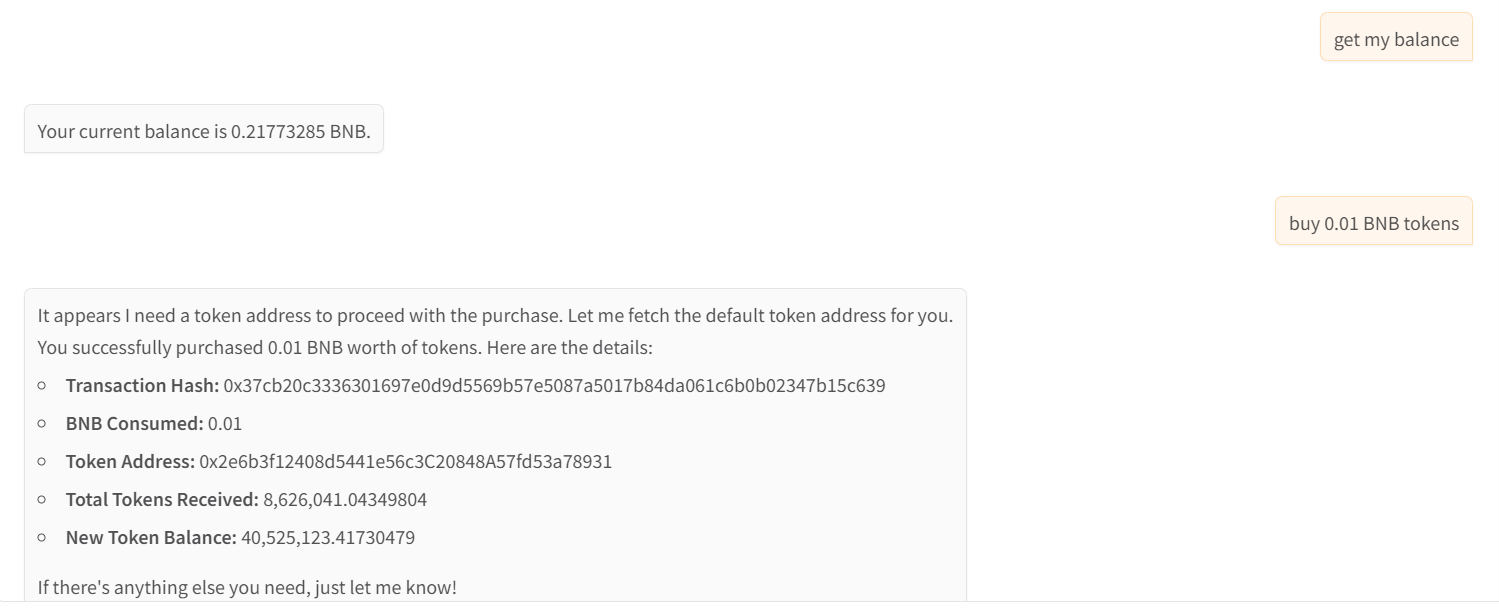
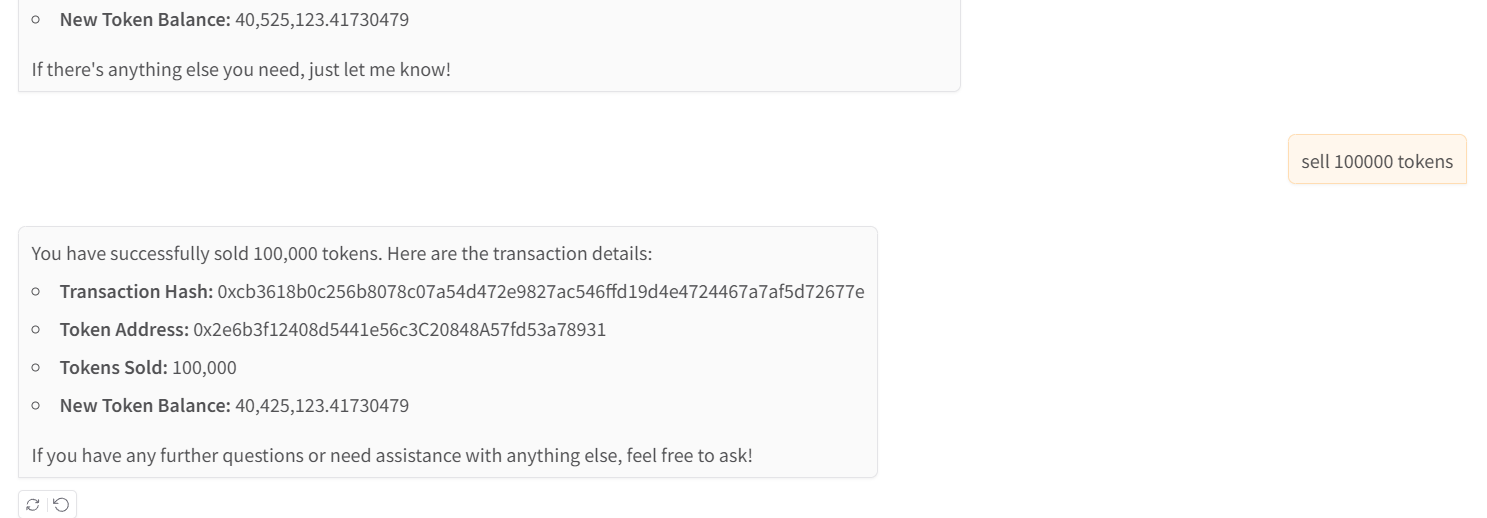
call functions in llm chat
- show wallet and buy tokens
- sell tokens
Dev Tools Supporting MCP
The following are the main code editors that support the Model Context Protocol. Click the link to visit the official website for more information.







