
Bing Search Mcp
What is Bing Search Mcp
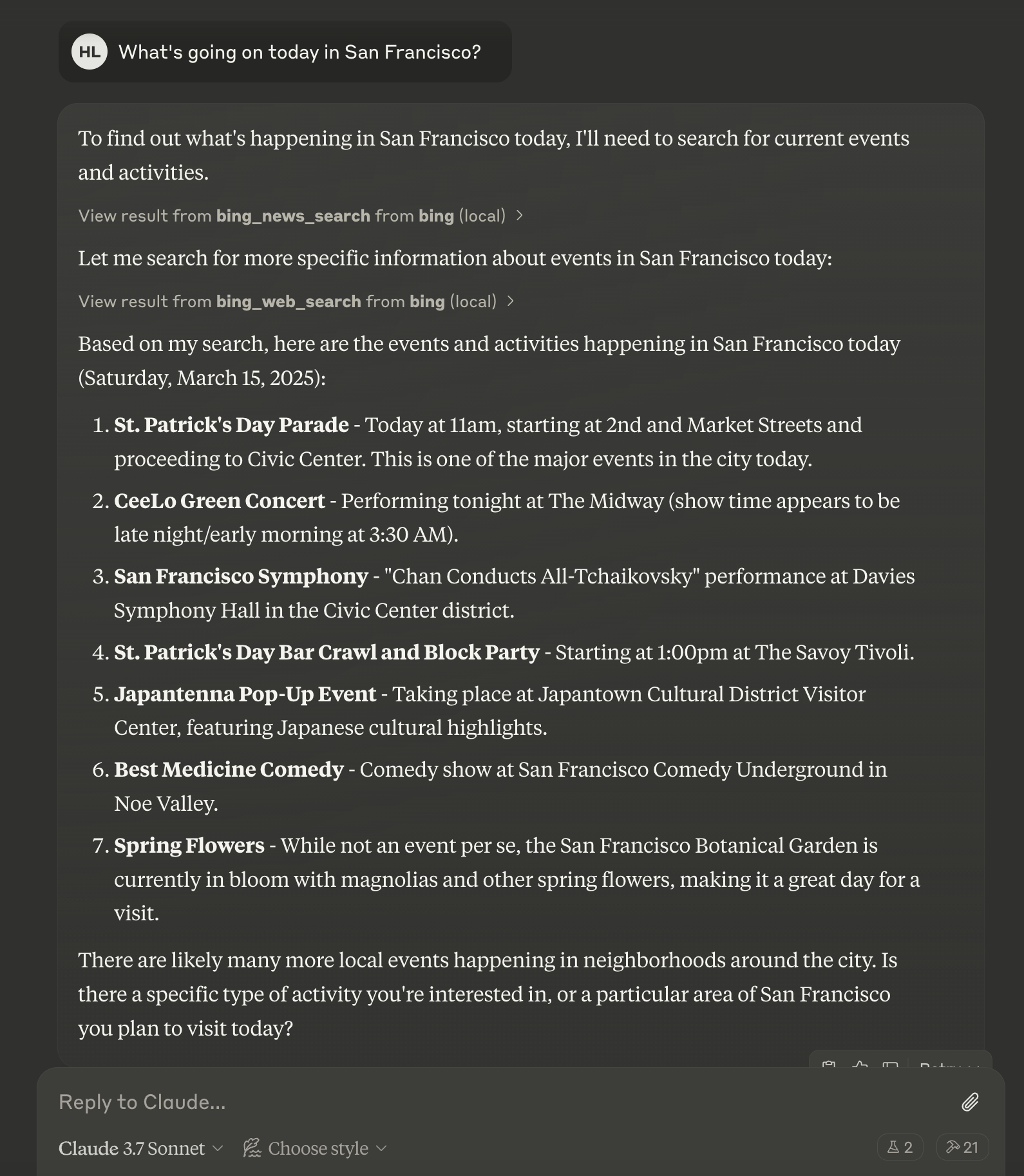
bing-search-mcp is a Model Context Protocol (MCP) server designed for integrating the Microsoft Bing Search API. It enables AI assistants to perform web, news, and image searches seamlessly.
Use cases
Use cases for bing-search-mcp include integrating search capabilities into AI assistants, providing real-time news updates, enabling image searches for applications, and enhancing user experience with quick access to information.
How to use
To use bing-search-mcp, clone the repository, install the required dependencies, set the necessary environment variables including your Bing API key, and run the server using the command ‘uv run -m mcp_server_bin_search’. Configure it with compatible clients like Claude Desktop for optimal performance.
Key features
Key features include web search for general information, news search for current events, image search for visual content, rate limiting to prevent API abuse, and comprehensive error handling.
Where to use
undefined
Clients Supporting MCP
The following are the main client software that supports the Model Context Protocol. Click the link to visit the official website for more information.





Overview
What is Bing Search Mcp
bing-search-mcp is a Model Context Protocol (MCP) server designed for integrating the Microsoft Bing Search API. It enables AI assistants to perform web, news, and image searches seamlessly.
Use cases
Use cases for bing-search-mcp include integrating search capabilities into AI assistants, providing real-time news updates, enabling image searches for applications, and enhancing user experience with quick access to information.
How to use
To use bing-search-mcp, clone the repository, install the required dependencies, set the necessary environment variables including your Bing API key, and run the server using the command ‘uv run -m mcp_server_bin_search’. Configure it with compatible clients like Claude Desktop for optimal performance.
Key features
Key features include web search for general information, news search for current events, image search for visual content, rate limiting to prevent API abuse, and comprehensive error handling.
Where to use
undefined
Clients Supporting MCP
The following are the main client software that supports the Model Context Protocol. Click the link to visit the official website for more information.
Content
Bing Search MCP Server
A Model Context Protocol (MCP) server for Microsoft Bing Search API integration, allowing AI assistants to perform web, news, and image searches.

Features
- Web search for general information
- News search for recent events and timely information
- Image search for visual content
- Rate limiting to prevent API abuse
- Comprehensive error handling
Requirements
- Python 3.10 or higher
- Microsoft Bing Search API key
- MCP-compatible client (e.g., Claude Desktop, Cursor)
Installation
- Clone this repository
- Install dependencies:
uv venv
source .venv/bin/activate  # On Windows: .venv\Scripts\activate
uv pip install -e .
Configuration
Set the required environment variables:
export BING_API_KEY="your-bing-api-key"
export BING_API_URL="https://api.bing.microsoft.com/"  # Optional
For Windows:
set BING_API_KEY=your-bing-api-key
set BING_API_URL=https://api.bing.microsoft.com/
Usage
Running the server
uvx bing-search-mcp
Configuring with Claude for Desktop
Add the following to your Claude Desktop configuration file (~/Library/Application Support/Claude/claude_desktop_config.json on macOS or %APPDATA%\Claude\claude_desktop_config.json on Windows):
{
  "mcpServers": {
    "bing-search": {
      "command": "uvx",
      "args": [
        "/path/to/your/bing-search-mcp"
      ],
      "env": {
        "BING_API_KEY": "your-bing-api-key"
      }
    }
  }
}
Available Tools
1. bing_web_search
General web search for information, websites, and content.
bing_web_search(query: str, count: int = 10, offset: int = 0, market: str = "en-US")
2. bing_news_search
Search for news articles and current events.
bing_news_search(query: str, count: int = 10, market: str = "en-US", freshness: str = "Day")
3. bing_image_search
Search for images.
bing_image_search(query: str, count: int = 10, market: str = "en-US")
Getting a Bing API Key
- Visit Microsoft Azure Portal
- Create or sign in to your Azure account
- Create a new Bing Search resource
- Go to the resource and find your API key in the “Keys and Endpoint” section
License
Dev Tools Supporting MCP
The following are the main code editors that support the Model Context Protocol. Click the link to visit the official website for more information.







