
Chainlit Demo
What is Chainlit Demo
chainlit-demo is a demonstration environment for testing MCP Servers using Chainlit. It allows developers to easily integrate and experiment with Azure Open AI models.
Use cases
Use cases for chainlit-demo include creating interactive chatbots, experimenting with AI-generated content, and integrating MCP Servers for specific tasks like file management.
How to use
To use chainlit-demo, clone the repository and open it in VSCode. Use Dev Containers to run the environment without local installation. Add your Azure Open AI credentials in the .azure.env file and run the application with the command ‘chainlit run app.py -w’.
Key features
Key features include easy integration of MCP Servers into chat applications, support for Azure Open AI models, and a user-friendly interface for adding and configuring servers.
Where to use
chainlit-demo can be used in various fields such as software development, AI research, and educational purposes, particularly for testing and demonstrating AI capabilities.
Clients Supporting MCP
The following are the main client software that supports the Model Context Protocol. Click the link to visit the official website for more information.





Overview
What is Chainlit Demo
chainlit-demo is a demonstration environment for testing MCP Servers using Chainlit. It allows developers to easily integrate and experiment with Azure Open AI models.
Use cases
Use cases for chainlit-demo include creating interactive chatbots, experimenting with AI-generated content, and integrating MCP Servers for specific tasks like file management.
How to use
To use chainlit-demo, clone the repository and open it in VSCode. Use Dev Containers to run the environment without local installation. Add your Azure Open AI credentials in the .azure.env file and run the application with the command ‘chainlit run app.py -w’.
Key features
Key features include easy integration of MCP Servers into chat applications, support for Azure Open AI models, and a user-friendly interface for adding and configuring servers.
Where to use
chainlit-demo can be used in various fields such as software development, AI research, and educational purposes, particularly for testing and demonstrating AI capabilities.
Clients Supporting MCP
The following are the main client software that supports the Model Context Protocol. Click the link to visit the official website for more information.
Content
Demo de MCP Servers con Chainlit
¡Hola developer 👋🏻! En este repo puedes encontrar un entorno donde probar MCP Servers usando Chainlit. Lo único que debes hacer es añadir las credenciales de tu modelo en Azure Open AI en el archivo .azure.env:
Este repo funciona con Dev Containers así que no necesitas instalar nada en tu máquina local. Solo abre el repo en VSCode y selecciona la opción de abrir en contenedor.
Una vez que ya lo tengas ejecutandose, añade las credenciales de tu modelo en Azure Open AI en el archivo .azure.env:
AZURE_OPENAI_API_KEY=
AZURE_OPENAI_ENDPOINT=
OPENAI_API_VERSION=
AZURE_OPENAI_MODEL=
y ejecuta el siguiente comando para lanzar tu aplicación con Chainlit:
chainlit run app.py -w
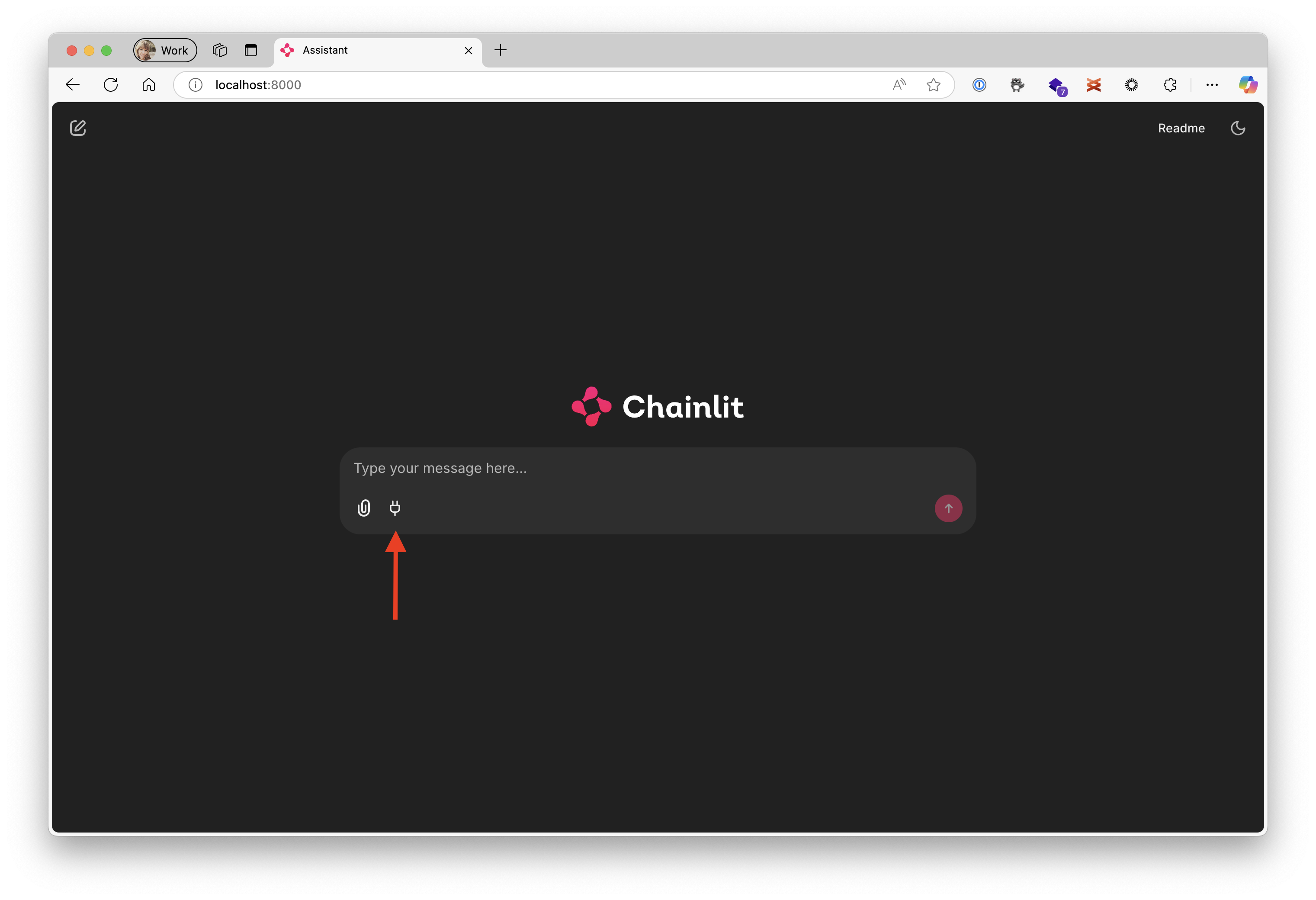
Ahora verás que como parte del chat tienes un icono que te permite añadir servidores MCP:
Y puedes añadir algunos ejemplos, como el de filesystem;
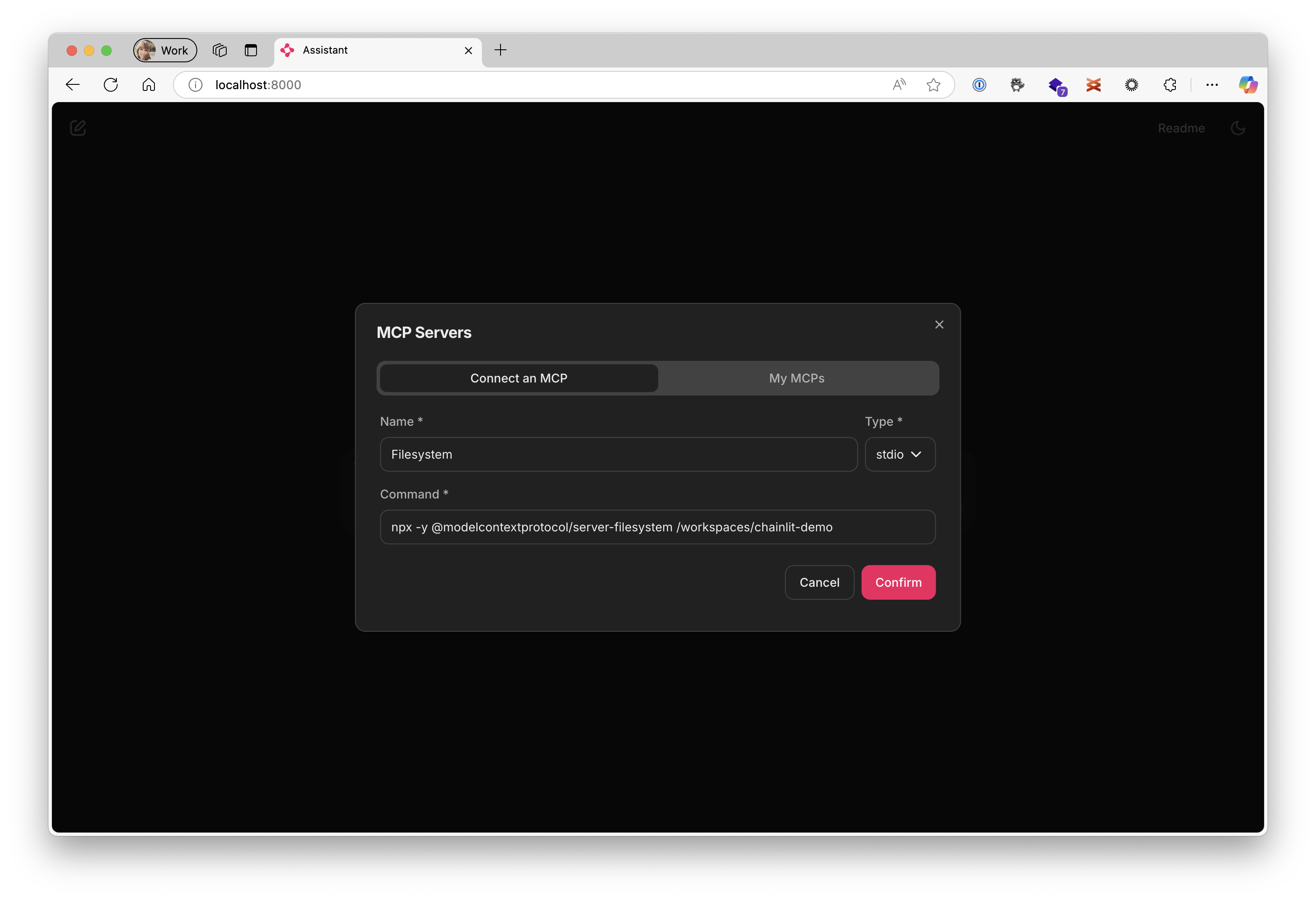
Con el nombre Filesystem y este es el comando a ejecutar:
npx -y @modelcontextprotocol/server-filesystem /workspaces/chainlit-demo
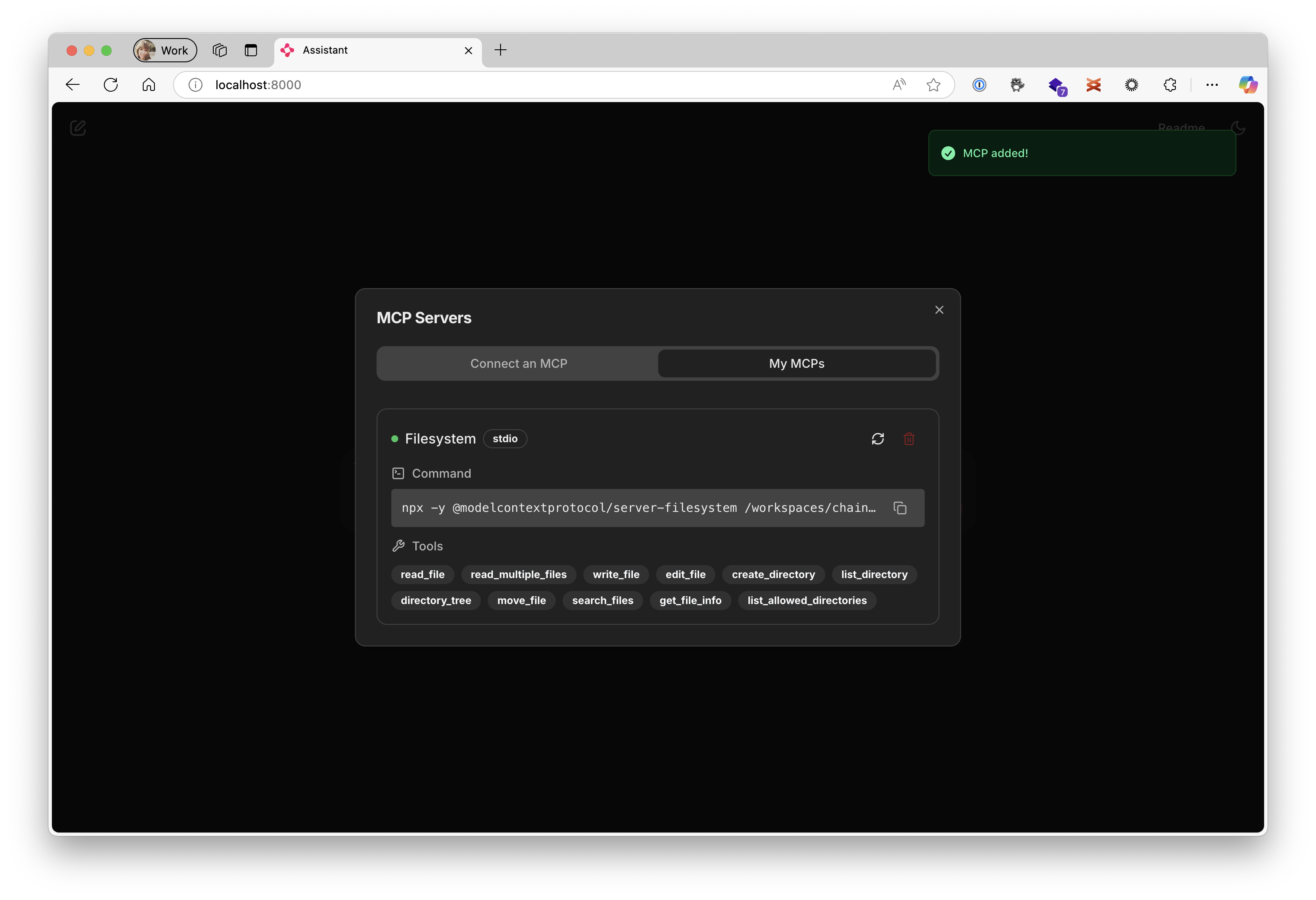
Y la configuración quedaría algo así:
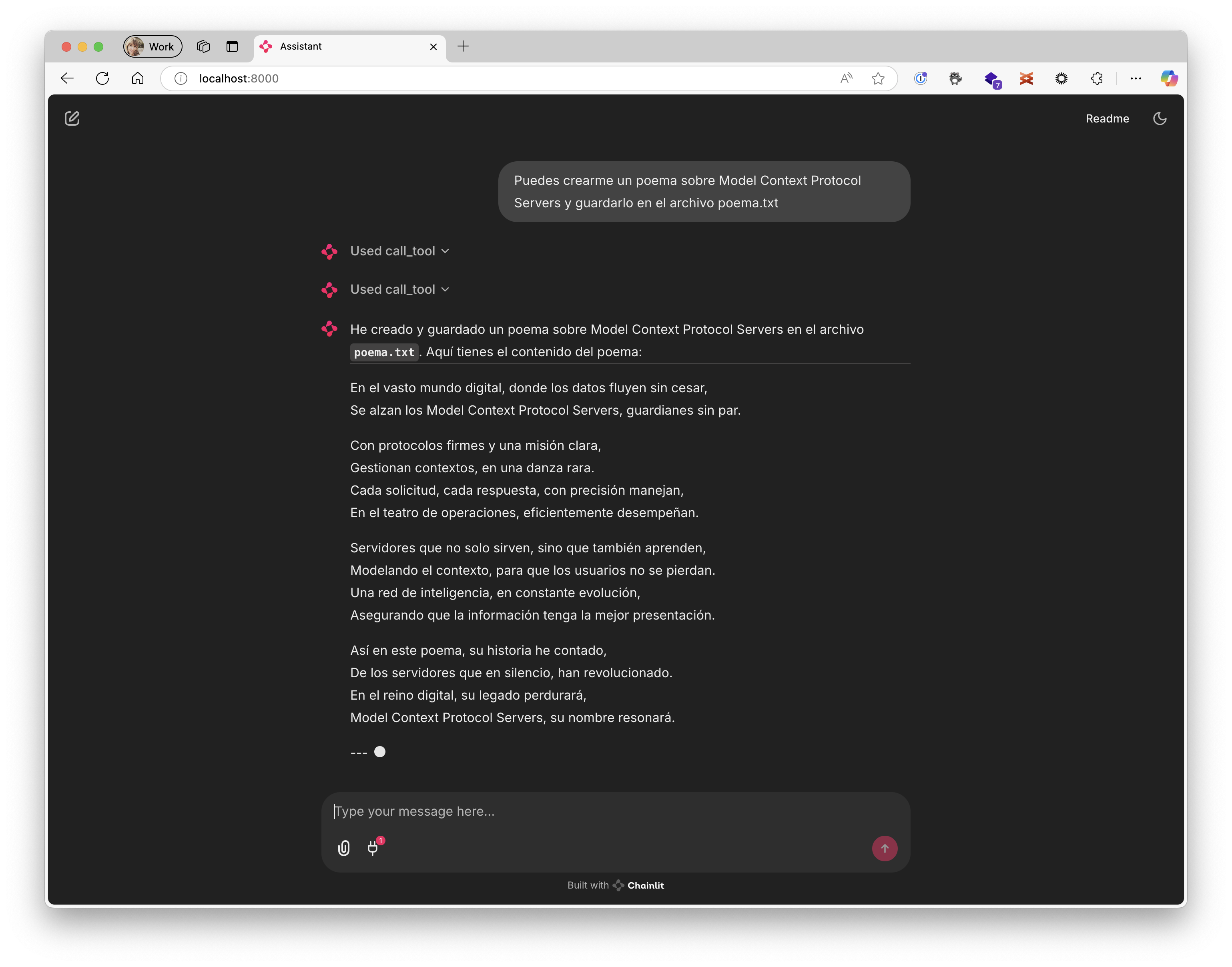
Preguntarle algo as:
Puedes crearme un poema sobre Model Context Protocol Servers y guardarlo en el archivo poema.txt
Y el resultado sería como el siguiente:
¡Nos vemos 👋🏻!
Dev Tools Supporting MCP
The following are the main code editors that support the Model Context Protocol. Click the link to visit the official website for more information.







