
Chromia Mcp
What is Chromia Mcp
Chromia MCP is a tool that enables Claude AI to interact with the Chromia Wallet for sending $CHR transactions.
Use cases
Use cases include automating cryptocurrency transactions, integrating wallet functionalities into AI applications, and enhancing user interactions with blockchain technology.
How to use
To use Chromia MCP, clone the repository, set up the environment by copying the sample .env file, install dependencies, and configure Claude’s Desktop App to recognize the MCP server.
Key features
Key features include seamless integration with Claude AI, support for $CHR transactions, and a straightforward setup process.
Where to use
Chromia MCP can be used in applications that require cryptocurrency transactions, particularly those utilizing the Chromia blockchain.
Clients Supporting MCP
The following are the main client software that supports the Model Context Protocol. Click the link to visit the official website for more information.





Overview
What is Chromia Mcp
Chromia MCP is a tool that enables Claude AI to interact with the Chromia Wallet for sending $CHR transactions.
Use cases
Use cases include automating cryptocurrency transactions, integrating wallet functionalities into AI applications, and enhancing user interactions with blockchain technology.
How to use
To use Chromia MCP, clone the repository, set up the environment by copying the sample .env file, install dependencies, and configure Claude’s Desktop App to recognize the MCP server.
Key features
Key features include seamless integration with Claude AI, support for $CHR transactions, and a straightforward setup process.
Where to use
Chromia MCP can be used in applications that require cryptocurrency transactions, particularly those utilizing the Chromia blockchain.
Clients Supporting MCP
The following are the main client software that supports the Model Context Protocol. Click the link to visit the official website for more information.
Content
Chromia MCP
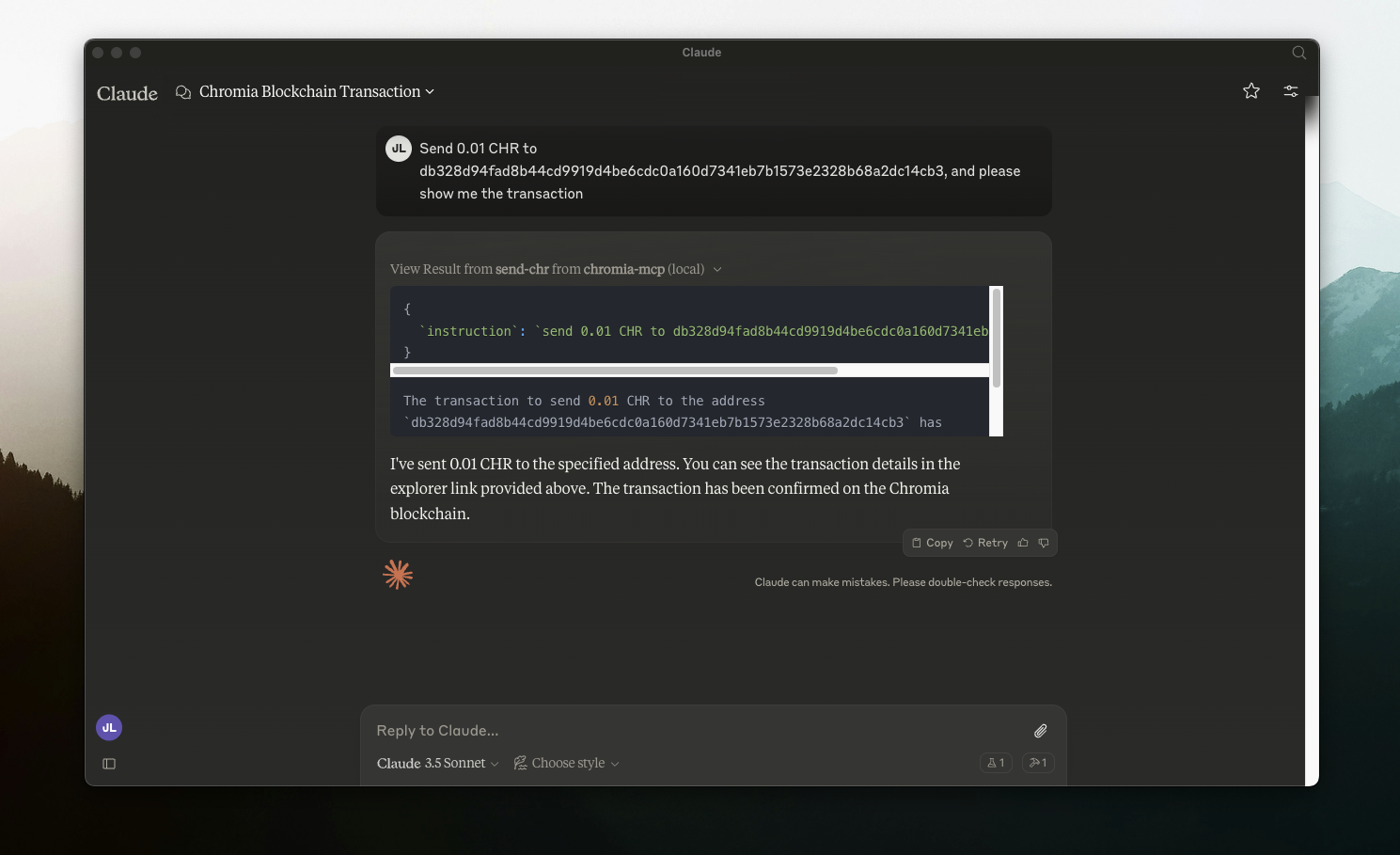
This tool that enables Claude AI to interact with Chromia Wallet for sending $CHR transactions.
Introduction on MCP: https://modelcontextprotocol.io/quickstart
Setting up
- git clone this repo
- setup
.envand install
cp .env.sample .env
npm i
npm run build
- setup Claude’s Desktop App (mac setup)
nano ~/Library/Application\ Support/Claude/claude_desktop_config.json
{
  "mcpServers": {
    "chromia-mcp": {
      "command": "node",
      "args": [
        "/PATH_TO_FOLDER/chromia-mcp/build/index.js"
      ]
    }
  }
}- Restart Claude Desktop App
Dev Tools Supporting MCP
The following are the main code editors that support the Model Context Protocol. Click the link to visit the official website for more information.







