
Cipher42 Mcp
What is Cipher42 Mcp
cipher42-mcp is a unified MCP Server that allows users to interact with their data warehouse or database through a standardized API. It supports various tools like Claude, Cursor, and Windsurf, providing deep context to database schemas and facilitating tasks such as SQL writing and data visualization.
Use cases
Use cases for cipher42-mcp include writing SQL queries in development environments, visualizing data from public datasets, and integrating data sources for comprehensive analysis across different tools.
How to use
To use cipher42-mcp, sign up for Cipher42, connect your data source for schema indexing, obtain your API key, and configure your client application (e.g., Claude Desktop) with the necessary settings to utilize the MCP server functionalities.
Key features
Key features of cipher42-mcp include a unified API for multiple tools, support for various databases (PostgreSQL, Snowflake, BigQuery), the ability to retrieve data sources, schemas, and tables, and the capability to execute queries and return results in JSON format.
Where to use
cipher42-mcp can be used in data analysis, business intelligence, and application development environments where interaction with databases and data warehouses is required.
Clients Supporting MCP
The following are the main client software that supports the Model Context Protocol. Click the link to visit the official website for more information.





Overview
What is Cipher42 Mcp
cipher42-mcp is a unified MCP Server that allows users to interact with their data warehouse or database through a standardized API. It supports various tools like Claude, Cursor, and Windsurf, providing deep context to database schemas and facilitating tasks such as SQL writing and data visualization.
Use cases
Use cases for cipher42-mcp include writing SQL queries in development environments, visualizing data from public datasets, and integrating data sources for comprehensive analysis across different tools.
How to use
To use cipher42-mcp, sign up for Cipher42, connect your data source for schema indexing, obtain your API key, and configure your client application (e.g., Claude Desktop) with the necessary settings to utilize the MCP server functionalities.
Key features
Key features of cipher42-mcp include a unified API for multiple tools, support for various databases (PostgreSQL, Snowflake, BigQuery), the ability to retrieve data sources, schemas, and tables, and the capability to execute queries and return results in JSON format.
Where to use
cipher42-mcp can be used in data analysis, business intelligence, and application development environments where interaction with databases and data warehouses is required.
Clients Supporting MCP
The following are the main client software that supports the Model Context Protocol. Click the link to visit the official website for more information.
Content
Unified MCP Server for any Database or Data Warehouse (Via Cipher42)
This product is currently in beta
This is an MCP server that provides a unified API for tools such Claude (Currently Claude Desktop), Cursor, Windsurf to have a unified API to your database or data warehouse. The MCP server enables any of those tools to get deep context to your schema and help with variety of tasks from writing SQL in your IDE to understanding and visualizing data.
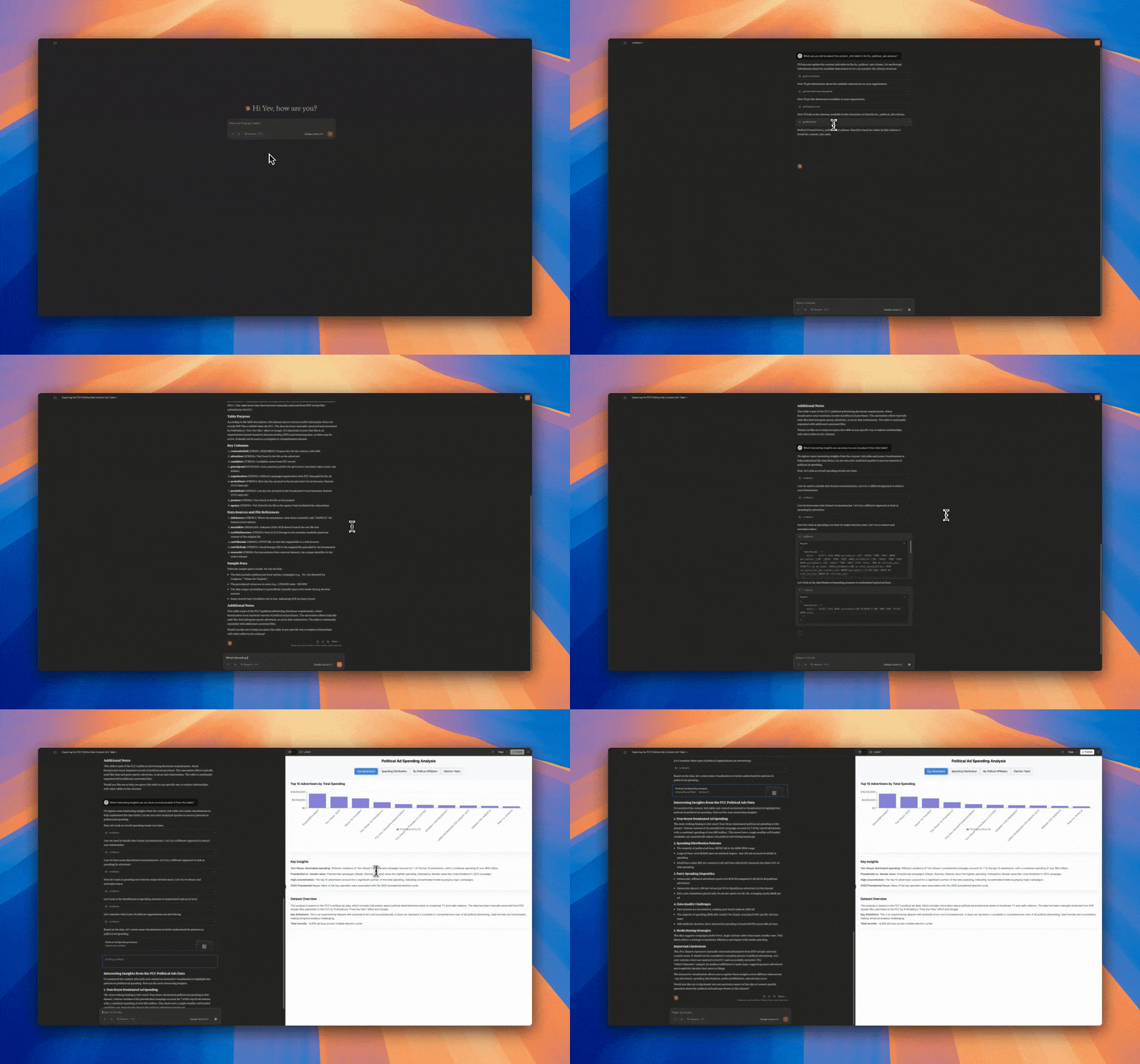
(The above is a short video of of Claude analyzing the BigQuery public daset of FCC Political Ads and Visualizing it via this MCP and Cipher42)
This MCP requires an API key from Cipher42. This MCP needs a backend such as Cipher42 as Cipher42 does a lot of the normalization and indexing to provide the unified api and return results fast to your end tool such as Claude or Cursor.
The MCP Server provides the following tools:
getDatasources- The current datasources configured and indexed by Cipher42.ai.getSchemas- Get the current schemas in a specific datasource.getTables- Get the tables including their schemas.runQuery- Execute a query and return the results in JSON format.
Cipher42 Currently supports: PostgreSQL, Snowflake and BigQuery
Installation (Claude Desktop Example)
- Sign-up to Cipher42.
- Connect your datasource so Cipher can index your schema and metadata.
- Copy your personal api key from your user settings
- Download Claude Desktop.
- Edit your claude_desktop_config.json to have the following (on mac it’s located at
/Users/yevgenyp/Library/Application\ Support/Claude/claude_desktop_config.json):
{
  "mcpServers": {
    "cipher42": {
      "command": "npx",
      "args": [
        "-y",
        "@yevgenyp/[email protected]"
      ],
      "env": {
        "CIPHER42_API_KEY": "YOUR_PERSONAL_API_KEY"
      }
    }
  }
}- Restart Claude.
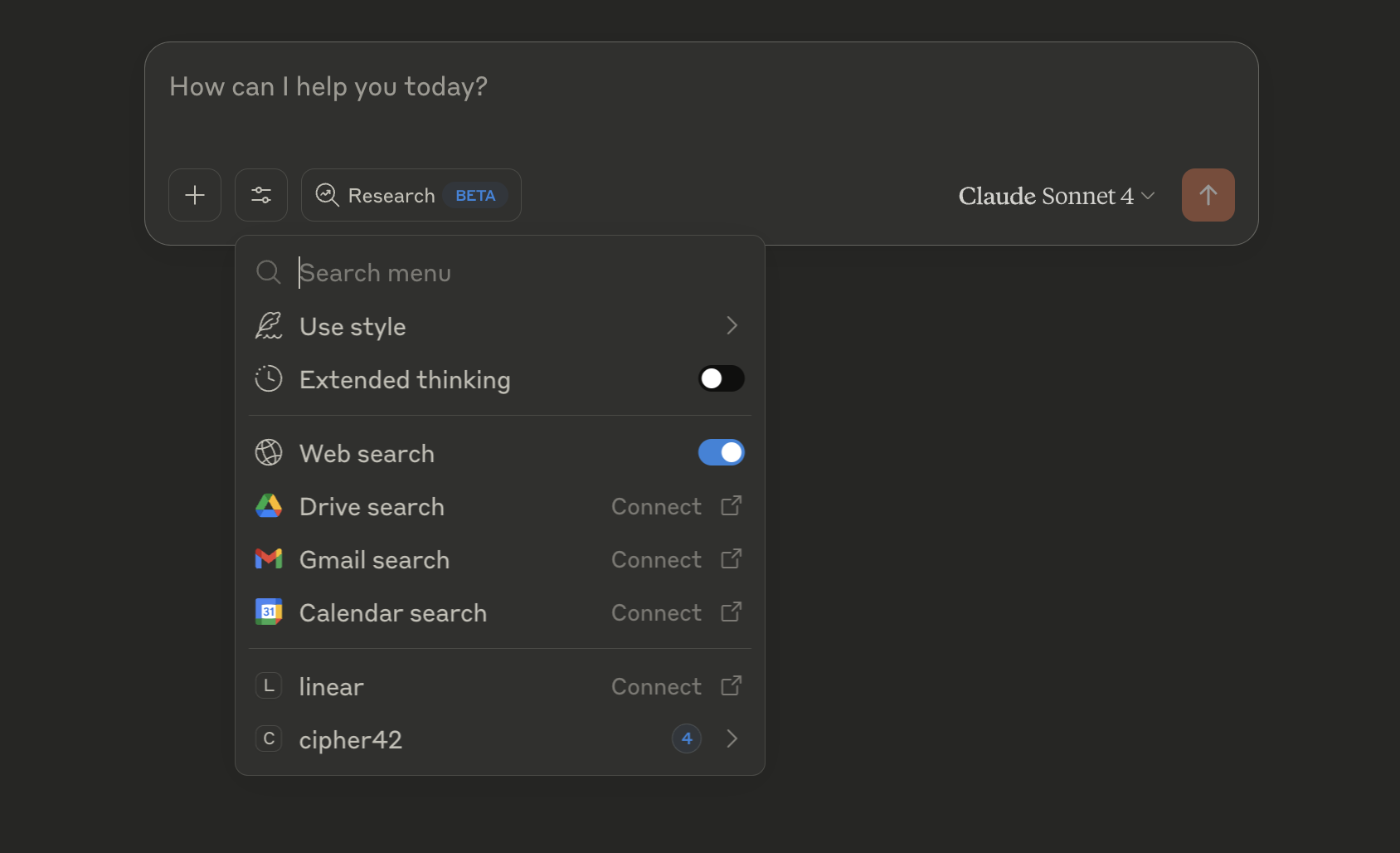
- You should see cipher42 show up in the tools dropdown
Dev Tools Supporting MCP
The following are the main code editors that support the Model Context Protocol. Click the link to visit the official website for more information.







