
Clarifai Mcp Server Local
What is Clarifai Mcp Server Local
The clarifai-mcp-server-local is an unofficial Model Context Protocol (MCP) server that serves as a local bridge to the Clarifai API, enabling seamless interaction between MCP clients and Clarifai services.
Use cases
Use cases include developing applications that require image recognition, generating images based on user input, and enhancing IDE functionalities with Clarifai’s machine learning capabilities.
How to use
To use clarifai-mcp-server-local, clone the repository, build the binary using Go, and configure the MCP client settings to point to the local server executable with the necessary command-line arguments.
Key features
Key features include local execution, reduced load on LLM context, support for image generation and inference, and compatibility with various MCP clients like IDE extensions.
Where to use
clarifai-mcp-server-local can be used in software development environments, particularly where integration with the Clarifai API is required for image processing tasks.
Clients Supporting MCP
The following are the main client software that supports the Model Context Protocol. Click the link to visit the official website for more information.





Overview
What is Clarifai Mcp Server Local
The clarifai-mcp-server-local is an unofficial Model Context Protocol (MCP) server that serves as a local bridge to the Clarifai API, enabling seamless interaction between MCP clients and Clarifai services.
Use cases
Use cases include developing applications that require image recognition, generating images based on user input, and enhancing IDE functionalities with Clarifai’s machine learning capabilities.
How to use
To use clarifai-mcp-server-local, clone the repository, build the binary using Go, and configure the MCP client settings to point to the local server executable with the necessary command-line arguments.
Key features
Key features include local execution, reduced load on LLM context, support for image generation and inference, and compatibility with various MCP clients like IDE extensions.
Where to use
clarifai-mcp-server-local can be used in software development environments, particularly where integration with the Clarifai API is required for image processing tasks.
Clients Supporting MCP
The following are the main client software that supports the Model Context Protocol. Click the link to visit the official website for more information.
Content
🌀 Clarifai MCP Server (unofficial)
This hackday project provides a Model Context Protocol (MCP) server that acts as a bridge to the Clarifai API and is meant to run on user’s machine (so locally). It allows MCP clients (like IDE extensions) to interact with Clarifai, such as image generation and inference, using standard MCP requests without overloading LLM context with heavy binary results.
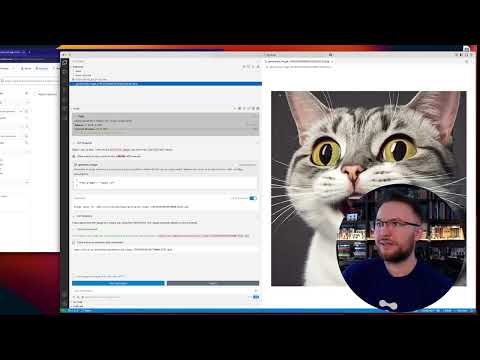
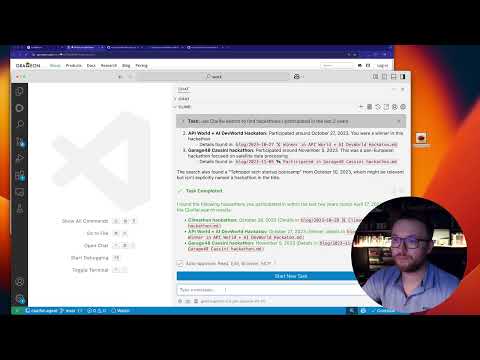
Configuring MCP server for seamless interaction
The server is typically run automatically by the MCP client framework (e.g., via settings in VS Code). The configuration usually involves specifying the path to the built binary and any required command-line arguments, such as the Clarifai PAT. You will need Go (version 1.23 or later)
cd ~
git clone [email protected]:tot-ra/clarifai-mcp-server-local.git
cd clarifai-mcp-server-local
go mod tidy
Build the Binary:
Use the go build command, targeting the main package within the cmd/server directory. Specify the output path and target architecture if needed (example for macOS ARM):
# For macOS ARM
make build

# For Linux AMD64
# GOOS=linux GOARCH=amd64 go build -o ./mcp_binary ./...

# For Windows AMD64
# GOOS=windows GOARCH=amd64 go build -o ./mcp_binary.exe ./...
This will create an executable file named mcp_binary (or mcp_binary.exe on Windows) in the project’s root directory.
Example MCP settings entry (cline_mcp_settings.json), for example for Cline:
Replace YOUR_CLARIFAI_PAT with your Clarifai PAT token.
Testing
Unit tests have been added for several packages. To run all tests, bypass the cache, and see verbose output (including individual test names and status):
cd clarifai-mcp-server-local
go test -v -count=1 ./...
Features
The server currently exposes the following MCP capabilities:
Tools
-
upload_file: Uploads a local file to Clarifai as an input.- Input:
filepath(required, absolute path to the local file),user_id,app_id(optional). - Output: Text confirmation and API response details upon successful upload.
- Input:
-
generate_image: Generates an image based on a text prompt using a specified or default Clarifai text-to-image model.- Input:
text_prompt(required),model_id,user_id,app_id(optional). - Output: Base64 encoded image data (for small images) or a file path (for large images saved to the configured
--output-path).
- Input:
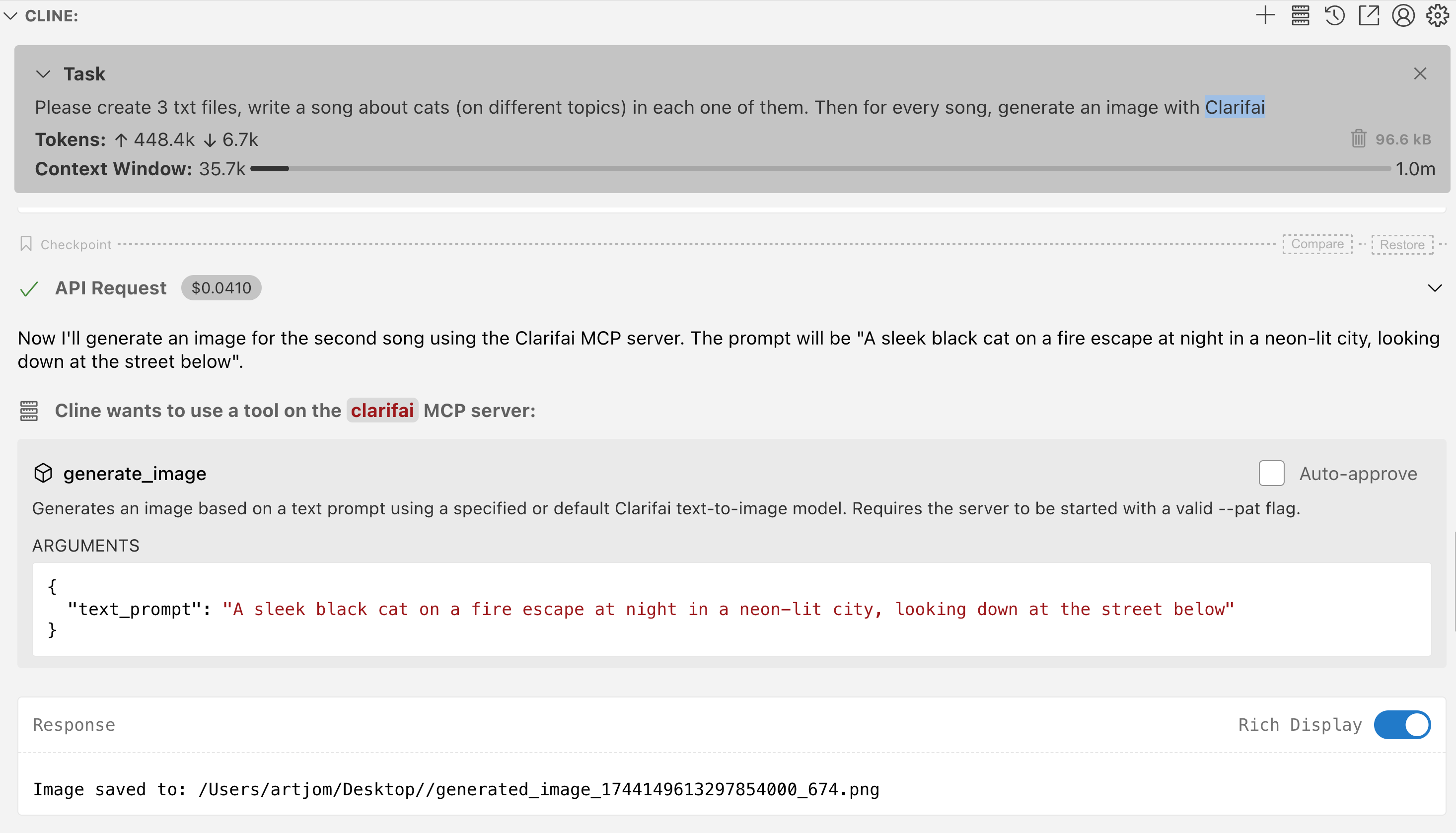
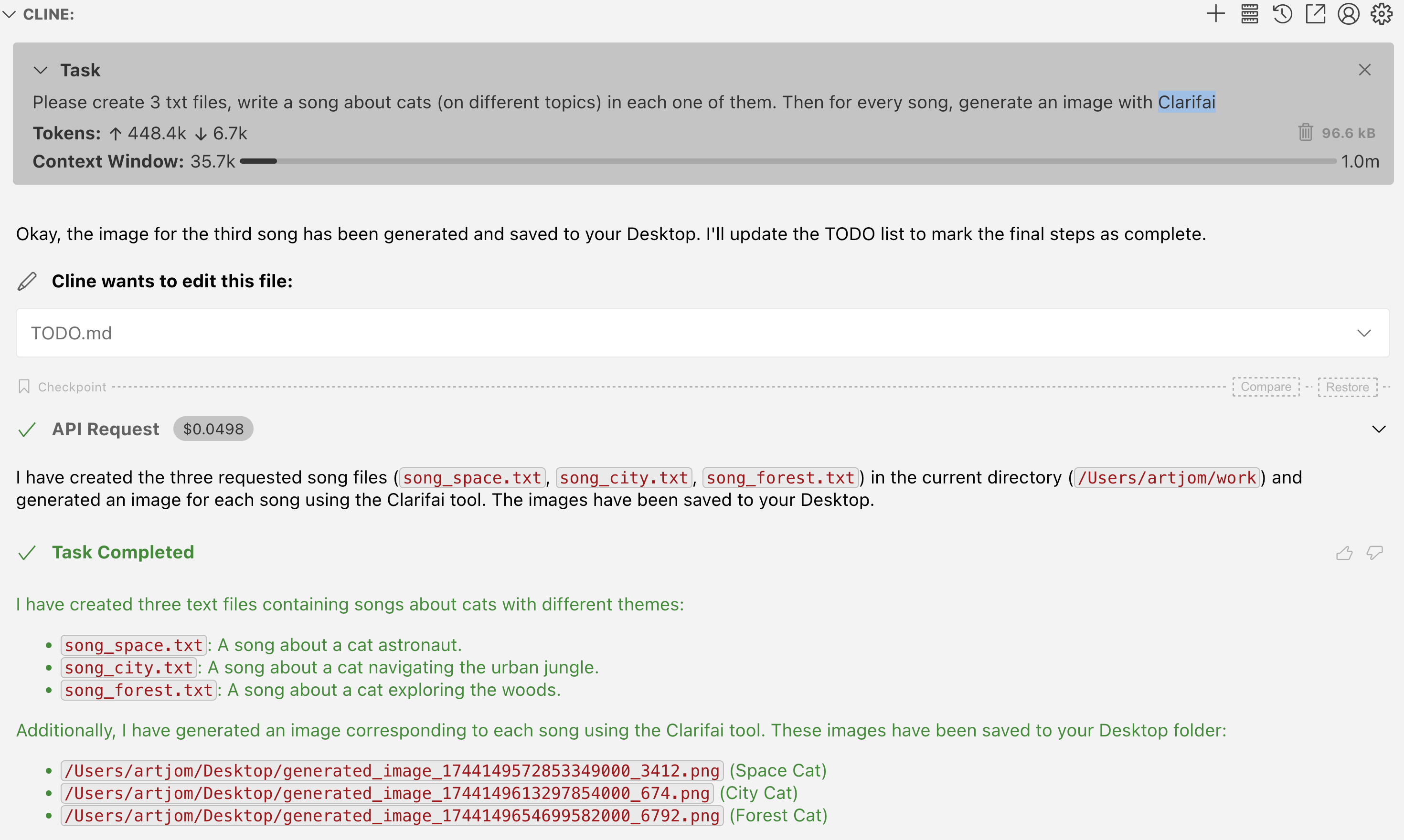
For example, given a user prompt, AI agent automatically can call image generation
and places results on Desktop
Generate 3 cat images with Clarifai



clarifai_image_by_path: Performs inference on a local image file using a specified or default Clarifai model.- Input:
filepath(required, path to the local image),model_id,user_id,app_id(optional). - Output: Text description of inference results (e.g., concepts detected).
- Input:
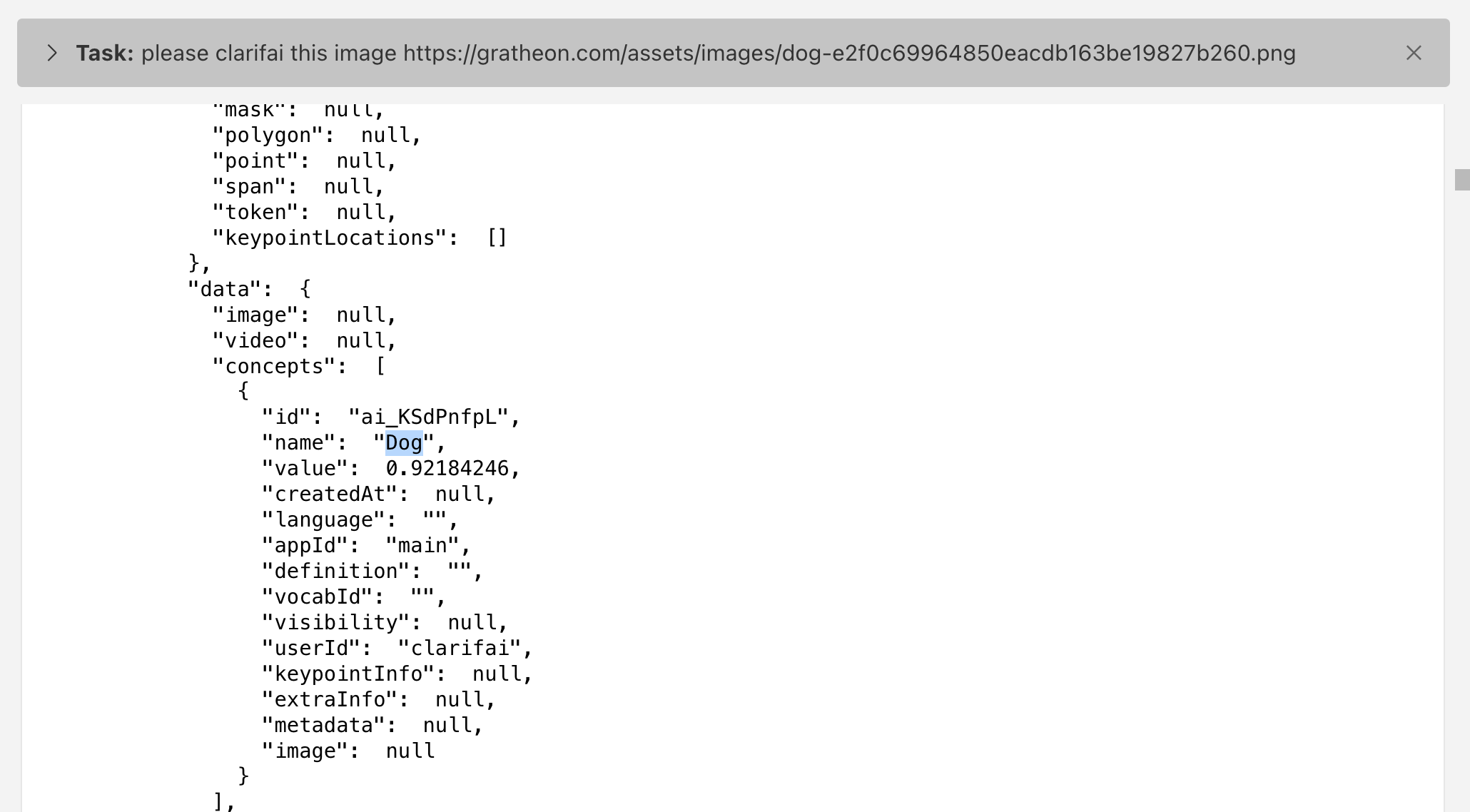
Please clarifai images in my_source_folder/images/
-
clarifai_image_by_url: Performs inference on an image URL using a specified or default Clarifai model.- Input:
image_url(required),model_id,user_id,app_id(optional). - Output: Text description of inference results (e.g., concepts detected).
- Input:
-
search_by_text: Searches inputs based on a text query using Clarifai’s PostInputSearches.- Input:
query(required, text query string),user_id,app_id,page,per_page(optional). - Output: JSON string containing the search results (hits).
- Input:
-
search_by_filepath: Searches inputs based on similarity to a local image file using Clarifai’s PostInputSearches.- Input:
filepath(required, absolute path to the local image file),user_id,app_id,page,per_page(optional). - Output: JSON string containing the search results (hits).
- Input:
-
search_by_url: Searches inputs based on similarity to an image URL using Clarifai’s PostInputSearches.- Input:
image_url(required, URL of the image),user_id,app_id,page,per_page(optional). - Output: JSON string containing the search results (hits).
- Input:
Resources (Read-Only)
The server exposes various Clarifai entities as read-only MCP resources, allowing clients to list, search, and read data using standard MCP methods (resources/list, resources/read). Actions like creating, updating, or deleting entities are handled via MCP Tools.
-
Resource URI Scheme: Resources follow a consistent URI structure:
clarifai://{user_id}/{app_id}/{resource_type}[/{resource_id}][?query_params]
Nested resources like model versions or dataset versions follow patterns like:
clarifai://{user_id}/{app_id}/models/{model_id}/versions[/{version_id}]
clarifai://{user_id}/{app_id}/datasets/{dataset_id}/versions[/{version_id}]
clarifai://{user_id}/{app_id}/inputs/{input_id}/annotations -
Supported Resource Templates (
resources/templates/list): The server provides templates for discovering available resources:- Inputs: List, Search, Get
clarifai://{user_id}/{app_id}/inputsclarifai://{user_id}/{app_id}/inputs?query={search_term}clarifai://{user_id}/{app_id}/inputs/{input_id}
- Annotations: List, Search, Get, List by Input
clarifai://{user_id}/{app_id}/annotationsclarifai://{user_id}/{app_id}/annotations?query={search_term}clarifai://{user_id}/{app_id}/annotations/{annotation_id}clarifai://{user_id}/{app_id}/inputs/{input_id}/annotations
- Models: List, Search, Get
clarifai://{user_id}/{app_id}/modelsclarifai://{user_id}/{app_id}/models?query={search_term}clarifai://{user_id}/{app_id}/models/{model_id}
- Model Versions: List, Get
clarifai://{user_id}/{app_id}/models/{model_id}/versionsclarifai://{user_id}/{app_id}/models/{model_id}/versions/{version_id}
- Datasets: List, Get
clarifai://{user_id}/{app_id}/datasetsclarifai://{user_id}/{app_id}/datasets/{dataset_id}
- Dataset Versions: List (Reading specific versions not yet implemented)
clarifai://{user_id}/{app_id}/datasets/{dataset_id}/versions
- Inputs: List, Search, Get
-
Listing (
resources/list):- Use a template URI (e.g.,
clarifai://.../inputs) to list resources of that type. Supports pagination via thecursorparameter (representing the page number). - Use a search template URI (e.g.,
clarifai://.../inputs?query=cats) to search resources. - If called without a URI, it defaults to listing inputs in the context defined by
--default-user-idand--default-app-idflags (if set).
- Use a template URI (e.g.,
-
Reading (
resources/read):- Use a specific resource URI (e.g.,
clarifai://.../models/{model_id}) to retrieve the full details of the corresponding Clarifai object (Input, Model, Annotation, etc.). - The result is returned as a JSON string in the
textfield of the resource content.
- Use a specific resource URI (e.g.,
Architecture Overview
The server operates by listening for JSON-RPC 2.0 requests on standard input (stdin) and sending responses via standard output (stdout). This allows seamless integration with MCP client frameworks.
Component Structure:
The codebase is organized into several key packages:
graph TD
    subgraph "clarifai-mcp-server-local"
        direction LR
        CmdServer["cmd/server (main)"] --> MCP["mcp (JSON-RPC/stdio)"]
        CmdServer --> Config["config (Flags)"]
        CmdServer --> Tools["tools (Handlers)"]
        CmdServer --> Resources["resources (Handlers)"]

        MCP --> Tools
        MCP --> Resources

        Tools --> ClarifaiClient["clarifai (gRPC Client)"]
        Tools --> Utils["utils (Filesystem)"]
        Tools --> Config

        Resources --> ClarifaiClient
        Resources --> Config

        ClarifaiClient --> Config
    end

    subgraph External
        MCPClient["MCP Client (e.g., IDE)"] -- stdio --> MCP
        ClarifaiClient -- gRPC --> ClarifaiAPI["Clarifai API"]
    end

    style MCPClient fill:#f9f,stroke:#333,stroke-width:2px
    style ClarifaiAPI fill:#ccf,stroke:#333,stroke-width:2px
cmd/server: The main application entry point, responsible for initializing configuration, setting up the MCP server instance, and registering handlers.config: Handles command-line flag parsing and stores configuration values (like PAT, output path).mcp: Manages the core MCP communication loop over stdio, parsing incoming JSON-RPC requests and dispatching them to the appropriate handlers based on the method (tools/call,resources/list,resources/read, etc.).clarifai: Contains the gRPC client logic for interacting with the Clarifai API, including authentication (adding the PAT to requests) and making API calls.tools: Implements the logic for each exposed MCP tool (generate_image,clarifai_image_by_path,clarifai_image_by_url). These handlers use theclarifaiclient to perform actions.resources: Implements the logic for handling MCP resource requests (resources/list,resources/read). These handlers use theclarifaiclient to fetch data.utils: Provides utility functions, such as saving generated images to the local filesystem.
Request Flow:
The following sequence diagram illustrates the typical flow for handling tool and resource requests:
sequenceDiagram
    participant Client as MCP Client (e.g., IDE)
    participant Server as clarifai-mcp-server (Go)
    participant Clarifai as Clarifai API (gRPC)
    participant Filesystem as Local Filesystem

    Client->>+Server: JSON-RPC Request (stdio)
    Server->>Server: Parse JSON-RPC Request (mcp)

    alt Tool Call (e.g., generate_image, clarifai_image_by_path, clarifai_image_by_url)
        Server->>Server: Route to Tool Handler (tools)
        Server->>Server: Extract tool parameters
        Server->>Server: Create gRPC Request (clarifai)
        Server->>Server: Add PAT to gRPC Context Metadata (clarifai)
        Server->>+Clarifai: Call Clarifai API (gRPC)
        Clarifai-->>-Server: gRPC Response (Data/Error)
        alt generate_image and image is large
            Server->>+Filesystem: Save image to disk (utils, config)
            Filesystem-->>-Server: File path
            Server->>Server: Format JSON-RPC Response (with file path) (mcp)
        else Tool Response (or small image)
            Server->>Server: Format JSON-RPC Response (with data/results) (mcp)
        end
    else Resource Call (e.g., resources/list, resources/read)
        Server->>Server: Route to Resource Handler (resources)
        Server->>Server: Parse URI and parameters
        alt resources/list or search
            Server->>+Clarifai: Call Clarifai List/Search API (gRPC) (clarifai)
            Clarifai-->>-Server: gRPC Response (List of items/Error)
            Server->>Server: Format JSON-RPC Response (List of Resources) (mcp)
        else resources/read
            Server->>+Clarifai: Call Clarifai Get API (gRPC) (clarifai)
            Clarifai-->>-Server: gRPC Response (Item details/Error)
            Server->>Server: Format JSON-RPC Response (Resource Content) (mcp)
        end
    else Other MCP Request (e.g., initialize, tools/list)
        Server->>Server: Handle request internally (mcp)
        Server->>Server: Format JSON-RPC Response (mcp)
    end
    Server-->>-Client: JSON-RPC Response (stdio)
Authentication relies on the Personal Access Token (PAT) provided via the --pat command-line flag, which is included in the metadata of outgoing gRPC requests to the Clarifai API.
Dev Tools Supporting MCP
The following are the main code editors that support the Model Context Protocol. Click the link to visit the official website for more information.







