
Claude Mcp Test
What is Claude Mcp Test
claude-mcp-test is a project that allows users to create and run a Claude MCP server using the fastmcp framework.
Use cases
Use cases include developing and testing custom applications, integrating with existing workflows, and experimenting with server configurations.
How to use
To use claude-mcp-test, install the necessary dependencies with ‘brew install uv’ and ‘uv pip install fastmcp’. Then, run the server using ‘fastmcp install server.py’ and start it with ‘fastmcp run server.py’.
Key features
Key features include easy installation, integration with the Claude app, and the ability to test and run custom server scripts.
Where to use
claude-mcp-test can be used in software development environments, particularly for testing and developing applications that require a Claude MCP server.
Clients Supporting MCP
The following are the main client software that supports the Model Context Protocol. Click the link to visit the official website for more information.





Overview
What is Claude Mcp Test
claude-mcp-test is a project that allows users to create and run a Claude MCP server using the fastmcp framework.
Use cases
Use cases include developing and testing custom applications, integrating with existing workflows, and experimenting with server configurations.
How to use
To use claude-mcp-test, install the necessary dependencies with ‘brew install uv’ and ‘uv pip install fastmcp’. Then, run the server using ‘fastmcp install server.py’ and start it with ‘fastmcp run server.py’.
Key features
Key features include easy installation, integration with the Claude app, and the ability to test and run custom server scripts.
Where to use
claude-mcp-test can be used in software development environments, particularly for testing and developing applications that require a Claude MCP server.
Clients Supporting MCP
The following are the main client software that supports the Model Context Protocol. Click the link to visit the official website for more information.
Content
Making a Claude MCP By Urself
I found this cool repo called fastmcp and gave it a whirl after figuring out how to use Claude MCP over here.
Getting Started
brew install uv
uv pip install fastmcp
Run the server in server.py
fastmcp install server.py
I had to run this:
uv pip install "pydantic>=2.0.0"
as I had the wrong version of pydantic installed. And I got back:
(base) ➜  claude-mcp-test git:(main) ✗ fastmcp install server.py
[11/30/24 18:07:43] INFO     Added server 'Demo' to Claude config           claude.py:98
                    INFO     Successfully installed Demo in Claude app        cli.py:355
It can be tested out with:
fastmcp dev server.py
You can then launch a server. Select ‘connect’ and then ‘Tools’ at the top menu.
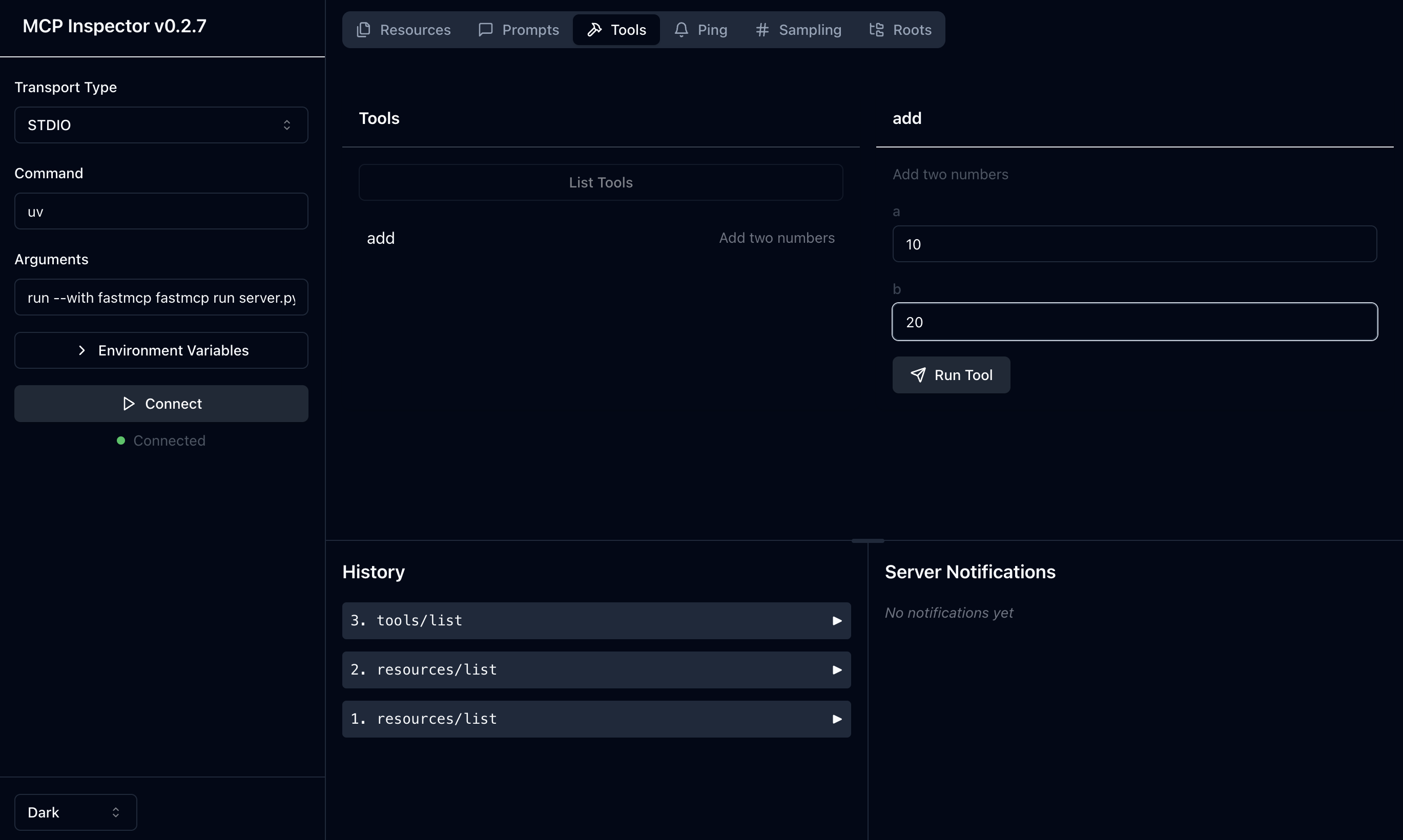
I entered the two input parameters … and it worked!
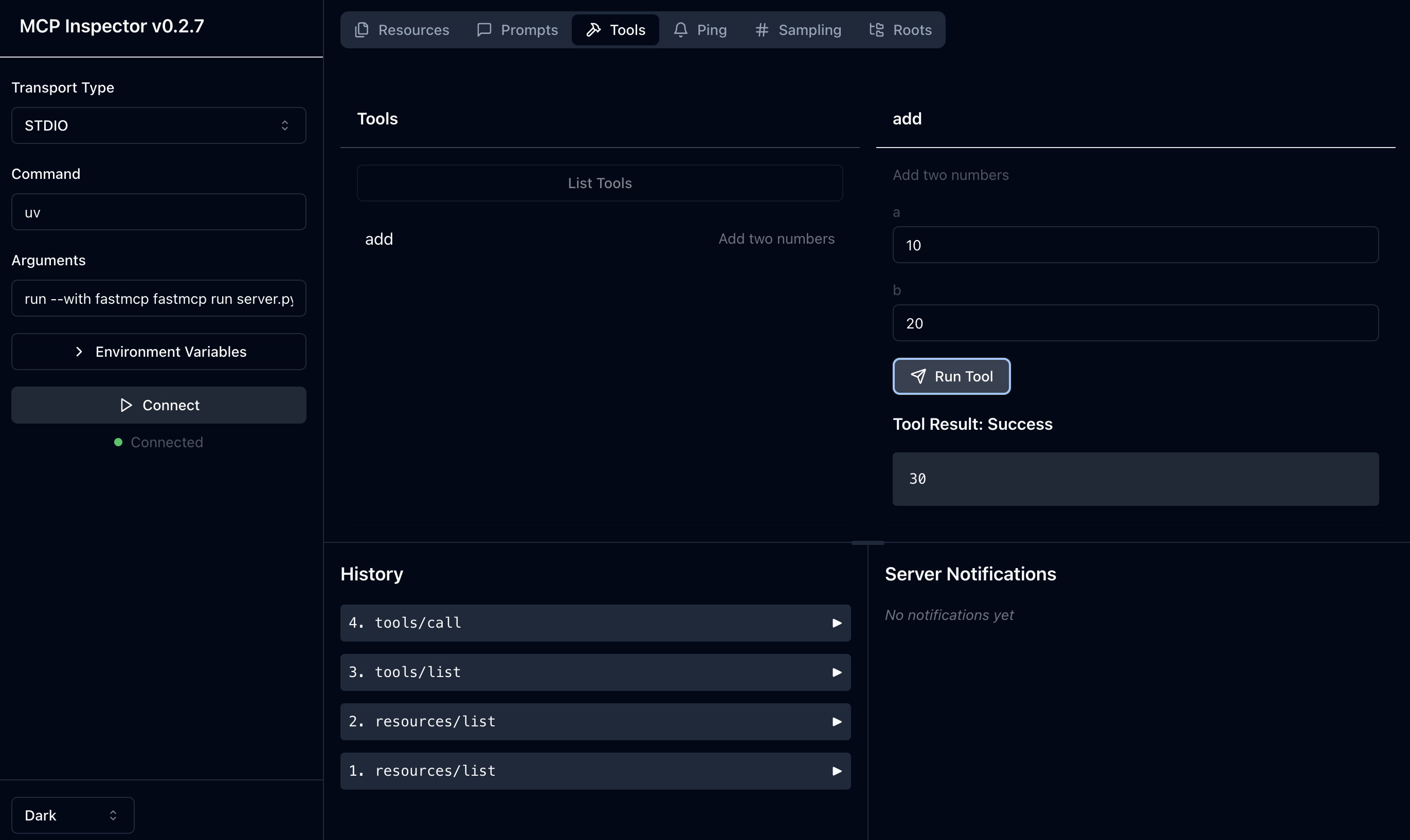
There’s the issue of lots of errors pouring out into the console. But … it seems to work. Let’s now plug it in.
Making it run
I proceeded to go ahead and run it:
fastmcp run server.py
Note that the “installation” only means it writes into the claude_desktop_config.json file. If you want to remove it, you should just edit the entry from the file:
    "Demo": {
      "command": "uv",
      "args": [
        "run",
        "--with",
        "fastmcp",
        "fastmcp",
        "run",
        "/Users/maeda/Documents/GitHub/claude-mcp-test/server.py"
      ]
    }
Trying it out in Claude
So I quit Claude and restarted it. And then saw that the “Demo” server is connected.
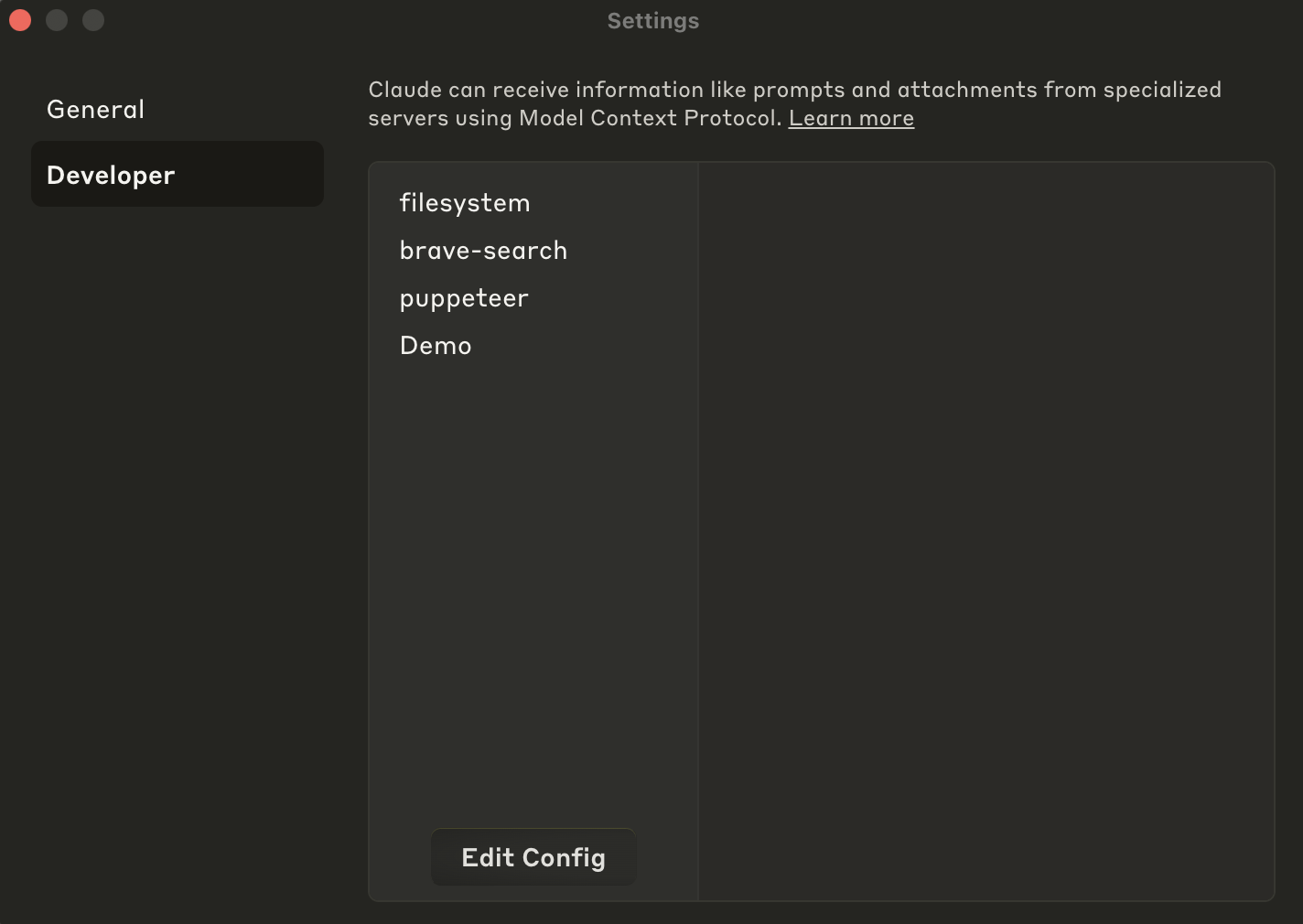
I then proceeded to try it out. It HIL’d me to ask if I could use ‘Demo’ and I gave it permission.
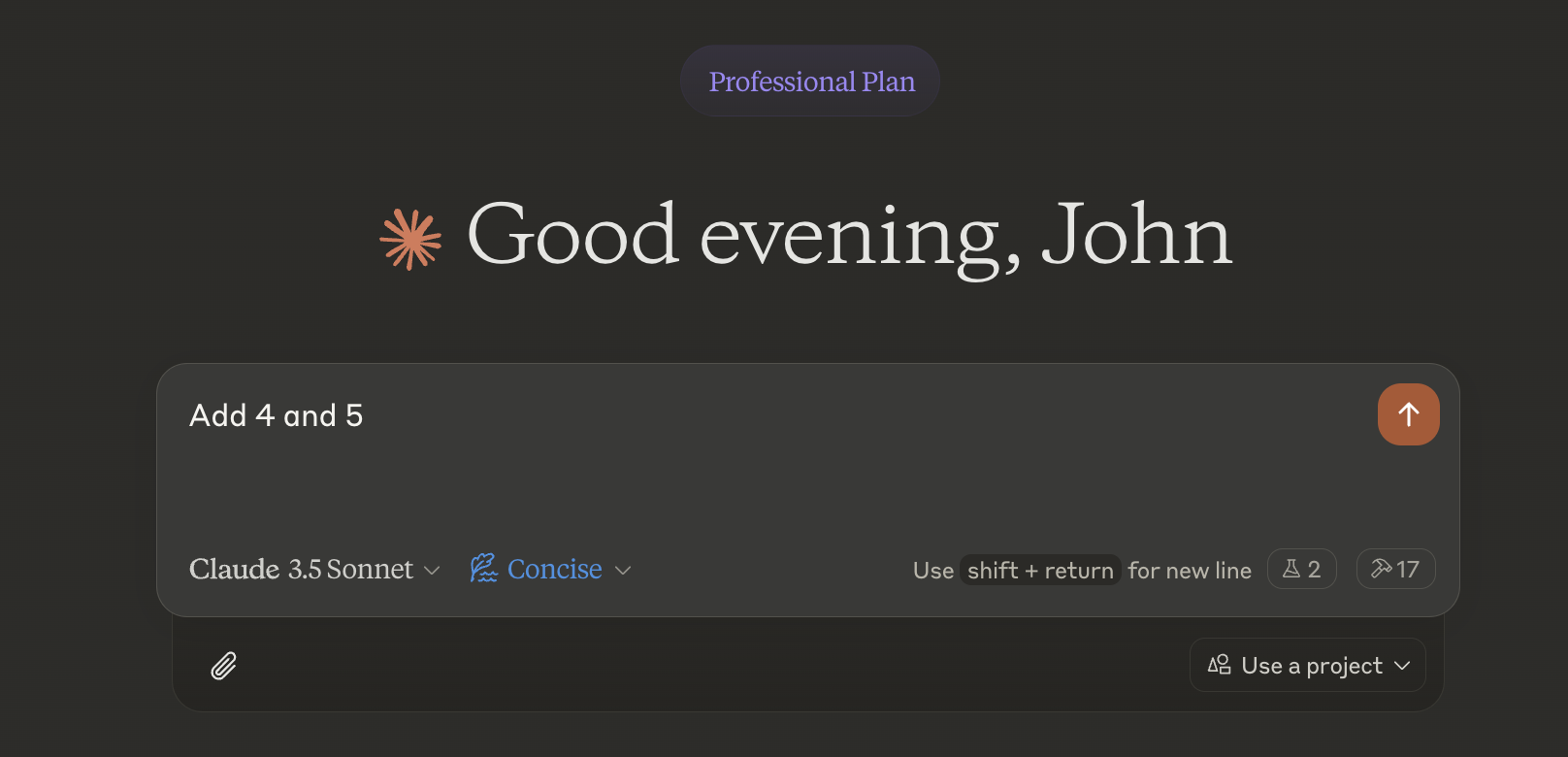
It worked!
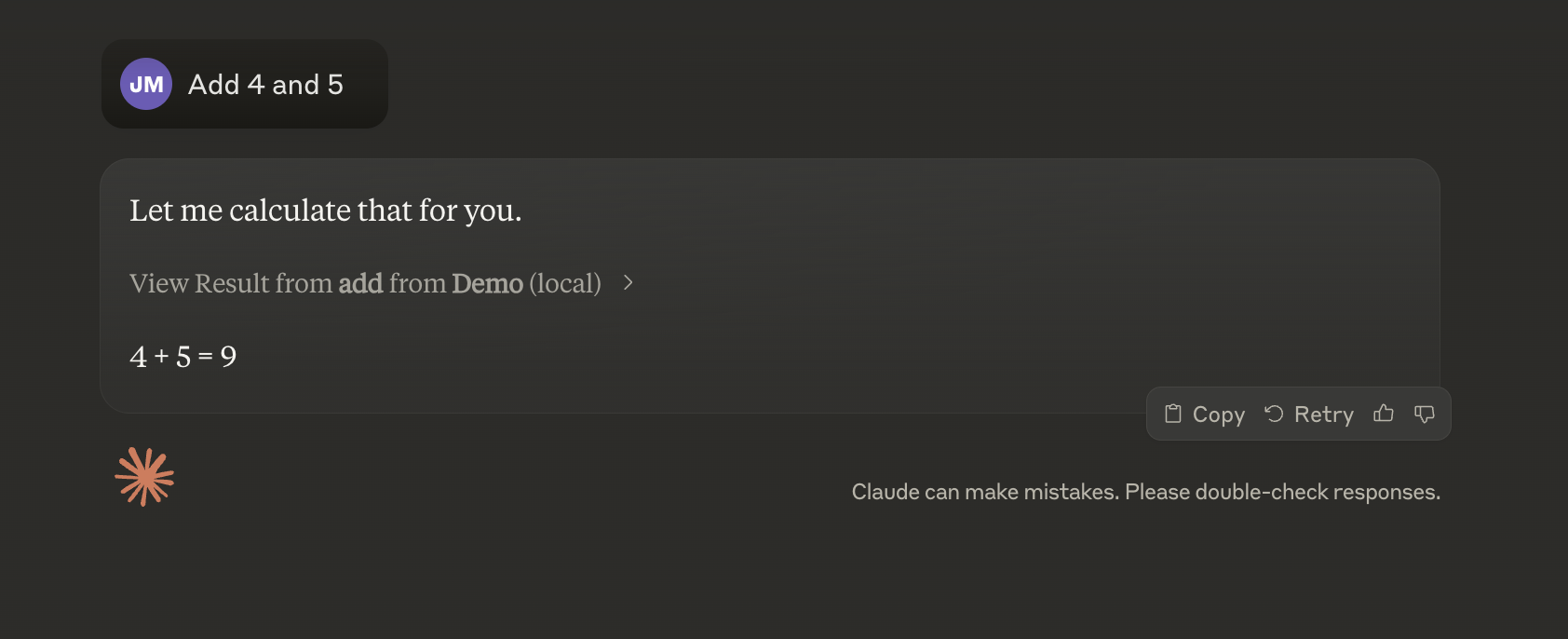
Not bad fastmcp!
Dev Tools Supporting MCP
The following are the main code editors that support the Model Context Protocol. Click the link to visit the official website for more information.







