
Confluence Mcp
What is Confluence Mcp
Confluence MCP is a tool designed for interacting with the Confluence API, allowing users to perform various operations such as searching, creating, and managing Confluence pages and spaces.
Use cases
Use cases for Confluence MCP include automating documentation processes, managing content in Confluence for teams, and integrating Confluence with other tools and workflows.
How to use
To use Confluence MCP, you can install it via GitHub Releases, Go install, or Docker. After installation, set up the required environment variables for authentication and run the tool to interact with your Confluence instance.
Key features
Key features include searching Confluence pages and spaces, retrieving page details and content, creating and updating pages and spaces, and managing page permissions and metadata.
Where to use
Confluence MCP is primarily used in environments where Confluence is deployed, such as project management, documentation, and collaboration platforms.
Clients Supporting MCP
The following are the main client software that supports the Model Context Protocol. Click the link to visit the official website for more information.





Overview
What is Confluence Mcp
Confluence MCP is a tool designed for interacting with the Confluence API, allowing users to perform various operations such as searching, creating, and managing Confluence pages and spaces.
Use cases
Use cases for Confluence MCP include automating documentation processes, managing content in Confluence for teams, and integrating Confluence with other tools and workflows.
How to use
To use Confluence MCP, you can install it via GitHub Releases, Go install, or Docker. After installation, set up the required environment variables for authentication and run the tool to interact with your Confluence instance.
Key features
Key features include searching Confluence pages and spaces, retrieving page details and content, creating and updating pages and spaces, and managing page permissions and metadata.
Where to use
Confluence MCP is primarily used in environments where Confluence is deployed, such as project management, documentation, and collaboration platforms.
Clients Supporting MCP
The following are the main client software that supports the Model Context Protocol. Click the link to visit the official website for more information.
Content
Confluence MCP
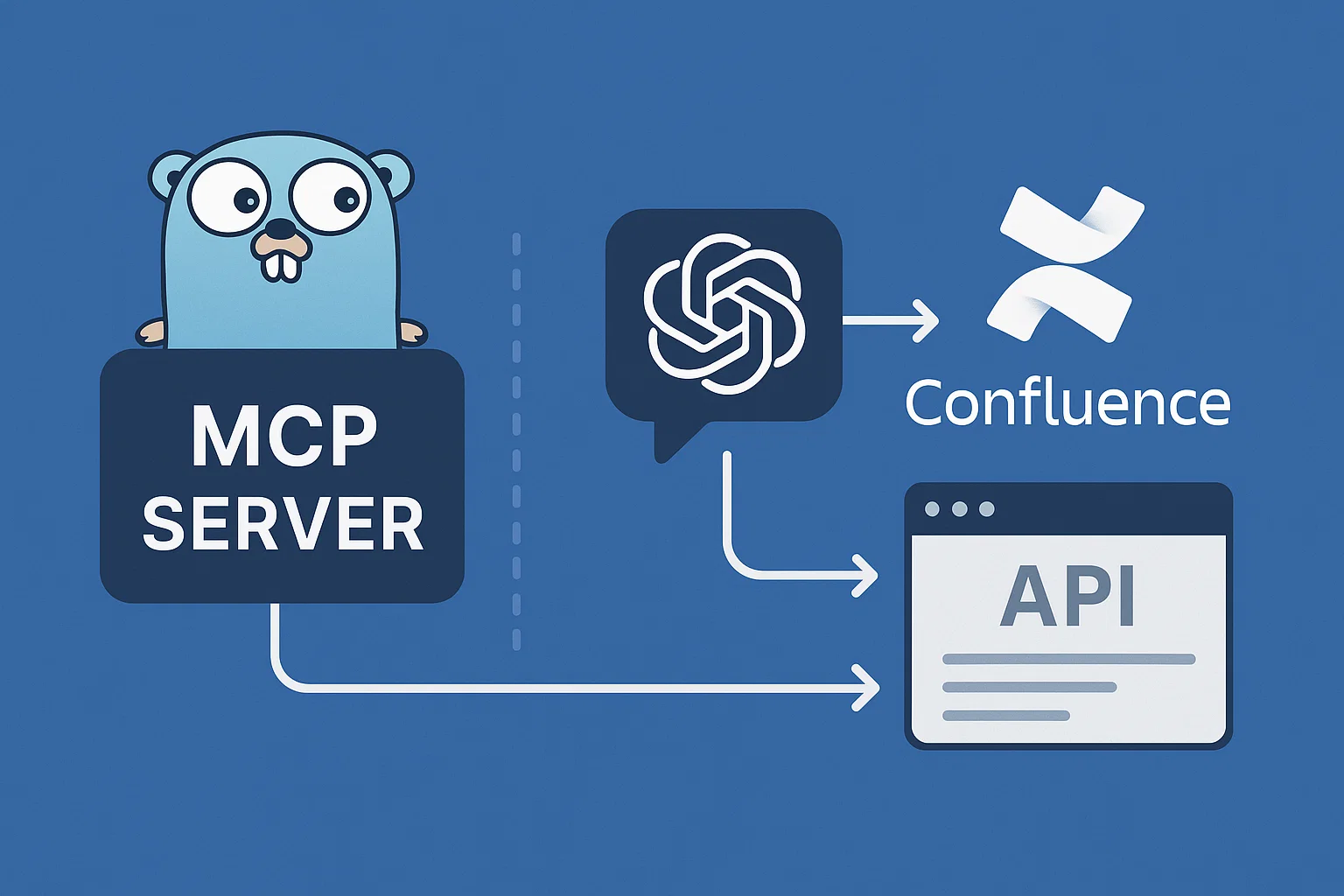
A Go-based Model Context Protocol (MCP) server for integrating AI assistants with Atlassian Confluence. This tool provides a seamless interface for interacting with the Confluence API through the standardized MCP, enabling AI models to search, retrieve, create, and update Confluence content.
Features
- Search Confluence pages and spaces
- Get page details and content
- Create new pages and spaces
- Update existing pages
- Manage page permissions and metadata
- Get page comments
- List spaces
Installation
There are several ways to install the Confluence MCP:
Option 1: Download from GitHub Releases
- Visit the GitHub Releases page
- Download the binary for your platform:
confluence-mcp_linux_amd64for Linuxconfluence-mcp_darwin_amd64for macOSconfluence-mcp_windows_amd64.exefor Windows
- Make the binary executable (Linux/macOS):
chmod +x confluence-mcp_* - Move it to your PATH (Linux/macOS):
sudo mv confluence-mcp_* /usr/local/bin/confluence-mcp
Option 2: Go install
go install github.com/nguyenvanduocit/confluence-mcp@latest
Option 3: Docker
Using Docker directly
-
Pull the pre-built image from GitHub Container Registry:
docker pull ghcr.io/nguyenvanduocit/confluence-mcp:latest -
Or build the Docker image locally:
docker build -t confluence-mcp .
Configuration
Environment Variables
The following environment variables are required for authentication:
ATLASSIAN_HOST=your_confluence_host
ATLASSIAN_EMAIL=your_email
ATLASSIAN_TOKEN=your_token
You can set these directly in environment variables or through a .env file for local development.
Transport Methods
The Confluence MCP supports two transport methods:
1. Standard I/O (stdio) - Default
This is the default transport method used by most MCP clients like Claude Desktop and Cursor.
2. Streamable HTTP Server
For HTTP-based integrations, you can run the server with HTTP transport using the --http_port flag.
Usage Examples
With Claude Desktop / Cursor (stdio transport)
Add to your MCP configuration file:
{
  "mcpServers": {
    "confluence": {
      "command": "/path/to/confluence-mcp",
      "args": [
        "-env",
        "/path/to/.env"
      ]
    }
  }
}
With Docker (stdio transport)
{
  "mcpServers": {
    "confluence": {
      "command": "docker",
      "args": [
        "run",
        "--rm",
        "-i",
        "-e",
        "ATLASSIAN_HOST=your_confluence_instance.atlassian.net",
        "-e",
        "[email protected]",
        "-e",
        "ATLASSIAN_TOKEN=your_atlassian_api_token",
        "ghcr.io/nguyenvanduocit/confluence-mcp:latest"
      ]
    }
  }
}
With HTTP Transport
For HTTP-based integrations, run the server with:
confluence-mcp --http_port 8080 --env .env
This will start the server at http://localhost:8080/mcp
Or with Docker:
docker run -p 8080:8080 \
  -e ATLASSIAN_HOST=your_confluence_instance.atlassian.net \
  -e [email protected] \
  -e ATLASSIAN_TOKEN=your_atlassian_api_token \
  ghcr.io/nguyenvanduocit/confluence-mcp:latest \
  --http_port 8080
Available Tools
search_page- Search pages in Confluence using CQLget_page- Get Confluence page content and metadatacreate_page- Create new Confluence pagesupdate_page- Update existing Confluence pagesget_comments- Get comments from a Confluence pagelist_spaces- List Confluence spaces
Contributing
- Fork the repository
- Create your feature branch (
git checkout -b feature/amazing-feature) - Commit your changes (
git commit -m 'Add some amazing feature') - Push to the branch (
git push origin feature/amazing-feature) - Open a Pull Request
License
This project is licensed under the MIT License - see the LICENSE file for details.
Dev Tools Supporting MCP
The following are the main code editors that support the Model Context Protocol. Click the link to visit the official website for more information.







