
Coolify Mcp Server
What is Coolify Mcp Server
The coolify-mcp-server is an integration layer for the Coolify API, enabling users to interact with various resources and applications through a standardized interface. It is built using TypeScript and utilizes the Model Context Protocol SDK for efficient communication.
Use cases
Use cases for the coolify-mcp-server include managing application lifecycles, monitoring system health, and integrating Coolify functionalities into other applications or services.
How to use
To use the coolify-mcp-server, clone the repository, install dependencies, and configure the Claude settings with your Coolify API key and base URL. After setup, you can interact with the server using defined API endpoints.
Key features
Key features include listing resources and applications, retrieving application details, starting, stopping, and restarting applications, deploying applications by tag or UUID, performing health checks, and fetching the current version of the Coolify API.
Where to use
undefined
Clients Supporting MCP
The following are the main client software that supports the Model Context Protocol. Click the link to visit the official website for more information.





Overview
What is Coolify Mcp Server
The coolify-mcp-server is an integration layer for the Coolify API, enabling users to interact with various resources and applications through a standardized interface. It is built using TypeScript and utilizes the Model Context Protocol SDK for efficient communication.
Use cases
Use cases for the coolify-mcp-server include managing application lifecycles, monitoring system health, and integrating Coolify functionalities into other applications or services.
How to use
To use the coolify-mcp-server, clone the repository, install dependencies, and configure the Claude settings with your Coolify API key and base URL. After setup, you can interact with the server using defined API endpoints.
Key features
Key features include listing resources and applications, retrieving application details, starting, stopping, and restarting applications, deploying applications by tag or UUID, performing health checks, and fetching the current version of the Coolify API.
Where to use
undefined
Clients Supporting MCP
The following are the main client software that supports the Model Context Protocol. Click the link to visit the official website for more information.
Content
Coolify MCP Server
Overview
This is still very much in development.
The Coolify MCP (Model Context Protocol) Server is an integration layer for the Coolify API, allowing users to interact with various resources and applications through a standardized interface. This server is built using TypeScript and leverages the Model Context Protocol SDK for seamless communication.
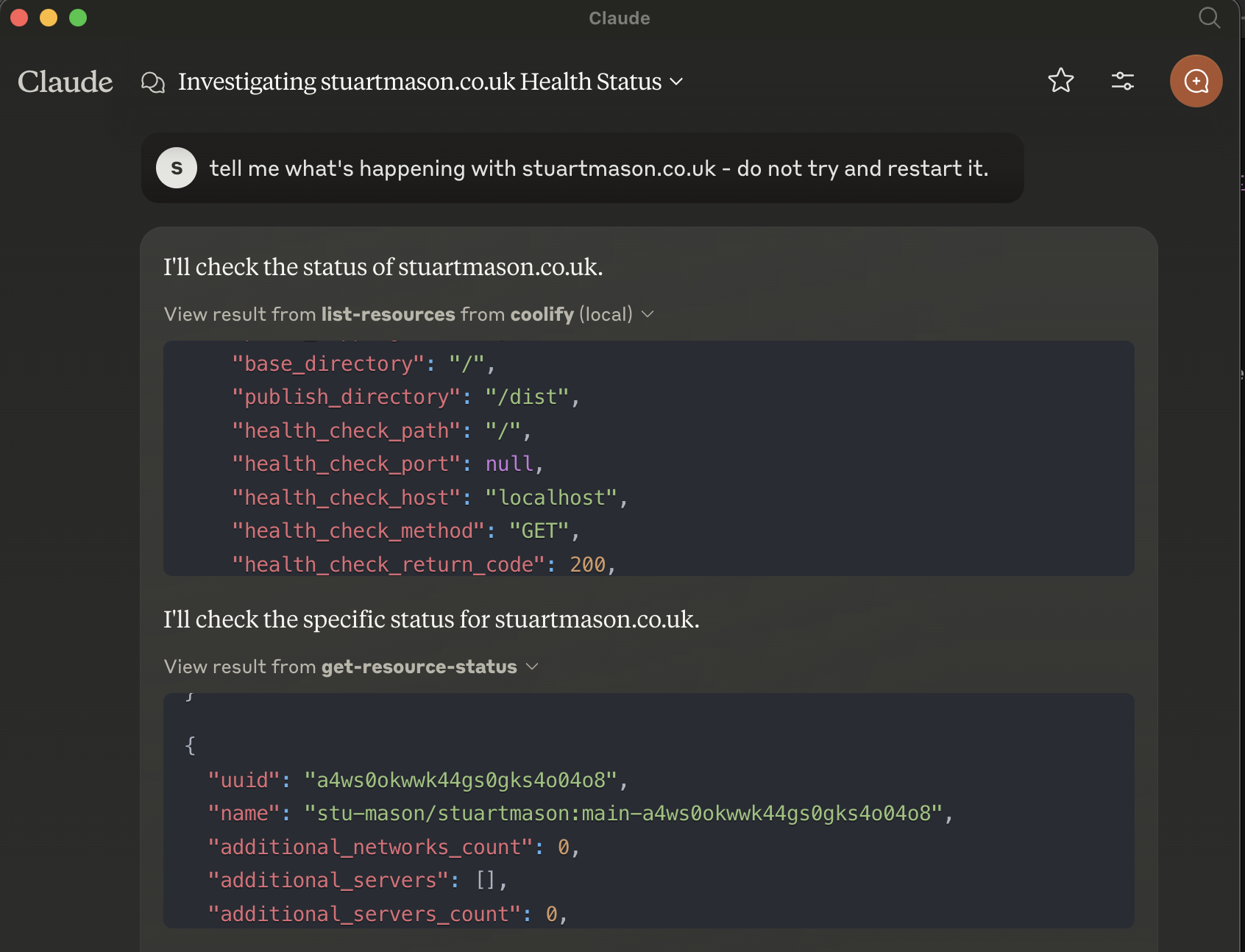
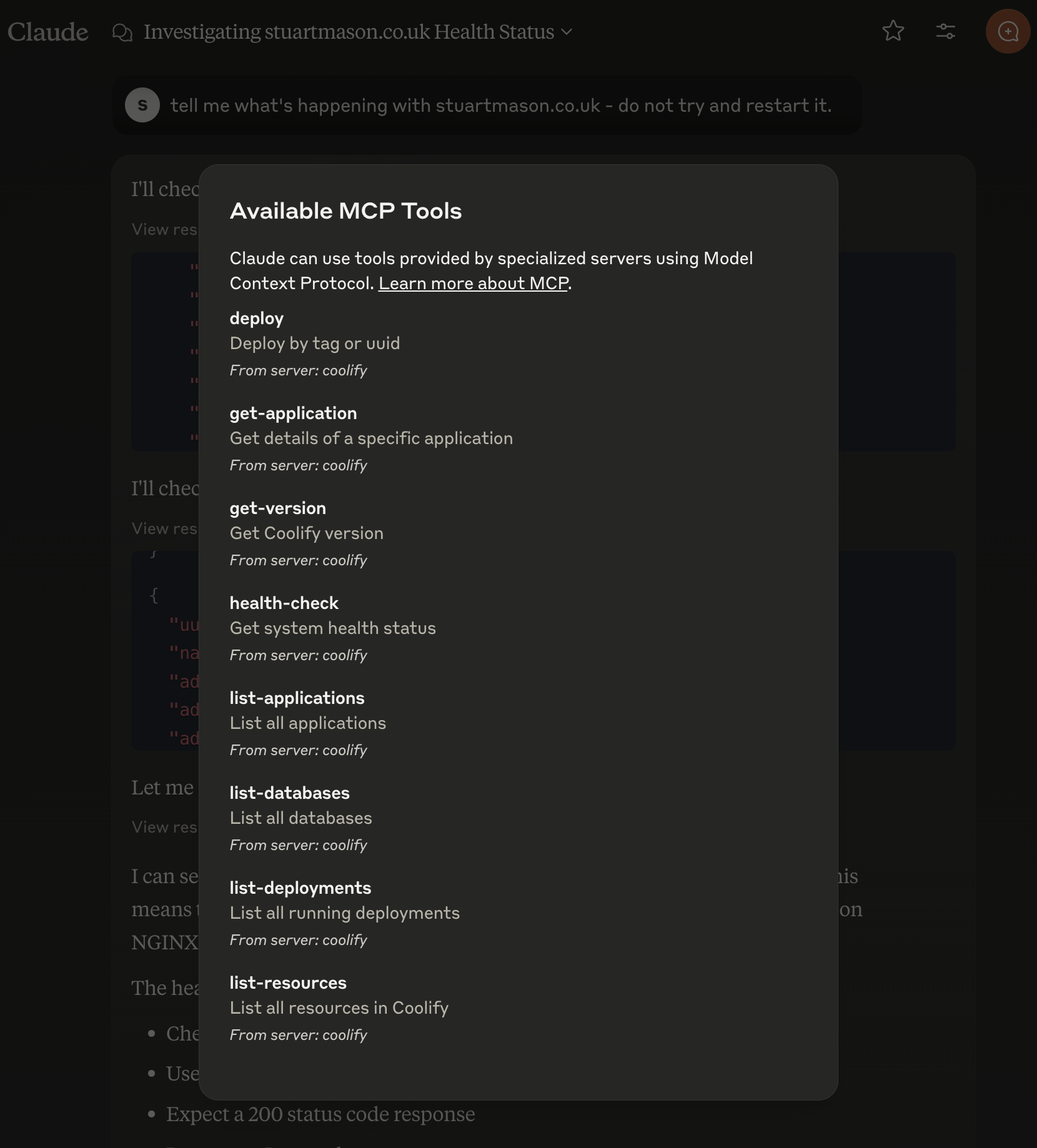
Features
- List resources and applications
- Get details of specific applications
- Start, stop, and restart applications
- Deploy applications by tag or UUID
- Health check for system status
- Fetch the current version of the Coolify API
Installation
To set up the Coolify MCP Server, follow these steps:
- Clone the repository:
git clone <repository-url>
cd coolify-mcp
- Install dependencies:
npm install
then run
npm build
to create the build directory.
- Set Claude Config:
You’ll need something like this in your claude_desktop_config.json file:
API Endpoints
The server supports the following operations:
-
List Resources
- Request:
list-resources - Response: List of all resources in Coolify.
- Request:
-
List Applications
- Request:
list-applications - Response: List of all applications.
- Request:
-
Get Application Details
- Request:
get-application - Parameters:
{"uuid": "<application-uuid>"} - Response: Details of the specified application.
- Request:
-
Start Application
- Request:
start-application - Parameters:
{"uuid": "<application-uuid>"} - Response: Result of the start operation.
- Request:
-
Stop Application
- Request:
stop-application - Parameters:
{"uuid": "<application-uuid>"} - Response: Result of the stop operation.
- Request:
-
Restart Application
- Request:
restart-application - Parameters:
{"uuid": "<application-uuid>"} - Response: Result of the restart operation.
- Request:
-
Deploy Application
- Request:
deploy - Parameters:
{"tag": "<tag-name>", "uuid": "<application-uuid>", "force": true} - Response: Result of the deploy operation.
- Request:
-
Get Version
- Request:
get-version - Response: Current version of the Coolify API.
- Request:
-
Health Check
- Request:
health-check - Response: System health status.
- Request:
Contributing
Contributions are welcome! Please open an issue or submit a pull request for any enhancements or bug fixes.
Dev Tools Supporting MCP
The following are the main code editors that support the Model Context Protocol. Click the link to visit the official website for more information.







