
Crypto Mcp
What is Crypto Mcp
Crypto MCP is a Model Context Protocol (MCP) server that enables real-time access to cryptocurrency data from the CoinMarketCap API, providing Claude AI with essential market information.
Use cases
Use cases for Crypto MCP include displaying the top cryptocurrencies by market cap, checking current prices of specific cryptocurrencies, retrieving global market metrics, and providing information about cryptocurrency exchanges.
How to use
To use Crypto MCP, you need to integrate it with Claude Desktop by adding specific configurations to the Claude Desktop configuration file. After that, you can query Claude for various cryptocurrency-related tasks.
Key features
Key features of Crypto MCP include tools for getting cryptocurrency listings, retrieving quotes, fetching cryptocurrency mappings, accessing global market metrics, and obtaining information about cryptocurrency exchanges.
Where to use
Crypto MCP can be used in financial applications, trading platforms, and any service requiring real-time cryptocurrency market data.
Clients Supporting MCP
The following are the main client software that supports the Model Context Protocol. Click the link to visit the official website for more information.





Overview
What is Crypto Mcp
Crypto MCP is a Model Context Protocol (MCP) server that enables real-time access to cryptocurrency data from the CoinMarketCap API, providing Claude AI with essential market information.
Use cases
Use cases for Crypto MCP include displaying the top cryptocurrencies by market cap, checking current prices of specific cryptocurrencies, retrieving global market metrics, and providing information about cryptocurrency exchanges.
How to use
To use Crypto MCP, you need to integrate it with Claude Desktop by adding specific configurations to the Claude Desktop configuration file. After that, you can query Claude for various cryptocurrency-related tasks.
Key features
Key features of Crypto MCP include tools for getting cryptocurrency listings, retrieving quotes, fetching cryptocurrency mappings, accessing global market metrics, and obtaining information about cryptocurrency exchanges.
Where to use
Crypto MCP can be used in financial applications, trading platforms, and any service requiring real-time cryptocurrency market data.
Clients Supporting MCP
The following are the main client software that supports the Model Context Protocol. Click the link to visit the official website for more information.
Content
Crypto MCP
A Model Context Protocol (MCP) server that provides Claude AI with real-time access to cryptocurrency data from the CoinMarketCap API.
Features
This server provides the following tools to Claude:
- get-cryptocurrency-listings: Get the latest cryptocurrency market data
- get-cryptocurrency-quotes: Retrieve quotes for specific cryptocurrencies
- get-cryptocurrency-map: Fetch the mapping of cryptocurrencies to CoinMarketCap IDs
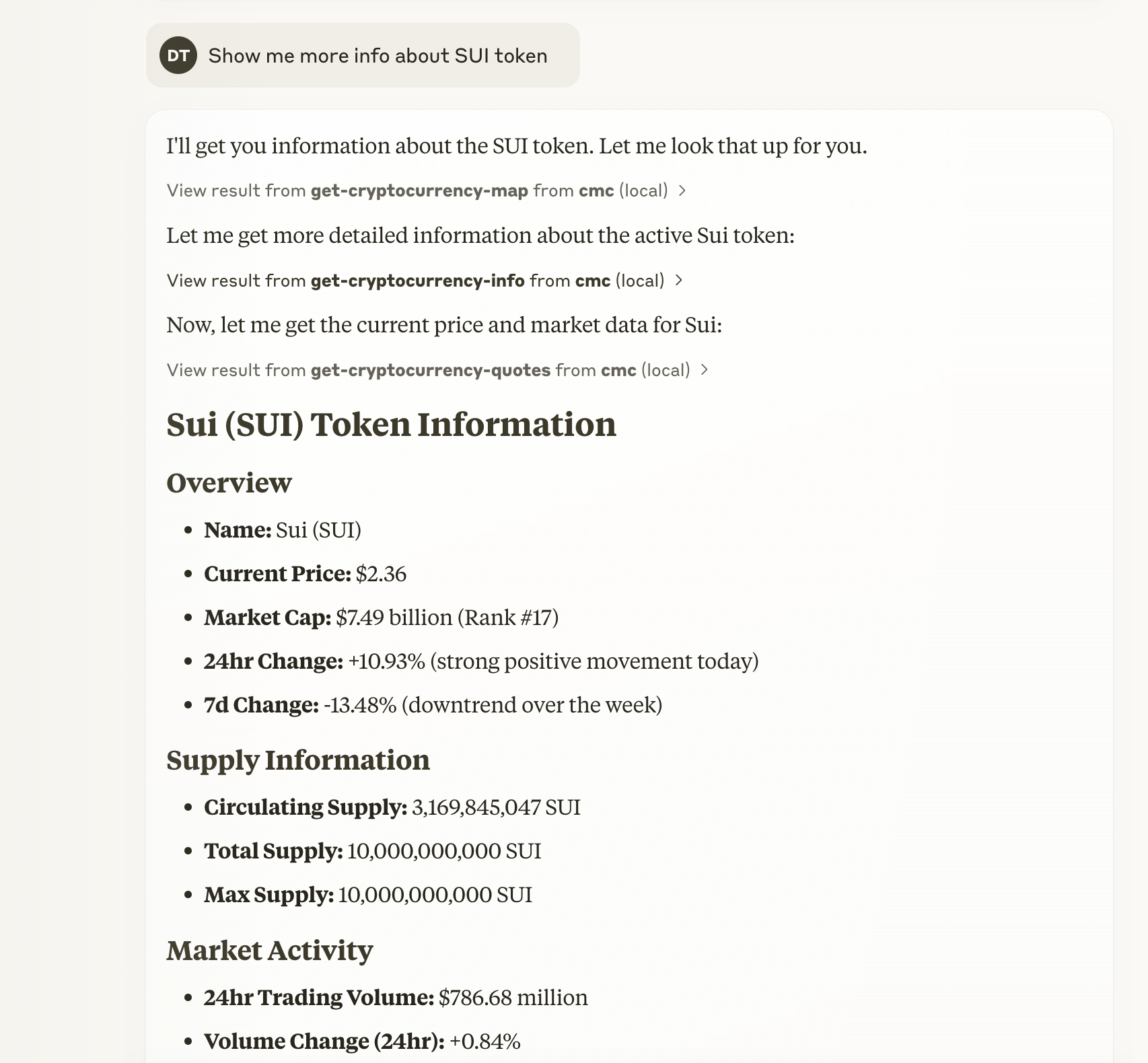
- get-cryptocurrency-info: Get detailed metadata for specific cryptocurrencies
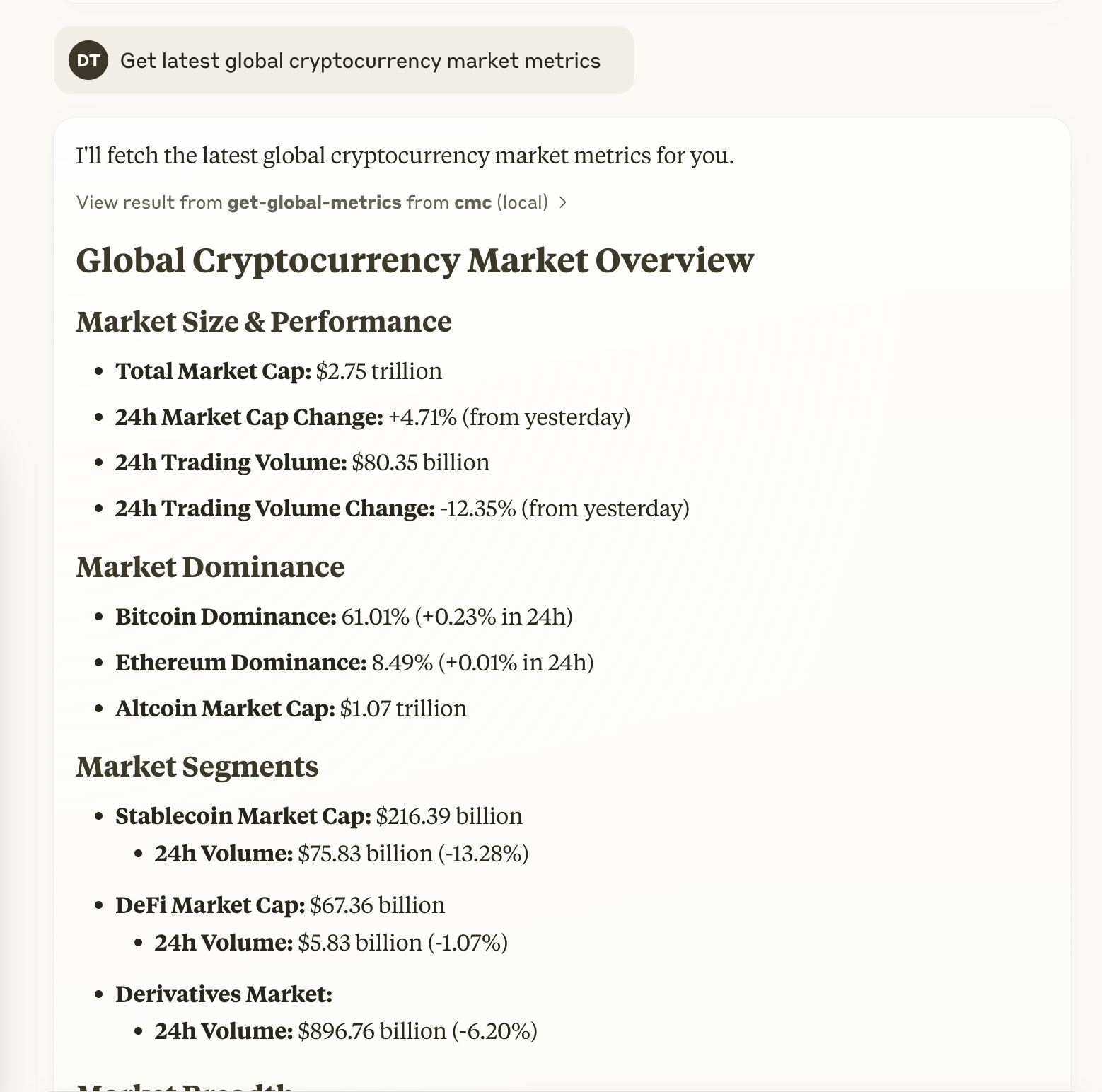
- get-global-metrics: Access global cryptocurrency market metrics
- get-exchange-listings: Get information about cryptocurrency exchanges
Prerequisites
- A CoinMarketCap API key (get one at pro.coinmarketcap.com)
Integration with Claude Desktop
To integrate this MCP server with Claude Desktop:
-
Locate the Claude Desktop configuration file:
- On macOS:
~/Library/Application\ Support/Claude/claude_desktop_config.json
- On macOS:
-
Add the following configuration to the file:
{
  "mcpServers": {
    "cmc": {
      "command": "npx",
      "args": [
        "crypto-mcp"
      ],
      "env": {
        "COINMARKET_API_KEY": "your-api-key-here"
      }
    }
  }
}
Manual Installation
- Clone this repository
- Install dependencies:
# Using npm
npm install

# Using bun
bun install
- Build the TypeScript code:
# Using npm
npm run build

# Using bun
bun run build
Usage in Claude
Once configured, you can ask Claude to perform various cryptocurrency-related tasks:
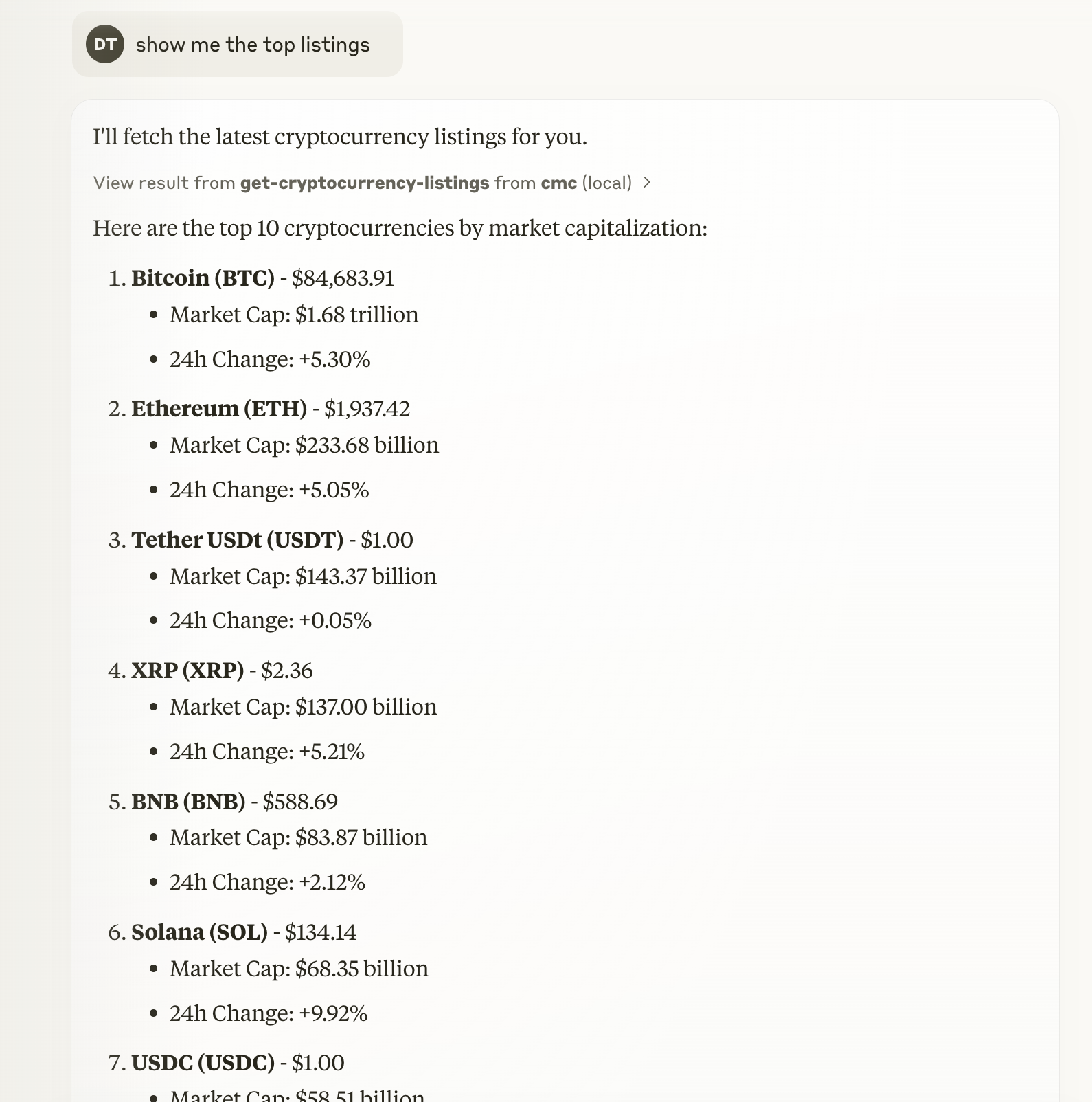
- “Show me the top 10 cryptocurrencies by market cap”
- “What’s the current price of Bitcoin and Ethereum?”
- “What are the global cryptocurrency market metrics today?”
- “Tell me about the Binance exchange”
Screenshots
Top Cryptocurrencies
Cryptocurrency Metadata
Market Metrics
Development
This project uses TypeScript and the Model Context Protocol SDK to build a server that communicates with Claude AI.
To modify the available tools or add new endpoints, edit the src/index.ts file and rebuild the project.
Dev Tools Supporting MCP
The following are the main code editors that support the Model Context Protocol. Click the link to visit the official website for more information.







