
Curl Mcp
What is Curl Mcp
curl-mcp is an MCP server that translates natural language instructions into curl commands, supporting both English and Spanish languages.
Use cases
Use cases for curl-mcp include making HTTP requests with specific headers, handling authentication, sending data in various formats, and managing security options like SSL verification.
How to use
To use curl-mcp, start the MCP server by running ‘python3 main.py’. You can then send natural language commands in English or Spanish to execute corresponding curl commands.
Key features
Key features of curl-mcp include support for natural language processing in English and Spanish, the ability to handle various curl command options, and the capability to perform basic and advanced HTTP requests.
Where to use
curl-mcp can be used in web development, API testing, and automation tasks where curl commands are needed but users prefer to use natural language for ease of understanding.
Clients Supporting MCP
The following are the main client software that supports the Model Context Protocol. Click the link to visit the official website for more information.





Overview
What is Curl Mcp
curl-mcp is an MCP server that translates natural language instructions into curl commands, supporting both English and Spanish languages.
Use cases
Use cases for curl-mcp include making HTTP requests with specific headers, handling authentication, sending data in various formats, and managing security options like SSL verification.
How to use
To use curl-mcp, start the MCP server by running ‘python3 main.py’. You can then send natural language commands in English or Spanish to execute corresponding curl commands.
Key features
Key features of curl-mcp include support for natural language processing in English and Spanish, the ability to handle various curl command options, and the capability to perform basic and advanced HTTP requests.
Where to use
curl-mcp can be used in web development, API testing, and automation tasks where curl commands are needed but users prefer to use natural language for ease of understanding.
Clients Supporting MCP
The following are the main client software that supports the Model Context Protocol. Click the link to visit the official website for more information.
Content
Curl MCP - Natural Language Curl Commander
Execute curl commands using natural language in English and Spanish.
Prerequisites
- Python 3.13 or higher
- curl (usually pre-installed on Linux)
- Git
Installation
- Clone the repository:
git clone https://github.com/MartinPSDev/curl-mcp.git
cd curl-mcp
- Create and activate a virtual environment:
python3 -m venv .env
source .env/bin/activate
- Install dependencies:
pip install -r requirements.txt
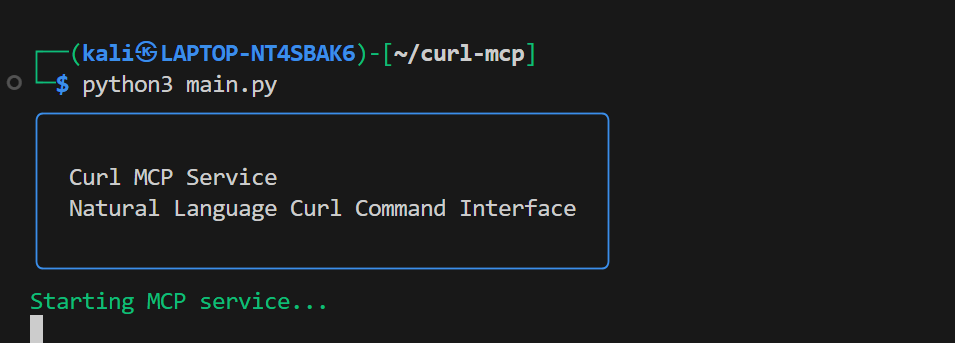
- Start the MCP server:
python3 main.py
Configuration
Add this to your MCP settings:
{
  "mcpServers": {
    "curl-mcp": {
      "command": "/usr/bin/python3",
      "args": [
        "/path/to/your/curl-mcp/main.py"
      ],
      "env": {
        "PYTHONPATH": "/path/to/your/curl-mcp/.env/lib/python3.11/site-packages"
      }
    }
  }
}
Note: Replace /path/to/your/curl-mcp with the actual path where you cloned the repository.
Usage
- Start the MCP server:
python3 main.py
- The server can now receive natural language commands in English or Spanish. Here are some examples:
Basic Examples:
- “Get headers from https://example.com”
- “Show raw response from https://api.example.com”
- “Download https://example.com and save as page.html”
Advanced Examples:
-
Headers and Authentication:
- “Make a request to https://api.example.com with header Authorization: Bearer mytoken”
- “Get https://api.example.com using basic auth user:password”
-
Data Handling:
- “POST to https://api.example.com/users with data name=John and age=25”
- “Send form data to https://upload.example.com with file image.jpg”
- “POST urlencoded data user=test+name to https://api.example.com”
-
Security and Options:
- “Get https://example.com ignoring SSL verification”
- “Request https://api.example.com with timeout 30 seconds”
- “Get https://example.com through proxy localhost:8080”
-
User Agents:
- “Get https://example.com as Chrome”
- “Request https://mobile.example.com as iPhone”
Dev Tools Supporting MCP
The following are the main code editors that support the Model Context Protocol. Click the link to visit the official website for more information.







